7 AI Tools That Can Transcribe Music (Notes & MIDI)
Contact partnership@freebeat.ai for guest post/link insertion opportunities
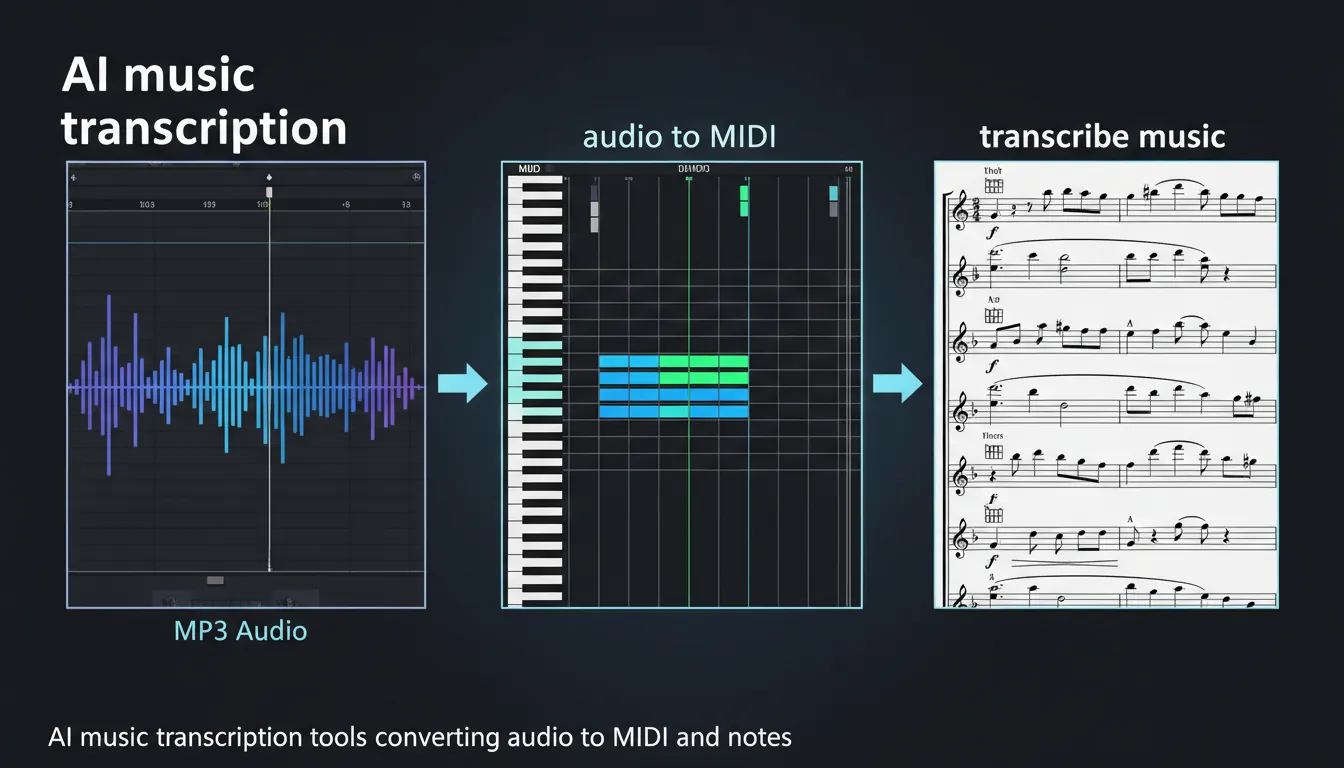
If you’ve ever heard a chord change and thought, “I need that on paper,” you’ve already asked the real question: is there AI that can transcribe music accurately enough to save time? The good news: yes—there are now multiple AI-assisted options that can turn audio into notes, MIDI, tabs, or MusicXML. The honest news: results vary a lot depending on instrument, mix density, and whether the audio is polyphonic (many notes at once).
Below are 7 practical tools I’ve used or tested in real creator workflows, plus a quick guide to choosing the right one for your goal.
1) Songscription AI (notes + MIDI + tabs in one place)
When someone asks “is there ai that can transcribe music” and means “upload a song and give me something playable”, Songscription AI is one of the clearest answers. It’s designed to convert common formats (like MP3/WAV/M4A) and even links into readable outputs such as sheet music, MIDI, guitar tabs, and MusicXML. That export flexibility is a big deal if you move between DAWs and notation apps.
In my testing, it shines for:
- Lead lines and chord-forward parts (piano/guitar-friendly material)
- Quick drafts you can polish in a notation editor
- Creators who want multiple outputs from one upload
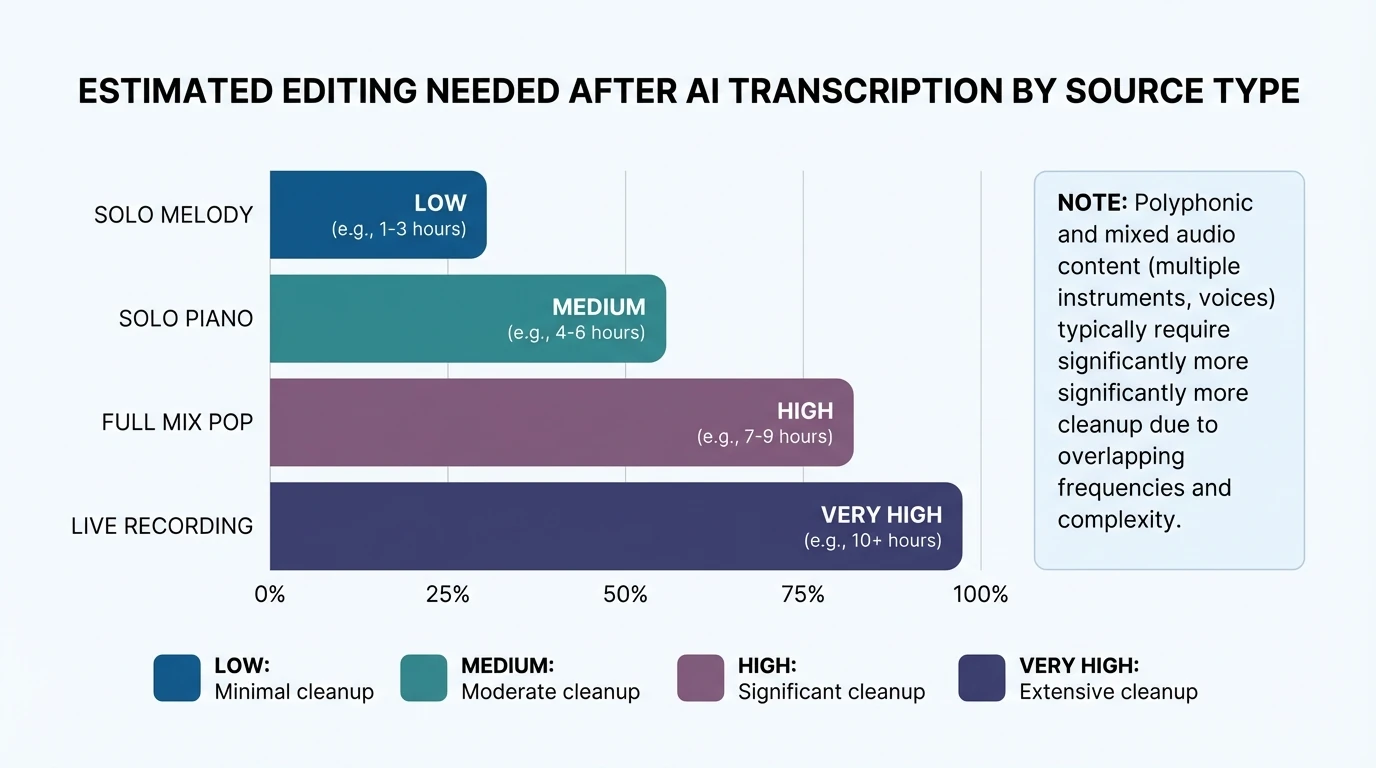
Best practice: treat the first output as a draft. For many songs, you’ll still want to fix note lengths, quantization, and voicings—especially in busy mixes.
2) Klangio (instrument-specific AI transcription)
If your priority is notation (not just MIDI), Klangio is worth a close look. Klangio positions itself around instrument-specific transcription apps, which is smart because transcribing a vocal melody is a different problem than transcribing full piano voicings. The value here is focus: you pick the tool aligned with your instrument and notation goal.
Where Klangio tends to fit best:
- Piano, guitar, vocals, and lead-sheet style outputs
- Users who want AI-assisted notation rather than DAW-only MIDI
- Situations where you’ll do light cleanup and engraving afterward
A realistic expectation (backed by industry comparisons) is that AI can extract pitches well, but it often misses performance markings (dynamics, articulation) and may not produce publication-ready engraving. For that context, see this helpful discussion from Music Notation Hub on AI vs. human music transcription.
3) AnthemScore (AI transcription with strong editing controls)
AnthemScore is a classic pick when you want AI transcription plus the tools to wrestle the result into shape. It’s built around automatic transcription, but the real win is the workflow: you can edit notes, timing, and structure with more intention than many “upload-and-pray” tools.
I recommend AnthemScore when:
- You’re transcribing solo instruments or clearer recordings
- You need spectrogram-style visibility to validate pitches
- You’re okay investing time refining the score
If you want “zero editing,” this won’t magically deliver it. But if you want control, it’s one of the more practical choices.
4) RipX (AI DAW-style transcription and note extraction)
RipX is often discussed as a powerful environment for editing audio at the note level—useful when the goal is not only transcription, but also extracting, reshaping, and re-voicing material. In producer workflows, that can be more valuable than perfect notation.
Where it excels:
- Converting audio into editable musical components
- Tweaking pitch/time per note after extraction
- Working with complex material where you need deep intervention
This is typically a paid, heavier toolset. But if you’re serious about “audio-to-editable music,” it’s a strong category pick.
5) Samplab 2 (producer-first audio-to-MIDI)
If your goal is to grab a chord progression or melody into your DAW fast, Samplab 2 is a popular option in “audio-to-MIDI” circles. It’s less about formal sheet music and more about getting usable MIDI you can assign to instruments and build on.
Good fits:
- Electronic music workflows
- Chord detection and quick harmonic capture
- Turning samples into starting-point MIDI
As with most tools, clean input wins. Busy mixes increase false notes and weird voicings.
6) Ableton Live (built-in Audio-to-MIDI)
Ableton’s Audio to MIDI features are convenient because they’re already inside the DAW—no file juggling. For many musicians, this is the fastest way to answer “is there ai that can transcribe music into MIDI I can edit right now?”
Use it for:
- Turning monophonic lines into MIDI quickly
- Rough harmony/melody extraction for arrangement
- Iterating fast inside a production session
Limitations:
- Not a notation-first solution
- Dense mixes often produce cluttered MIDI that needs manual cleanup
For a broader roundup of audio-to-MIDI options, this list is a useful scan: AudioCipher’s audio-to-MIDI converter tool guide.
7) OpenMusic (free online audio-to-MIDI conversion)
If you want a simple web-based option, OpenMusic Audio-to-MIDI offers an accessible way to convert audio to MIDI online. It’s a good starting point when you’re experimenting, validating an idea, or you don’t want to install anything.
Best for:
- Quick tests and lightweight conversions
- Simple melodic material
- Beginners who want a fast “yes/no” answer
As a rule, online converters trade fine control for speed. If you need detailed editing and reliable structure, you’ll likely move into a DAW or notation app after export.
The BEST AI Audio to MIDI tool! (And it's Free!)
How accurate is AI music transcription (really)?
In practice, AI transcription accuracy depends less on the “AI” label and more on source quality and musical density. Solo melody lines tend to come out far cleaner than full mixes with drums, bass, layered synths, and reverb. Research and benchmarks around transcription (including lyric transcription) also show that model choice and preprocessing like source separation can materially change error rates (see Music AI’s benchmark discussion comparing models and separation benefits: Lyric transcription benchmark study).
From my own use, these are the biggest “accuracy killers”:
- Heavy reverb/delay (smears note starts)
- Guitar distortion (adds harmonics that confuse pitch detection)
- Dense chords with fast rhythm changes
- Full master tracks (vs. stems)
Tip: If you can, transcribe stems (vocal-only, piano-only) instead of a full mix. You’ll spend less time fixing mistakes.
What to do after transcription: turn notes/MIDI into content fast (Freebeat AI workflow)
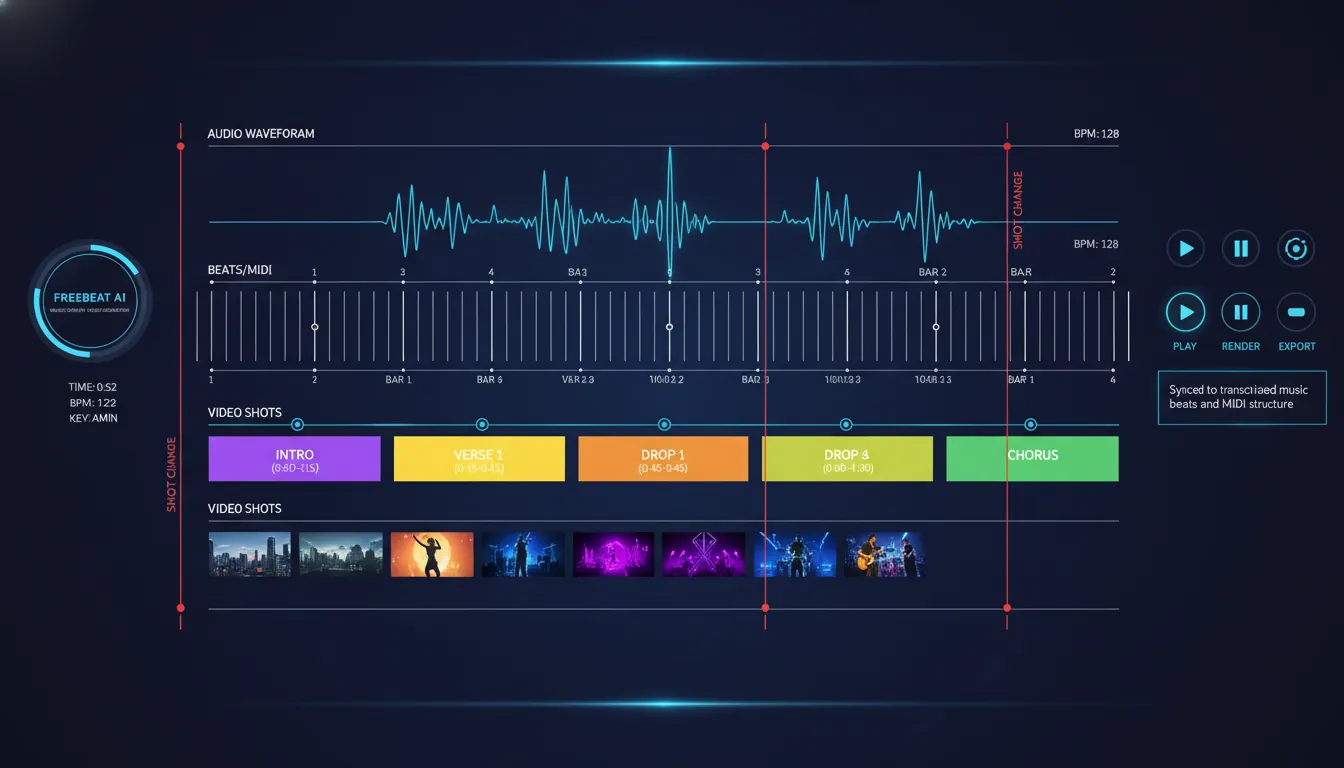
Once you have notes or MIDI, many creators still hit the next bottleneck: turning the music into a shareable visual. This is where Freebeat AI fits naturally—especially if your output is a song, beat, or loop you want to publish on TikTok, Reels, or YouTube Shorts.
Freebeat is not a transcription tool; it’s an AI music-driven video platform that understands BPM, beats, bars, drops, and sections and uses that structure to drive edits and pacing. In workflows I’ve shipped, the cleanest path looks like this:
- Transcribe or convert audio to MIDI/notes to understand structure quickly.
- Finalize your track (or keep it as-is).
- Use Freebeat to generate a rhythm-synced music video with story-aware planning and consistent characters/avatars.
If you want to explore music-visual sync, start here: Freebeat AI (homepage).
FAQs: “Is there AI that can transcribe music?” (People also ask)
1) Can ChatGPT transcribe music?
ChatGPT can help analyze music (e.g., explain chords you provide, suggest notation, or interpret a MIDI/text description), but it’s not a dedicated audio-to-score engine by itself. For direct audio transcription to notes/MIDI, you’ll usually get better results with tools built for automatic music transcription.
2) Is there a program that can listen to music and transcribe it?
Yes. Tools like Songscription AI, Klangio, and AnthemScore are designed to listen to audio and produce notation-like outputs (or MIDI you can edit).
3) Is there an AI that can transcribe music for free?
Some services offer free tiers or free online conversion (often with limits). For example, OpenMusic positions its audio-to-MIDI converter as free to try, and some platforms offer limited free transcriptions.
4) Is Songscription AI free?
Songscription AI is commonly discussed as offering a free option, but pricing and limits can change. Check the current plan details directly on Songscription AI before committing to a workflow.
5) Is there a free AI that can transcribe audio (speech) vs music?
Yes—speech transcription has many free tools, but music transcription is harder (multiple pitches at once). Music-focused AI tools are usually more limited on free tiers compared to speech-to-text.
6) What’s the best AI tool to transcribe piano into MIDI?
For piano, start with Songscription AI or Klangio for notation-style outputs, then test a DAW route (like Ableton’s conversion) if you mainly need editable MIDI.
7) Why does AI transcription miss notes or rhythms?
Automatic music transcription is difficult because the model must infer pitch, onset, duration, and instrument overlap from a mixed waveform. Even strong tools can output “raw notes” that need cleanup—this gap is well summarized in Music Notation Hub’s comparison of AI vs. human transcription.
Conclusion: yes—AI can transcribe music, if you pick the right tool
So, is there AI that can transcribe music? Absolutely. The best results come when you match the tool to your goal—MIDI for production, MusicXML for notation, or tabs for guitar—and feed it the cleanest audio you can. I’ve found that treating AI transcription as a fast first draft (not a final score) is the mindset that saves the most time.
If you want to take the next step and turn your track into a polished, beat-synced video without tedious editing, Freebeat AI is built for that music-first workflow: Freebeat AI.
📌 sync like a pro discover ai tools for seamless music and beat integration


