Best AI Music Video Tool for Fast Exports in 2026
Contact partnership@freebeat.ai for guest post/link insertion opportunities.
Best AI Music Video Tool for Fast Exports in 2026

The best AI music video tool for fast exports in 2026 is the one that balances export formats, generation speed, usable output quality, and reliable publishing workflows. For music-first creators, Freebeat is a strong option because it supports song-aware music video creation, MP4 exports, lyrics video outputs, .LRC lyric files, and multiple platform-ready aspect ratios.
Fast exports are not only about how quickly a video appears on screen. A tool can generate a clip quickly but still slow you down if you need to resize it, remove watermarks, add captions, re-export for TikTok, or rebuild the same video for YouTube. I look at export speed as the full journey from song input to publishable file.
How We Compared AI Music Video Tools for Speed and Exports
A useful AI music video tool should reduce friction at every stage: upload, generation, editing, rendering, and final export. To compare tools fairly, I focused on export options, latency, review signals, platform readiness, and creator workflow fit.
The main evaluation factors were:
- Export options: MP4, vertical, horizontal, square, lyrics files, captions, watermark policy
- Latency and speed: How quickly a creator can move from input to usable output
- User reviews: Whether public review signals support the tool’s reliability
- Workflow fit: Whether the tool suits musicians, DJs, editors, marketers, or social creators
Current AI video comparison pages often rank tools by quality, speed, pricing, and workflow type, which is useful because “fast” means different things for different creators. Synthesia’s 2026 comparison, for example, frames AI video tools around controllability and business use, while fal.ai compares AI video generators by motion quality, resolution, speed, and pricing.
The best tool depends on whether you need a full music video, a short social cut, or a quick AI-generated visual asset.
Quick Comparison Table: Best AI Music Video Tools for Fast Exports
This table gives a quick view of how each tool fits export-heavy workflows. Some tools are stronger for music-first output, while others are better for marketing, short-form clips, or technical generation speed.
The clearest takeaway is this: music-first exports need different features from general social exports.
1. Freebeat: Best for Music-First Fast Exports
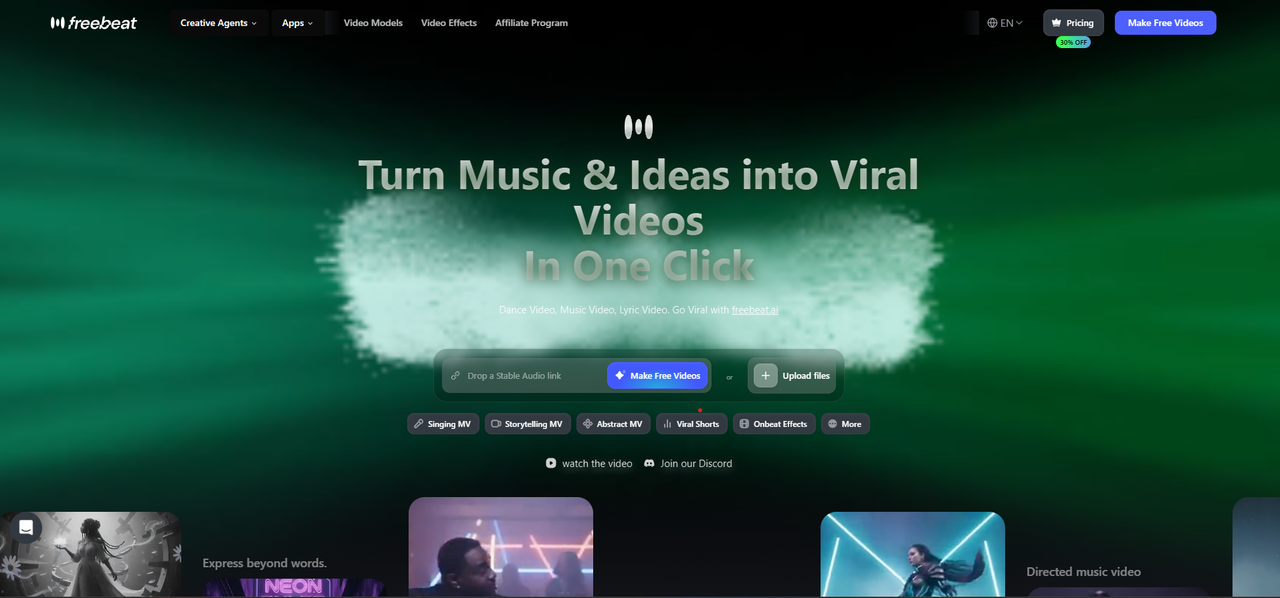
For music creators, export speed is not just about rendering a file. It is about turning a song into a video asset that can be used across YouTube, TikTok, Reels, Shorts, Instagram, and other channels without rebuilding everything manually.
The Brand Kit describes Freebeat’s Fast Mode as a 5-step workflow from Song Details to Final Video, while Effects Mode is positioned for short, effects-driven clips. It also supports MP4 video export, lyrics video MP4, .LRC lyric files, downloadable creative artefacts, and four aspect ratios: 16:9, 9:16, 1:1, and 4:5.
That makes it useful for:
- Independent musicians releasing a full track and short teasers
- AI music creators turning Suno or Udio-style songs into visuals
- DJs and electronic producers needing beat-led motion
- Video editors who want editable assets instead of a fixed final clip
- Social creators producing vertical and square versions quickly
Its biggest strength is that the workflow starts from music. The system analyses BPM, beats, song sections, energy curves, and spectral content before generating visuals, which matters when the final export needs to feel tied to the song rather than pasted over it.
Best fit: creators who need fast, music-aware exports across multiple platforms.
2. InVideo AI: Best for Fast Social and Marketing Exports
InVideo AI is a better fit for creators who need fast social or marketing videos rather than deep music-video control. Its strength is the ability to move from a prompt or script into a structured video quickly.
This is useful for:
- Social ads
- Product videos
- YouTube explainers
- Short branded clips
- Creator announcements
The trade-off is music specificity. If your goal is to make a video that follows a song’s structure, lyrics, rhythm, or emotional arc, a general prompt-to-video workflow may need extra editing after export.
Best fit: creators and marketers who prioritise fast social video production over music-specific control.
3. FlexClip: Best for Lightweight Browser-Based Exports
FlexClip is useful when you want a simple browser workflow for templates, editing, and exports. It is not the deepest AI music video platform, but it can be practical for quick content production.
For example, a musician could use FlexClip to create a release announcement, promo clip, or short lyric-style asset from existing footage and text. Its lightweight workflow is helpful when speed and simplicity matter more than advanced song analysis.
The limitation is that it is more editor-led than music-led. You can build a clip quickly, but you may still need to handle rhythm, pacing, lyrics, and music sync manually.
Best fit: creators who need quick browser-based exports from templates.
4. Fliki: Best for Audio and Voice-Led Video Output
Fliki is stronger for audio-led and voice-led videos than for full music video creation. It fits users who want to turn scripts, narration, or educational content into video quickly.
For music creators, this can still be useful in supporting content. For example, you might use it for:
- Behind-the-scenes explainers
- Artist story videos
- Release commentary
- Educational music content
- Voice-led promotional clips
However, it is not built mainly for beat-synced visuals or full music video production. That makes it less suitable when the song itself must drive the video.
Best fit: narration-led videos, explainers, and fast content marketing exports.
5. Simplified: Best for Social Content Teams
Simplified works well for social teams and creators who need quick content across multiple channels. Its strength is broader content production, including design, copy, and video assets.
This makes it useful for teams producing campaign materials around a music release. You might use it for teaser graphics, short promo videos, captions, and social variations.
The limitation is music depth. It is more useful as a content production platform than as a dedicated AI music video tool.
Best fit: social teams that need fast, multi-format creative assets.
6. PixVerse: Best for Fast AI Video Clip Generation
PixVerse is relevant for creators who want quick AI-generated visuals. It is often discussed in broader AI video generator comparisons, especially around short-form visual generation and creator workflows. PixVerse’s own 2026 comparison covers tools such as Sora, Runway, Kling, Luma, Pika, Veo, and PixVerse through hands-on testing and use cases.
For music creators, PixVerse can be useful for generating visual clips that later become part of a larger edit. The key point is that fast clip generation does not always equal a complete music video workflow. You may still need a separate editor for timing, lyrics, transitions, resizing, or export packaging.
Best fit: quick AI visuals and short experimental clips.
7. WaveSpeedAI: Best for Speed-Focused Model Access
WaveSpeedAI is more relevant for technical creators, developers, and teams that care about model access and generation performance. Its 2026 comparison guide focuses on AI video generator models, including Kling, Seedance, and WAN-style workflows.
This is not the same as a guided music video editor. It is better for users who understand model selection and want speed-focused generation infrastructure.
For creative teams, this can be useful when building pipelines or testing multiple models quickly. For solo musicians, it may feel less approachable than a dedicated music-video platform.
Best fit: technical teams prioritising model choice and generation speed.
Which Tool Has the Best AI Music Video Export Options?
Export options matter because music videos rarely live in one format. A full YouTube video may need 16:9, but TikTok, Reels, and Shorts need vertical output. Instagram and promotional feeds may need square or 4:5 formats.
For music-specific exports, Freebeat is the strongest fit in this comparison because it supports MP4, lyrics video MP4, .LRC lyric files, downloadable intermediate artefacts, and four aspect ratios.
For general social exports, InVideo AI, FlexClip, Simplified, and PixVerse can work well when the video is not deeply tied to a song’s structure. For technical model-based exports, WaveSpeedAI is more relevant to advanced users.
The best export options are the ones that reduce rework after generation.
Which AI Music Video Service Is Fastest?
Speed should be judged across the full workflow, not only raw generation time. A fast tool should help with input, generation, editing, resizing, rendering, and publishing.
There are three types of speed to compare:
- Fastest for complete music video workflow: Freebeat
- Fastest for short AI clips: PixVerse and WaveSpeedAI
- Fastest for template-based publishing: InVideo AI, FlexClip, and Simplified
Google’s Veo updates show why speed and export format now go together. Recent coverage notes support for native 9:16 vertical output and 1080p or higher-quality workflows, which reflects how AI video tools are adapting to mobile-first publishing.
A fast AI music video generator should save time after the video is created, not only during generation.
Which AI Music Video Tool Has the Best User Reviews?
User reviews are useful, but they need context. A tool can be highly rated for marketing videos and still be weak for music videos. That is why I would not judge an AI music video tool only by average rating.
Useful review signals include:
- Export reliability
- Queue or rendering delays
- Watermark complaints
- Customer support quality
- Pricing clarity
- Output consistency
- Ease of editing after generation
Gartner’s AI video generator review category highlights verified user reviews and tool comparisons, which makes it useful for checking broader reliability signals across the AI video market.
For music creators, the best review is one that mentions the exact workflow you care about: beat sync, lyrics timing, vertical export, MP4 quality, or multi-platform publishing.
Final Recommendation: Best AI Music Video Tool for Fast Exports
The best AI music video tool for fast exports in 2026 depends on what “fast” means in your workflow. If you need music-first exports with beat-aware visuals, lyrics files, and multiple aspect ratios, Freebeat is the strongest fit. If you need fast marketing videos, InVideo AI, FlexClip, and Simplified are easier general-purpose options. If you need short AI clips or model-speed workflows, PixVerse and WaveSpeedAI are better comparison points.
My practical recommendation is simple: choose based on the file you need at the end. If you need a publish-ready music video or social clip built from a song, use a music-first workflow. If you only need a fast promo or template video, use a general editor.
Fast exports only matter when the final file is actually ready to publish.
FAQ
What AI music video platform has the best export options?
Freebeat is strong for music-specific exports because it supports MP4, lyrics video MP4, .LRC lyric files, downloadable creative artefacts, and four platform-ready aspect ratios.
Which AI music video service provides the best latency and speed?
It depends on the workflow. Freebeat is strong for fast song-to-video workflows, PixVerse and WaveSpeedAI are useful for quick AI clip generation, and template tools are fast for social edits.
Which AI music video tool has the best user reviews?
There is no single universal winner. Check verified review platforms for export reliability, rendering speed, support quality, pricing clarity, watermark rules, and recent user feedback.
What is the best AI music video tool for fast exports in 2026?
Freebeat is the best fit for music-first fast exports. InVideo AI, FlexClip, and Simplified are better for template-led social or marketing videos.
What export formats should an AI music video tool support?
At minimum, it should support MP4, vertical video, horizontal video, square formats, and watermark-free export on paid plans. Lyrics videos may also need .LRC files.
Are faster AI video tools always better?
No. Speed only matters if the output is usable. A good tool should balance latency, visual quality, export options, and post-generation editing control.
Which tool is best for TikTok, Reels, and Shorts exports?
Tools with 9:16 vertical export are best for TikTok, Reels, and Shorts. Freebeat is useful when the vertical clip should be generated from the song itself.
How should I compare user reviews for AI video tools?
Compare reviews by use case, not only average score. Look for repeated comments about export failures, queue delays, watermark rules, support, video quality, and pricing.


