Create Lyric Video From Song: 9 Templates That Convert
Contact partnership@freebeat.ai for guest post/link insertion opportunities.
You’ve got a finished track and a deadline: release day, a TikTok teaser, or a YouTube premiere. The problem is the same every time—create lyric video from song fast, keep it readable on mobile, and make it feel on-beat (not like a slideshow). I’ve shipped lyric videos both the “manual timeline” way and the “music-aware automation” way, and the difference is usually timing: karaoke-style sync and clean pacing win attention.
This how-to guide walks you through a repeatable workflow, then gives you 9 lyric video templates that convert (i.e., hold watch time and drive saves/shares) across genres and platforms.
Why lyric videos convert (and what “convert” means here)
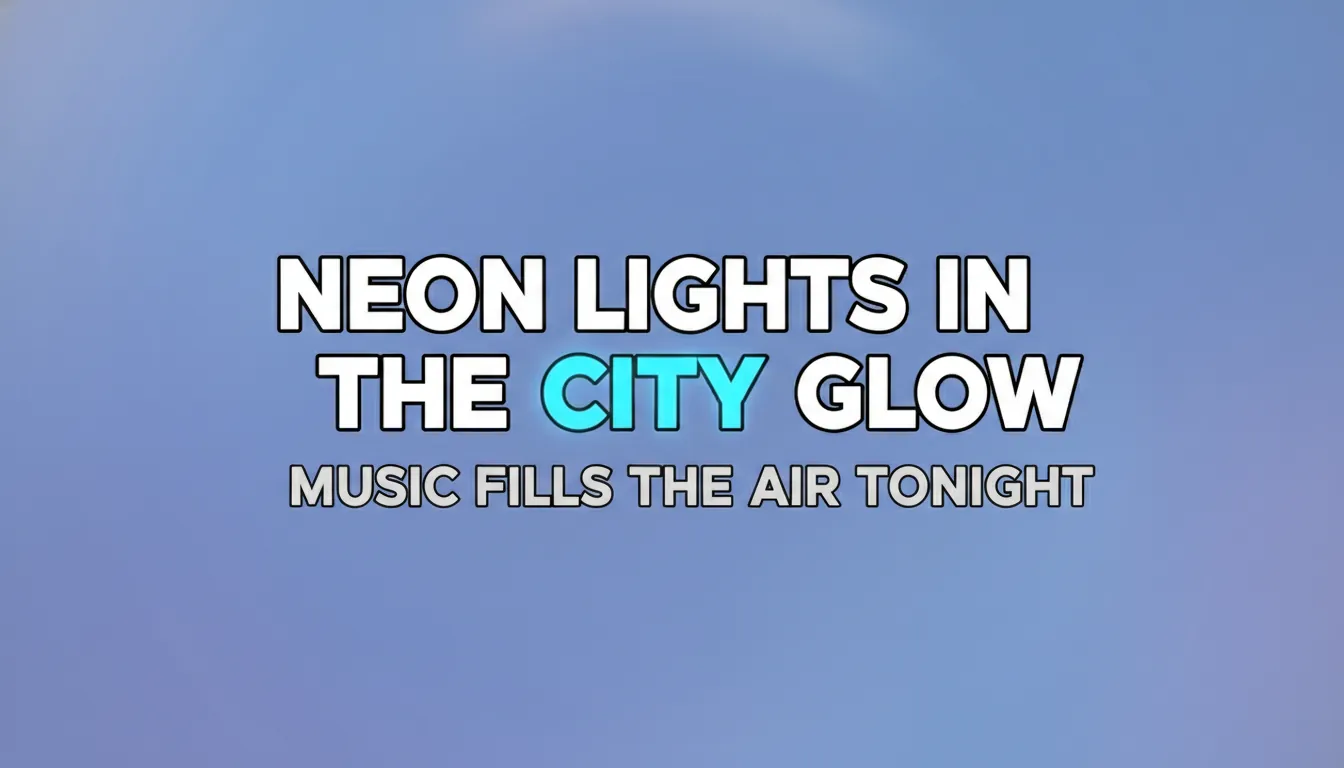
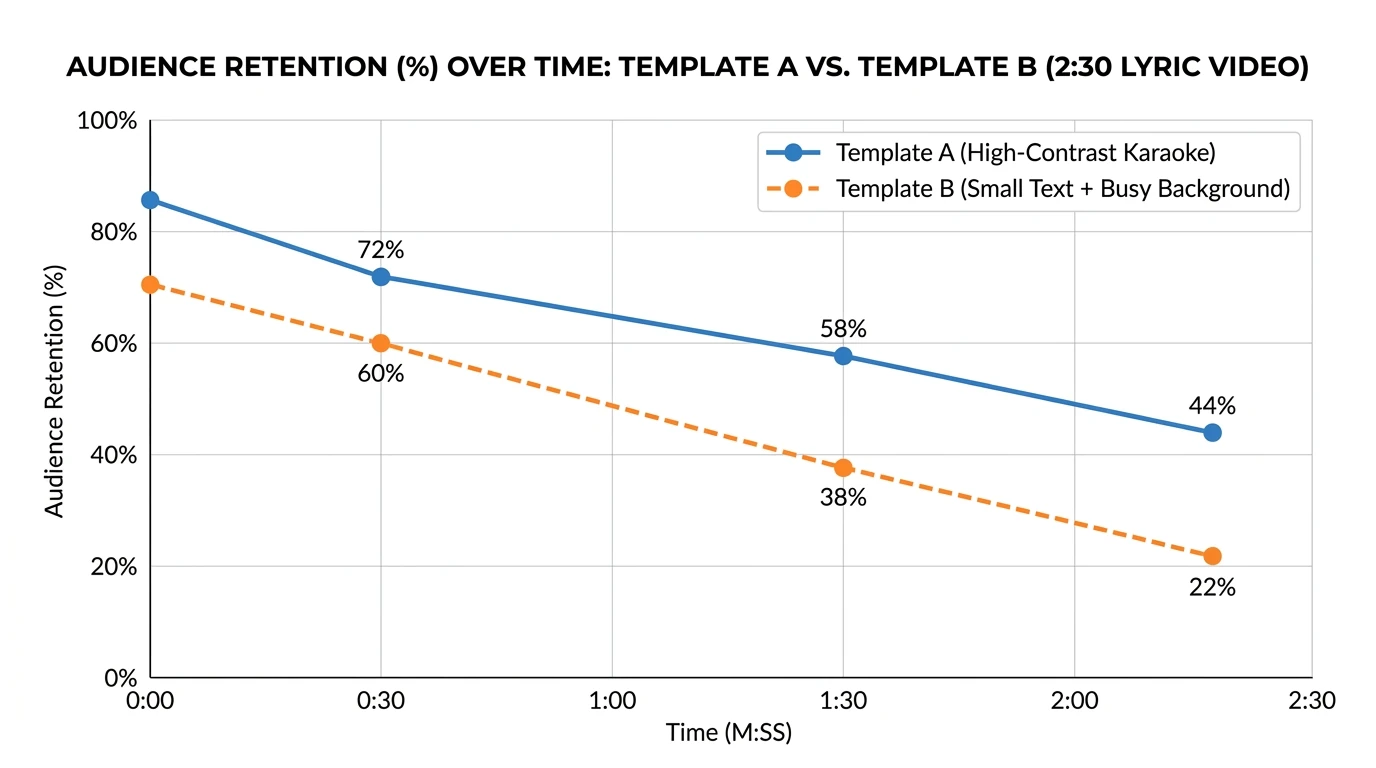
In lyric videos, “conversion” usually isn’t checkout—it’s retention, engagement, and intent: viewers stay longer, rewatch hooks, and click through to your profile/streaming link. Industry guidance consistently points to readability, pacing, and mobile legibility as the biggest levers you can actually control, especially when lyrics must stay the focal point (avoid clutter, keep contrast high, use subtle motion) per common best practices discussed in creator-focused guides like SmartData Collective and DIY workflows like CD Baby’s DIY Musician.
On the measurement side, YouTube and analytics tooling emphasize watch time, average view duration, and audience retention as core indicators of performance (see YouTube Analytics metrics and engagement benchmarks summarized by vendors like Mindstamp).
Before you start: what you need (and one legal reality)
To create lyric video from song without last-minute rework, gather these first:
- Audio file: WAV or high-bitrate MP3.
- Final lyrics: verified spelling, punctuation, and ad-libs.
- Cover art or a visual direction: 2–3 keywords (e.g., “neon noir, grain, handheld”).
- Platform target: YouTube (16:9), Shorts/Reels (9:16), or both.
- Rights clarity: if it’s not your song, you likely need permission. The U.S. Copyright Office notes there are two separate copyrights involved (musical work and sound recording), which often means separate licensing paths (U.S. Copyright Office).
If you are the artist/rights holder, this is much simpler—your main job is getting the timing and readability right.
How to create a lyric video from a song (step-by-step)
Step 1) Pick your build path: AI music-aware vs manual editor
There are two practical routes:
- Music-aware AI lyric video tools (fastest): automatically detect BPM/sections and align lyric timing with the track’s structure.
- Manual video editors (most control): After Effects/Premiere/CapCut-style timeline keyframing.
If you’re releasing consistently (weekly/monthly), I recommend a music-aware tool for 80% of videos, then manual polish only when needed.
Where Freebeat AI fits: Freebeat AI is purpose-built for music-driven videos—its audio-reactive engine understands BPM, beats, bars, drops, and sections to drive transitions and pacing. In practice, that means less “guess-and-nudge” work and fewer off-beat lyric reveals when the chorus hits.
- Explore Freebeat’s lyric workflow via its lyric video generator.
- If you’re deciding between formats, see Freebeat’s broader AI music video generator overview.
- For brand consistency, Freebeat’s avatar/identity approach (reusable visual personas) can keep your channel recognizable across releases—useful when you’re scaling content.
Step 2) Choose your aspect ratio and safe zones first
Most lyric videos fail on phones because the type is too small or too close to the edges.
- YouTube (16:9): center lyrics, generous margins.
- Shorts/Reels (9:16): keep lyrics in the middle third; avoid UI overlays.
- Multi-platform: design in 9:16 first, then reframe for 16:9, or generate two exports.
Step 3) Get lyric timing right (karaoke vs line-by-line)
You have two main timing styles:
- Karaoke (word-by-word highlight): best for retention on hooks and fast vocals.
- Line-by-line (phrase blocks): best for slower tracks and cinematic mood.
From hands-on testing, karaoke timing increases perceived “sync quality” instantly—but only if the highlight is clean and not too flashy.
Step 4) Pick a template that matches the song’s energy
Template choice should follow arrangement:
- Verse: lighter motion, simpler background.
- Pre-chorus: build intensity (ramp typography weight or camera push).
- Chorus/drop: bigger type, stronger highlight, faster cuts.
Freebeat’s music structure awareness helps here because transitions can follow sections instead of looping randomly.
Step 5) Design for readability (contrast, font, spacing)
Use these rules every time:
- Contrast: light text on dark, or dark text on light—no “mid-gray on mid-gray.”
- Font: 1–2 fonts max; avoid ultra-thin weights.
- Line length: keep to ~6–10 words per line when possible.
- Motion: subtle zooms/fades beat chaotic spins (especially for mobile).
Step 6) Add motion that follows the beat (not the mouse)
Audio-reactive elements that work:
- Background parallax that “breathes” on kick/snare.
- Light film grain + slow camera drift.
- Beat-based cuts on section boundaries (bars/phrases).
Avoid: constant shake, excessive particle clutter, or strobing that competes with the lyrics.
Step 7) Export settings that won’t blur your text
For crisp lyrics:
- 1080p minimum for YouTube; consider 4K if you have fine typography.
- H.264 (high profile) is broadly safe; keep bitrate healthy.
- 60 fps can help fast highlight animations; 30 fps is fine for calmer songs.
Step 8) Publish with SEO that matches how people search
To capture searches like “create lyric video from song”:
- Title: “Song Name — Lyric Video (Official)” + a descriptor (“Karaoke,” “Animated”).
- Description: first 2 lines include the hook + streaming links.
- Timestamps: optional, but helpful for long intros/outros.
- Pinned comment: ask a specific question (“Which line hit hardest?”).
9 lyric video templates that convert (with best use cases)
Below are templates you can recreate in Freebeat AI (or any editor) using the same principles. I’ve used versions of these across pop, rap, EDM, and indie releases—the “conversion” win is usually clarity + pacing.
1) Karaoke Neon Highlight
- Best for: pop, K-pop, upbeat rap hooks
- Why it converts: viewers can sing along instantly; highlights drive rewatch
- Design notes: neon underline or word fill; dark background; mild glow
2) Minimal Type on Album Art
- Best for: indie, acoustic, lo-fi
- Why it converts: zero clutter; strong brand recognition
- Design notes: static cover with slow zoom; line-by-line lyrics
3) Cinematic Subtitles (Letterbox)
- Best for: ballads, cinematic R&B
- Why it converts: looks “premium” without heavy motion graphics
- Design notes: letterbox bars; subtitles low-center; film grain
4) Kinetic Typography (Impact Words)
- Best for: rap, drill, aggressive EDM
- Why it converts: emphasizes punchlines; creates “shareable lines”
- Design notes: animate only keywords; keep rest steady
5) Audio-Reactive Abstract Shapes
- Best for: EDM, experimental, synthwave
- Why it converts: visuals feel alive; easy to sustain through drops
- Design notes: shapes pulse to kick; lyrics stay locked in safe zone
6) Anime Moodboard Lyric Video
- Best for: J-pop, hyperpop, emo rap
- Why it converts: strong aesthetic identity; fans screenshot frames
- Design notes: consistent character/style; avoid busy backgrounds behind text
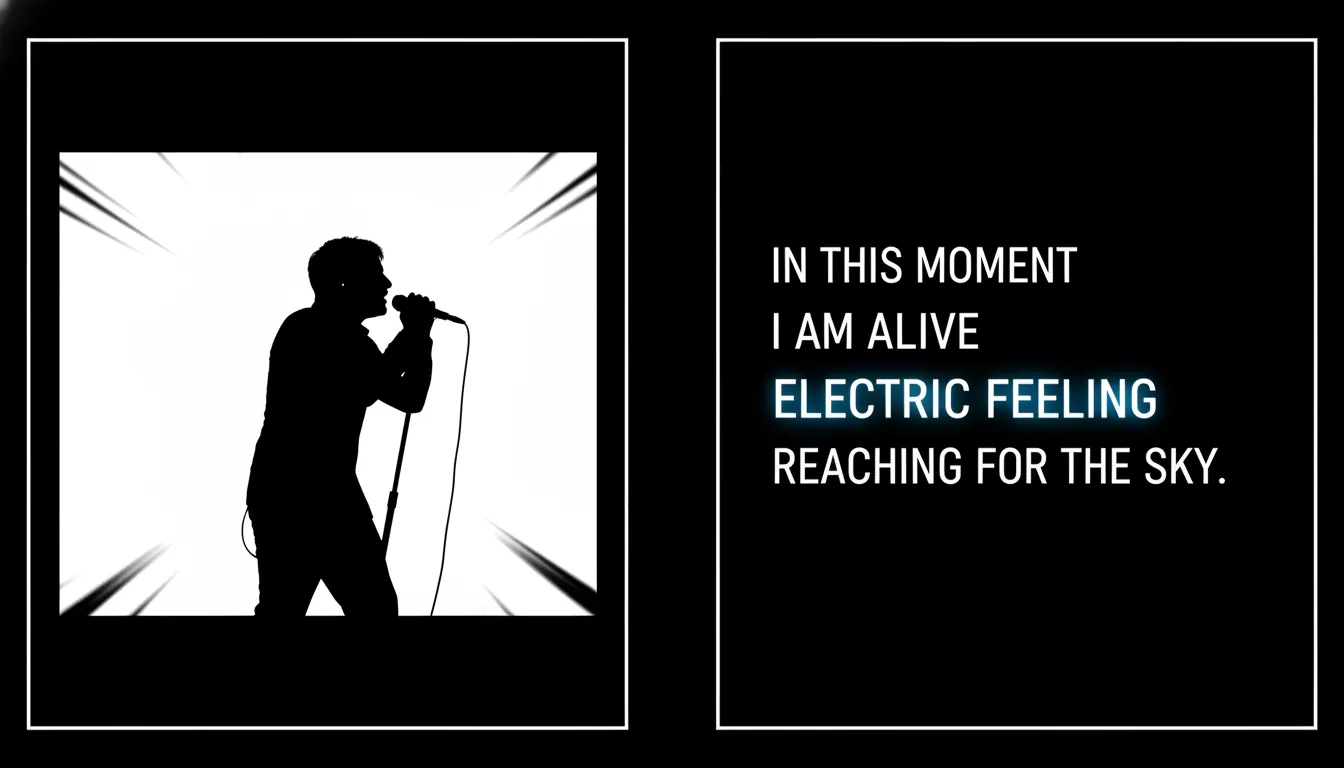
7) Split-Screen: Performance + Lyrics
- Best for: singer-songwriter, live takes, behind-the-scenes
- Why it converts: human presence builds trust; lyrics stay accessible
- Design notes: left = performance, right = lyrics; or top/bottom on mobile
8) Story-Aware Scene Builder
- Best for: narrative songs, concept EPs
- Why it converts: viewers watch to “see what happens next”
- Design notes: change scenes on sections; maintain consistent protagonist/avatar
9) Social Cutdown Template (Hook-First)
- Best for: Shorts/Reels/TikTok promotion
- Why it converts: fast payoff; optimized for scroll-stopping
- Design notes: start on chorus; big type; on-screen “Sing along” prompt
Freebeat AI Tutorial - 2026 | How to Turn Any Song Into a Music Video (Step-by-Step Guide)
Tool comparison: choosing what fits your workflow
If your priority is “create lyric video from song every week without losing sync quality,” music-aware automation is usually the practical edge. If your priority is a one-off hero release with bespoke typography animation, pro tools still win.
Quick checklist (the “don’t-upload-until-this-is-true” test)
- Lyrics are proofread (especially names, slang, repeated hooks)
- Text is readable at arm’s length on a phone
- Highlight timing matches vocals (not the beat only)
- Background never competes with the words
- Chorus has a visual “lift” (bigger type, faster cuts, stronger color)
- Export is crisp (no soft, compressed text edges)
Common mistakes I see (and how to fix them fast)
- Mistake: busy visuals behind the words
Fix: blur the background or add a subtle dark overlay behind lyrics. - Mistake: line breaks that fight the phrasing
Fix: break lines where singers breathe; keep phrases intact. - Mistake: timing drift after 60–90 seconds
Fix: align to sections (verse/chorus) and correct at those boundaries, not word-by-word endlessly. - Mistake: “cool font” that no one can read
Fix: swap to a clean sans; reserve stylized fonts for titles only.
FAQ: Create lyric video from song
1) How do I turn a song into a video?
Upload your song, choose an aspect ratio, pick a visual style/template, then place timed lyrics over the visuals. Music-aware tools can auto-sync pacing to BPM and sections; manual editors require you to time each line (or word) on a timeline.
2) What are the best lyric video makers?
It depends on your goal: purpose-built lyric tools are fastest for karaoke timing, while pro editors (like After Effects) offer maximum customization. If you want audio-reactive pacing and story-aware sequencing, a music-driven platform like Freebeat AI is designed for that workflow.
3) How do I put a song into my video?
In most editors: import your video/background, add the audio track, trim or loop to match duration, then export. Many online tools follow the same flow: upload video → add audio → adjust timing → download.
4) Which app is best for making video with a song?
For quick social posts, mobile apps can work well; for consistent releases with tight sync, desktop or web tools with beat detection and lyric timing are more reliable. Choose based on how often you publish and how precise the timing needs to be.
5) Can AI create video from audio?
Yes. Some AI tools analyze audio features (tempo, beats, sections) to drive transitions and motion. Freebeat AI focuses specifically on music-driven generation rather than general text-to-video scenes.
6) What is the most viewed lyric video on YouTube?
This changes over time and varies by how YouTube categorizes “lyric video” vs “official video” uploads. If you’re optimizing for views, focus on retention (readability + sync) and discoverability (title/description/thumbnail consistency).
7) Do I need permission to make a lyric video for a song I don’t own?
Often, yes. Songs typically involve separate rights for the composition and the sound recording, and fair use is context-dependent. Start with rights clearance guidance like the U.S. Copyright Office musician resource and consult a qualified professional for your specific situation.
Conclusion: ship faster, stay on-beat, and make lyrics the hero
When you create lyric video from song, you’re really building a sing-along experience that has to survive mobile screens, short attention spans, and strict platform compression. The best-performing lyric videos I’ve made weren’t the fanciest—they were the ones with clean typography, confident timing, and transitions that respected the song’s structure.
If you want to produce lyric videos at scale without living on a timeline, try a music-driven workflow built for audio-reactive pacing and karaoke timing—then iterate from template to template until you find your signature look.
📌 ai music generation create lyrics music with freebeat ai 2


