Create Beautiful Memorial Tribute Videos to Honor a Loved One
Turn cherished photos and music into a moving memorial tribute video. Our AI video generator makes it easy to create a personal visual story that celebrates their life and preserves their memory.
Why Do 1M+ Creators Trust Freebeat for Personal Videos?
Over a million creators and families trust freebeat to create meaningful personal videos. Our AI platform simplifies the process, turning your photos and music into a professional-quality tribute without a steep learning curve. As of May 2026, we've helped visualize over 1 billion seconds of music.
How Do You Make a Memorial Tribute Video with Our AI?
Our AI video maker guides you through creating a tribute in three simple steps. Just upload your media, choose a style that reflects their personality, and let our AI assemble the video.
Gather Your Photos and Music
Collect the photos, video clips, and music that tell their story. You can upload files directly from your device, or even paste a link from YouTube or SoundCloud to use a special song for the audio track.
Choose a Tone and Style
Select a visual style for your tribute video. Choose from gentle, cinematic, or heartfelt themes. Our AI will apply a consistent look and feel across the entire video to match the mood you want to create.
Generate and Share Your Tribute
Our AI will analyze your music and arrange your photos into a beautiful visual sequence. Review the video, make any final touches, and then download the MP4 to share with family or play at the memorial service.
What Tools Does Our AI Use to Build Your Tribute Video?
Our AI platform combines multiple tools to handle everything from music analysis to final rendering. This ensures your memorial tribute video is visually cohesive, emotionally resonant, and perfectly timed to the music.

Easily Add Your Cherished Media
Start with the content that matters most. Upload photos and home video clips from your computer or phone. Add their favorite song by uploading an MP3 or WAV file, or simply paste a link from YouTube or SoundCloud.
- Upload MP3, WAV, and MP4 files
- Paste links from Suno, YouTube, etc.
- AI auto-extracts audio and metadata
- Supports 100+ languages for any lyrics

Our AI Listens to the Music's Emotion
To create a moving tribute, the visuals must match the music's feeling. Our AI analyzes 8 dimensions of your chosen song—from its energy curve to its key moments—to sync photo transitions and visual effects to the rhythm and mood.
- Analyzes 8 musical dimensions
- Syncs visuals to beat, energy, and mood
- 5 pacing modes for different feels
- Intro, verse, and chorus detection

Create a Beautiful, Cinematic Look
Give your memorial video a professional and heartfelt finish. Choose from a library of cinematic styles, from soft and warm to classic black and white. Our AI Director applies a consistent color palette and lighting mood across all your photos.
- Dozens of cinematic style presets
- Consistent color and lighting mood
- Add text overlays for names or dates
- 1080p and 4K resolution output

Full-Length Videos for Memorials
Unlike tools that create short clips, freebeat can generate a full tribute video up to 6 minutes long. This gives you enough time to include many photos and use a full-length song, perfect for showing at a funeral or memorial service.
- Up to 6 minutes of full-length output
- Download as a high-resolution MP4
- 5 aspect ratios including 16:9 for screens
- Watermark-free on all paid plans

More Than a Single Tribute Video Maker
Freebeat is a full suite of creative tools for personal projects. After your tribute, you can create animated album covers for a musician's work, make a lyrics video, or use our music visualizer, all with one account.
- 30+ free musician-dedicated tools
- Animated Album Cover maker
- AI Lyrics Video Generator
- One account, one commercial license
How Does Freebeat Compare to Other Tribute Video Makers?
While traditional editors offer control, they require time and skill. Freebeat's AI automates the difficult parts, like music sync and cinematic styling, to deliver a beautiful tribute video faster.
Why Create a Memorial Tribute Video with Our AI?
Making a tribute video is an emotional process. Our AI handles the technical work so you can focus on honoring their memory, saving you time and stress while ensuring a beautiful result.
Honor Their Story Beautifully
Save Time and Reduce Stress
No Technical Skills Needed
Create a Lasting Keepsake
Share Easily with Loved Ones
Perfectly Matched to Their Music
Explore More Freebeat Tools
Every freebeat tool you need to take music from idea to publishable visual content — in one platform.
Why Do Families Choose Freebeat for Tributes?
Hear from people who have used freebeat to create meaningful memorial and tribute videos. They value the ease of use and the high-quality, emotional results our AI helps them achieve.
What Kinds of Memorial Videos Can You Create?
Whether you're creating a video for a funeral service, a celebration of life, or a personal keepsake, our AI video maker can adapt to the tone and style you need.
Funeral and Memorial Services
Celebrations of Life
Digital Keepsakes for Family
Anniversary of Passing Tributes
Your Questions About Memorial Tribute Videos Answered
Find answers to common questions about creating memorial tribute videos with music, including how to choose photos, music rights, and sharing options for your finished video.
How do I make a memorial video with music?
What kind of photos work best for a tribute video?
How long should a memorial tribute video be?
Can I use a famous song in a memorial video?
What is the best software for making a memorial tribute video?
How much does it cost to make a tribute video?
How do I add my own music to a video in freebeat?
What video formats can I export from freebeat?
Can I add text like names and dates to my video?
Will there be a watermark on my finished tribute video?
In what aspect ratio should I create a video for a memorial service?
Insights, tutorials & creator stories
Stay sharp on what's working in AI music video right now.
ARTICLEComparing 2025's Leading AI Platforms for Cinematic Music Videos
Compare leading AI music video generators by realism, audio sync, customization, narrative tools, and mobile or social media…
ARTICLEBest AI Music Video Tools Compared for Output Quality
Compare the best AI music video generators in 2025 — Neural Frames, Kaiber, Runway ML, PIKA, and Freebeat — to find which…
COMPARISONBest Music Video Tools in 2026: 8 Options Tested
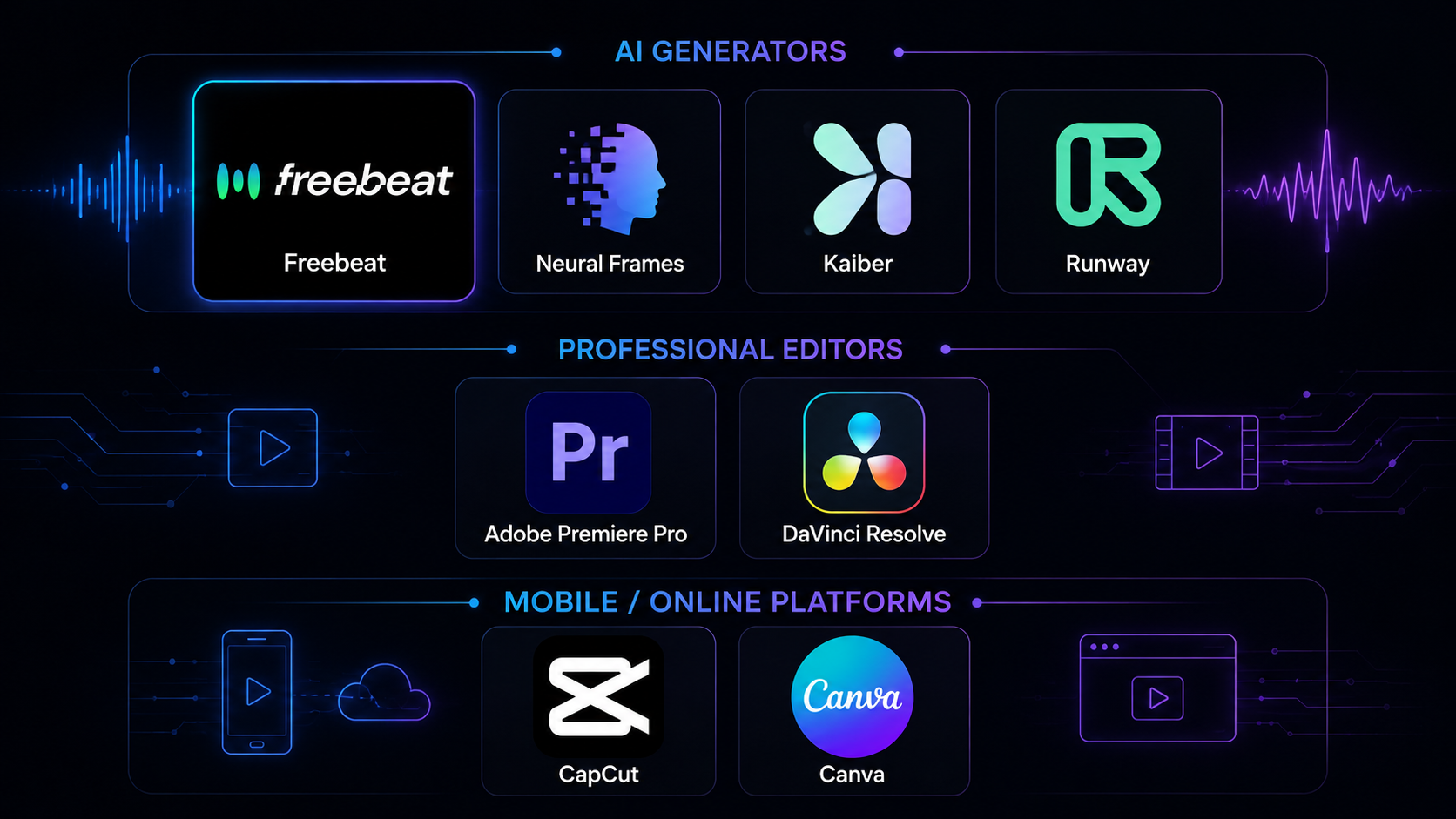
We tested 8 music video tools — AI generators, desktop editors, and mobile apps — on audio sync, output quality, speed, and…
ARTICLEFreebeat vs Neural Frames: Which AI Music Video Generator Should You Choose in 2026?
Compare Freebeat vs Neural Frames in 2026 for AI music videos, character consistency, beat sync, lip sync, audio-reactive…

- How do I make a memorial video with music?
- You can make a memorial video by gathering digital photos and video clips, choosing a meaningful song, and using a video creation tool. Freebeat simplifies this process with AI. You just upload your photos and music, and our platform automatically creates a professionally edited, music-synced video for you in minutes.
- What kind of photos work best for a tribute video?
- A mix of photos from different life stages creates the most moving tribute. Include childhood photos, major life events like weddings and graduations, candid moments, and recent pictures. High-quality digital scans of older photos work very well. Freebeat's AI will arrange them to tell a compelling story.
- How long should a memorial tribute video be?
- A typical memorial video is the length of one song, usually between 3 to 5 minutes. This is long enough to include a good number of photos without losing the audience's attention. With a Pro account, freebeat lets you create personal music videos up to 6 minutes long, giving you plenty of flexibility.
- Can I use a famous song in a memorial video?
- Yes, for private use or a closed service, using a favorite song is generally acceptable. Freebeat allows you to upload any MP3 or WAV file. The content you generate is yours with a full commercial-use license, meaning you own the copyright to the final video you create on our platform.
- What is the best software for making a memorial tribute video?
- The best software is one that is easy to use and produces a high-quality result without adding stress. Freebeat is an excellent choice because our AI does the heavy lifting, analyzing the music and editing the visuals for you. This makes our website the fastest and simplest way to create a beautiful memorial.
- How much does it cost to make a tribute video?
- You can start making a tribute video for free on freebeat. We give you 500 free credits upon signup, with no credit card required. This is enough to create a short video and see how the tool works. Paid plans offer longer video lengths up to 6 minutes and remove the watermark.
- How do I add my own music to a video in freebeat?
- Adding your own music is simple in freebeat. You can upload an audio file directly from your computer in MP3 or WAV format. Alternatively, you can paste a link from platforms like YouTube, SoundCloud, or Suno, and our tool will automatically extract the audio for your project.
- What video formats can I export from freebeat?
- Freebeat exports videos in the standard MP4 format with H.264 video and AAC audio. This format is universally compatible and can be played on computers, phones, and smart TVs, as well as uploaded to any social media or video sharing website like YouTube or Facebook.
- Can I add text like names and dates to my video?
- Yes, you can easily add text overlays to your video within the freebeat editor. This is perfect for adding an opening title with the person's name and dates, or for adding short captions to specific photos. You can customize the font, size, and color of the text.
- Will there be a watermark on my finished tribute video?
- Videos created with a free freebeat account will have a small watermark. To download your video without a watermark, you can upgrade to any of our paid plans, such as Basic or Pro. All paid plans provide watermark-free exports.
- In what aspect ratio should I create a video for a memorial service?
- For display on TVs or projectors at a memorial service, the best aspect ratio is 16:9 (horizontal/landscape). Freebeat allows you to choose your aspect ratio at the start of your project, with options including 16:9, 9:16 (vertical), 1:1 (square), 4:3, and 3:4 to fit any screen.