Create Memorable Graduation Achievement Videos in Minutes

Turn photos and your favorite songs into a beautiful personal music video to celebrate graduation. Our AI Music Video Generator automatically creates a visual story that syncs to the music, ready in about 5 minutes.

  • 500 free credits on sign-up — no credit card
  • Full-length videos up to 6 minutes
  • Use your own photos and music
  • ~5-minute one-click generation
  • 5 native aspect ratios for sharing
  • Add text for names, dates, and quotes
Trusted by Millions

Why Do 1M+ Creators Trust Freebeat for Personal Videos?

Over a million creators, students, and families have used freebeat to turn personal milestones into lasting video memories. Our platform has visualized over a billion seconds of music, helping people in 150+ countries celebrate moments that matter. As of May 2026.

1,000,000+
Creators worldwide
As of May 2026, freebeat has served over 1 million creators across the world.
1,000,000,000+
Seconds of music visualized
As of May 2026, the platform has rendered over 1 billion seconds of AI music visuals.
Over 150
Countries resonated
As of May 2026, creators from more than 150 countries have built music videos with freebeat.
Forbes
Featured 2026
In May 2026, Forbes featured freebeat in its coverage of how AI is reshaping music video production.
Yamaha
Creator Pass partner
Since March 2026, freebeat has been an official partner in the Yamaha Creator Pass program.
3-Step Workflow

How Do You Make a Graduation Video with Our AI?

Our AI Music Video Generator simplifies creating personal music videos. Just upload your favorite graduation song and photos, choose a style, and our AI directs a complete video in minutes.

01

Upload Your Song and Photos

Start with a song that defines the moment. Upload an MP3 or WAV file of your graduation anthem. Then, add a collection of photos from the school years, parties, and the ceremony itself.

02

Select a Visual Style

Choose a mood for your video, such as 'Nostalgic,' 'Celebratory,' or 'Cinematic.' Our AI uses this to generate a creative concept, including a color palette and visual pacing that matches the feeling you want to convey.

03

Generate and Share Your Video

With one click, our AI generates your full video in about 5 minutes. You can then add text overlays, download the MP4 file, and share it on social media or play it on a big screen at a graduation party.

AI-Powered Creation

What Makes Our AI Ideal for Graduation Videos?

Our platform analyzes your music and images to automatically produce a polished, emotionally resonant video. Go from a folder of photos to a shareable memory that feels directed, not just assembled.

Collage of graduation photos being arranged by an AI into a video timeline.
PHOTO-DRIVEN

AI Turns Your Photos into a Moving Story

Don't just make a slideshow; tell a story. Freebeat's AI analyzes your collection of photos and intelligently sequences them to match your song's emotional arc, creating a narrative that flows from quiet verses to celebratory choruses.

  • Upload your personal photos
  • AI Director plans A-roll & B-roll
  • Consistent look across all shots
  • Supports up to 6-minute songs
Audio waveform showing energy peaks perfectly aligned with video cuts.
MUSIC ANALYSIS

Syncs Visuals to the Song's Emotion

Our AI doesn't just see pictures; it hears the music. It analyzes your song across 8 musical dimensions, from beat and energy to song structure. This ensures every photo change and visual effect lands on the beat, enhancing the video's emotional impact.

  • Analyzes 8 musical dimensions
  • Matches cuts to song sections
  • 5 pacing modes for different moods
  • Visuals move with the music
Screenshot of the freebeat video editor showing a text overlay on a graduation video.
PERSONALIZATION

Add Names, Dates, and Quotes

Make it truly personal with our in-browser video editor. Add text overlays to feature the graduate's name, 'Class of 2026,' inspirational quotes, or personal messages from family and friends. No extra software needed.

  • 9 overlay types including text
  • Custom fonts, colors, and styles
  • Animate text for emphasis
  • Easy drag-and-drop interface
A phone and TV screen side-by-side showing the same graduation video in different aspect ratios.
EASY SHARING

Export for Parties, Posts, and Stories

Share your graduation video everywhere. Our App creates videos in 5 different aspect ratios, so you can export a 16:9 version for a TV at a party and a vertical 9:16 version for Instagram Stories, all from the same project.

  • 5 native aspect ratios
  • 1080p HD MP4 video output
  • Optimized for all social platforms
  • Download to any device
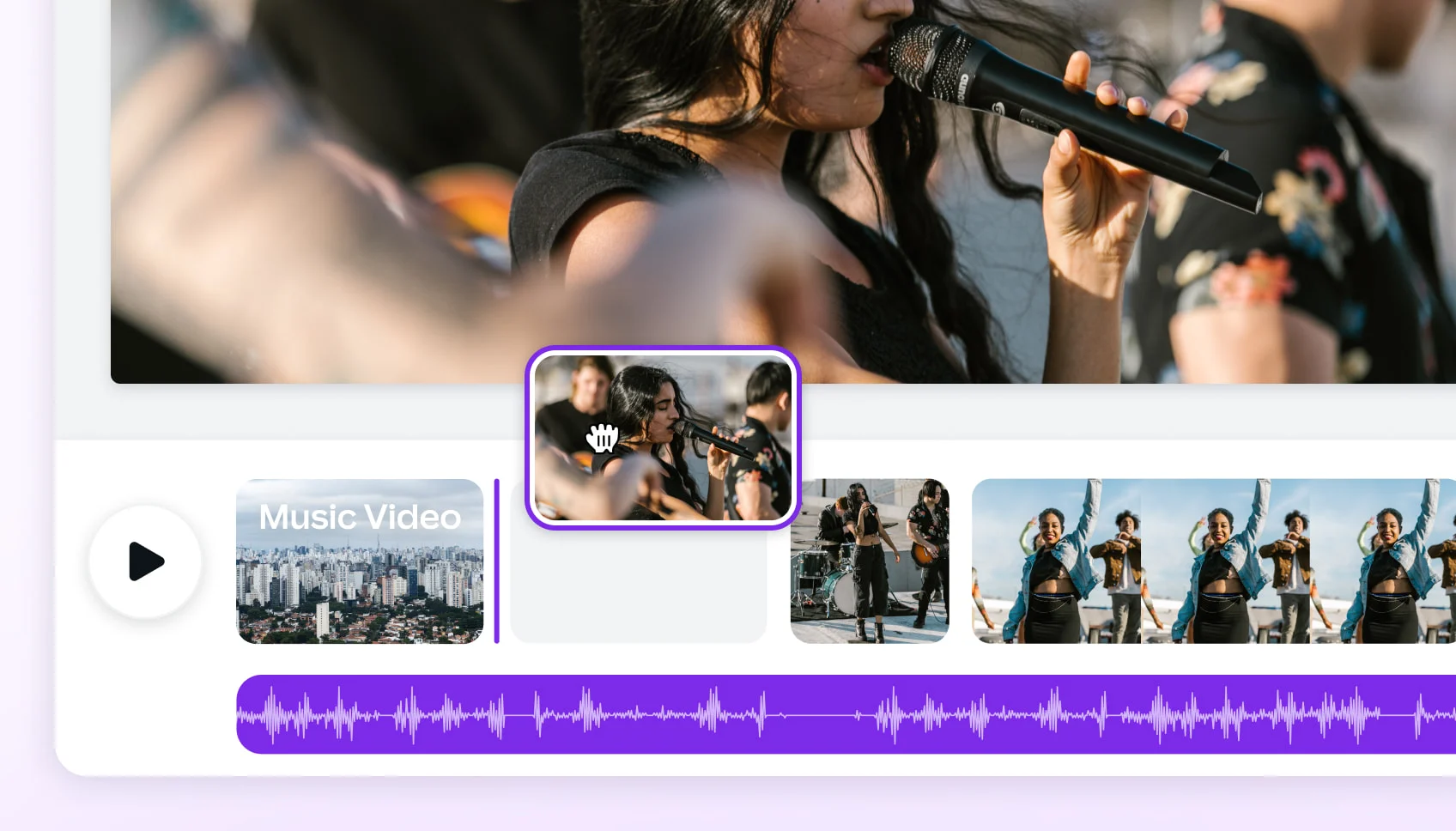
A visual timeline of a 6-minute music video project showing multiple scenes.
KEEPSAKE VIDEO

Create a Full-Length Personal Music Video

A graduation is a big moment that deserves more than a 15-second clip. Our platform is built to turn a full song into a complete visual story, creating a keepsake video up to 6 minutes long that you can cherish for years.

  • Up to 6 minutes of full-length output
  • Covers a whole song, not just a clip
  • ~120 shots per full-length video
  • Auto-saves every 10 seconds
A grid showing icons for different freebeat tools like Lyrics Generator and Album Cover Maker.
BEYOND THE VIDEO

A Full Suite of Free Creator Tools

Freebeat is more than a single tool; it's a complete creator platform. Your account gives you access to 30+ other free tools, from an Animated Album Cover maker for a digital yearbook to an AI Song Title Generator for your project.

  • 30+ free musician-dedicated tools
  • One account, one simple billing
  • Animated Album Cover maker
  • Full commercial-use license
Side-by-Side

How Does Freebeat Compare to Manual Editors?

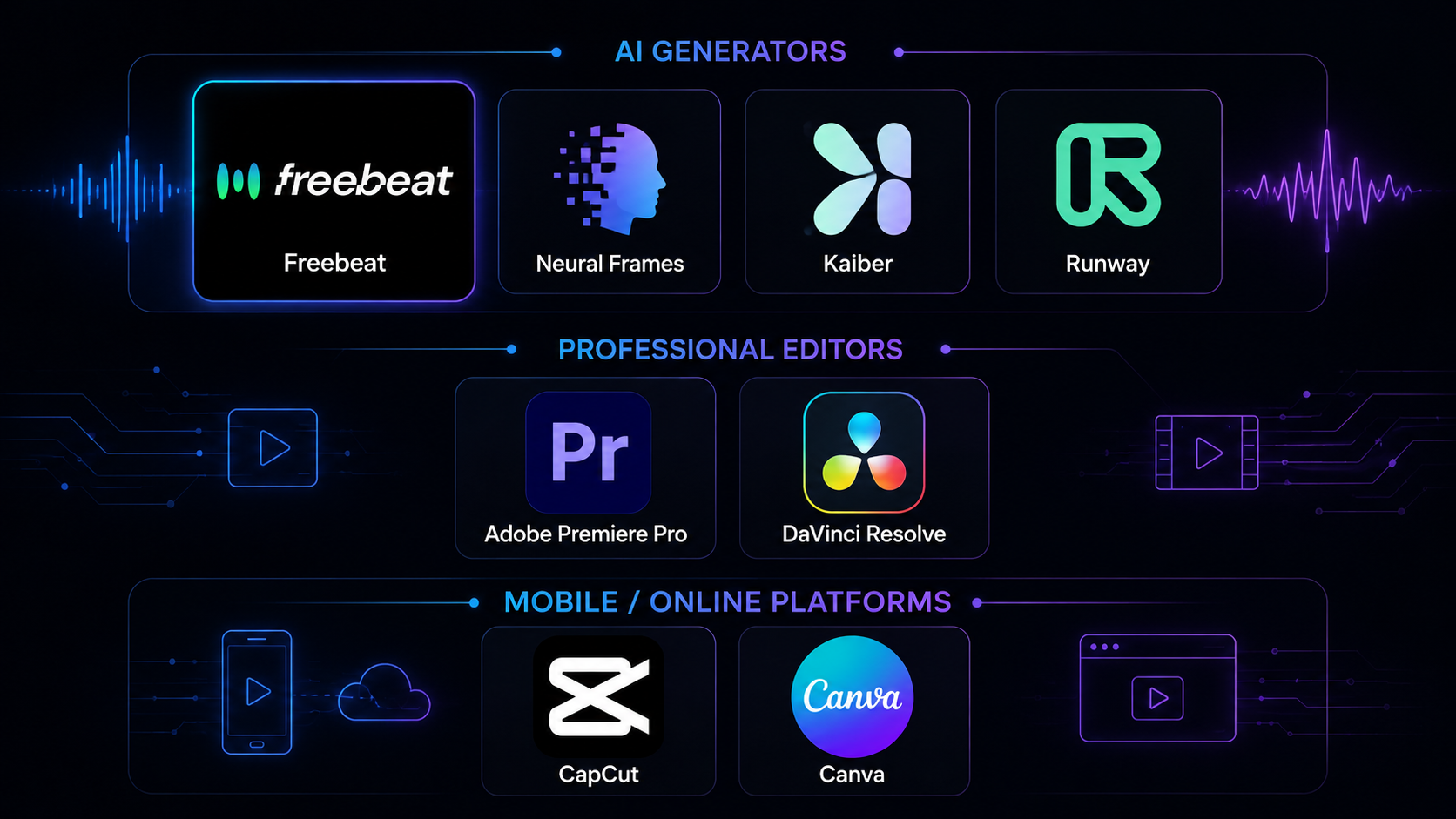
Freebeat automates the entire video creation process, turning your song and photos into a finished video in minutes. See how our AI approach compares to traditional, manual editing tools for making personal music videos.

Feature
freebeat
Canva
CapCut
Video Creation Process
Fully AI-driven direction from photos
Template-based drag & drop
Timeline-based manual editing
AI Music Analysis
8-dimension song structure analysis
Simple Beat Sync feature
Template-based beat sync
Time to Finish
~5 mins for a full song
Hours of manual assembly
Required Skill
None, fully automatic
Basic design skills
Basic video editing skills
Max Video Length
6 minutes (full song)
AI clips ~8s; manual unlimited
No hard limit for manual edits
Photo to Video Flow
AI sequences photos into story
Manual placement on timeline
Free Tier Output
30s video, 720p, watermarked
1080p, no watermark
1080p, no watermark
Platform Type
AI Music Video Generator
All-in-one design tool
Social media video editor
User Outcomes

Why Make Your Graduation Video With Our AI?

Go beyond a simple slideshow. Our AI Music Video Generator creates a dynamic, personalized keepsake that captures the emotion of the moment, saving you hours of manual editing.

Celebrate Your Achievement

Your hard work deserves a spotlight. Create a powerful visual testament to your journey that you can look back on with pride for years to come.

A Gift for Family and Friends

Make a heartfelt video gift for your graduate. Compile their best moments and set them to a meaningful song to show them how proud you are.

Save Hours of Editing Work

You don't need to spend a weekend learning complex software. Our AI handles the cutting, pacing, and syncing, delivering a polished video in minutes.

No Technical Skills Needed

If you can upload a song and some photos, you can make a beautiful graduation video. Our platform is designed for everyone, regardless of technical skill.

Tell a Story, Not a Slideshow

A random sequence of photos is just a slideshow. Our AI Music Video Generator analyzes the music to create a video with a beginning, middle, and end that tells your unique story.

Create a Lasting Digital Memory

Your video is a downloadable MP4 file, a permanent digital keepsake. Unlike a physical photo album, it's easy to share, store, and re-watch on any device.
Voices From Graduates

Why Do Graduates and Families Love Freebeat?

Students, parents, and educators use freebeat to create meaningful videos for one of life's biggest milestones. They trust our AI to turn memories into a professional-quality keepsake.

4.8/5
★★★★★
From 1,000,000+ Creators Featured on TAAFT
CK
Chloe Kim
Recent Graduate, Class of 2026
★★★★★
I wanted to make a video for my graduation party but had zero editing skills. I uploaded my favorite song and a bunch of photos from college, and freebeat's AI made a video that looked incredible. The way it synced the photo changes to the beat drops was amazing.
DR
David Rodriguez
Parent of a Graduate
★★★★★
As a gift for my daughter's graduation, I compiled photos from her childhood through to her final year. The 6-minute full-song video option was perfect. The final result was so emotional and professional, she was moved to tears. A fantastic tool for parents.
AP
Aisha Patel
High School Valedictorian
★★★★★
I used freebeat to create a highlight reel for our class's social media page. The 9:16 vertical video format was perfect for Instagram Reels. It was so fast to generate a few different versions and everyone loved the final cut. The text overlay feature was great for adding our school motto.
KT
Kenji Tanaka
College Student
★★★★★
Making personal music videos for my friends when they graduated was so easy with this website. I just pasted a link to a song, uploaded their photos from my phone, and it was done in minutes. Much better than a boring slideshow.
SC
Sarah Chen
Educator
★★★★★
Our department created a year-in-review video for our graduating students. The AI music analysis really helped give the video a professional pace and rhythm. Being a browser-based software made it easy for multiple people to collaborate on the project.
MR
Marco Rossi
Visual Arts Student
★★★★★
I was impressed with the creative control. While the one-click generation is fast, I could also go in and tweak the visual style for each section of the song. The AI provides a great starting point, and the editor lets you add the finishing touches.
Video Ideas

What Kind of Graduation Videos Can You Create?

From a personal reflection to a party highlight reel, freebeat is a flexible tool for any type of graduation celebration. Create a unique video for any audience or purpose.

The Personal Journey Video

For the graduate. A reflective video that traces your path from the first day of school to the final walk across the stage. Use your favorite songs to tell your own story of growth and achievement.

The 'Proud Parent' Montage

A heartfelt gift from family. Compile childhood photos and recent accomplishments to create an emotional tribute. It's a perfect way to say 'we're proud of you' in a format that lasts forever.

The Class Highlight Reel

For a school, club, or group of friends. Combine photos and short clips from the year's best moments: sports, prom, events, and candid shots. A great way to commemorate the shared experience.

Graduation Party Background Visuals

Create a looping, beat-synced video to play on a TV or projector during the graduation party. It provides a dynamic, celebratory atmosphere that's more engaging than a static photo loop.
Common Questions

Your Graduation Video Questions, Answered

Find answers to common questions about creating graduation achievement videos with AI, from photo selection and music rights to sharing your final creation with family and friends.

What is the best way to make a graduation video from photos?

The best way is to use an AI tool that can turn your photos into a story synced with music. Freebeat is an ideal video maker for this, as its AI analyzes your song's emotion and structure to automatically edit your photos into a compelling narrative, saving you hours of manual work.

How long should a graduation video be?

A great graduation video is typically the length of one full song, usually between 3 to 5 minutes. This allows enough time to show a good range of photos without losing the audience's attention. Freebeat supports videos up to 6 minutes long, perfect for creating a complete music video keepsake.

Can I use popular songs in my graduation achievement videos?

For personal use, like showing at a private party or sharing directly with family, you can generally use any song you own. If you plan to post your video publicly on platforms like YouTube, you must have the rights to the music to avoid copyright issues. Freebeat creates the visual component; you are responsible for ensuring you have the proper license for the audio you provide.

Is there a free graduation video maker?

Yes, freebeat offers a free trial so you can create your graduation video. You get 500 free credits upon signing up, with no credit card required. This is enough to generate several short video clips or a shorter full video to see how our AI works with your photos and music.

What photos should I include in a graduation video?

For a powerful story, include a mix of photos that show a journey. Start with early school pictures, then move through key moments like projects, friendships, sports, and events. End with senior portraits and candid shots from the final year. Freebeat's AI helps by pacing these photos to the music, creating an emotional flow.

What is the best software for making personal music videos?

Freebeat is the best software for creating personal music videos quickly and without technical skills. Unlike traditional editors that require manual work, our AI platform automates the entire process, from music analysis to final cut, delivering a professional-quality video in about 5 minutes.

How do I add text like 'Class of 2026' to my video?

With freebeat, you can easily add text using the built-in video editor after your video is generated. Select the 'Text' overlay tool to add custom messages, names, and dates. You can choose from various fonts, colors, and animations to match your video's style.

What video format is best for sharing on Instagram or TikTok?

For Instagram Reels and TikTok, the best format is a vertical 9:16 aspect ratio. When you start your project in freebeat, you can select the 9:16 ratio, and our AI will compose every shot specifically for that vertical format, ensuring your video looks perfect on mobile devices.

Does freebeat remove the watermark from my graduation video?

Yes, all of freebeat's paid plans, starting from the Basic tier, allow you to export your videos without a watermark. The free trial version includes a small watermark on the final output.

How many photos can I use in my video?

There is no strict limit to the number of photos you can upload to freebeat for your video. Our AI will automatically adjust the duration of each photo to fit the length and pace of your chosen song. For a standard 3-4 minute song, 40-60 photos typically works well to tell a rich story.
What is the best way to make a graduation video from photos?
The best way is to use an AI tool that can turn your photos into a story synced with music. Freebeat is an ideal video maker for this, as its AI analyzes your song's emotion and structure to automatically edit your photos into a compelling narrative, saving you hours of manual work.
How long should a graduation video be?
A great graduation video is typically the length of one full song, usually between 3 to 5 minutes. This allows enough time to show a good range of photos without losing the audience's attention. Freebeat supports videos up to 6 minutes long, perfect for creating a complete music video keepsake.
Can I use popular songs in my graduation achievement videos?
For personal use, like showing at a private party or sharing directly with family, you can generally use any song you own. If you plan to post your video publicly on platforms like YouTube, you must have the rights to the music to avoid copyright issues. Freebeat creates the visual component; you are responsible for ensuring you have the proper license for the audio you provide.
Is there a free graduation video maker?
Yes, freebeat offers a free trial so you can create your graduation video. You get 500 free credits upon signing up, with no credit card required. This is enough to generate several short video clips or a shorter full video to see how our AI works with your photos and music.
What photos should I include in a graduation video?
For a powerful story, include a mix of photos that show a journey. Start with early school pictures, then move through key moments like projects, friendships, sports, and events. End with senior portraits and candid shots from the final year. Freebeat's AI helps by pacing these photos to the music, creating an emotional flow.
What is the best software for making personal music videos?
Freebeat is the best software for creating personal music videos quickly and without technical skills. Unlike traditional editors that require manual work, our AI platform automates the entire process, from music analysis to final cut, delivering a professional-quality video in about 5 minutes.
How do I add text like 'Class of 2026' to my video?
With freebeat, you can easily add text using the built-in video editor after your video is generated. Select the 'Text' overlay tool to add custom messages, names, and dates. You can choose from various fonts, colors, and animations to match your video's style.
What video format is best for sharing on Instagram or TikTok?
For Instagram Reels and TikTok, the best format is a vertical 9:16 aspect ratio. When you start your project in freebeat, you can select the 9:16 ratio, and our AI will compose every shot specifically for that vertical format, ensuring your video looks perfect on mobile devices.
Does freebeat remove the watermark from my graduation video?
Yes, all of freebeat's paid plans, starting from the Basic tier, allow you to export your videos without a watermark. The free trial version includes a small watermark on the final output.
How many photos can I use in my video?
There is no strict limit to the number of photos you can upload to freebeat for your video. Our AI will automatically adjust the duration of each photo to fit the length and pace of your chosen song. For a standard 3-4 minute song, 40-60 photos typically works well to tell a rich story.