Create Heartfelt Baby & Family Milestone Videos with Music

Turn your cherished photos and video clips into a beautiful music video montage. Our AI assembles your memories into a moving story, perfectly timed to the soundtrack of your family's life.

  • From photos to video in ~5 minutes
  • Add your own favorite song
  • No editing skills needed
  • Perfect for birthdays & baby's first year
  • 500 free credits on sign-up — no credit card
  • Download in high-resolution 1080p
  • Private and secure for your family memories
Trusted by Families

Why Do Over 1 Million Creators Trust Freebeat with Their Memories?

Families and creators in over 150 countries use freebeat to turn moments into lasting memories. Our platform has visualized over a billion seconds of music, providing a simple, secure, and creative way to celebrate life's milestones. As of May 2026.

1,000,000+
Creators worldwide
As of May 2026, freebeat has served over 1 million creators across the world.
1,000,000,000+
Seconds of music visualized
As of May 2026, the platform has rendered over 1 billion seconds of AI music visuals.
Over 150
Countries resonated
As of May 2026, creators from more than 150 countries have built music videos with freebeat.
Forbes
Featured 2026
In May 2026, Forbes featured freebeat in its coverage of how AI is reshaping music video production.
Yamaha
Creator Pass partner
Since March 2026, freebeat has been an official partner in the Yamaha Creator Pass program.
Simple Creation Process

How Do You Make a Family Milestone Music Video?

Our AI video maker turns your photos and home videos into a polished music video in three simple steps. You provide the memories, and our AI provides the magic, no editing software required.

01

Upload Your Photos & Clips

Gather your favorite photos and video clips from your phone or computer. You can easily upload them directly to our secure platform. The more memories you add, the richer your story will be.

02

Choose a Song & Style

Select a song that captures the emotion of the moment. You can upload an MP3 of a family favorite or use our AI music generator to create a unique, gentle track. Then, pick a visual style that fits your mood.

03

Generate & Share Your Video

Our AI will analyze your music and arrange your photos and clips into a beautiful, beat-synced video. Preview your creation, make any final touches with our simple editor, and download the MP4 to share with loved ones.

AI-Powered Storytelling

What Makes Our Family Video Generator Special?

Our platform combines powerful AI with intuitive tools designed for personal storytelling. Create everything from a baby's first-year montage to a full 6-minute family history, all within your browser.

A grid of family photos being arranged into a video timeline by an AI.
MEMORIES TO MONTAGE

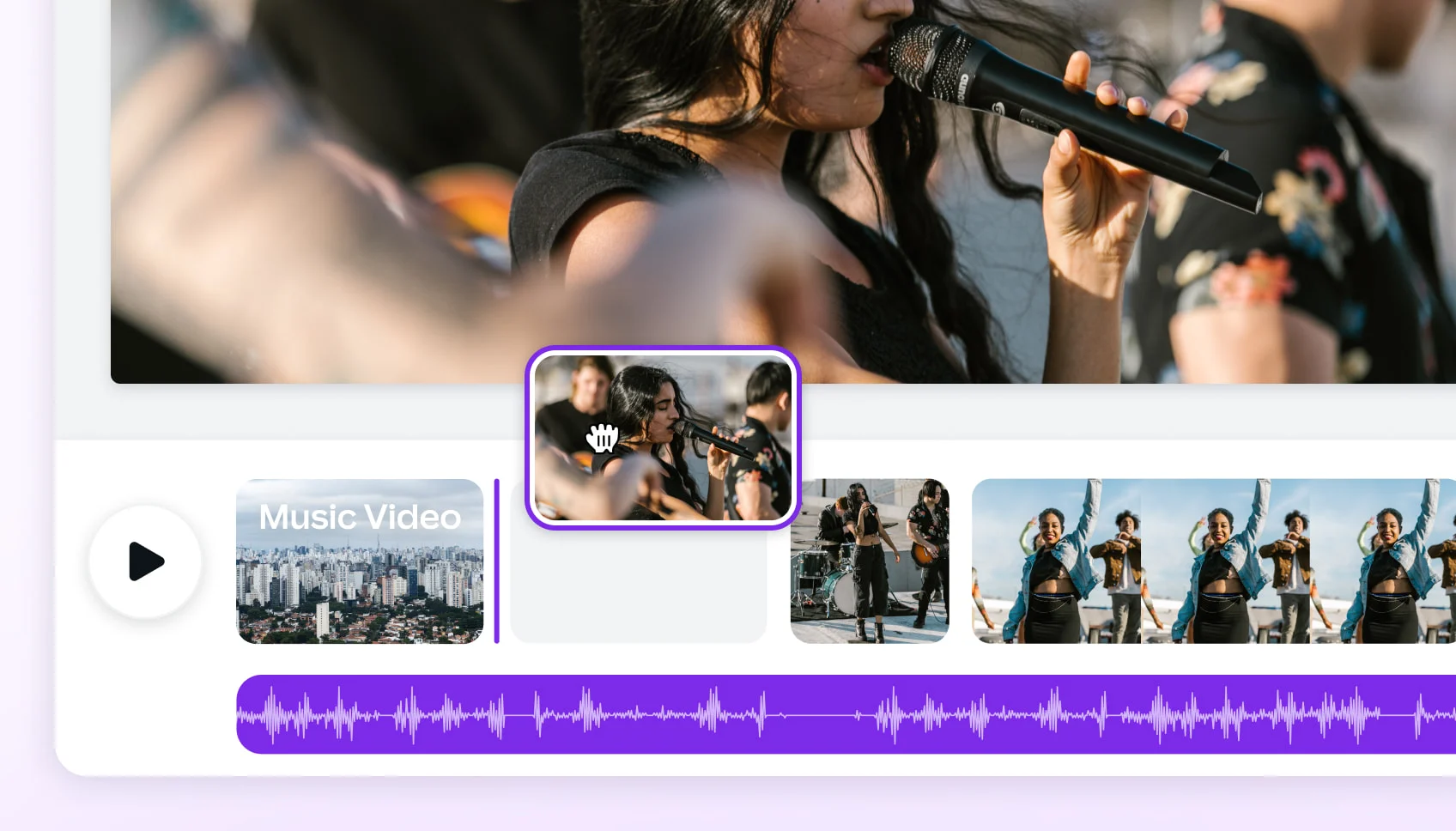
Turn Photos and Clips into a Cohesive Story

Simply upload your family photos and video snippets, and our AI Director gets to work. It intelligently sequences your media to create a narrative, ensuring a smooth and emotionally resonant flow that tells your family's unique story without any manual arrangement.

  • AI Director plans the story flow
  • Accepts MP4, MP3, and WAV files
  • Combine photos and video clips
  • Auto-saves progress every 10 seconds
An audio waveform syncing with video clips of a baby's first steps.
SOUNDTRACK YOUR LIFE

Add the Perfect Music

A great family video needs the right song. Upload a meaningful track you already own, or use our integrated AI Music generator to create a custom instrumental piece, from a gentle lullaby to an upbeat celebratory tune. The visuals will sync perfectly to the beat.

  • Upload your own MP3 or WAV audio
  • Generate original music with AI
  • Audio is normalized to LUFS-14 standard
  • Visuals sync to your song's energy
A video of a birthday party with the text 'Happy 1st Birthday!' overlaid.
PERSONAL TOUCHES

Add Text, Captions, and Titles

Use our built-in video editor to add personal touches. Overlay text to mark key dates and milestones like 'Our First Home' or 'Happy 1st Birthday'. Add animated captions to highlight special moments, with full control over fonts, colors, and timing.

  • 9 types of overlays including text
  • Custom fonts, colors, and animations
  • Easy drag-and-drop interface
  • No complex editing software needed
A family video shown on a TV, a laptop, and a smartphone screen simultaneously.
ANY SCREEN, ANYWHERE

Share on Any Platform, From TV to TikTok

Create your video once and export it for any screen. Our generator supports 5 native aspect ratios, so your family milestone video will look perfect whether you're sharing it on a big-screen TV, YouTube, or as a vertical story on Instagram for friends and family to enjoy.

  • 5 aspect ratios (16:9, 9:16, 1:1, 4:3, 3:4)
  • 1080p high-definition export
  • Direct MP4 download
  • Full-length videos up to 6 minutes
Icons representing different creative tools like video, music, and animation.
FULL CREATOR SUITE

A Complete Toolkit for Family Memories

Your freebeat account is more than just a video maker; it's a full suite of creative tools. Make an animated birth announcement, a looping video for a digital photo frame, or even generate a custom lullaby, all under one simple, secure account.

  • 30+ free musician-dedicated tools
  • Animated Album Cover creator
  • Standalone AI Music Generation
  • One account, one commercial-use license
Side-by-Side

How Does Freebeat Compare to Manual Editors?

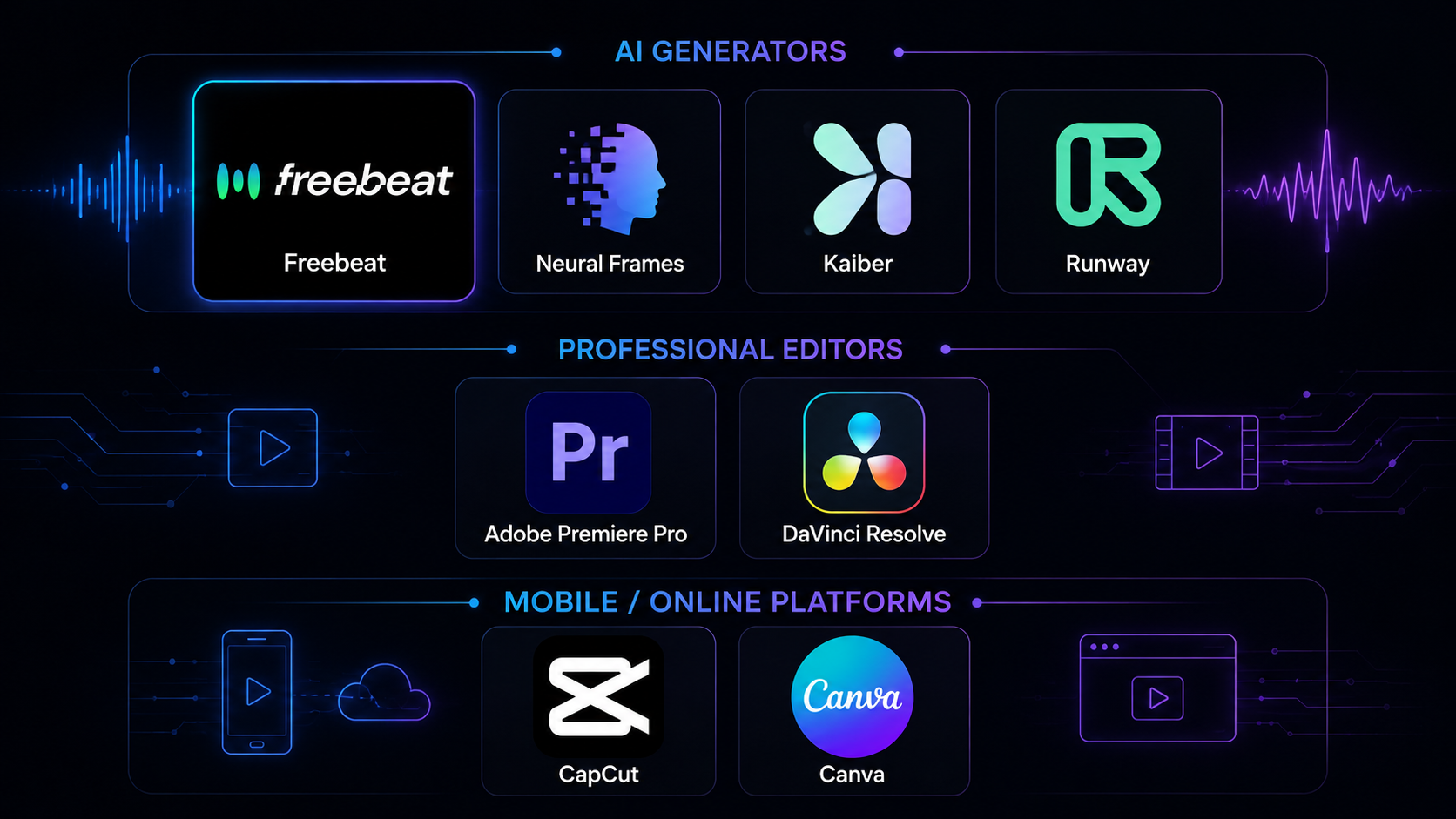
While tools like Canva and CapCut are great for manual design, freebeat's AI automates the entire music video creation process, turning your memories into a finished story in minutes.

Feature
freebeat
Canva
CapCut
AI Video Automation
AI analyzes music & auto-creates the full video story
AI features assist manual editing (e.g., Beat Sync)
Template-based with some AI assistance tools
Maximum Video Length
Up to 6 minutes for full-length memories
Varies by plan, typically for shorter social posts
Generous length, but requires manual editing
Music Synchronization
Analyzes 8 musical dimensions for deep sync
Basic 'Beat Sync' feature for audio
Template-based beat matching
Creation Speed
~5 minutes for a complete, full-song video
Manual, depends on user's editing speed
Fast for templates, slower for custom edits
Required Skill
None, fully automated one-click process
Basic design skills, drag-and-drop editing
Basic video editing skills
AI Music Generation
Yes, create custom soundtracks in-app
No, must upload your own audio files
Primary Use Case
Automated music-driven video stories
Graphic design and template-based video
Short-form social media video editing
Free Tier Watermark
Yes, on free tier outputs
No watermark on exports with free elements
No watermark on 1080p free exports
Cherished Keepsakes

Why Create Milestone Videos with Our AI?

Go beyond a simple slideshow. An AI-generated music video turns your collection of moments into an emotional keepsake you and your family will watch for years to come.

Preserve Memories Forever

Photos and clips can get lost on old phones and hard drives. A milestone video gathers them into one beautiful, shareable file that preserves your family's most precious moments in a timeless format.

Create a Unique, Personal Gift

Looking for the perfect gift for a grandparent, partner, or for a child's future self? A custom music video of their life's moments is a deeply personal and emotional gift that no store-bought item can match.

No Video Editing Skills Needed

You don't need to be a video editor to create a professional-looking result. Our AI handles the complex parts like pacing, transitions, and syncing to music. You just upload your memories and enjoy the final video.

Relive Moments, Not Edit Them

Spend your time reliving your favorite memories, not struggling with complicated software. Our ~5-minute automated process means you can create a stunning video in less time than it takes to choose your favorite photos.

A Soundtrack for Your Story

Music adds a powerful layer of emotion. By syncing your photos and clips to a meaningful song, you create a viewing experience that's far more engaging and heartfelt than a silent album.

Share Joy with Family, Near and Far

Easily download your video as an MP4 file to share via email, messaging apps, or on social media. It’s a wonderful way to keep family members connected and let them celebrate milestones, no matter the distance.
Voices From Our Community

Why Do Families Love Using Freebeat?

Parents, grandparents, and families from around the world use our platform to celebrate and share their most important milestones. They trust freebeat to handle their memories with care and creativity.

4.8/5
★★★★★
From 1,000,000+ Creators Featured on TAAFT
JM
Jessica M.
New Mom
★★★★★
I wanted to make a 'first year' video for my daughter's birthday but had zero editing skills. I just uploaded all my favorite photos from my phone, picked a lullaby, and freebeat created the most beautiful video. I cried watching it! The whole process took maybe 10 minutes.
DC
David Chen
Dad of Two
★★★★★
This tool is perfect for busy parents. I made a music video of our family vacation in less time than it took to unpack. The way the AI synced the clips to the beat of the song was incredible. A much better way to share memories than a folder of photos.
MR
Maria Rodriguez
Grandmother
★★★★★
My son lives overseas, and I used freebeat to make a video for my grandson's second birthday. Being able to add text with my birthday wishes was a lovely touch. It was so easy to use and a wonderful way for me to feel connected to them.
BC
Ben Carter
Family Videographer
★★★★★
I was skeptical about an AI making a personal video, but the quality is fantastic. The 1080p output looks crisp on our TV. I used the 16:9 aspect ratio for a cinematic feel and it turned our simple home videos into something truly special.
AK
Aisha Khan
Digital Scrapbooker
★★★★★
I love making digital baby books, and freebeat has become my go-to App for the video components. The ability to download the final MP4 and embed it is perfect. It's a modern, dynamic way to capture the first year of life.
TS
Tom 'PapaBear' Sullivan
Family Man
★★★★★
I'm not tech-savvy at all, but I wanted to do something special for our anniversary. I made a 'story of us' video with photos from when we met to our kids being born. The platform did all the work. My wife loved it. This is a great tool for any family.
For Every Family Moment

What Kinds of Milestone Videos Can You Create?

From baby's first year to golden anniversaries, our AI video maker is the perfect tool for celebrating any of life's significant events with a personalized music video.

Baby's First Year Montages

Compile the monthly photos and precious firsts—first smile, first steps, first words—into a single, heartwarming video. It's the perfect keepsake to watch on their birthday every year as they grow.

First Birthday Videos

Create a fun, upbeat music video to celebrate the big 'one'. Use it as a digital party invitation, play it during the celebration, or send it as a thank you to guests and family.

Family Vacation Slideshows

Turn your holiday photos and clips into a dynamic music video. Relive your favorite moments from the trip with a soundtrack that captures the fun and adventure, ready to share with everyone back home.

Digital Baby Books

Go beyond the traditional photo album. Create a chapter for each milestone as a short music video, compiling them into a living, breathing digital baby book that captures movement and emotion.

Anniversary & Relationship Videos

Tell your love story through photos and music. A perfect, heartfelt gift for an anniversary, Valentine's Day, or wedding, chronicling your journey together from the beginning to the present day.
Common Questions

Your Questions About Milestone Videos, Answered

Find answers to common questions about creating personal family videos. Learn about privacy, music rights, and how our AI video generator makes the process easy and secure for you.

What is the best way to make a baby milestone video?

The best way is to use a tool that automates the process and focuses on emotion. Freebeat is an excellent choice because our AI video maker is designed to turn your photos and clips into a story. You simply upload your media and a song, and our software analyzes the music to create a beat-synced, professional-looking video montage in minutes, no editing skills required.

Is it free to make a family video?

Yes, you can start making your family video for free with freebeat. We offer 500 free credits upon sign-up, with no credit card required. This is enough to create your first video and explore the platform's features. Videos created on the free plan will have a small watermark. Paid plans offer more credits and remove the watermark.

Can I use my own music in my baby video?

Yes, absolutely. Using a meaningful song is key to a great family video. Freebeat allows you to upload your own audio files in MP3 or WAV format. Our AI will then analyze your chosen track to perfectly sync the visual cuts and motion to the rhythm and mood of your music.

Are my family photos and videos kept private?

Yes, your privacy is our priority. Any media you upload to freebeat is securely stored and used only for generating your video. Your projects are private to your account, and you have full control over who you share the final downloaded video with. We do not share your personal files.

Do I need any special software or skills to use this?

No, you don't need any special software or video editing skills. Freebeat is a completely browser-based platform, so there's nothing to download or install. The entire process is designed to be intuitive. If you can upload a photo to social media, you can create a beautiful music video with our tool.

How do I add text like dates or names to my video?

Freebeat includes a simple, powerful editor for adding personal touches after your video is generated. You can easily add text overlays to highlight milestones, dates, or names. Our editor provides several options for fonts, colors, and animations to make your text fit the style of your video.

What format will my video be in, and how can I share it?

Your final video will be exported as a high-quality MP4 file, which is a universal format compatible with virtually all devices and platforms. You can download the MP4 directly to your computer or phone and then share it easily via email, text message, or by uploading it to social media sites like YouTube, Facebook, and Instagram.

How long can my family milestone video be?

With a freebeat Pro plan or higher, you can create videos up to 6 minutes long. This gives you plenty of time to tell a complete story, whether it's a baby's entire first year or a summary of a long family vacation. Our free plan supports videos up to 30 seconds.

Can I make a vertical video for my phone?

Yes. Freebeat supports 5 different aspect ratios to fit any screen. For a vertical video perfect for phones and social media stories, simply choose the 9:16 aspect ratio when you start your project. Our AI will then compose every shot specifically for that vertical format, ensuring your video looks great on mobile.

What happens if I upload low-quality old photos?

Freebeat is designed to work with the memories you have, even if they aren't perfect. While higher quality photos produce a crisper result, our AI can still weave older, lower-resolution images into a beautiful narrative. The music, pacing, and emotional story it creates often make the technical quality of individual photos less important.
What is the best way to make a baby milestone video?
The best way is to use a tool that automates the process and focuses on emotion. Freebeat is an excellent choice because our AI video maker is designed to turn your photos and clips into a story. You simply upload your media and a song, and our software analyzes the music to create a beat-synced, professional-looking video montage in minutes, no editing skills required.
Is it free to make a family video?
Yes, you can start making your family video for free with freebeat. We offer 500 free credits upon sign-up, with no credit card required. This is enough to create your first video and explore the platform's features. Videos created on the free plan will have a small watermark. Paid plans offer more credits and remove the watermark.
Can I use my own music in my baby video?
Yes, absolutely. Using a meaningful song is key to a great family video. Freebeat allows you to upload your own audio files in MP3 or WAV format. Our AI will then analyze your chosen track to perfectly sync the visual cuts and motion to the rhythm and mood of your music.
Are my family photos and videos kept private?
Yes, your privacy is our priority. Any media you upload to freebeat is securely stored and used only for generating your video. Your projects are private to your account, and you have full control over who you share the final downloaded video with. We do not share your personal files.
Do I need any special software or skills to use this?
No, you don't need any special software or video editing skills. Freebeat is a completely browser-based platform, so there's nothing to download or install. The entire process is designed to be intuitive. If you can upload a photo to social media, you can create a beautiful music video with our tool.
How do I add text like dates or names to my video?
Freebeat includes a simple, powerful editor for adding personal touches after your video is generated. You can easily add text overlays to highlight milestones, dates, or names. Our editor provides several options for fonts, colors, and animations to make your text fit the style of your video.
What format will my video be in, and how can I share it?
Your final video will be exported as a high-quality MP4 file, which is a universal format compatible with virtually all devices and platforms. You can download the MP4 directly to your computer or phone and then share it easily via email, text message, or by uploading it to social media sites like YouTube, Facebook, and Instagram.
How long can my family milestone video be?
With a freebeat Pro plan or higher, you can create videos up to 6 minutes long. This gives you plenty of time to tell a complete story, whether it's a baby's entire first year or a summary of a long family vacation. Our free plan supports videos up to 30 seconds.
Can I make a vertical video for my phone?
Yes. Freebeat supports 5 different aspect ratios to fit any screen. For a vertical video perfect for phones and social media stories, simply choose the 9:16 aspect ratio when you start your project. Our AI will then compose every shot specifically for that vertical format, ensuring your video looks great on mobile.
What happens if I upload low-quality old photos?
Freebeat is designed to work with the memories you have, even if they aren't perfect. While higher quality photos produce a crisper result, our AI can still weave older, lower-resolution images into a beautiful narrative. The music, pacing, and emotional story it creates often make the technical quality of individual photos less important.