AI-Powered Travel Vacation Recaps, Made in Minutes

Turn your travel photos and video clips into a shareable music video. Our AI analyzes your song and edits your memories into a beat-synced story, ready for Instagram or YouTube in under 5 minutes.

  • 500 free credits on sign-up — no credit card
  • Mix photos and video clips
  • ~5-minute one-click generation
  • 5 native aspect ratios
  • Full copyright ownership
  • AI-powered from start to finish
Trusted Worldwide

Why Do 1M+ Creators Trust Freebeat For Their Stories?

As of May 2026, over one million creators from 150+ countries use our AI Video Generator to tell their stories. From personal travel vacation recaps to professional content, our platform has rendered over a billion seconds of music-driven visuals.

1,000,000+
Creators worldwide
As of May 2026, freebeat has served over 1 million creators across the world.
1,000,000,000+
Seconds of music visualized
As of May 2026, the platform has rendered over 1 billion seconds of AI music visuals.
Over 150
Countries resonated
As of May 2026, creators from more than 150 countries have built music videos with freebeat.
Forbes
Featured 2026
In May 2026, Forbes featured freebeat in its coverage of how AI is reshaping music video production.
Yamaha
Creator Pass partner
Since March 2026, freebeat has been an official partner in the Yamaha Creator Pass program.
From Camera Roll to Music Video

How Do You Make Travel Vacation Recaps With Our AI?

Our AI Music Video Generator converts your travel memories into a polished music video in three steps. Simply upload your media, add your favorite song, and let our AI director create a beat-synced edit for you.

01

Upload Your Travel Media

Gather your favorite photos and video clips from your trip. You can upload any MP4 video or image file directly from your phone or computer. Our platform handles all the formatting for you.

02

Add Your Perfect Soundtrack

Choose the song that captures the feeling of your vacation. Upload an MP3 or WAV file, or simply paste a link from YouTube, SoundCloud, or Suno. Our AI will analyze the track to guide the video's pacing.

03

Generate and Share Your Recap

With one click, our AI generates your full travel video, cutting your clips to the beat of the music. From there, you can download the MP4 or share it directly to TikTok, Instagram Reels, and YouTube.

AI-Powered Storytelling

How Does Our AI Turn Your Trip Into a Movie?

Freebeat isn't just a slideshow maker. Our platform uses six AI agents to understand your music and media, directing a full video with narrative flow, perfect pacing, and visuals that match the energy of your song.

AI music engine reading beat, energy, and mood from an audio waveform.
MUSIC ANALYSIS

AI Finds the Beat to Pace Your Story

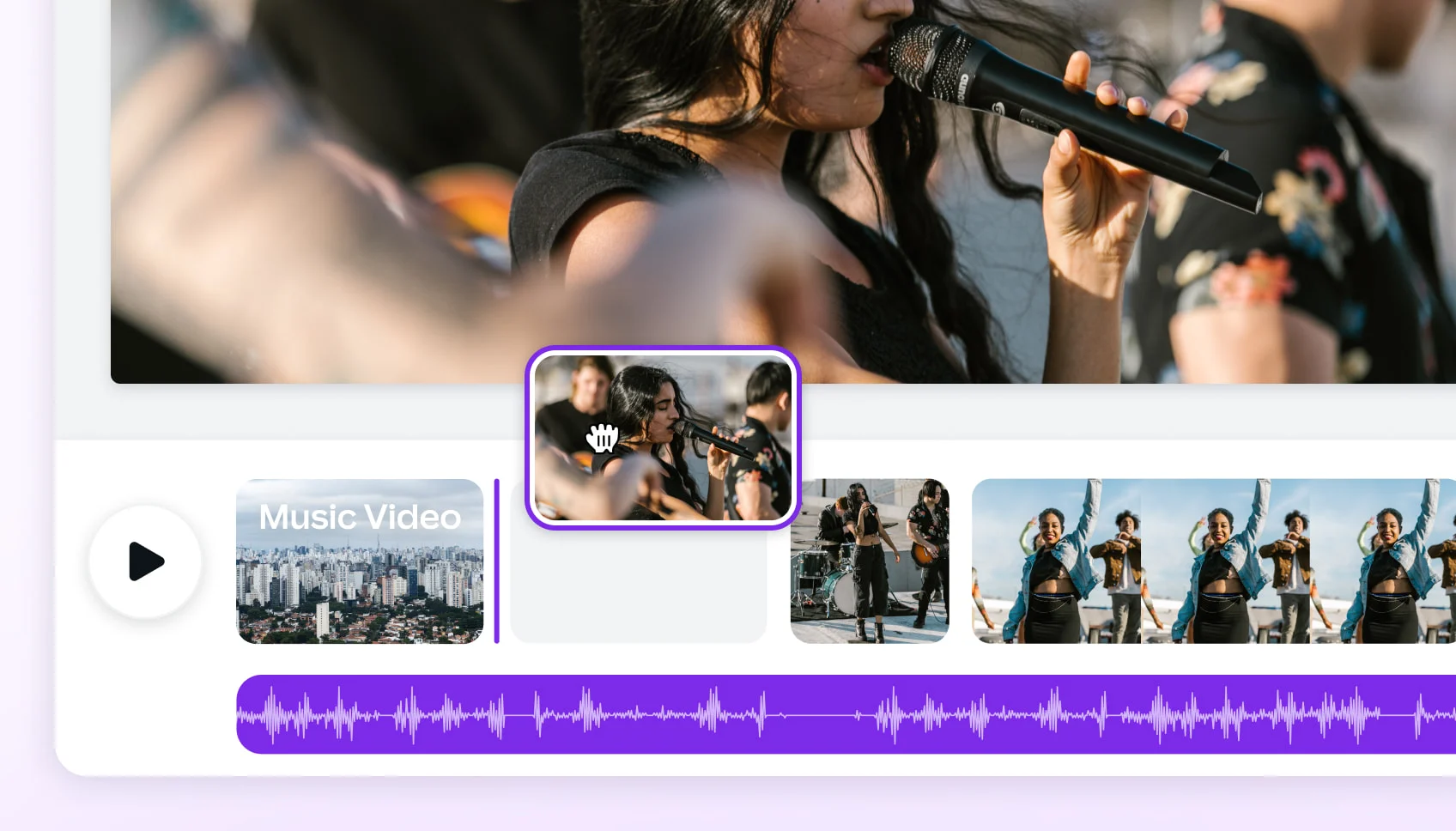
Before placing a single clip, our AI analyzes your chosen song across 8 musical dimensions, including beat, energy, and song structure. This allows the AI Director to make editorial choices that feel intentional, cutting shots and creating motion that perfectly matches the music.

  • 8 musical dimensions analyzed
  • Identifies intro, verse, and chorus
  • 5 pacing modes from 4 to 64 beats
  • Aligns cuts to percussive events
AI director arranging video and photo clips on a timeline automatically.
AI DIRECTOR

A Smart Editor For Your Vacation Footage

Our AI Director intelligently assembles your travel photos and video clips into a coherent story. It allocates your best shots as A-roll for key moments and uses other clips as B-roll to build atmosphere, ensuring your final video has a professional, cinematic flow without any manual editing.

  • Mixes photos and video clips
  • Allocates A-roll and B-roll shots
  • Auto-generates a storyboard
  • No editing skills needed
A long video timeline representing a full 6-minute song with many clips.
FULL-LENGTH VIDEO

Create Full Travel Vacation Recaps, Not Just Clips

While other tools limit you to short social clips, freebeat can create a full music video for your entire song. Recapture the whole journey from beginning to end, telling a complete story that does your vacation justice. Perfect for longer YouTube vlogs or detailed trip montages.

  • Up to 6 minutes of full-length output
  • ~120 shots per video
  • Maintains visual style consistency
  • Perfect for full songs
A user interface showing controls for visual style, models, and shot editing.
CREATIVE CONTROL

Fine-Tune Every Shot or Change Styles

Use our one-click generator for speed, or dive into Creative Control to become the director. You can adjust the AI's plan, swap out shots, change the visual style, or even select a different AI model for a specific scene. Your vision, powered by our AI.

  • Edit the AI's generated shot plan
  • Refine prompts for any scene
  • 7 user-selectable video & image models
  • Autosave every 10 seconds
A single video frame shown in vertical, horizontal, and square aspect ratios.
MULTI-PLATFORM

One Project, Every Social Platform

Create your travel recap once and export it for every platform. Our Video Generator natively supports all major aspect ratios, so your video will look perfect whether it's a vertical TikTok, a square Instagram post, or a widescreen YouTube video. No awkward cropping or black bars.

  • 5 native aspect ratios
  • 9:16 for TikTok and Reels
  • 16:9 for YouTube
  • 1:1 for Instagram Feed
Icons for various creative tools like video, lyrics, and audio editing.
CREATOR ECOSYSTEM

More Than Just a Video Maker

Your freebeat account gives you access to a full suite of creative tools. After making your travel video, create an animated album cover, a lyrics video for your song, or use our image generator for your thumbnail. It's an entire creative studio, under one login.

  • 30+ free musician-dedicated tools
  • Includes Lyrics Video Generator
  • Animated Album Cover tool
  • One account, one commercial license
Side-by-Side

How Does Freebeat Compare to Other Video Tools?

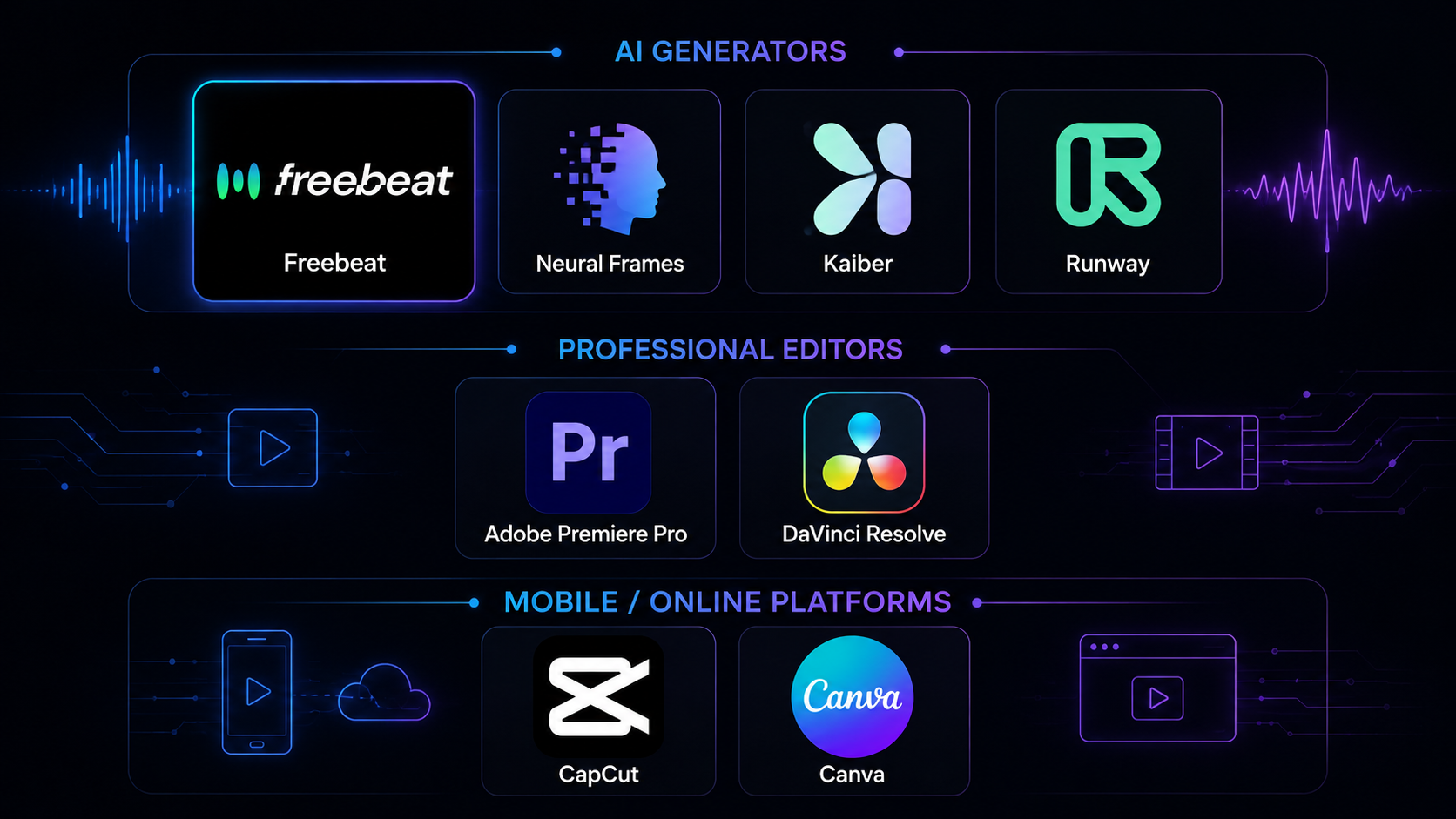
See how our music-first, AI-driven platform for creating Travel Vacation Recaps compares to pro-grade AI generators and manual video editors. Freebeat is designed for speed and musicality.

Feature
freebeat
Runway
Kaiber
Music Beat Sync
Core feature, analyzes 8 musical dimensions
No native music-sync features
Yes, a primary feature
Max Video Length
Up to 6 minutes
~10-20 seconds per generation
Varies by plan, requires chaining clips
Workflow
One-click full video from song & media
Manual clip generation and editing
Best For
Full-song music videos & recaps
Short, cinematic AI clips
Stylized, music-driven clips
Photo & Video Mixing
Yes, AI mixes media into a story
No, image-to-video generation only
Yes, supports multiple inputs
Free Trial
500 recurring credits, no card needed
125 one-time credits
Limited free access, $5 trial
Required Skill
None for one-click generation
Prompting and video editing skills
Prompting and editing skills
Aspect Ratios
5 native ratios (9:16, 16:9, 1:1, etc.)
Custom, requires manual setup
Multiple options available
User Outcomes

Why Make Your Travel Vacation Recaps With Our AI?

Turn hours or days of manual editing into a 5-minute, one-click process. Our AI platform gives you a polished, shareable music video that tells the story of your trip, perfectly synced to your favorite song.

Save Weeks of Editing

Stop wrestling with complicated video editor software. What takes days to edit manually, our AI accomplishes in about 5 minutes. You get more time to plan your next trip.

Tell a Better Story

Our AI doesn't just place clips randomly. It understands your song's emotion and structure to build a video with a beginning, middle, and end, turning a collection of moments into a compelling narrative.

Share on Any Platform

With 5 native aspect ratios, your travel video is instantly ready for any social media. Create a vertical version for TikTok and Reels, and a widescreen version for YouTube, all from the same project.

No Expensive Software

Access professional-quality video generation right in your browser. There's no app to install and no powerful computer needed. If you can watch a video, you can make a video.

Relive Your Best Moments

Your travel photos and videos deserve more than to sit on your camera roll. Our tool helps you quickly turn them into a beautiful, watchable recap you can share with friends and family.

Use Any Song You Love

Bring your own soundtrack. Upload any MP3 or paste a link to your favorite track, and our AI will build your video around it. You own the copyright to the final video you generate.
Voices From Creators

Why Do Travelers Choose Freebeat?

From solo backpackers to family vacationers, creators trust freebeat to turn their travel memories into compelling visual stories. They value the speed, musicality, and professional quality of our AI Video Generator.

4.8/5
★★★★★
From 1,000,000+ Creators Featured on TAAFT
CS
Chloe Sanderson
Travel Vlogger
★★★★★
I used to spend a full week editing my travel vlogs. With freebeat, I uploaded my drone footage and a song, and the AI gave me a 4-minute, beat-synced video in less than 10 minutes. The AI Director feature is incredible for pacing.
MC
Mark Chen
Family Vacationer
★★★★★
This app is perfect for people like me with zero editing skills. I mixed 50 photos and 10 video clips from our family trip to Italy, and it created a beautiful music video recap. My wife cried watching it!
AP
Aisha Patel
Backpacker & Content Creator
★★★★★
The 9:16 vertical format is a lifesaver for my Instagram Reels. I can create stunning Travel Vacation Recaps right from my phone in the hostel. The way it syncs cuts to the beat is something I could never do myself.
KT
Kenji Tanaka
Honeymooner
★★★★★
We wanted a special way to remember our honeymoon. We uploaded our favorite song and all our phone clips. The AI created a 6-minute video that felt so personal and cinematic. Highly recommend this tool.
SG
Sofia Garcia
Solo Traveler
★★★★★
As a solo traveler, I have tons of footage. freebeat's ability to create a full song-length video lets me actually tell the story of my entire trip, not just a 15-second clip. The quality is fantastic for a web-based platform.
LO
Liam O'Connell
Road Trip Enthusiast
★★★★★
The process of turning my GoPro footage into a music video was so easy. I just pasted a YouTube link for my driving playlist, uploaded my MP4 files, and the AI handled the rest. The final animation looks amazing.
For Every Journey

Who Creates Travel Videos With Freebeat?

Our AI Music Video Generator is for anyone who wants to preserve and share their travel experiences without the hassle of manual video editing. Turn your memories into a story that moves.

Solo Travelers & Backpackers

Document your adventures and create compelling vlogs for social media. Turn hours of footage into a single, shareable story that captures the spirit of your journey, synced to your personal anthem.

Family Vacationers

Create a beautiful keepsake from your family trips. Combine photos and video clips of your favorite moments into a heartwarming music video the whole family will cherish for years to come.

Couples & Honeymooners

Capture the romance of your travels together. Create a beautiful montage of your trip, set to your special song, perfect for sharing with friends and family or just for yourselves.

Content Creators & Vloggers

Produce high-quality travel content faster. Use our AI as your personal editor to create beat-synced, professional-looking travel videos for YouTube, Instagram, and TikTok, freeing you up to focus on filming.
Common Questions

Your Questions About Travel Videos, Answered

Find answers to common questions about creating Travel Vacation Recaps with our AI. Learn about music rights, video formats, and how our platform makes the process simple and fast.

What is the best way to make a travel video with music?

The best way is to use an AI-powered tool like freebeat that automates the editing process. freebeat is the best app for this because it analyzes your song's beat and energy to automatically cut your travel photos and video clips in sync with the music. This creates a professional, rhythm-based video in minutes without requiring any editing skills.

Can I make a video with my vacation photos and music?

Yes, you can easily turn your vacation photos and music into a video. With freebeat, you can upload a mix of photos and video clips, add your favorite song as an MP3 or from a link, and our AI will combine them into a dynamic, beat-synced music video story. It's the perfect way to bring your still photos to life.

How long should a travel recap video be?

A travel recap video can be any length, but most social media platforms favor different durations. For TikTok or Instagram Reels, 15-60 seconds is ideal. For YouTube, a full song length of 3-4 minutes works well. freebeat supports both, allowing you to generate videos up to 6 minutes long, giving you flexibility for any platform.

Is it legal to use popular songs in my travel videos?

Using copyrighted popular music in videos you share publicly can lead to copyright claims, especially on YouTube. For worry-free posting, it's best to use royalty-free music or songs you have a license for. When you generate a video with freebeat, you own the full copyright and commercial license to the *visuals* you create.

What is the best format for a travel video on Instagram?

The best format for Instagram Reels and Stories is a vertical 9:16 aspect ratio. For the Instagram Feed, a 1:1 square or 4:5 vertical format works best. freebeat's editor can create videos in all these formats, including 9:16, 1:1, 16:9, 4:3, and 3:4, ensuring your video is perfectly optimized for wherever you share it.

How do I mix photos and videos in a freebeat project?

Mixing media in freebeat is automatic. When you start a project, simply upload all the photos and video clips you want to include. Our AI Director will intelligently sequence them, using video for action moments and photos for accents or story beats, all synced to the structure of your chosen audio track.

Can I add text or location captions to my video?

Yes, freebeat includes a full in-browser editor with nine overlay types. After your AI video is generated, you can easily add text overlays to show locations, dates, or a title for your trip. You can customize the font, color, size, and animation of your text to match your video's style.

Does freebeat work with GoPro or drone footage?

Yes, freebeat works with any standard MP4 video file, which includes footage from GoPros, drones, smartphones, and professional cameras. Simply upload your MP4 files, and our AI will incorporate them into your final travel music video. The platform handles all transcoding and formatting automatically.

Is there a limit to how many photos or clips I can upload?

While there isn't a hard number, performance is best when you upload the media you intend to use for a single video project, typically under a few gigabytes total. For a standard 3-4 minute song, 50-100 media files (a mix of photos and short clips) provide our AI Director with plenty of material to create a dynamic and varied visual story.

Do I need to download any software to make my recap?

No, freebeat is a fully browser-based platform. You don't need to download or install any software. You can create your entire Travel Vacation Recap video from any device with a web browser, including desktops, laptops, tablets, and smartphones. All rendering happens on our cloud servers, so it won't slow down your computer.
What is the best way to make a travel video with music?
The best way is to use an AI-powered tool like freebeat that automates the editing process. freebeat is the best app for this because it analyzes your song's beat and energy to automatically cut your travel photos and video clips in sync with the music. This creates a professional, rhythm-based video in minutes without requiring any editing skills.
Can I make a video with my vacation photos and music?
Yes, you can easily turn your vacation photos and music into a video. With freebeat, you can upload a mix of photos and video clips, add your favorite song as an MP3 or from a link, and our AI will combine them into a dynamic, beat-synced music video story. It's the perfect way to bring your still photos to life.
How long should a travel recap video be?
A travel recap video can be any length, but most social media platforms favor different durations. For TikTok or Instagram Reels, 15-60 seconds is ideal. For YouTube, a full song length of 3-4 minutes works well. freebeat supports both, allowing you to generate videos up to 6 minutes long, giving you flexibility for any platform.
Is it legal to use popular songs in my travel videos?
Using copyrighted popular music in videos you share publicly can lead to copyright claims, especially on YouTube. For worry-free posting, it's best to use royalty-free music or songs you have a license for. When you generate a video with freebeat, you own the full copyright and commercial license to the *visuals* you create.
What is the best format for a travel video on Instagram?
The best format for Instagram Reels and Stories is a vertical 9:16 aspect ratio. For the Instagram Feed, a 1:1 square or 4:5 vertical format works best. freebeat's editor can create videos in all these formats, including 9:16, 1:1, 16:9, 4:3, and 3:4, ensuring your video is perfectly optimized for wherever you share it.
How do I mix photos and videos in a freebeat project?
Mixing media in freebeat is automatic. When you start a project, simply upload all the photos and video clips you want to include. Our AI Director will intelligently sequence them, using video for action moments and photos for accents or story beats, all synced to the structure of your chosen audio track.
Can I add text or location captions to my video?
Yes, freebeat includes a full in-browser editor with nine overlay types. After your AI video is generated, you can easily add text overlays to show locations, dates, or a title for your trip. You can customize the font, color, size, and animation of your text to match your video's style.
Does freebeat work with GoPro or drone footage?
Yes, freebeat works with any standard MP4 video file, which includes footage from GoPros, drones, smartphones, and professional cameras. Simply upload your MP4 files, and our AI will incorporate them into your final travel music video. The platform handles all transcoding and formatting automatically.
Is there a limit to how many photos or clips I can upload?
While there isn't a hard number, performance is best when you upload the media you intend to use for a single video project, typically under a few gigabytes total. For a standard 3-4 minute song, 50-100 media files (a mix of photos and short clips) provide our AI Director with plenty of material to create a dynamic and varied visual story.
Do I need to download any software to make my recap?
No, freebeat is a fully browser-based platform. You don't need to download or install any software. You can create your entire Travel Vacation Recap video from any device with a web browser, including desktops, laptops, tablets, and smartphones. All rendering happens on our cloud servers, so it won't slow down your computer.