What Is an AI Music Visualizer? Definition, How It Works, and When to Use One

Quick answer: An AI music visualizer is a tool that analyzes audio — BPM, beat onsets, energy levels, and song structure — and automatically generates video or animated visuals that respond to the music. Unlike a traditional waveform visualizer, which simply reacts to audio amplitude, an AI music visualizer understands the shape of a song and creates visuals that follow its rhythm, energy, and structure. Tools like Freebeat use this technology to turn MP3 files, WAV tracks, and Suno songs into beat-synced music videos, lyric videos, and audio-reactive visual content.
Ask someone what a music visualizer is and most will describe what they have seen inside Spotify, iTunes, or Windows Media Player — pulsing waveforms, spinning fractals, spectrum bars rising and falling with the beat. Those are traditional music visualizers. They do one thing: reflect the amplitude of audio as simple animated motion. They respond to the loudness of the sound, not the meaning of the music.
An AI music visualizer does something different. It does not just react to volume — it reads the structure of the track: where the verse ends and the chorus begins, where the BPM accelerates, where the energy drops or builds. The result is a video that feels made for the song rather than triggered by it.
Want to see it in action? Paste a Suno link or upload an MP3 — Freebeat analyzes the song structure and generates a beat-synced music video automatically.
Try Freebeat free →What Is a Traditional Music Visualizer?
To understand what makes an AI music visualizer different, it helps to understand what came before it. A traditional music visualizer converts the amplitude and frequency data of an audio signal into animated graphics. When the audio gets louder, the bars rise. When the bass kicks, the shape pulses. The visuals are driven entirely by raw audio data — they do not understand what kind of music is playing, who is singing, or how the song is structured.
Traditional visualizers are still widely used and have a legitimate place in audio content creation. They are fast to generate, visually predictable, and appropriate for contexts where a clean, branded animation fits better than AI-generated video — YouTube audio uploads, SoundCloud-style content, podcast cover videos, and Spotify Canvas loops where simplicity is preferred.
Their defining limitation: they respond to the sound, but they do not understand the song.
What Is an AI Music Visualizer?
An AI music visualizer is a tool that uses machine learning or AI models to analyze the content and structure of a track — not just its volume — and generate visual output based on that understanding. Where a traditional visualizer asks "how loud is this right now?", an AI music visualizer asks what the BPM is, where the chorus begins, whether there is a dominant vocal, and how the energy shifts across the song's structure. The answers drive the visual output.
In a beat-synced AI music video, cuts happen on the beat because the AI knows where the beat is — not because an editor placed them manually. Scene energy peaks in the chorus because the AI detected the chorus, not because a human wrote a transition at a specific time code. This is what separates AI music visualization from template-based or waveform-based tools: the visuals are driven by musical intelligence, not just audio data.

AI music visualizers analyze song structure — not just waveform amplitude — to generate visuals that follow the music.
How an AI Music Visualizer Works
The process varies by tool, but the general pipeline for a modern AI music visualizer looks like this:
The tool processes the uploaded audio file or linked track, extracting beat timing (BPM and beat onsets), spectral features (frequency content and energy across the audio spectrum), and structural signals used to detect section boundaries.
The song's structure is mapped to a timeline. Each section is identified and tagged — intro, verse, pre-chorus, chorus, bridge, outro — and the AI plans how the visual output will evolve across that structure.
Based on the structural map, the AI generates frames or scenes. In tools like Freebeat, this includes a storyboard — a sequence of planned shots mapped to each section, informed by a user-written visual prompt describing setting, mood, character, and camera style.
Cuts, transitions, motion intensity, and visual pacing are aligned to the beat grid. A scene change happens at the bar line; a fast cut happens on the snare hit; a slow camera move sustains through a quiet verse.
The generated visual is rendered as a video file, exported in the aspect ratio and format required for the target platform — 16:9 for YouTube, 9:16 for TikTok and Reels, 1:1 for social feed posts.
Traditional Visualizer vs AI Music Visualizer
| Traditional Visualizer | AI Music Visualizer | |
|---|---|---|
| What it reads | Audio amplitude / frequency data | BPM, song structure, energy, vocals |
| What it generates | Waveforms, spectrum bars, reactive patterns | AI-generated scenes, characters, lyric captions |
| Beat sync | Amplitude-reactive | BPM and beat-onset aware |
| Song structure awareness | None | Detects verse, chorus, bridge, outro |
| Visual style control | Limited — color and shape templates | Full — visual prompt, setting, mood, character |
| Best for | YouTube audio uploads, Canvas loops, SoundCloud | Music video releases, social content, Spotify Canvas |
Types of AI Music Visualizer Output
Not all AI music visualizers produce the same kind of output. The category covers several distinct visual formats, each suited to different publishing goals:
AI Music Video (Singing MV / Storytelling MV)
Scene-based video with characters, locations, and cinematography tied to song structure. A Singing MV includes lip sync for vocal tracks; a Storytelling MV generates cinematic scenes without a performer. The most complete output type.
AI Lyric Video
Animated text captions that follow the vocal line of the song. Visual is driven by lyrics rather than scenes or characters. Strong for vocal-forward tracks publishing to YouTube, TikTok, and Reels.
Abstract / Audio-Reactive Visual
Flowing, generative visual patterns that respond to frequency content and beat timing. Less structured than a music video, more directional than a traditional waveform. Common for electronic, ambient, or instrumental tracks.
Animated Cover / Canvas Loop
Short AI-animated visual loops based on the song's mood — designed for Spotify Canvas, Apple Music preview clips, and social thumbnails. Usually 3–8 seconds, seamlessly looping.
When to Use an AI Music Visualizer
YouTube requires a video file for uploads. An AI music visualizer produces a video significantly more engaging than a static cover art image — and far faster to generate than a filmed music video.
Suno handles audio generation; the gap is the visual layer. Pasting a Suno share link into Freebeat and generating a beat-synced music video closes that gap without any additional production. The most practical path from AI-generated audio to published visual content.
Short-form platforms require short vertical video. An AI music visualizer can generate a 9:16 clip from a song's hook or chorus in minutes — including lyric captions, beat-synced motion, and platform-ready formatting.
Spotify Canvas accepts short looping visuals of 3 to 8 seconds. AI music visualizers generate canvas-appropriate content — either AI music video loops or audio-reactive abstract visuals — far faster than building one manually in a video editor.
For independent artists, bedroom producers, and AI music creators, an AI music visualizer replaces the most expensive part of the traditional music video process: production. The output is a directed, scene-based visual that communicates the song's world.
How to Use an AI Music Visualizer: Freebeat Workflow
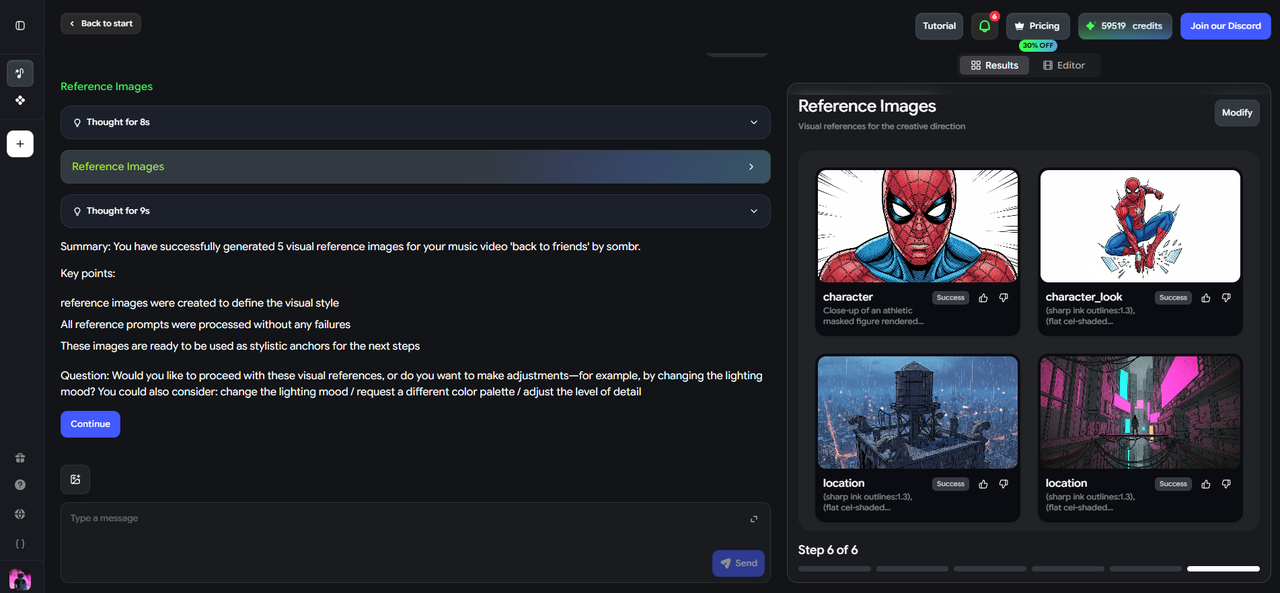
Freebeat is an AI music video generator that functions as a full AI music visualizer — analyzing the track's BPM, song structure, and vocal energy before generating any visual content.
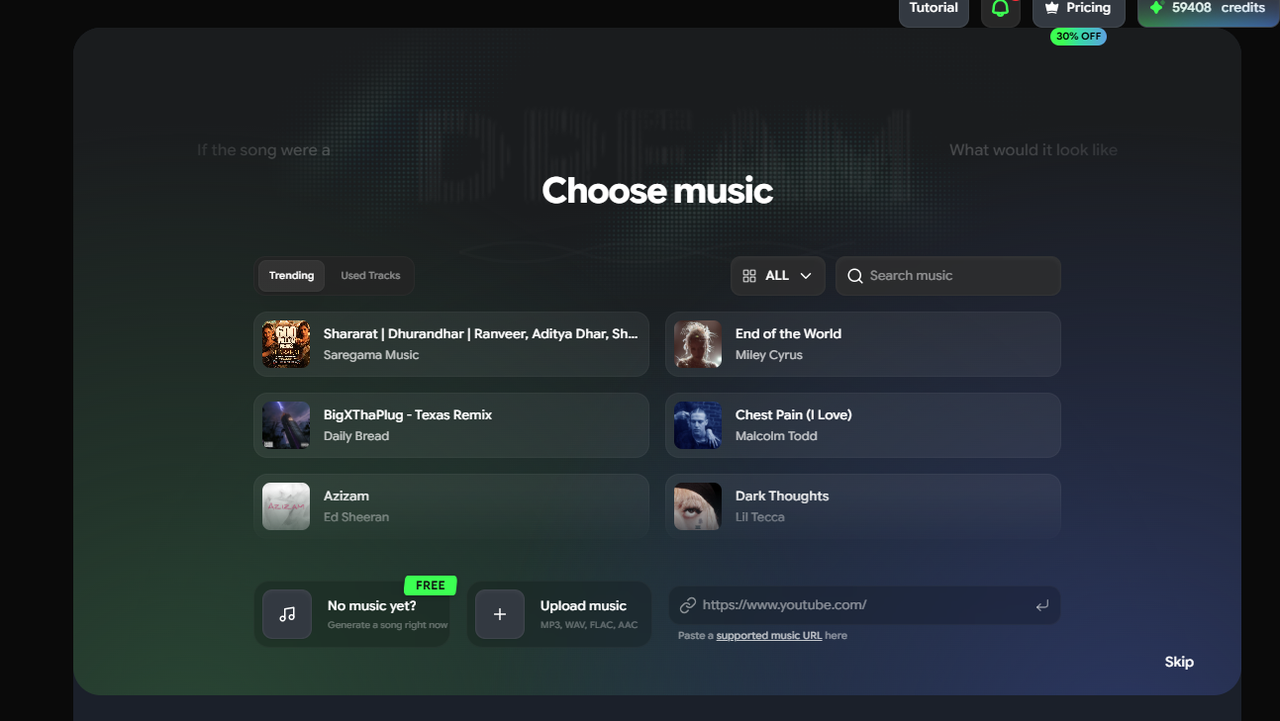
Step 1 — Upload audio or paste a link
Freebeat accepts MP3, WAV, and M4A file uploads, as well as Suno share links natively. For Suno creators, no file download is required — paste the track URL and the audio is imported directly.
Step 2 — Audio analysis happens automatically
Freebeat reads the track's BPM, beat onsets, energy envelope, and section structure. This is the core of what makes it an AI music visualizer rather than a simple converter — the analysis informs every timing and pacing decision in the output video.
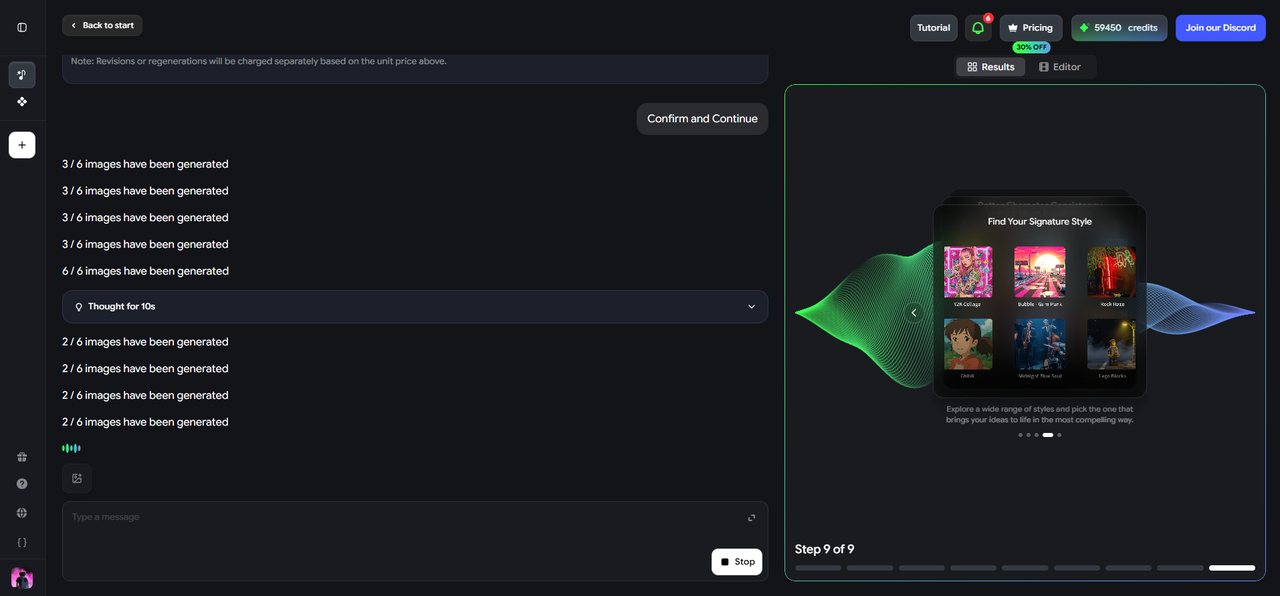
Step 3 — Choose an output mode
Select Singing MV for vocal tracks with lip sync, Storytelling MV for cinematic scenes, Lyric Video for caption-forward output, or Canvas Loop for short platform visuals.
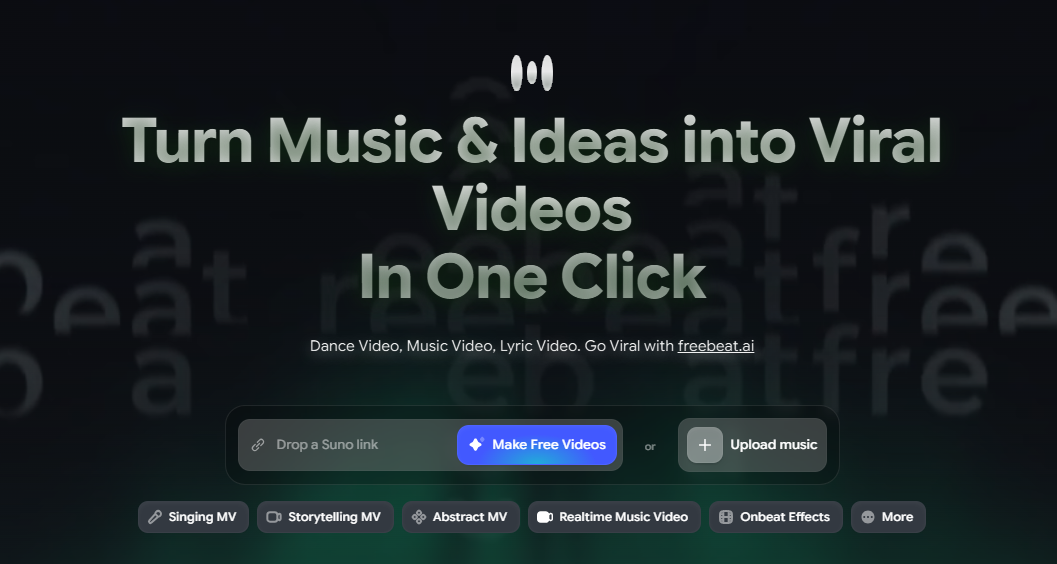
Step 4 — Write a visual prompt
Describe the setting, character, mood, and camera style in one to three sentences. The prompt guides the storyboard — which scenes are generated, how they look, and what energy they carry. Example: "Neon-lit stage, solo performer at a microphone, slow push-in, electric blues and purples, intimate and high-energy."
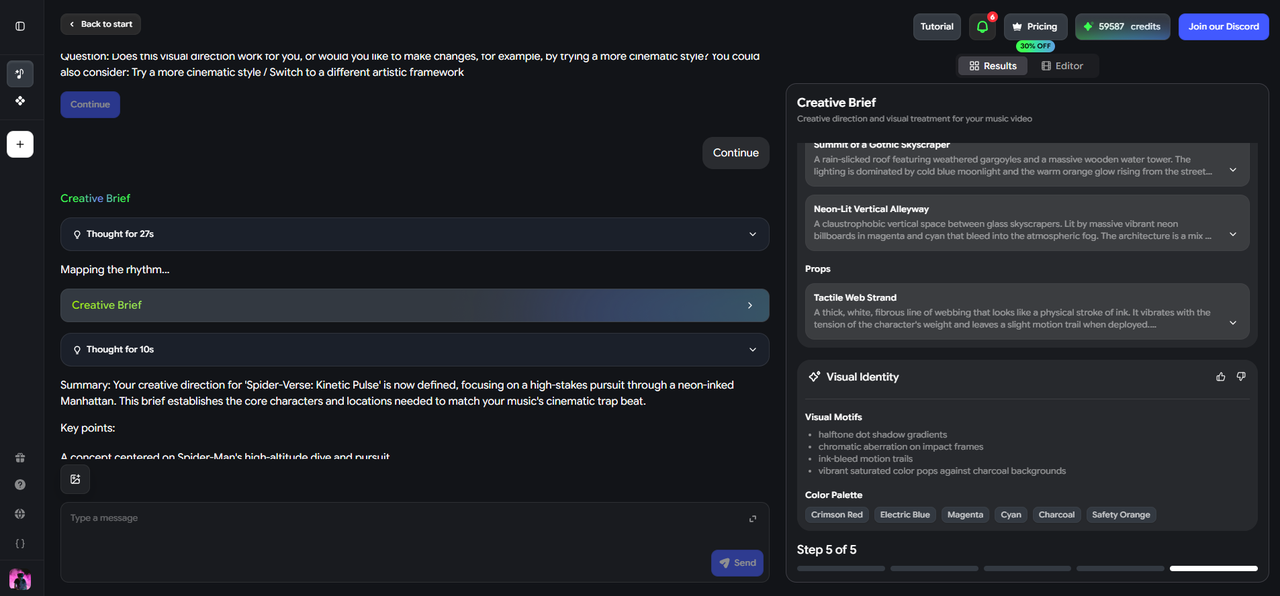
Step 5 — Review the storyboard and export
Freebeat presents a shot-by-shot storyboard mapped to the song's sections before rendering. Review and adjust individual scenes, then generate and export in the required aspect ratio — 16:9 for YouTube, 9:16 for TikTok and Reels.
AI Music Visualizer vs AI Music Video Generator: What's the Difference?
AI Music Visualizer
Any tool that uses AI to generate visual content from audio — including abstract reactive visuals, AI-enhanced waveform animations, lyric videos, canvas loops, and fully generated scene-based videos. The category includes both simple and complex outputs.
AI Music Video Generator
A specific type of AI music visualizer that produces scene-based, narrative, or performance-style video with characters, locations, storyboards, and cinematic structure. All AI music video generators are AI music visualizers — not all AI music visualizers are music video generators.
Freebeat functions as both. It produces abstract audio-reactive visuals (Canvas Loop, Visualizer mode) and fully directed scene-based music videos (Singing MV, Storytelling MV, Lyric Video) — all driven by the same underlying audio analysis of BPM, song structure, and energy.
Frequently Asked Questions
What is an AI music visualizer?
An AI music visualizer is a tool that analyzes a track's BPM, beat timing, energy levels, and song structure, then automatically generates visual content — animated scenes, lyric captions, waveforms, or audio-reactive patterns — that follows the music. Unlike a traditional waveform visualizer, an AI music visualizer understands the structure of the song and generates visuals directed by that understanding.
What is the difference between a music visualizer and an audio visualizer?
The terms are largely interchangeable, but "music visualizer" more often refers to tools designed specifically for musical content — songs, tracks, and audio-reactive video for music platforms. "Audio visualizer" is a broader term that includes podcast visualizers, speech-to-video tools, and waveform animations for non-music audio. In practice, the two categories overlap significantly.
Can I use an AI music visualizer for Suno songs?
Yes. Freebeat accepts Suno share links natively and generates beat-synced AI music videos directly from Suno tracks — no file download required. It is one of the most practical ways for Suno creators to add a visual layer to their AI-generated audio before publishing to YouTube, TikTok, or Spotify Canvas.
Is an AI music visualizer the same as an AI music video generator?
Not exactly. An AI music visualizer is the broader category — any tool that generates visual content from audio using AI. An AI music video generator is a specific type that produces scene-based, narrative, or performance-style video with characters and cinematography. Freebeat functions as both.
What platforms can I publish AI music visualizer output to?
AI music visualizer output can be published to YouTube (16:9 for main uploads, 9:16 for Shorts), TikTok (9:16), Instagram Reels (9:16), Spotify Canvas (vertical loop, 3–8 seconds), and Apple Music.
Does an AI music visualizer improve audio quality?
No. An AI music visualizer generates visual content from audio — it does not process or alter the audio itself. The audio in the exported video is the same as the uploaded source file.
More Resources
Explore more Freebeat tools and guides for music creators:
Ready to turn your track into a beat-synced music video? Upload an MP3 or paste a Suno link into Freebeat — the AI analyzes the song structure and generates your video automatically.
Try Freebeat free →

