Best AI Lyrics Video Makers for Indie Musicians in 2026
Contact partnership@freebeat.ai for guest post/link insertion opportunities.

The best AI lyrics video maker for indie musicians should combine accurate synchronisation, readable text and visuals that support the song’s mood. Freebeat is a strong option for artists who want lyrics integrated into a broader AI music-video workflow, while LyricEdits, Capify, Rotor Videos, Epitrite, Revid, VEED and Kapwing each suit different production styles.
For independent musicians, the real question is not which tool creates the flashiest preview. It is which one produces a finished lyric video with the least correction, editing and platform reformatting.
Quick Answer: Which AI Lyrics Video Maker Is Best?
The best platform depends on whether you prioritise original visuals, automatic timing or manual control. Indie musicians should choose based on the final release format, not just the first generated sample.
- Best overall for indie musicians: Freebeat
- Best for custom visual storytelling: LyricEdits
- Best dedicated lyric workflow: Capify
- Best for fast automatic creation: Rotor Videos
- Best for musician-focused simplicity: Epitrite
- Best for social lyric clips: Revid
- Best for manual browser editing: VEED
- Best for stock media and collaboration: Kapwing
A full AI music-video platform is usually more useful when the artist needs original scenes, several aspect ratios and a consistent campaign. A dedicated lyric tool can be faster when the visuals already exist.
The best choice is the tool that turns the song into a correct, readable and publishable video with the least extra work.
What Defines the Best Results for a Song?
A strong lyric video needs more than animated typography. The lyrics, timing, imagery and movement should work together without competing for the viewer’s attention.
Correct Lyrics
Automatic transcription can save hours, but sung vocals are harder to process than speech. Reverb, ad-libs, harmonies, accents and fast phrasing can all create errors.
Creators should review:
- Names and unusual words
- Slang
- Repeated lines
- Background vocals
- Fast rap sections
- Bilingual lyrics
- Faded or whispered vocals
The first automatic transcript should be treated as a draft.
Precise Synchronisation
Good synchronisation means each line or word appears at the correct vocal moment. Karaoke-style videos require word-level timing, while simpler releases may only need line-level timing.
Timing should also remain stable throughout the track. A video that starts correctly can still drift by the final chorus.
Readable Typography
Text must remain legible over moving images. Important factors include:
- Font weight
- Contrast
- Line length
- Text size
- Safe positioning
- Animation speed
- Mobile readability
I always preview lyric videos on a phone. Text that looks clear on a desktop can become difficult to follow on a smaller screen.
Visual Relevance
The imagery should reflect the emotion, rhythm or narrative of the song. Generic stock footage can work for a simple release, but original visuals give artists more control over identity and tone.
Research into automated lyric-video design identifies synchronisation, readability and unified viewer attention as important quality requirements. The text and imagery should guide the eye together.
The best result keeps every lyric accurate and readable while the visuals reinforce the music.
How I Would Test AI Lyrics Video Makers
A fair comparison should use the same songs, official lyric sheets and export settings across all platforms. Otherwise, the ranking reflects different source material rather than the tools themselves.
I would test five tracks:
- Clear indie pop vocal: Baseline transcription and timing
- Fast rap verse: Dense phrasing and short word intervals
- Soft acoustic song: Quiet pronunciation and sparse instrumentation
- Layered alternative track: Reverb, distortion and overlapping vocals
- Bilingual song: Language switching and font support
Each tool should produce:
- A full 16:9 YouTube lyric video
- A 9:16 TikTok or Reels version
- A karaoke-style version
- A minimal typography version
- A timing-file export where supported
The scorecard should include:
- Lyric accuracy
- Word timing
- Timing stability
- Readability
- Visual quality
- Ease of correction
- Export formats
- Cost per approved song
The most useful measurement is the time required to reach a corrected final export, not the time required to generate a first draft.
AI Lyrics Video Maker Comparison
Dedicated lyric tools, full music-video platforms and general editors solve different parts of the production process.
The table shows why no single platform is best for every lyric-video format.
Which Tool Provides the Best Lyric Synchronisation?
Lyric synchronisation should be assessed as a full workflow. Automatic timing matters, but correction tools are just as important when the first result is imperfect.
Automatic Transcription
The strongest systems identify most words correctly before manual editing begins. This should be tested on fast vocals, layered harmonies and non-English tracks.
Word-Level Timing
Word-level timestamps provide more precise control than line-level timing. They are especially important for karaoke highlighting, rap and rapidly changing visual emphasis.
Timing Stability
Long songs should be checked at the beginning, middle and end. Gradual drift can make the final chorus noticeably misaligned.
Manual Correction
Useful correction tools include:
- Waveform displays
- Draggable timing markers
- Word splitting
- Line merging
- Start and end adjustments
- Editable transcripts
The best synchronisation workflow combines a strong automatic pass with simple, precise manual correction.
Dedicated Lyric Software Versus a Full Music Video Platform
A dedicated lyric tool is usually faster when the artist already has artwork or footage. A full music-video platform makes more sense when visuals need to be created around the song.
Choose dedicated lyric software when:
- Lyrics are the main visual focus
- Existing cover art is available
- A fast release is needed
- Templates are sufficient
- Precise text timing matters most
Choose a full platform when:
- Original scenes need to be generated
- Visuals should respond to song sections
- The artist needs a lyric video and full music video
- Several platform versions are required
- A recurring visual identity matters
General video editors remain valuable for experienced creators who want frame-level control.
Dedicated software optimises text timing, while full platforms connect the lyrics to the wider visual identity of the release.
Platform Reviews
Each tool has a different balance of automation, originality and editing control. The right one depends on how much of the visual production the musician wants the software to handle.
Freebeat
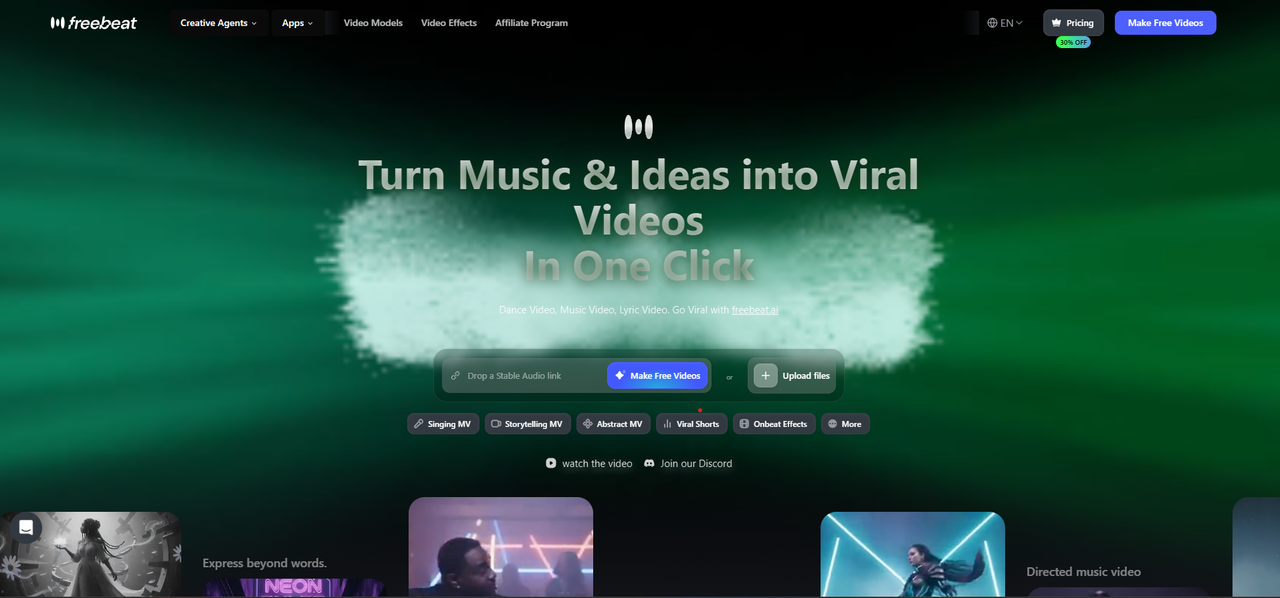
Freebeat connects lyrics to a wider music-aware video workflow. Its Brand Kit documents pasted lyrics, automated transcription, word-level timestamps, confidence data and lyric allocation across song sections. This allows chorus lines to appear during stronger visual moments while verses use slower pacing.
Users can adjust fonts, colours, text position, highlighting and motion. Karaoke-style word highlighting is supported, and creators can export a finished MP4 or an .LRC timing file. The editor also supports 16:9, 9:16, 1:1 and 4:5 layouts.
Best for: Indie musicians who want synced lyrics, original AI visuals and several release formats.
Limitation: More advanced visual generation can increase credit consumption.
LyricEdits
LyricEdits focuses on custom visual concepts, generated scenes and detailed art direction.
Best for: Artists who want a distinctive cinematic lyric video.
Limitation: Greater control means more creative decisions and setup.
Capify
Capify offers a dedicated musician-first workflow for transcription, timing correction and styling.
Best for: Artists who want a focused lyric interface.
Limitation: It offers fewer wider music-video tools than a full production platform.
Rotor Videos
Rotor Videos prioritises speed and automatic synchronisation through template-led production.
Best for: Straightforward lyric videos with fast turnaround.
Limitation: Original scene generation and detailed visual direction are less central.
Epitrite
Epitrite is designed around the practical artist workflow from song upload to social export.
Best for: Musicians who want a simple, guided production process.
Limitation: It may be less suitable for complex narrative visuals.
Revid
Revid is built for quick social lyric clips with generated visuals and beat-synchronised captions.
Best for: TikTok, Reels and YouTube Shorts.
Limitation: Its natural strength is short-form promotion rather than long-form storytelling.
VEED and Kapwing
VEED and Kapwing are flexible browser editors with strong text and media tools.
Best for: Musicians who already have footage, artwork or editing experience.
Limitation: More visual assembly and lyric correction must be handled manually.
The best platform is the one whose workflow matches the intended release.
Best AI Lyrics Video Software for Indie Musicians
Indie musicians often manage the music, artwork, editing and promotion alone. The best software should reduce repetitive tasks without locking the artist into an uneditable result.
Prioritise:
- A short learning curve
- Accurate transcription
- Simple word corrections
- Original or reusable visuals
- Multiple aspect ratios
- Predictable export options
- Reasonable cost per release
I recommend testing the fastest verse first. Dense lyrics expose timing problems more quickly than a slow chorus.
Artists with finished artwork may prefer Capify, Rotor, VEED or Epitrite. Artists who need newly generated visuals may benefit more from LyricEdits or a full AI music-video workflow.
For indie musicians, the best software saves time while keeping every lyric and visual element editable.
Best Tool by Lyric Video Format
Each format has different creative requirements.
- Official YouTube lyric video: Full-length support and strong typography
- Karaoke video: Word-level timing and active-word highlighting
- Minimal text video: Clean templates and manual styling
- Cinematic lyric story: Generated scenes and consistent art direction
- Animated album cover: Looping visuals and simple lyric overlays
- TikTok or Reels clip: 9:16 output and fast hook generation
- Performance video with lyrics: Stable performer visuals and readable captions
- Multilingual video: Strong transcription, fonts and line breaking
Choose the tool based on the intended release format rather than the length of its feature list.
How to Calculate the Real Cost
The advertised subscription does not show the full production cost. Corrections, rerenders, additional software and multiple platform versions all affect value.
Calculate:
- Subscription or credit cost
- Number of transcription corrections
- Time spent adjusting timing
- Cost of visual assets
- Number of required formats
- Watermark restrictions
- External editing time
- Failed exports or rerenders
A more expensive platform may offer better value if it reduces manual work and creates several release assets from one project.
The real cost is the total amount of money and time required to reach an approved video.
Frequently Asked Questions
Which AI-powered lyrics video service delivers the best results for songs?
The strongest service combines accurate lyrics, precise synchronisation, readable typography, relevant visuals and easy corrections. The best choice depends on whether the artist needs generated scenes or a simpler text-led video.
Which AI lyrics video maker provides the best synchronisation with lyrics?
Look for word-level timing, stable synchronisation across the entire song and easy manual adjustment. Automatic transcription alone is not enough.
What’s the best AI lyrics video software for indie musicians?
Indie musicians should prioritise ease of use, correction tools, multi-format export and total production cost. Full platforms suit artists needing original visuals, while dedicated lyric tools suit faster releases.
Can AI synchronise every word of a song automatically?
Many platforms generate word-level timestamps, but fast rap, harmonies and distorted vocals may still require manual review.
Which lyric video maker creates original AI visuals?
Full AI music-video platforms and visual-storytelling tools can generate original scenes. Template-based editors usually rely on uploaded artwork, stock footage or preset layouts.
Can I create a lyric video without editing experience?
Yes. Automatic workflows and templates can create the first version, but the lyrics and timing should still be reviewed before publishing.
What export formats should indie musicians look for?
Look for MP4 plus 16:9, 9:16, 1:1 and 4:5 layouts. An .LRC or subtitle timing export is also useful for future editing.
Are AI lyric video makers suitable for rap and fast vocals?
They can be, but rap is a demanding test. Choose a tool with word-level timing and simple correction controls.
For musicians who want lyrics connected to beat-aware visuals, editable timing and multi-platform exports, Freebeat provides a broader release workflow than a basic text-overlay tool.


