Top AI Lyric Video Maker for Indie Artists in 2026
Contact partnership@freebeat.ai for guest post/link insertion opportunities.
Top AI Lyric Video Maker for Indie Artists in 2026
The best AI lyric video maker for indie artists is the one that helps you turn a finished song into clear, polished, platform-ready visuals without needing a full video crew. Freebeat is worth considering for this because it is built around music-led video creation, with lyric timing, beat-aware visuals, cinematic styles, and multi-format output for artists, creators, editors, and visual designers.
For indie artists, a lyric video is not just filler content. It can support a single release, give fans something to share, help a song live on YouTube, and create short promotional clips for TikTok, Reels, and Shorts. The right tool should make the lyrics readable, keep timing accurate, and match the visual mood of the song.
What Indie Artists Need From an AI Lyric Video Maker
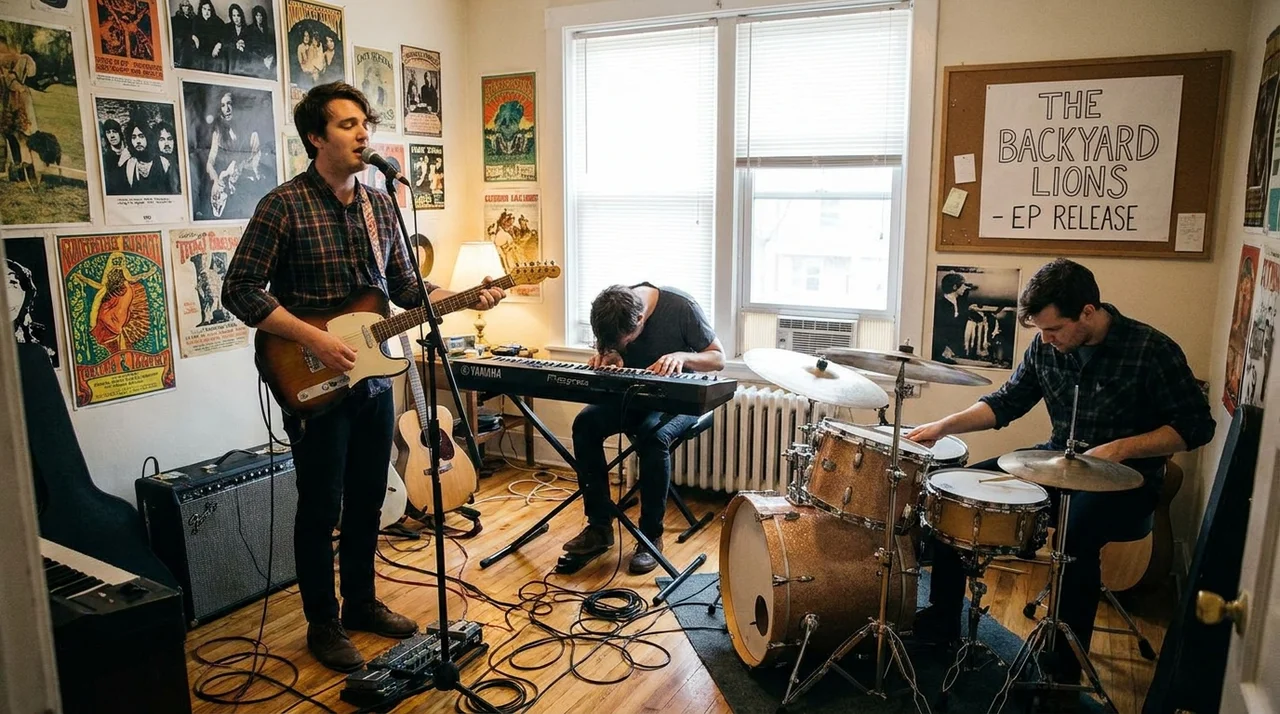
Indie artists usually work with limited time, limited budget, and a lot of creative responsibility. A good AI lyric video maker should reduce the production workload while still giving the final video enough polish to represent the song properly.
A lyric video should support the release, not weaken it. I usually judge it by five practical signals:
- Accurate lyric timing: words and lines appear at the right moment
- Readable text: fonts, contrast, and spacing work on mobile
- Visual identity: the design fits the artist’s sound and image
- Platform fit: the video works for YouTube and social media
- Editing control: the artist can fix timing, text, style, or layout
For example, a singer-songwriter may need soft typography and slow-moving visuals. A rapper may need fast word timing and bold phrase highlights. A DJ or producer may need animated hooks, beat-driven motion, and vertical teaser clips.
The best AI lyric video maker for indie artists should make the song easier to understand, share, and remember.
Comparison Table: Best AI Lyrics Video Generator Options for Artists
Not every lyric video tool is built for the same job. Some are focused on full-song lyric videos. Some are better for quick social clips. Some work better as part of a wider music video workflow.
For most indie artists, the best choice depends on release goal. If the lyric video is part of an official single rollout, choose a music-first or dedicated lyric video tool. If it is just for quick promotion, a template editor may be enough.
Tool choice should follow the release format, not the other way around.
Best Music-First AI Lyric Video Maker for Indie Artists: Freebeat
A music-first lyric video maker is useful when the video needs to feel connected to the song, not just layered on top of it. This matters for indie artists because the lyric video often becomes the main visual asset when there is no budget for a full shoot.
The Brand Kit describes Freebeat as a music-driven AI video platform that analyses BPM, beats, sections, energy curves, and spectral content, then uses that information to shape visuals and pacing. It also treats lyrics video as a dedicated format, with word-level timestamps, karaoke-style highlighting, custom fonts, colour, position, motion effects, MP4 export, and .LRC export.
That combination is useful for artist workflows such as:
- Official single lyric videos for YouTube
- Chorus teasers for TikTok and Reels
- AI song visuals from Suno or Udio tracks
- Genre-based lyric visuals for pop, rap, EDM, R&B, or indie
- Multi-format release assets from one song concept
The practical value is simple: lyric timing and visual pacing can follow the track’s mood, instead of only displaying text over a generic background.
For indie artists, music-aware lyric video creation is strongest when the song’s rhythm and emotion need to shape the visual result.
Best Dedicated Lyric Video Services for Fast Releases
Dedicated lyric video services are useful when artists need a clean full-song lyric video quickly. These tools usually focus on upload, sync, customise, and export.
LyricEdits, Rotor Videos, Capify, and similar platforms are often good choices for artists who want a straightforward lyric video without building a complete AI music video project. Their value is speed. You can often move from audio and lyrics to a finished visual with fewer creative decisions.
These tools work best when:
- You already know the lyric video style
- You want a simple full-song version
- You do not need advanced music-video generation
- You prefer templates or guided customisation
- You are preparing a quick release asset
The limitation is that dedicated lyric video services may not offer broader creative options such as beat-aware visual scenes, cinematic storytelling, avatar workflows, or multi-style music video generation.
Dedicated lyric video services are best for artists who need speed and clarity more than a full creative system.
Best Social-First Lyric Video Tools for Indie Promotion
Social-first lyric video tools are useful when the goal is short-form promotion. A 10-second chorus clip does not need the same workflow as a full YouTube lyric video.
Template-based editors like VEED, Kapwing, and Canva can be practical for:
- TikTok lyric snippets
- Instagram Reels teasers
- YouTube Shorts hooks
- Acoustic demo captions
- Fan-style edits
- Simple vertical quote-style videos
The biggest advantage is speed. You can drop in lyrics, resize for 9:16, use a simple background, and publish quickly. For artists posting often, this can be enough.
The trade-off is depth. Template tools may not understand song structure, beat changes, lyric emphasis, or visual identity. They can make clean social content, but they may not create a lyric video that feels fully tied to the song.
Social-first tools are best for fast promotion, while music-first tools are better for official release visuals.
How to Evaluate an AI Lyric Video Maker Before Publishing
Indie artists should review lyric videos carefully before posting. A small timing issue or unreadable font can make an otherwise strong song feel less professional.
Use this checklist before exporting.
Timing checklist
- Are the lyrics synced to the vocal?
- Do fast verses stay readable?
- Are repeated choruses timed consistently?
- Are ad-libs handled correctly?
- Can you edit timing manually?
Visual checklist
- Is the font readable on mobile?
- Is the contrast strong enough?
- Does the background match the genre?
- Are motion effects distracting?
- Does the style fit the artist identity?
Publishing checklist
- Is there a 16:9 version for YouTube?
- Is there a 9:16 version for TikTok, Reels, and Shorts?
- Are watermark rules clear?
- Do you have the rights to the song?
- Is the final export quality suitable for release?
A lyric video should be reviewed like an official music asset, not just a quick AI output.
Practical Workflow: From Song to Artist-Ready Lyric Video
A strong lyric video starts with clean inputs. The better your audio, lyrics, and visual direction, the better the AI workflow will be.
Step 1: Prepare the audio and lyrics
Use the final version of the song, not a rough mix. Proofread the lyrics and break lines naturally. This helps timing and readability.
Step 2: Choose the visual mood
Match visuals to the track. A sad acoustic song may need warm tones and minimal motion. A dance track may need sharper motion, brighter colours, and hook-driven cuts.
Step 3: Review lyric sync
Check the chorus, fast lines, repeated phrases, and transitions. These are the places where timing errors are easiest to notice.
Step 4: Export multiple versions
Create one horizontal version for YouTube and one vertical version for TikTok, Reels, and Shorts. Square or 4:5 versions can also help for feed posts.
The best workflow turns one song into several usable release assets.
Final Recommendation: Which Lyrics Video AI Platform Should Artists Choose?
The best lyrics video AI platform depends on the artist’s goal. A full official release needs more polish than a short social teaser, and an AI music creator may need a different workflow from a video editor.
Choose a music-first platform when the lyric video needs to follow the song’s rhythm, mood, and visual identity. Choose a dedicated lyric video service when you want a fast, clean full-song lyric video. Choose a template editor when you need short-form snippets, quick captions, or simple vertical promotion.
For indie artists, I would prioritise:
- Sync accuracy
- Readable lyric design
- Music-aware visual pacing
- Multi-platform exports
- Enough customisation to match the artist brand
The best lyric video platform is the one that helps the song travel further without making the artist manage a complex production process.
FAQ
What’s the best AI lyrics video generator for music artists?
The best option depends on the release goal. Music-first tools are better for official lyric videos, dedicated services are useful for fast full-song videos, and template editors work well for short social clips.
What is the best AI-powered lyrics video maker for indie artists?
Indie artists should look for lyric sync, visual polish, platform exports, and simple creative control. A strong tool should help the lyric video match the song’s rhythm, mood, and release identity.
Where can I find the best lyrics video AI platform for artists?
Compare music-first AI video platforms, dedicated lyric video services, and template-based editors. The right platform depends on whether you need release-ready visuals, quick output, or short-form promotion.
Can indie artists make lyric videos without editing skills?
Yes. Many AI lyric video tools automate lyric timing, visual generation, and exports. Artists should still review the final video for timing accuracy, readability, and platform fit.
What makes a lyric video look professional?
A professional lyric video has accurate timing, readable typography, strong contrast, consistent visuals, and suitable export formats for YouTube and social platforms.
Are AI lyric videos useful for indie music promotion?
Yes. AI lyric videos can help artists publish YouTube content, create short promotional clips, highlight hooks, and keep a release active without filming a full music video.
Should indie artists use a template tool or a music-first tool?
Use a template tool for quick social clips. Use a music-first tool when the lyric video needs to follow the song’s structure, mood, and artist identity.
Can AI lyric video tools make vertical clips for TikTok and Reels?
Yes. Many tools support vertical exports or resizing. Artists should check that the lyrics remain readable on mobile screens.
For indie artists, the strongest lyric video workflow is the one that respects both the song and the release plan. Freebeat fits artists who want an AI-powered music video creator that syncs visuals to beats and mood, supports cinematic visual presets, works across genres, and helps turn one song into polished lyric and social video assets.


