How to Turn a Suno Song into a Music Video Online in 2026
'/><circle cx='180' cy='120' r='200' fill='%236c5ce7' opacity='.18' filter='url(%23soft)'/><circle cx='1050' cy='560' r='240' fill='%2300cec9' opacity='.14' filter='url(%23soft)'/><rect x='60' y='200' width='240' height='148' rx='16' fill='url(%23card1)' stroke='%236c5ce7' stroke-opacity='.5' stroke-width='1.5'/><text x='180' y='260' font-family='Inter,Arial,sans-serif' font-size='13' fill='%23a9b4d8' text-anchor='middle'>VERSE</text><rect x='72' y='272' width='216' height='62' rx='8' fill='%236c5ce7' opacity='.15'/><circle cx='130' cy='303' r='18' fill='%236c5ce7' opacity='.7'/><polygon points='124,295 124,311 138,303' fill='white'/><text x='165' y='300' font-family='Inter,Arial,sans-serif' font-size='11' fill='%23dfe6ff'>Rainy rooftop</text><text x='165' y='316' font-family='Inter,Arial,sans-serif' font-size='11' fill='%23a9b4d8'>Cinematic wide shot</text><rect x='330' y='200' width='240' height='148' rx='16' fill='url(%23card1)' stroke='%2300cec9' stroke-opacity='.5' stroke-width='1.5'/><text x='450' y='260' font-family='Inter,Arial,sans-serif' font-size='13' fill='%23a9b4d8' text-anchor='middle'>CHORUS</text><rect x='342' y='272' width='216' height='62' rx='8' fill='%2300cec9' opacity='.12'/><circle cx='400' cy='303' r='18' fill='%2300cec9' opacity='.7'/><polygon points='394,295 394,311 408,303' fill='white'/><text x='435' y='300' font-family='Inter,Arial,sans-serif' font-size='11' fill='%23dfe6ff'>Stage with spotlights</text><text x='435' y='316' font-family='Inter,Arial,sans-serif' font-size='11' fill='%23a9b4d8'>Fast-cut energy</text><rect x='600' y='200' width='240' height='148' rx='16' fill='url(%23card1)' stroke='%236c5ce7' stroke-opacity='.35' stroke-width='1.5'/><text x='720' y='260' font-family='Inter,Arial,sans-serif' font-size='13' fill='%23a9b4d8' text-anchor='middle'>BRIDGE</text><rect x='612' y='272' width='216' height='62' rx='8' fill='%236c5ce7' opacity='.10'/><circle cx='670' cy='303' r='18' fill='%236c5ce7' opacity='.55'/><polygon points='664,295 664,311 678,303' fill='white'/><text x='705' y='300' font-family='Inter,Arial,sans-serif' font-size='11' fill='%23dfe6ff'>Empty street at dusk</text><text x='705' y='316' font-family='Inter,Arial,sans-serif' font-size='11' fill='%23a9b4d8'>Slow dolly pull-back</text><path d='M300 274 L330 274' stroke='url(%23teal)' stroke-width='2' stroke-dasharray='4 3'/><path d='M570 274 L600 274' stroke='url(%23teal)' stroke-width='2' stroke-dasharray='4 3'/><path d='M150 400 Q300 360 450 400 Q600 440 750 400 Q900 360 1050 400' fill='none' stroke='url(%23teal)' stroke-width='3' stroke-linecap='round' opacity='.7'/><rect x='60' y='430' width='20' height='6' rx='3' fill='%236c5ce7' opacity='.5'/><rect x='88' y='425' width='20' height='14' rx='3' fill='%236c5ce7' opacity='.7'/><rect x='116' y='419' width='20' height='20' rx='3' fill='%236c5ce7' opacity='.9'/><rect x='144' y='422' width='20' height='17' rx='3' fill='%2300cec9' opacity='.9'/><rect x='172' y='415' width='20' height='24' rx='3' fill='%2300cec9'/><rect x='200' y='421' width='20' height='18' rx='3' fill='%2300cec9' opacity='.85'/><rect x='228' y='428' width='20' height='11' rx='3' fill='%236c5ce7' opacity='.6'/><text x='600' y='510' font-family='Inter,Arial,sans-serif' font-size='52' font-weight='800' fill='white' text-anchor='middle'>Suno Song → Music Video</text><text x='600' y='565' font-family='Inter,Arial,sans-serif' font-size='24' fill='%23a9b4d8' text-anchor='middle'>AI storyboard · beat-synced cuts · full-length export</text><text x='600' y='605' font-family='Inter,Arial,sans-serif' font-size='18' fill='%236c5ce7' text-anchor='middle' opacity='.9'>freebeat.ai</text></svg>)
Quick answer: To turn a Suno song into a music video online, paste your Suno share link into Freebeat, write a short visual prompt describing the mood and setting, and select a video mode. Freebeat analyzes the track's BPM and song structure, builds a storyboard, and renders a complete beat-synced music video — no editing experience needed.
Suno has made AI music creation accessible to anyone with an idea and a browser. The harder part is what comes next: turning that audio into something publishable on YouTube, TikTok, Instagram Reels, Spotify Canvas, or Apple Music. In 2026, you no longer need a film crew or an editing suite to bridge that gap. AI music video tools can read the BPM, energy shifts, and vocal structure of a Suno track and generate visuals that follow the music, rather than simply sitting underneath it.
This guide covers the full workflow: what to prepare before you start, how to go from a Suno link to a finished video, how to write prompts that improve the output, which tools are worth considering, and the mistakes that are easy to avoid once you know to look for them.
What You Need Before You Start
- A Suno track with a public share link. Open your track on Suno, tap the share icon, and copy the public URL. Most AI tools accept this link directly — no file download required.
- A clear goal for the video. Decide early whether you want a singing music video with lip sync, a cinematic story video, a lyric video with animated captions, or a short visualizer loop for Spotify Canvas. Different modes produce very different results.
- A short visual prompt. You do not need to write a screenplay. One to three sentences covering the location, character, mood, and camera feel is enough to give the AI direction.
- Your target platform and aspect ratio. Use 16:9 for YouTube, 9:16 for TikTok and Reels, and 1:1 for social feed posts. Setting this before generation saves time later.
How to Turn a Suno Song into a Music Video: Step by Step
Step 1: Copy Your Suno Share Link
Open your track on Suno and generate a public share URL using the share icon. This is the link most AI tools use to import your audio directly. You do not need to download an MP3 first, though uploading a local file is always an option.
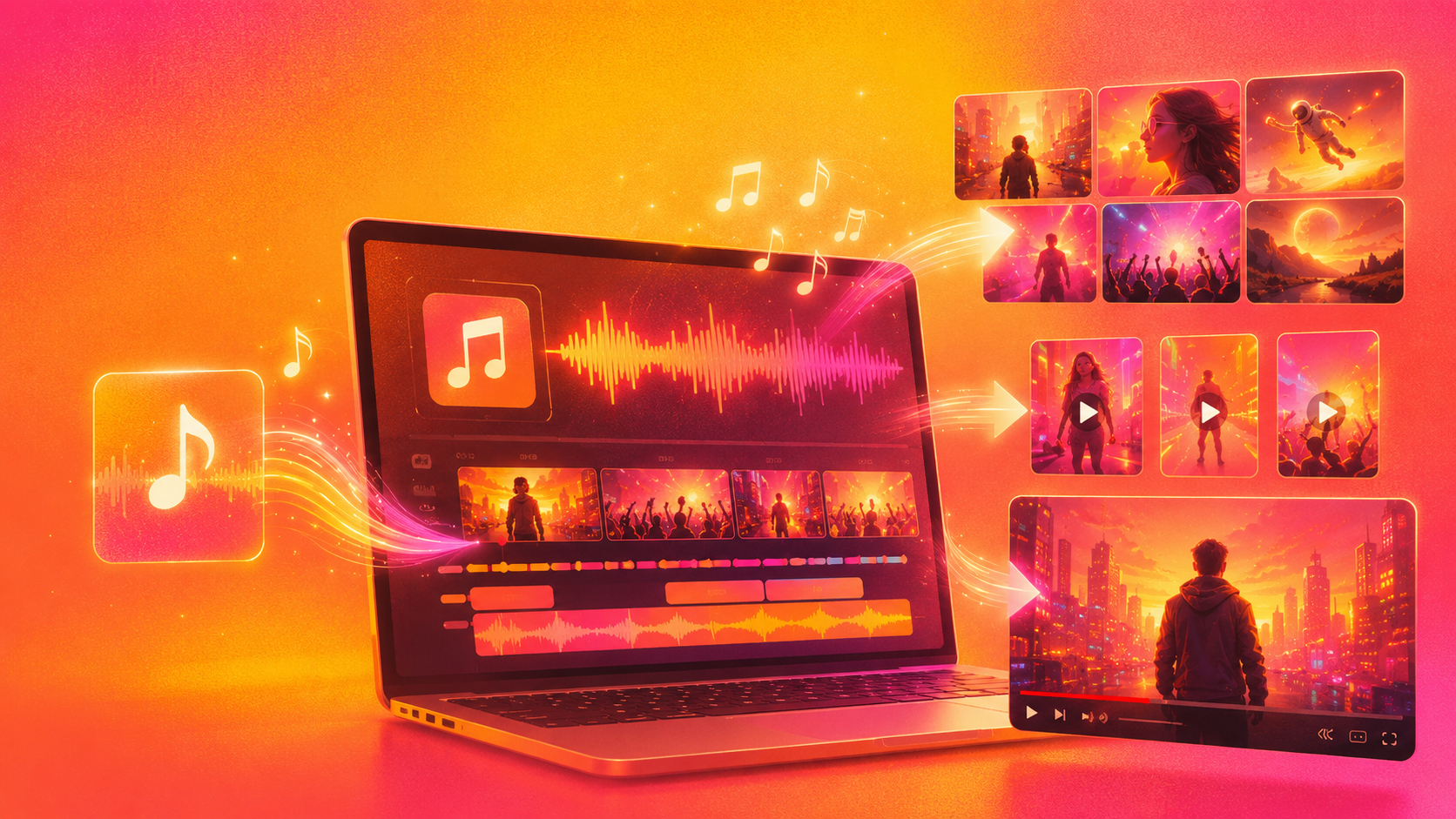
Tip: Listen through the full track before moving into video generation. Note where the energy peaks, where quieter moments happen, and whether the vocals are clean enough for lip sync mode.
Step 2: Open Freebeat and Start a New Music Video Project
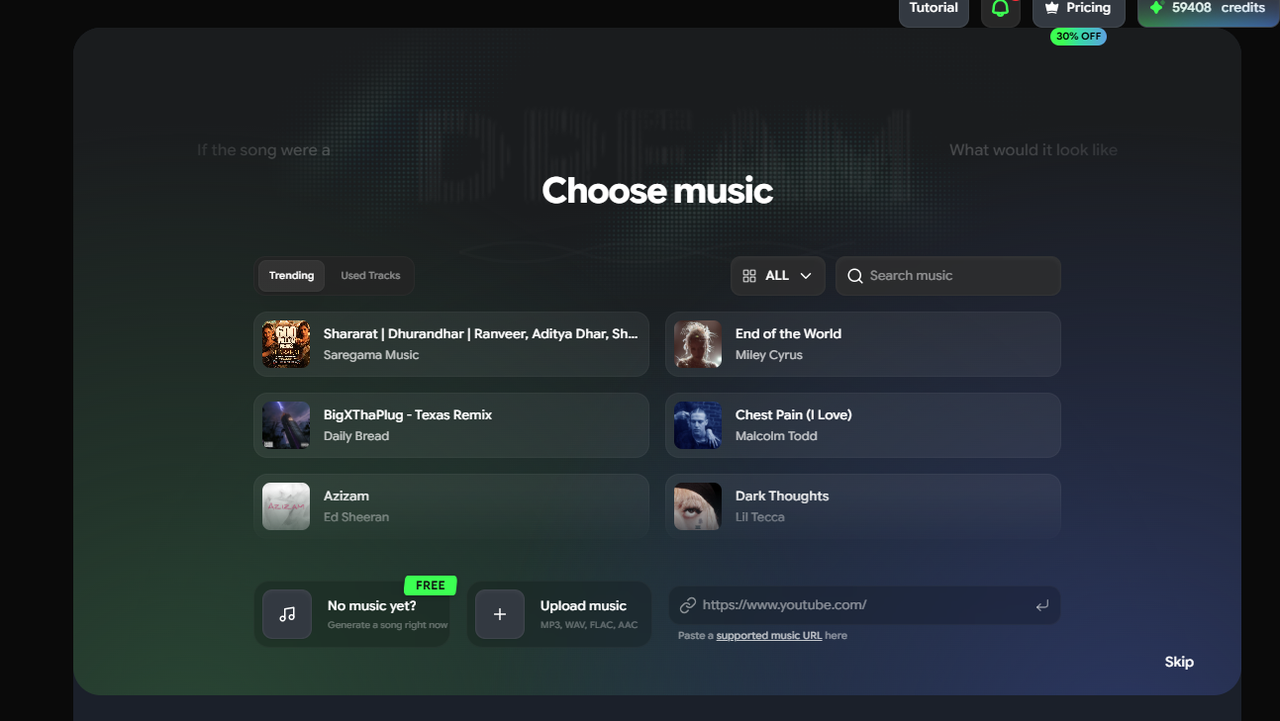
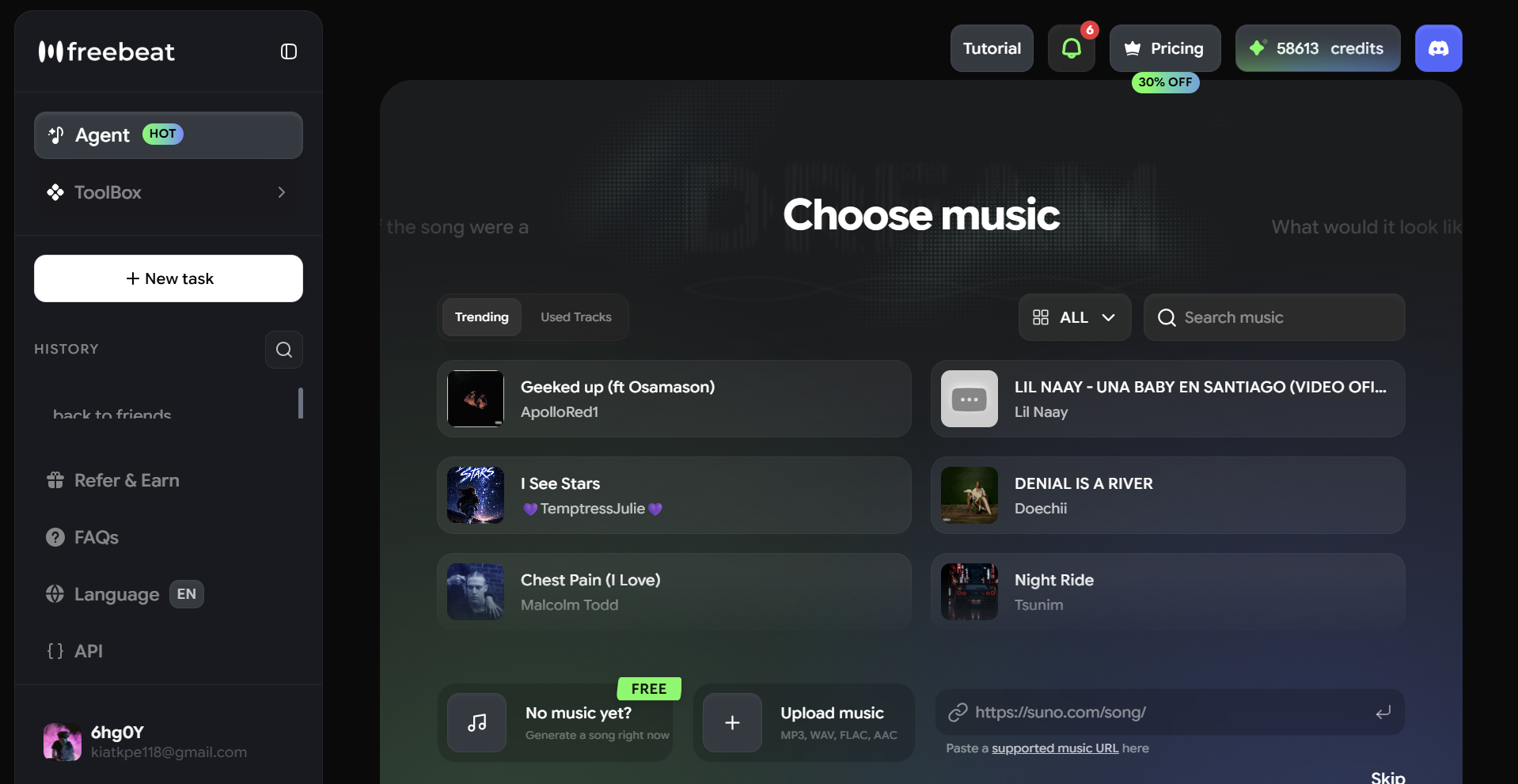
Go to freebeat.ai and open the Music Video Generator. Paste your Suno share link into the music input field. Freebeat will import the audio and begin analyzing the track — reading BPM, beat onsets, energy changes, and song structure before the first frame is generated.
Step 3: Choose Your Video Mode
Select the output type that fits your track:
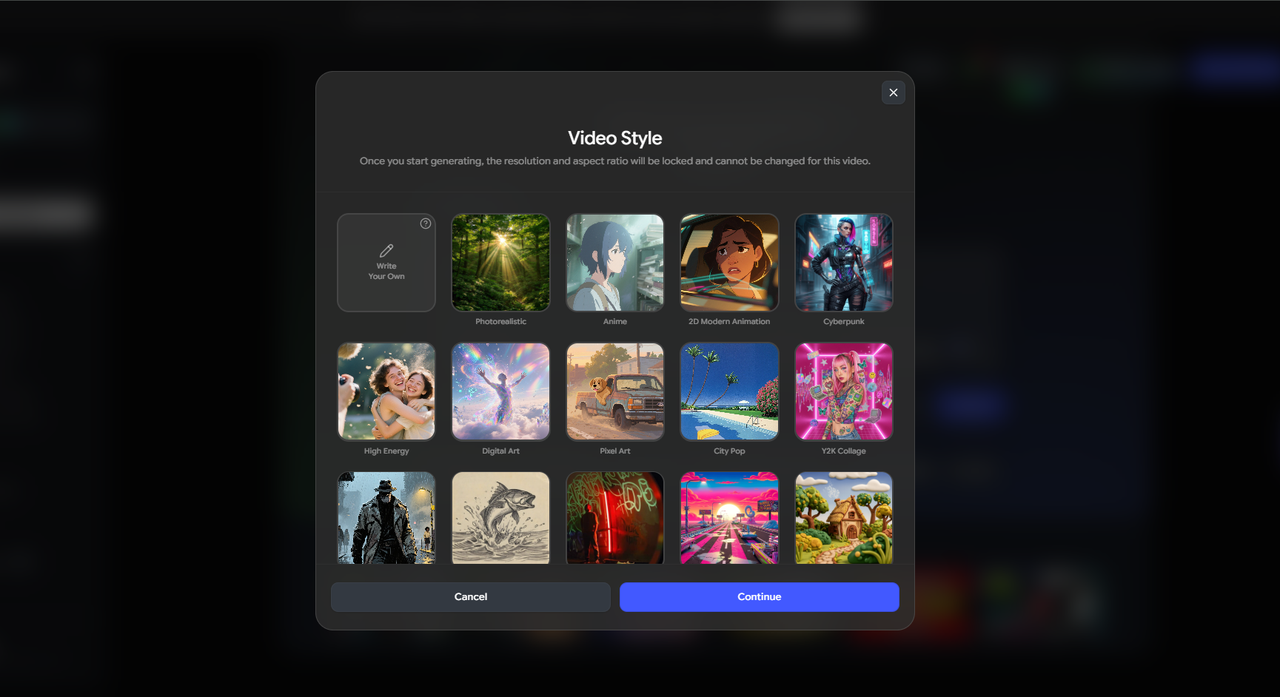
- Singing MV — for vocal Suno tracks where you want a character to perform with lip sync
- Storytelling MV — for cinematic, narrative, or instrumental tracks driven by scene and setting
- Lyric Video — for vocal-forward songs where animated captions should carry the visual
- Music Cover / Canvas Loop — for short animated loops for Spotify Canvas, Apple Music, or social thumbnails
Step 4: Write Your Visual Prompt
Describe the world of the video. Mention the location, who is in it, what the lighting and color feel like, and how the camera should move. Specific prompts lead to more directed storyboards. Vague prompts give the AI less to work with. See the prompt-writing section below for examples and a formula.
Step 5: Review the AI-Generated Storyboard
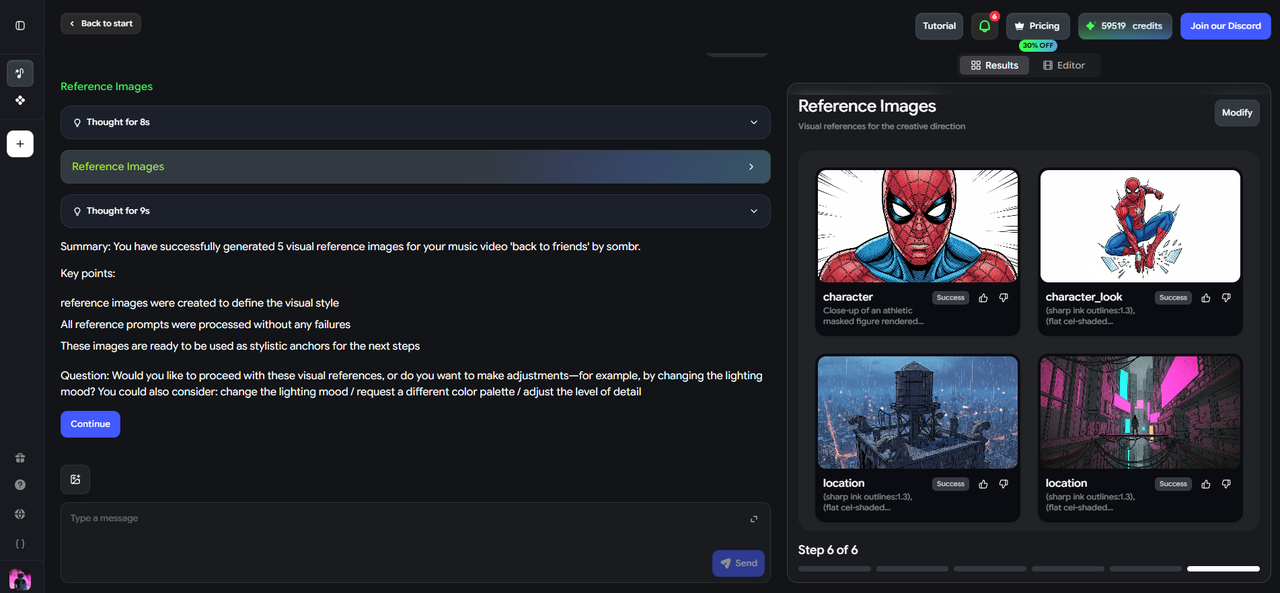
Freebeat presents a shot-by-shot storyboard before rendering begins. This stage shows the planned scenes mapped across the intro, verse, chorus, bridge, and outro. If a scene feels wrong — the setting is too bright for a dark ballad, or the energy is too slow for a driving chorus — revise it here. Storyboard changes are faster and easier than regenerating the full video.
Step 6: Generate and Export
Once the storyboard looks right, generate the video. Freebeat renders a full-length, beat-synced music video based on your track, prompt, and chosen mode. Export in the aspect ratio that matches your target platform — 16:9 for YouTube, 9:16 for TikTok and Reels.

How to Write a Prompt for a Suno Music Video
The prompt is the single biggest lever you have over the AI output. Better prompts do not mean longer prompts — they mean more specific ones. Use this structure as a starting point:
Indie-pop ballad: "Overcast coastal town in early autumn, a young woman in a beige coat walking alone, slow cinematic close-ups, muted greens and grays, quiet and introspective."
Electronic / club track: "Neon-lit underground venue in Tokyo, a DJ performing behind decks, fast cuts between crowd and stage, vivid blues and purples, high energy."
Lo-fi hip hop: "Late-night bedroom studio, a young producer at a desk, warm amber lamp glow, static wide shots, soft and focused."
Cinematic orchestral: "Snow-covered mountain landscape at dawn, no characters, drone shots and slow zooms, cool whites and deep blues, sweeping and expansive."
What makes a prompt work
- Naming a physical location anchors the visual world immediately
- Describing the character — or the absence of one — tells the AI whether to generate a performer, a bystander, or pure scenery
- Mood words like "intimate," "frantic," or "melancholic" influence pacing, lighting, and color choices
- Camera style words like "handheld," "dolly," "static," or "drone" guide how scenes are composed
- Energy level should match the song — a calm prompt on a high-BPM track will feel disconnected
Best Tools to Turn a Suno Song into a Music Video Online
| Tool | Best For | Suno Link Support | Full-Length Video | Beat Sync | Lip Sync |
|---|---|---|---|---|---|
| Freebeat | Full-length, beat-synced music videos | ✅ Native | ✅ Up to 6 min | ✅ Automatic | ✅ ~90% accuracy |
| Neural Frames | Creative visual control & stylized aesthetics | ✅ | ✅ | ✅ Manual timeline | ❌ |
| Revid.ai | Short-form social clips (TikTok / Reels) | ✅ | ⚠️ Short clips | ⚠️ Basic | ❌ |
| Kaiber | Artistic & experimental visual styles | ✅ | ⚠️ Limited | ⚠️ Basic | ❌ |
| Suno.bi / SunoMV | Quick, lightweight Suno visualization | ✅ Native | ❌ | ⚠️ Basic | ❌ |
Among these tools, Freebeat is the strongest choice for Suno creators who need a complete, publish-ready music video. It is the only tool in this list that combines native Suno link support, full-length video generation up to six minutes, automatic BPM and song-structure analysis, and Singing MV mode with approximately 90% lip sync accuracy — all without manual editing. Whether your Suno track is a vocal-forward pop song or a cinematic instrumental, Freebeat generates beat-synced visuals that follow the music rather than simply playing behind it.
Things to Watch Out For
- Generic prompts produce generic results. Writing "make a music video" gives the AI almost nothing to build from. Even a single sentence about location and mood will produce a noticeably more directed storyboard.
- The prompt should match the song's energy, not just its genre. A slow, quiet track with a high-energy action prompt will feel disconnected. Read the BPM and emotional register before writing the visual description.
- Skip the storyboard review at your own risk. Most AI tools show a preview before the full render. This is the fastest and cheapest moment to course-correct — changing a scene in the storyboard takes seconds; regenerating a full video takes minutes.
- Lip sync works best with clean, prominent vocals. Heavy reverb, distortion-heavy mixes, or buried lead vocals reduce accuracy. For tracks with these characteristics, Storytelling MV or Lyric Video mode will often look cleaner than Singing MV.
- Set your aspect ratio before you export. Generating in 16:9 and cropping to 9:16 for TikTok loses visual information. If you know the destination platform before you start, set the ratio at the beginning.
- Longer tracks need more generation time. Full song-length AI video generation is computationally intensive. If you are working toward a release date, build in time for generation, review, and possible re-generation of specific segments.
Frequently Asked Questions
Do I need to download my Suno song before making a music video?
No. Freebeat accepts Suno public share links directly. Paste the URL into the music input field and the audio is imported automatically. If you prefer to work from a local file, Freebeat also accepts MP3, WAV, and M4A uploads.
Can Freebeat create a full-length music video from a Suno song?
Yes. Freebeat supports full-length video generation up to six minutes, so you can create a complete music video across the entire duration of a Suno track rather than stitching together short clips manually.
How accurate is lip sync for Suno vocal tracks?
Freebeat's Singing MV mode achieves approximately 90% lip sync accuracy. It works best when the lead vocal is clear and prominent in the mix. Heavy reverb, distortion, or vocals buried in the mix will reduce accuracy.
Can I edit the storyboard before generating?
Yes. Freebeat presents a shot-by-shot storyboard before the final render. You can revise individual scene descriptions, settings, moods, character direction, and pacing at that stage without regenerating the whole video.
Which Suno tracks work best with AI music video tools?
Tracks with a clear song structure — distinct intro, verse, chorus, and outro — give the AI more to work with when building a storyboard. Tracks with a prominent, clean lead vocal are best for Singing MV mode. Instrumental Suno tracks with strong BPM and energy variation tend to work well in Storytelling MV mode.
More Resources
Explore more Freebeat tools and guides for music creators:
Ready to turn your Suno track into a finished video? Paste your Suno link into Freebeat, write a short visual prompt, review the storyboard, and export a beat-synced music video for your next release.


