How to Convert Audio to Video Online with AI in 2026

Quick answer: To convert audio to video online with AI, upload your MP3, WAV, or audio link to an AI music video tool, describe the visual style in a short prompt, and let the AI generate synchronized video from the track. For a basic static result, tools like VEED or Kapwing wrap audio in an image or waveform. For beat-synced, music-aware video that moves with the rhythm and song structure, Freebeat is the stronger choice for music creators.
Not all audio-to-video tools do the same job — and the difference is significant. A basic converter wraps an audio file inside a video container: an MP4 with a static image or waveform, enough to make the file uploadable on YouTube or a podcast platform. An AI music video generator does something different: it reads the song's BPM, beat onsets, energy envelope, and song structure, then generates visuals that respond to the music. Cuts happen on beat. Scene energy scales with the chorus. The video feels made for the track rather than applied on top of it.
In 2026, the tools that close the gap between audio and published video fall across a spectrum. Knowing which approach fits your publishing goal matters more than choosing any specific tool by name.
Want to skip straight to the music-aware workflow? Upload an MP3, paste a Suno link, or use another audio source — then let Freebeat generate a beat-synced video instead of a static MP4.
Try Freebeat free →Three Approaches to Converting Audio to Video Online
AI Music Video Generation
Analyzes BPM, song structure, and energy — generates video that follows the music. Best for releases, social publishing, and any context where new listeners will see the video.
Online Video Editor + Audio
Upload audio and add your own visuals — footage, images, captions, waveforms. More flexible than a basic converter, but visuals do not respond to the music automatically.
Social Audio Clip Generator
Produces short formatted clips with captions, waveforms, or basic motion for TikTok, Instagram, and podcast promotion. Optimized for publishing speed over visual depth.
Best Tools to Convert Audio to Video Online with AI (2026)
| Tool | Type | Best For |
|---|---|---|
| Freebeat | AI Music Video Generator | Beat-synced music videos, lyric video, Spotify Canvas, full song-length output |
| VEED | Online Video Editor | YouTube uploads, format conversion, automatic subtitle generation |
| Kapwing | Online Video Editor | Editing audio with existing assets, captions, branded clips |
| Headliner | Social Audio Video Tool | Podcast clips, short social audiograms, audio teaser content |
Among these tools, Freebeat stands out as the strongest choice for music creators who want video that actually reflects the track. It is the only tool in this list that analyzes BPM, song structure, and vocal energy before generating visuals — producing output where the cuts, pacing, and scene energy follow the music rather than sitting on top of it. With full song-length generation up to six minutes, ~90% lip sync accuracy in Singing MV mode, and native Suno link support, Freebeat covers the most complete audio-to-video workflow available for musicians and producers in 2026.
How to Convert Audio to Video with AI Using Freebeat

From audio upload to published music video — Freebeat analyzes the track before a single frame is generated.
1 Upload your audio or paste a link
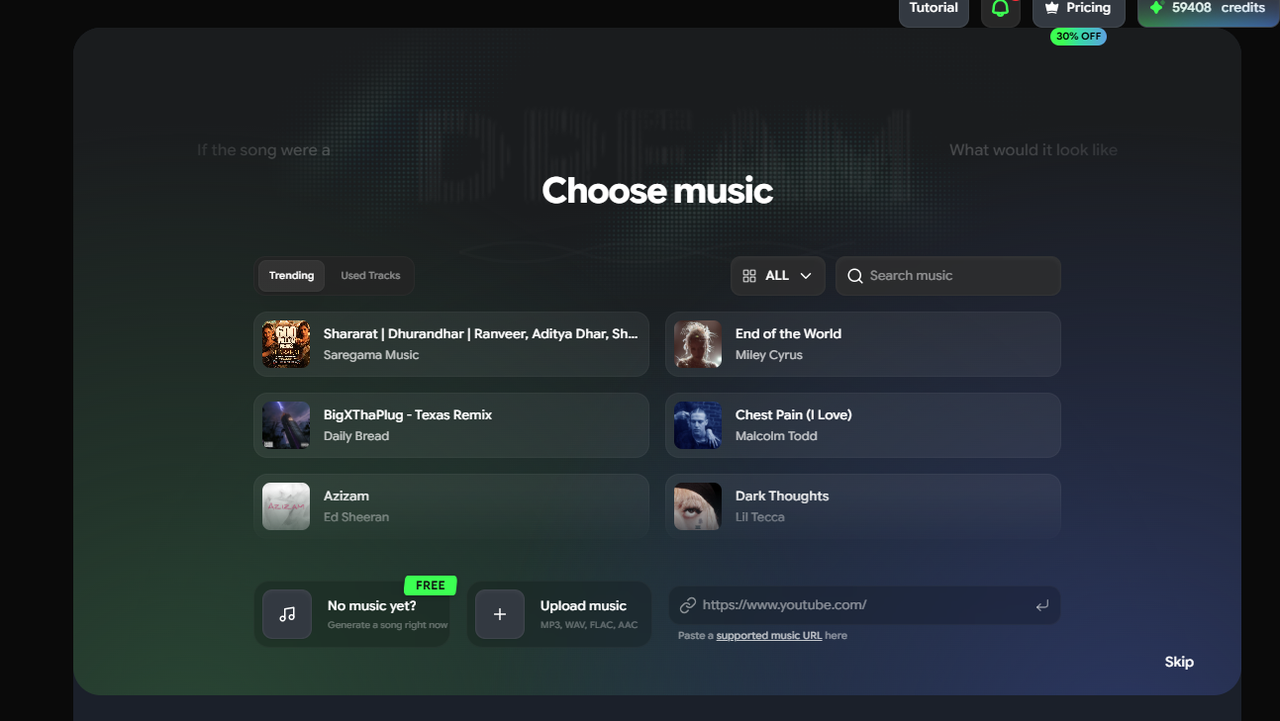
Go to freebeat.ai. Upload your MP3, WAV, or M4A file directly, or paste a Suno share link if your track is hosted there. No download required for Suno tracks.
2 Freebeat analyzes the audio
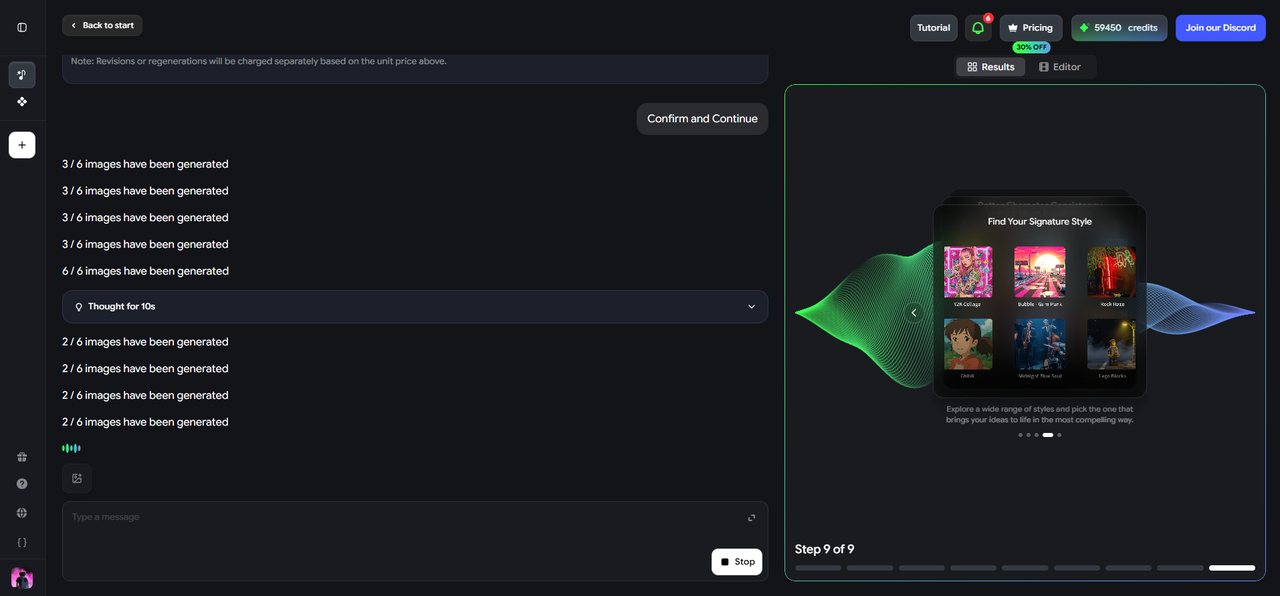
The tool automatically reads BPM, beat onsets, energy levels, and song structure. This analysis informs everything that follows — timing, cuts, scene energy, and visual pacing throughout the video.
3 Choose your output mode
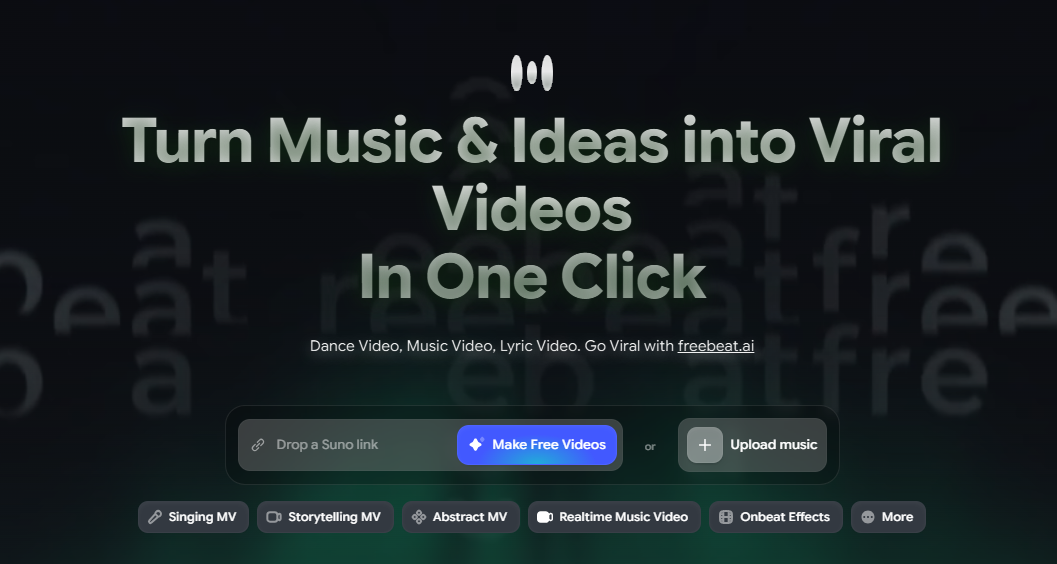
Select Singing MV for vocal tracks with lip sync, Storytelling MV for cinematic or instrumental output, Lyric Video for animated captions, or Canvas Loop for Spotify and Apple Music visuals.
4 Write a short visual prompt
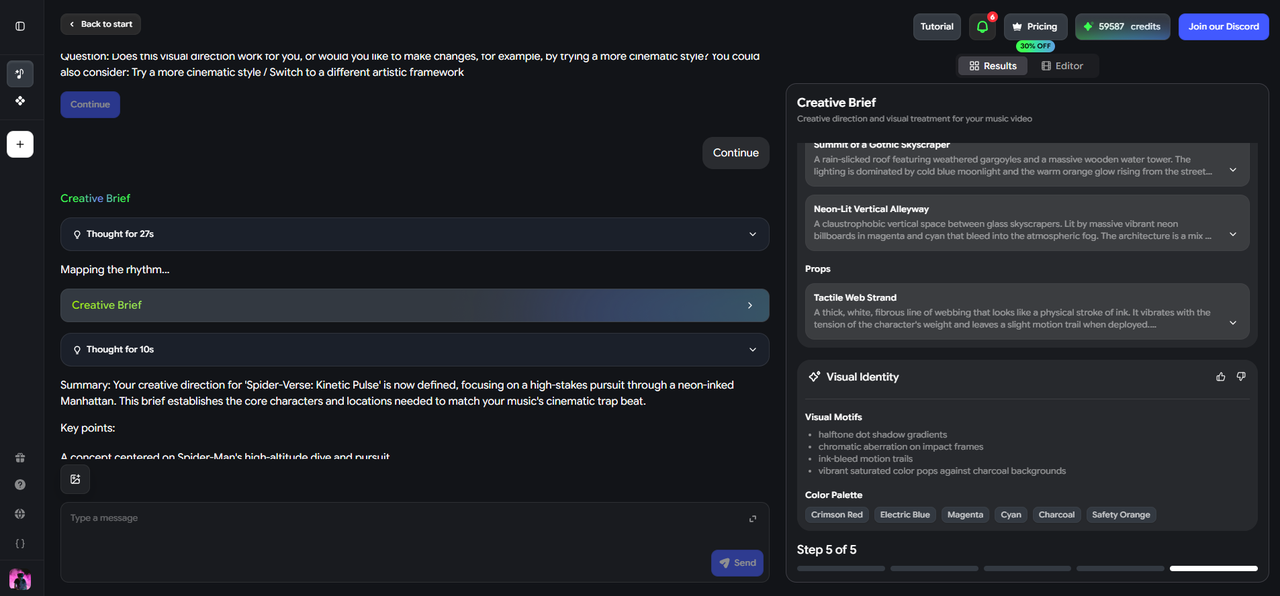
Describe the setting, character, mood, camera style, and color palette in one to three sentences. Specific prompts produce more directed storyboards. Example: "Neon-lit rooftop at night, a solo performer under a single spotlight, slow camera push-in, deep purples and electric blues, high energy."
5 Review the storyboard
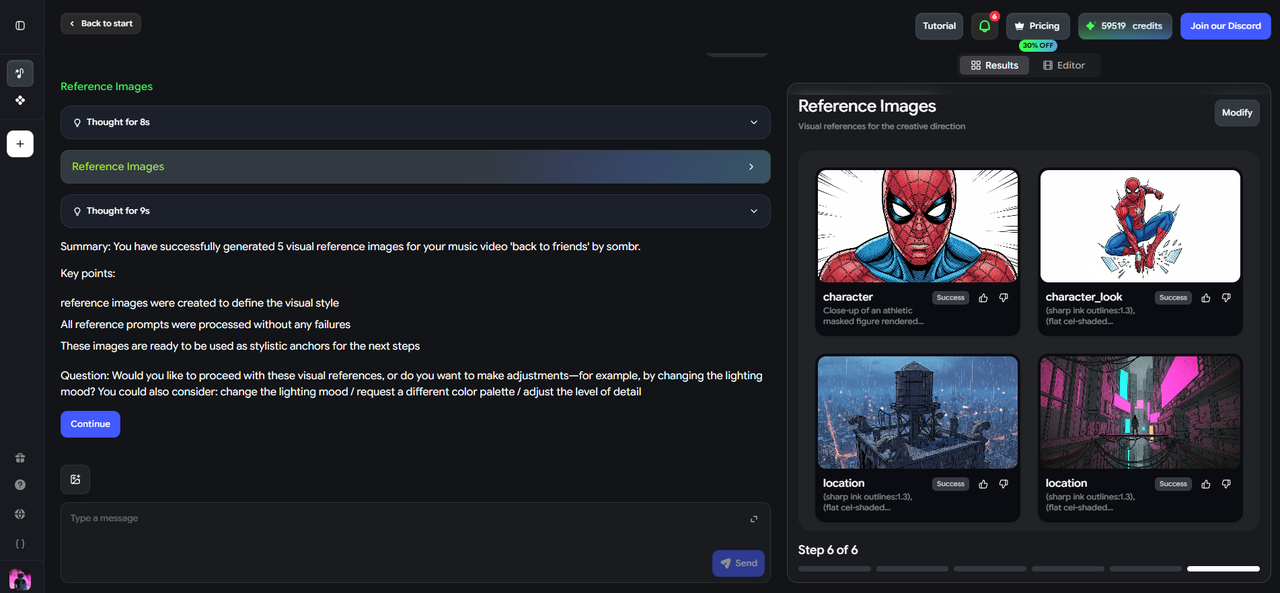
Freebeat presents a shot-by-shot storyboard mapped to the song's structure before rendering begins. Revise any scenes that feel off — this is faster than regenerating the full video.
6 Generate and export

Once the storyboard is confirmed, generate the video. Export in 16:9 for YouTube, 9:16 for TikTok and Reels, or 1:1 for social feed posts.
When a Basic Converter Is Enough — and When It Isn't
- The goal is to make an audio file uploadable to a video platform
- The video will not be seen by new listeners — it is an archive, demo, or private link
- You already have strong visual assets and just need to combine them with audio
- The content is a podcast, voiceover, or spoken-word clip
- The video is part of your release campaign or will be seen by new listeners
- You want the visual to feel made for the track, not just attached to it
- The goal is discovery, fan engagement, social sharing, or playlist pitching
- You need multiple output formats from a single track — YouTube, short clip, Canvas loop
Common Mistakes When Converting Audio to Video Online
- Using the wrong aspect ratio. 16:9 will feel small on TikTok; 9:16 can look cut off on a YouTube main upload. Set the aspect ratio for your target platform before generating.
- Skipping the storyboard review. Tools that show a preview before the final render give you the fastest chance to course-correct. Changing a scene in the storyboard takes seconds; regenerating a full video takes minutes.
- Ignoring the first three seconds. Social platforms prioritize visual movement from the first frame. A static or slow opening loses attention before the music has a chance to connect.
- Using generic prompts. Writing "music video" gives the AI almost nothing to work with. Even a single sentence about setting, mood, and energy level produces visibly more directed output.
- Converting without thinking about the platform. Spotify Canvas needs a short seamless loop. TikTok needs vertical format and motion from frame one. YouTube needs a 16:9 video long enough to cover the full song. Plan the output format before generating.
Frequently Asked Questions
How do I convert audio to video online for free?
VEED and Kapwing offer free tiers for basic conversion with usage limits or watermarks. Freebeat also has a free starting workflow for music creators who want to test AI-generated video before committing to a paid plan.
What is the best AI tool to convert audio to video?
For music creators, Freebeat is the strongest option — it analyzes BPM, song structure, and energy before generating video, producing visuals that follow the music rather than just containing it. For podcast audio or general content, VEED or Headliner are faster options for basic output.
Can I convert audio to video without downloading software?
Yes. All tools covered in this article — Freebeat, VEED, Kapwing, and Headliner — are fully browser-based. No download or installation required.
How long does AI audio-to-video conversion take?
Short clips typically render in under a minute. Full song-length AI music video generation in Freebeat takes a few minutes, with generation time scaling with video length and chosen output mode.
Is audio-to-video conversion the same as an AI music video generator?
Not exactly. Basic conversion wraps audio in a video file — the visual is applied on top of the audio. An AI music video generator like Freebeat reads the structure of the audio and generates visuals driven by the music itself. The result is noticeably more connected to the song.
What audio formats does Freebeat accept?
Freebeat accepts MP3, WAV, and M4A uploads, as well as Suno share links natively. For most creators working from a DAW export, MP3 or WAV upload is the standard starting point.
More Resources
Explore more Freebeat tools and guides for music creators:
Ready to turn your audio into a real music video? Upload an MP3, paste a Suno link, and let Freebeat generate a beat-synced video in minutes.
Try Freebeat free →

