Best AI Music Video Production Tools for Professionals in 2026
Contact partnership@freebeat.ai for guest post/link insertion opportunities.
Best AI Music Video Production Tools for Professionals in 2026
The best AI music video production tools for professionals are the ones that can move from song to finished visual asset without losing sync, style, or creative control. For bands, producers, and small studios, Freebeat stands out as a music-first option because it analyses the song, syncs visuals to beats and mood, and supports full music video workflows instead of only short AI clips.
In my experience, professional music video production is not just about making something look impressive for five seconds. It is about repeatability. A producer needs fast drafts. A band needs consistent performance visuals. A video editor needs export control. A label or agency needs assets that can survive client review.
Why Professional Music Video Production Needs More Than AI Clips
Professional music videos need structure, not just attractive motion. A cinematic clip can look strong on its own, but it may still fail as a music video if it does not follow the track’s energy, chorus lifts, pacing, or release strategy.
That is why I separate AI video generators from AI music video production tools. The first can create footage. The second helps turn a song into a usable release asset.
For professional work, I look for:
- Music sync: Does the video respond to rhythm and structure?
- Cinematic quality: Do the shots feel intentional?
- Revision control: Can you adjust scenes without restarting?
- Export readiness: Can you publish across YouTube, Shorts, Reels, and TikTok?
- Commercial clarity: Can the output be used for client or release work?
- Workflow depth: Can the tool support drafts, reviews, and final delivery?
For bands and producers, the best tool is not always the most visually flashy one. It is the one that reduces production friction while keeping the final video coherent.
Professional AI music video production depends on sync, control, consistency, and delivery readiness.
How We Evaluated AI Music Video Production Tools
The best AI music video production tool for professional use should be judged by workflow fit. A solo producer making lyric visuals has different needs from a band launching a single or an editor creating cinematic clips for a paid campaign.
For this comparison, I used a practical scoring lens:
The scores are editorial, not lab measurements. They are based on production relevance: how well each tool fits real music video work.
A professional tool should help creators move from idea to publishable asset with fewer manual steps.
1. Freebeat: Best for Music-First Professional Music Video Production
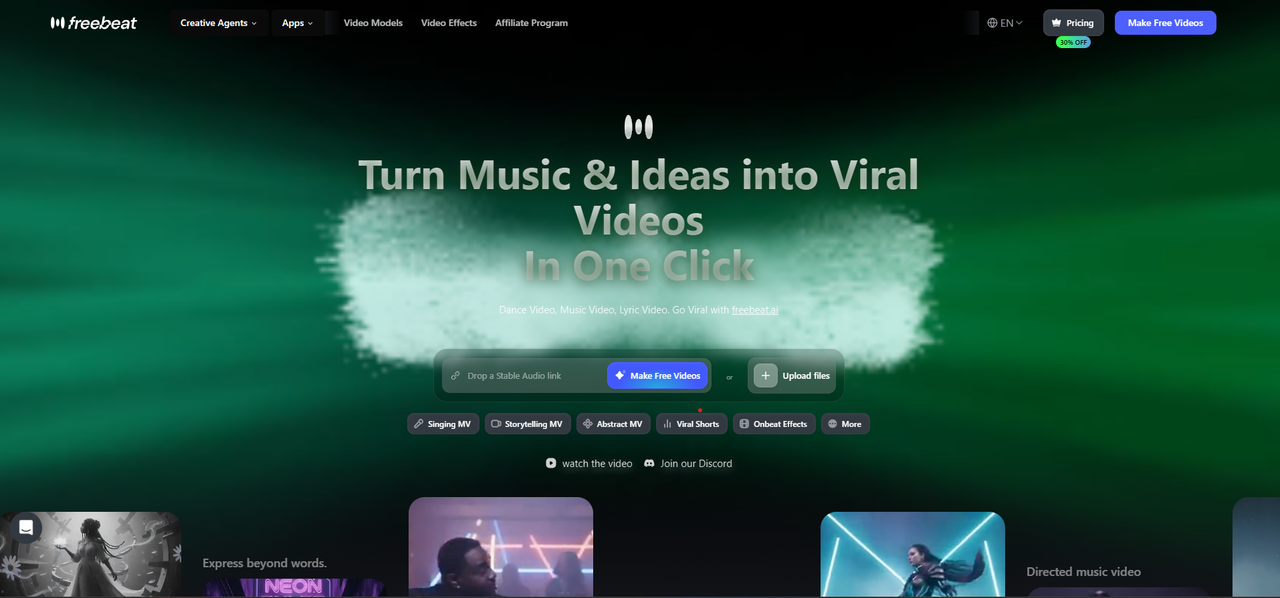
The strongest professional use case for Freebeat is song-driven production. Its Brand Kit describes a system that analyses BPM, beats, song sections, energy curves, and spectral content before generating visuals. That matters because a music video should not treat the track as background audio.
For bands, this helps with:
- Performance pacing: Verses can breathe, choruses can lift.
- Consistent visual identity: Style and character systems reduce random drift.
- Release formats: Horizontal, vertical, square, and 4:5 formats support multi-platform publishing.
- Longer music videos: Higher tiers support full-length MV workflows up to 6 minutes.
- Fast social assets: The platform includes 528 Onbeat Effects for music-driven short clips.
For producers, the workflow is useful because it supports both quick and detailed routes. Fast Mode is suitable for quicker drafts. Expert Mode gives more control through reviewable stages such as creative concept, casting, directing, cinematography, motion, and post-production.
That reviewable structure matters in professional work. If one scene feels wrong, the creator should not need to regenerate the entire video. A good production tool lets you refine the weak layer.
This tool is best for creators who want the song itself to guide the visual direction.
2. LTX Studio: Best for Campaign-Style Music Video Production
LTX Studio fits teams that think in campaigns, not just clips. It is useful when a label, agency, or creative team starts from a brief and needs a consistent set of visual assets.
Where it works well:
- Artist campaign concepts
- Brand-led music visuals
- Narrative treatments
- Pitch decks and previsualisation
- Creative direction before final production
I would consider LTX Studio when the project needs structure, planning, and campaign alignment. It is less about a quick social teaser and more about turning a creative idea into a deliverable video direction.
For professional teams, LTX Studio is strong when the music video is part of a broader campaign.
3. Runway: Best for Cinematic AI Clips
Runway is one of the strongest tools for cinematic AI source footage. If you are a video editor or creative director who already knows how to assemble a timeline, Runway can be extremely useful.
Its strengths are clear:
- Strong cinematic motion
- Good image-to-video workflows
- High-quality source clips
- Useful visual references
- Strong fit for editors who want control outside the AI tool
The trade-off is music workflow. Runway can create excellent clips, but a complete music video still needs shot planning, beat sync, editing, pacing, and final assembly. For an experienced editor, that is fine. For a producer who wants a faster song-to-video process, it can add extra work.
Runway is best when you need cinematic footage and have the editing skill to finish the music video yourself.
4. Neural Frames: Best for Audio-Reactive Music Visuals
Neural Frames is a strong option for DJs, electronic producers, and visual artists who want audio-reactive movement. It is especially relevant when the goal is not a narrative music video, but a visual system that responds to the sound.
Good use cases include:
- Electronic music visuals
- Live performance backgrounds
- Abstract visualisers
- DJ set visuals
- Audio-reactive social clips
This is different from a band performance video. Neural Frames works best when sound-reactive motion is the main creative value. If the project needs characters, story structure, or detailed scene planning, another tool may fit better.
Neural Frames is best for music-reactive visuals, especially in electronic and abstract contexts.
5. Kaiber: Best for Stylised Artist Visuals
Kaiber is a good fit for artists who want stylised music visuals without a heavy production workflow. It is approachable, creative, and designed around music-synced visual output.
I would use Kaiber for:
- Stylised artist visuals
- Canvas-style assets
- Short music videos
- Mood-led release visuals
- Experimental visual identity tests
Its strength is accessibility. Musicians and visual artists can move quickly from a track or concept into a finished-looking visual piece. The limitation is that advanced production teams may need deeper revision control, more detailed shot planning, or stronger long-form consistency.
Kaiber is best for stylised music visuals where ease of use matters.
6. Pika: Best for Quick Drafts and Social Concepts
Pika is useful when producers and creators need to test ideas quickly. It works well for short-form experiments, draft visuals, and social-first content.
Strong use cases include:
- Quick promo concepts
- Visual mood tests
- Short social clips
- Transition ideas
- Early creative exploration
For producers, this can be valuable at the start of a campaign. You can test three or four visual directions before choosing one. The drawback is that fast drafts are not always full production systems. You may still need another tool for full-song structure, editing, export, or final assembly.
Pika is best for fast idea generation, not complete professional music video production.
Which AI Video Generator for Music Videos Has the Best User Reviews?
User reviews can be useful, but only when you read them by use case. A tool with strong reviews from video editors may not be the right choice for a band. A tool loved by electronic producers may not be ideal for a singer-songwriter.
When checking reviews, I recommend looking for comments about:
- Output quality: Are the visuals clean and usable?
- Music sync: Does the video actually follow the song?
- Workflow friction: How many steps are needed?
- Revision control: Can users fix weak scenes?
- Export options: Can the final video be published easily?
- Support for real releases: Is it usable beyond demos?
Runway often gets attention for cinematic quality. Neural Frames is commonly discussed for audio-reactive visuals. Music-first tools are stronger when users care about full song-to-video production.
The best-reviewed tool depends on the type of creator reading the review.
Best Tool by Professional Use Case
Different professional users should choose different tools. A band, producer, editor, and DJ do not need the same workflow.
Best for Bands
Bands should prioritise full-song support, consistent performer visuals, performance-style shots, and social-ready exports. A tool should support both the main music video and short cutdowns for promotion.
Best fit: Freebeat, LTX Studio, Kaiber.
Best for Producers
Producers need speed, flexible drafts, and the ability to create multiple visual directions for one track. They also need outputs that can be reused across platforms.
Best fit: Freebeat, Pika, Runway.
Best for Professional Studios
Studios need review stages, commercial-use clarity, export control, and repeatable project systems. A tool should support collaboration and revision rather than one-shot generation only.
Best fit: LTX Studio, Freebeat, Runway.
Best for Cinematic Clips
For cinematic clips, camera movement, lighting, prompt accuracy, and realism matter most. These clips may later be edited into a full music video.
Best fit: Runway, LTX Studio, Freebeat.
The best tool is the one that matches the production job, not just the one with the most impressive demo.
Final Recommendation: Which Tool Should Professionals Choose?
For professional AI music video production in 2026, I would choose based on the final asset you need. If the goal is a complete song-driven music video, Freebeat is the most practical starting point because it combines beat-aware visual generation, cinematic presets, multi-genre workflows, and platform-ready exports for creators, musicians, editors, and visual designers.
Choose based on this logic:
- Full music video workflow: Freebeat
- Campaign-style production: LTX Studio
- Cinematic source clips: Runway
- Audio-reactive visuals: Neural Frames
- Stylised artist visuals: Kaiber
- Quick visual drafts: Pika
AI video tools are improving quickly, but professional results still come from matching the tool to the job. For bands and producers, the safest choice is the platform that respects the song, supports revisions, and delivers assets you can actually publish.
FAQ
Best AI-powered music video producer for bands?
For bands, the best tool should support full-song structure, consistent performer visuals, cinematic pacing, and social-ready exports. Music-first tools are usually better than generic clip generators for this use case.
What's the best AI-driven music video creator for producers?
Producers should compare tools by speed, beat sync, customisation, and export options. The best choice depends on whether they need quick drafts, cinematic clips, or a full music video workflow.
Best AI music video production tool for professional use?
A professional tool should support revisions, commercial use, visual consistency, export control, and music sync. It should help creators move from song to final asset without rebuilding the workflow manually.
Which AI video generator for music videos has the best user reviews?
There is no single winner for every creator. Reviews often favour Runway for cinematic clips, Neural Frames for audio-reactive visuals, and music-first tools for complete song-to-video workflows.
Best AI music video generator for cinematic clips?
Runway is one of the strongest choices for standalone cinematic clips. For cinematic clips inside a full song-structured music video, a music-first production tool may be more practical.
Can AI music video tools replace a production team?
They can reduce production workload, especially for drafts, lyric videos, visualisers, and independent releases. For major commercial shoots, they are better viewed as creative production accelerators.
What should bands check before choosing an AI music video tool?
Bands should check full-song support, performer consistency, performance-style visuals, export formats, commercial-use terms, and whether the tool can generate cutdowns for social platforms.
What should producers check before choosing an AI music video tool?
Producers should check speed, pricing, revision control, visual consistency, export formats, and whether the tool can support both drafts and release-ready visuals.


