Static MP4 vs Beat-Synced Video: Which Format Is Better for Your Song?

Quick answer: A static MP4 wraps your song in a single still image or simple waveform — the audio plays, but the visual never changes. A beat-synced video analyzes the song's BPM and structure and generates visuals that cut, move, and shift in energy along with the music. For releases meant to be discovered, shared, or watched by new listeners — YouTube uploads, TikTok, Spotify Canvas — a beat-synced video consistently outperforms a static MP4. For quick archive uploads or private demo links, a static MP4 is still a reasonable choice.
Every Suno creator, independent artist, and producer eventually faces the same decision: you have a finished song and you need a video file to publish it. The fastest path is a static MP4 — your cover art or a plain background, audio playing underneath, done in under a minute. The other path is a beat-synced video, where the visual is generated from the structure of the song itself and takes a few minutes longer to produce.
Both are valid choices. The question is not which one is universally "better" — it is which one matches what you are trying to accomplish. This guide breaks down what each format actually is, how they differ technically and practically, and which one gives your song the better chance of being watched, shared, and remembered.
Want to see the difference on your own track? Upload an MP3 or paste a Suno link — Freebeat generates a beat-synced video instead of a static MP4.
Try Freebeat free →What Is a Static MP4 vs a Beat-Synced Video?
A static MP4 exists because platforms like YouTube, Instagram, and most social networks require a video file for upload — audio-only files are not accepted on most of these platforms. It is the minimum technical requirement to satisfy that rule: fast to create, no design or AI tooling needed.
A beat-synced video is generated by analyzing the actual structure of the song — BPM, beat onsets, energy levels, and section boundaries (intro, verse, chorus, bridge, outro) — and producing visuals that respond to that structure. Tools like Freebeat automate this: you provide the audio (or a Suno share link) and a short visual prompt, and the AI maps the song's structure to a shot-by-shot storyboard, then renders a video where the visual pacing follows the music.
Side-by-Side Comparison
| Static MP4 | Beat-Synced Video | |
|---|---|---|
| Visual content | Single image or basic waveform | Scene-based, AI-generated visuals |
| Responds to song structure | No | Yes — verse, chorus, bridge, outro |
| Beat awareness | None or amplitude-only | Cuts and motion timed to BPM |
| Time to create | Under a minute | A few minutes |
| Tools required | Any basic video/image tool | AI music video generator (e.g. Freebeat) |
| Viewer engagement | Lower — visual gives no reason to keep watching | Higher — visual motion holds attention |
| Best suited for | Archive uploads, private links, demos | Releases, social content, discovery-driven publishing |
Why a Beat-Synced Video Is Better for Most Songs
1Platforms reward motion, not stillness
YouTube, TikTok, and Instagram all use engagement signals — watch time, replays, shares — to decide what to recommend to new viewers. A static image gives a viewer no visual reason to keep watching once they have seen it for two seconds. A beat-synced video changes continuously, and that ongoing motion is part of what keeps a viewer watching long enough for the algorithm to register the engagement.
2First impressions happen in the first two seconds
On short-form platforms especially, the decision to keep watching or scroll past happens almost instantly. A static MP4's opening frame looks identical to its closing frame. A beat-synced video's opening shot is directed — a specific scene, timed to the first beat. That difference shows up directly in how many viewers stay past the opening seconds.
3The visual reinforces the music's identity
A song has a mood, an energy level, a structure. A static MP4 treats all of that as irrelevant — the same still image sits behind a quiet verse and a driving chorus. A beat-synced video treats the song's identity as the input: visual energy in the chorus is higher because the music's energy is higher there.
4It works across more publishing contexts from one source
A static MP4 made for YouTube generally cannot be repurposed for TikTok — too long, too static, wrong format. A beat-synced video, generated once, can be exported in multiple aspect ratios (16:9, 9:16, 1:1) without re-creating the visual from scratch. One source covers more publishing surface area.
5Spotify Canvas and lyric content specifically reward motion
Spotify Canvas is a short looping visual shown while a song plays, designed for continuous motion, not a still frame. A beat-synced video, particularly in a Canvas Loop mode, is built for exactly this kind of short, seamless, motion-driven visual.
How to Make a Beat-Synced Video Instead of a Static MP4
If you have been defaulting to static MP4s and want to switch to beat-synced output, the process is not significantly slower:
1Upload your audio or paste a link
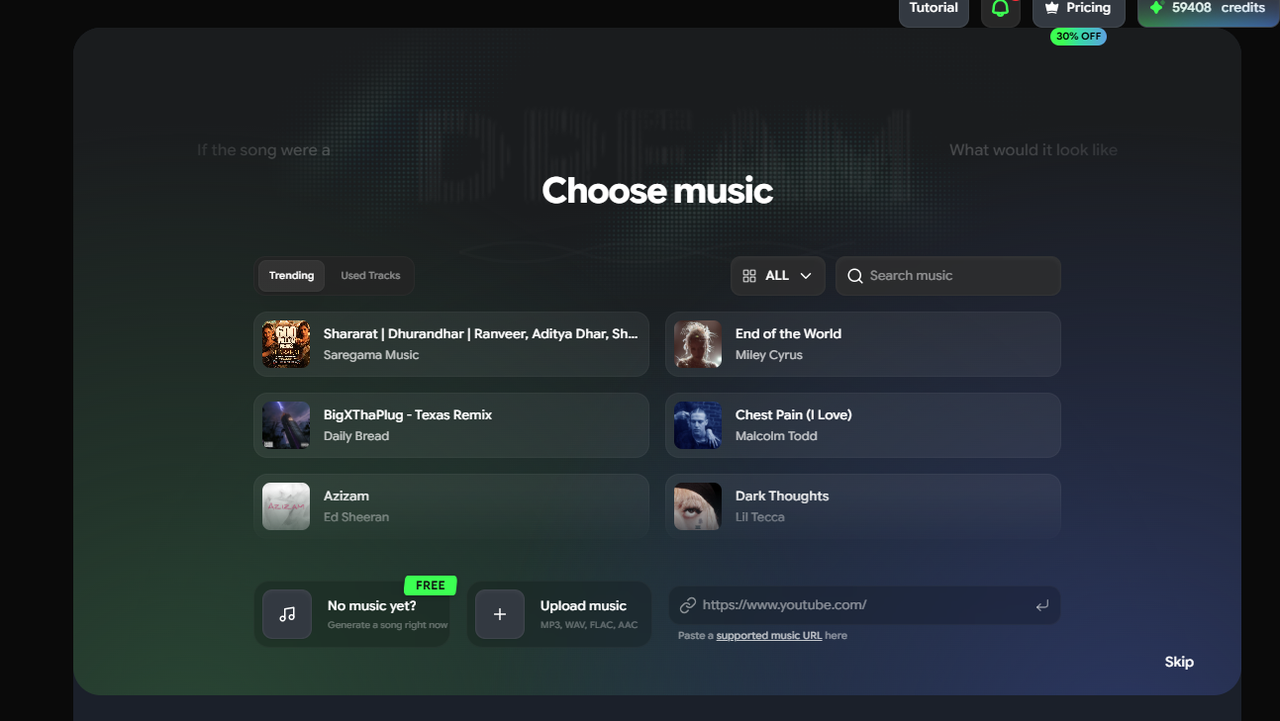
Go to freebeat.ai. Upload an MP3, WAV, or M4A file, or paste a Suno share link directly.
2Let the AI analyze the track
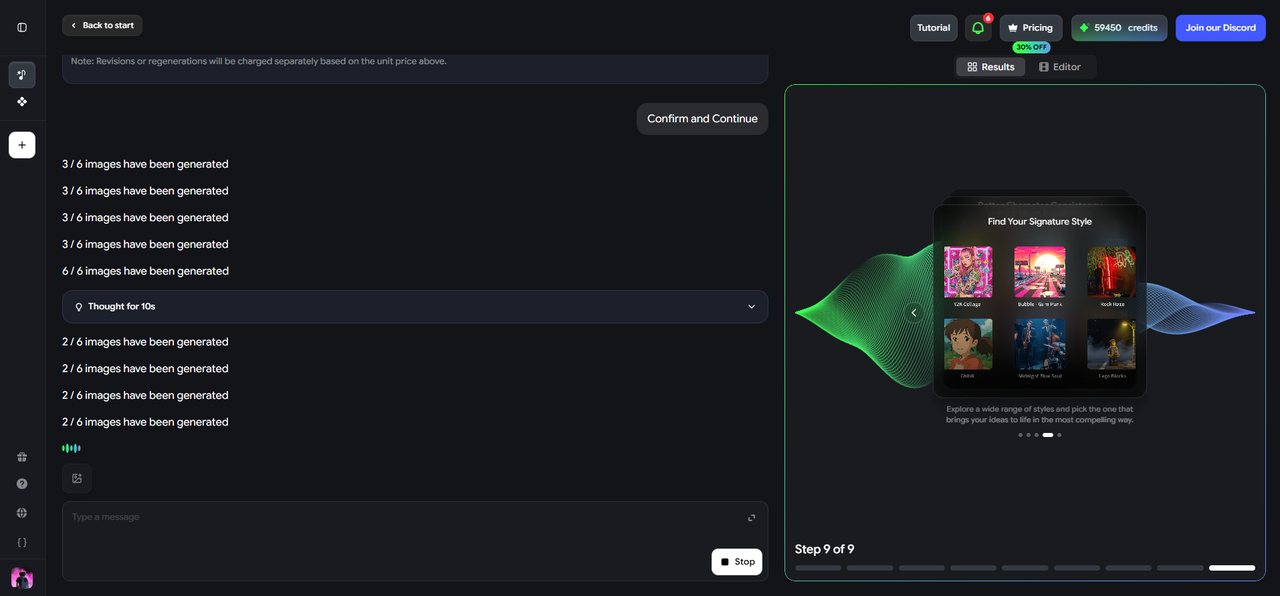
Freebeat reads BPM, beat onsets, energy, and song structure automatically — this is what separates the output from a static file.
3Choose a video mode
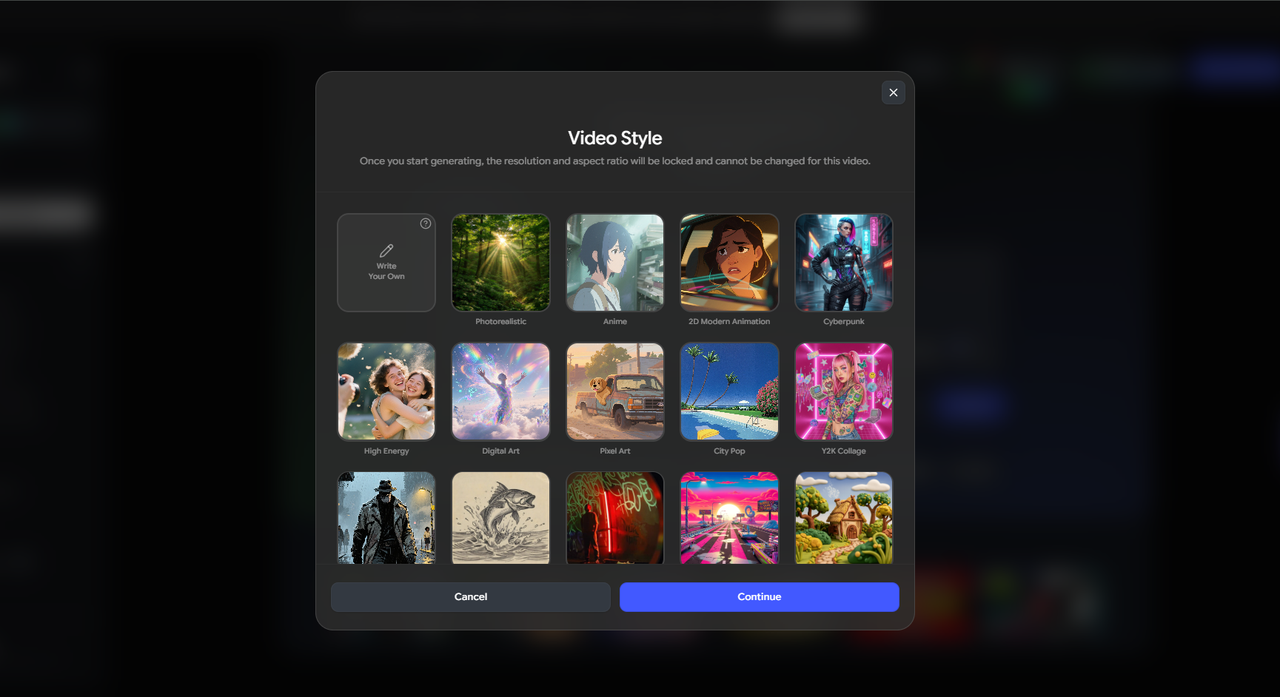
Singing MV for vocal tracks with lip sync, Storytelling MV for cinematic scenes, Lyric Video for caption-led content, or Canvas Loop for short platform visuals.
4Write a short visual prompt
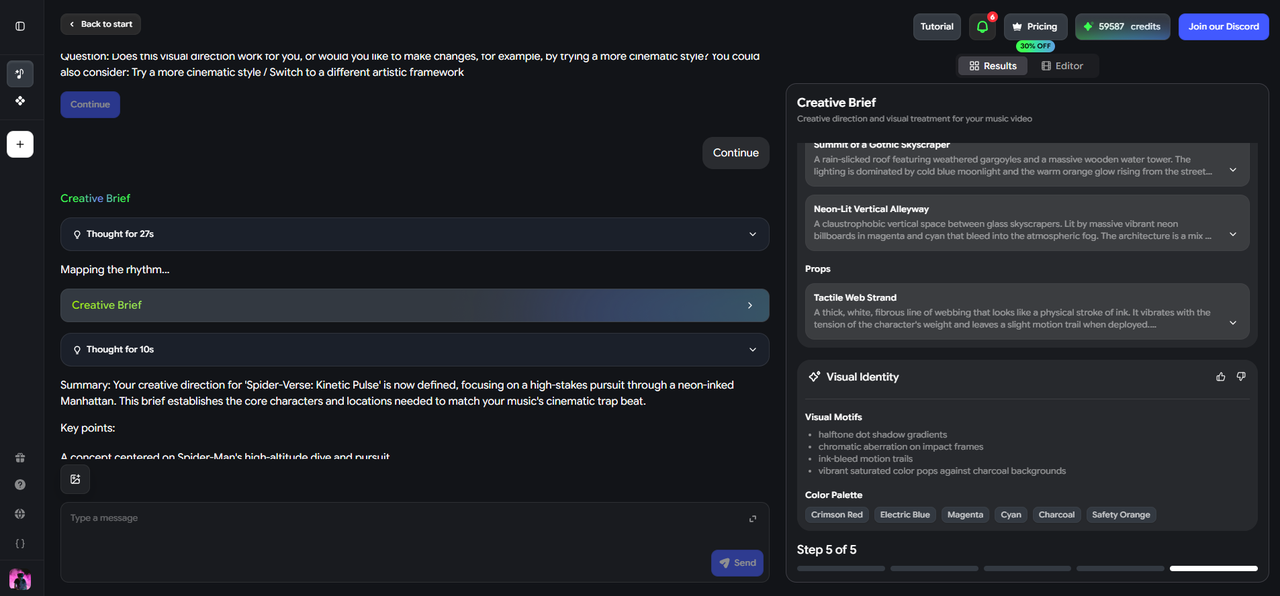
One to three sentences describing the setting, mood, and camera style is enough to direct the output.
5Review the storyboard and export
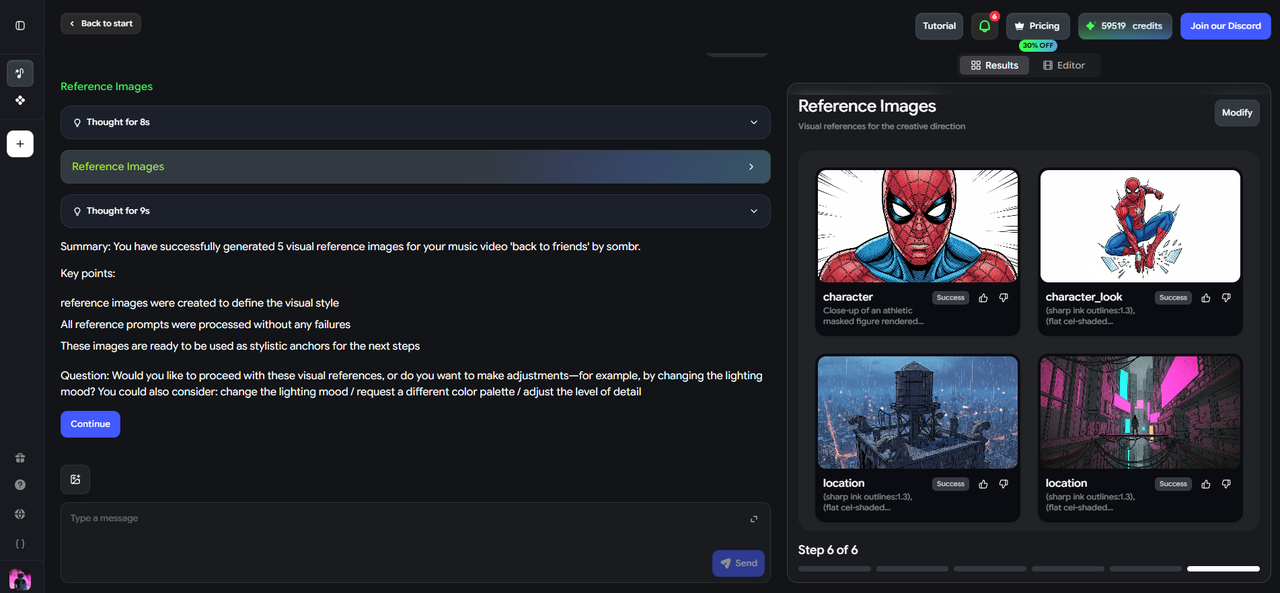
Freebeat shows a shot-by-shot preview mapped to the song before rendering. Approve or adjust, then export in the aspect ratio your platform needs.
The entire process typically takes five to ten minutes — longer than a static MP4, but still fast enough to fit into a normal release or publishing schedule.
Frequently Asked Questions
Is a beat-synced video always better than a static MP4?
Not universally — it depends on the goal. For releases meant to be discovered or shared, beat-synced video performs better because it holds attention and reinforces the song's identity. For archive uploads, private demos, or non-music audio, a static MP4 is still a reasonable and sufficient choice.
Does YouTube treat beat-synced videos differently from static MP4s?
YouTube does not explicitly rank by visual type, but it does weight watch time, retention, and engagement heavily in its recommendation system. Because beat-synced videos tend to hold viewer attention longer than static visuals, they indirectly benefit from YouTube's existing ranking signals.
Can I convert a static MP4 into a beat-synced video later?
Not directly — a beat-synced video needs to be generated from the original audio file, not from an already-rendered static video. If you have the source MP3 or WAV, you can run it through a tool like Freebeat to generate a beat-synced version at any time.
Is a beat-synced video harder to make than a static MP4?
It takes a few minutes longer, but the process does not require editing skill. Tools like Freebeat automate the BPM and structure analysis — you provide the audio and a short prompt, and the AI handles scene generation, beat timing, and storyboard creation.
What is the best format for Spotify Canvas — static or beat-synced?
Beat-synced or audio-reactive motion is the better fit for Spotify Canvas, since Canvas is designed as a short, seamlessly looping visual meant to be watched while the song plays. A static image does not take advantage of the loop format the way a motion-driven Canvas Loop does.
Do beat-synced videos cost more to produce than static MP4s?
Static MP4s can be made for free with basic tools. Beat-synced videos from AI tools like Freebeat also have free tiers, typically with a watermark or generation limit — the core workflow is accessible without a paid plan, though watermark-free or higher-volume output usually requires upgrading.
More Resources
Explore more Freebeat tools and guides for music creators:
Ready to upgrade from a static MP4? Upload your audio or paste a Suno link into Freebeat and generate a beat-synced video in minutes.
Try Freebeat free →

