Can You Generate Beats With Suno AI? Yes—Here’s How
Contact partnership@freebeat.ai for guest post/link insertion opportunities
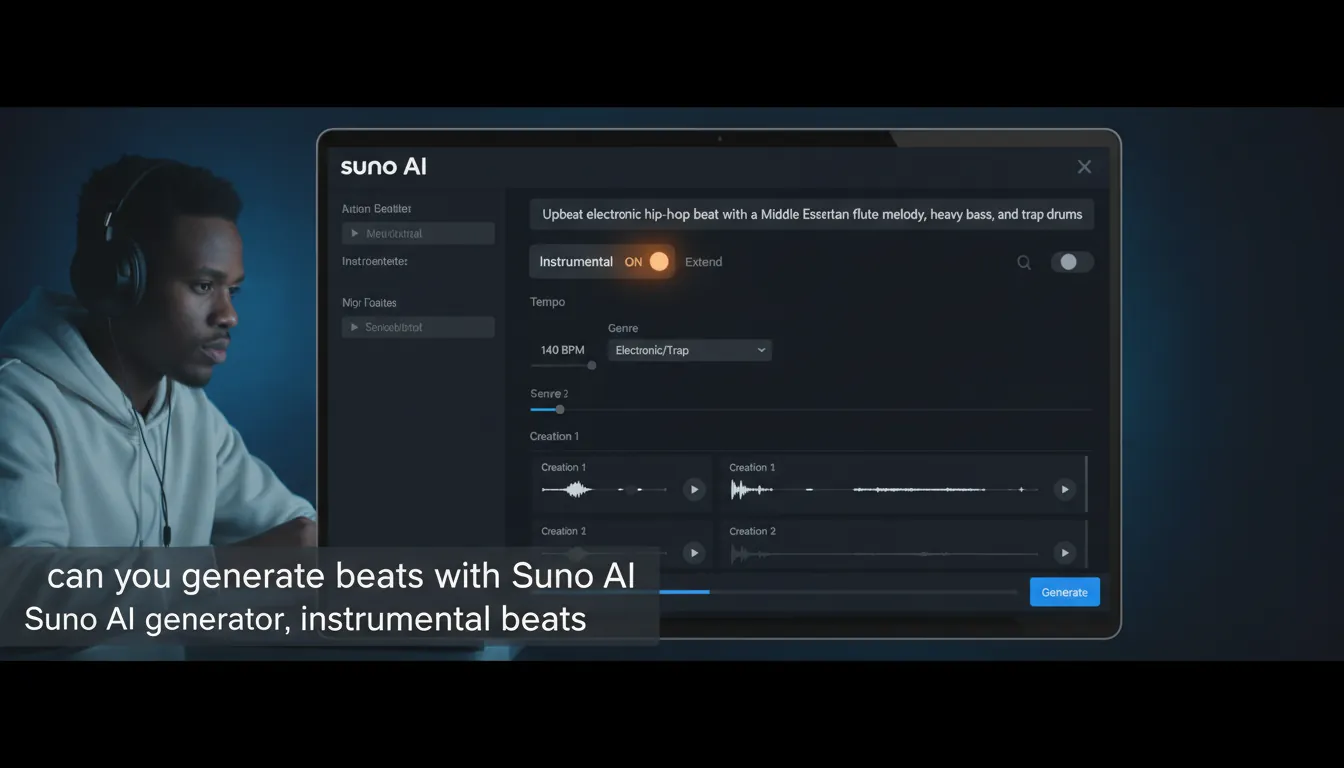
You’ve got a beat in your head, but not the time (or patience) to open a DAW, pick drum kits, and fight with swing settings. That’s exactly the moment people ask: can you generate beats with Suno AI—and the practical answer is yes. Suno can generate instrumental tracks that function like “beats,” including intros, drops, transitions, and full arrangements. In this guide, I’ll show you how to do it fast, how to get better results with prompts, and how to turn those beats into finished content using Freebeat AI.
What “Generate Beats” Means in Suno (And What It Doesn’t)
When most creators ask can you generate beats with Suno AI, they usually mean one of two things:
- A full instrumental track (intro → groove → variation → drop → outro) suitable for videos, demos, or songwriting.
- A loop-like beat (8–16 bars) that stays consistent enough to rap/sing over.
In my testing, Suno shines at complete instrumental compositions with section changes and believable pacing. The tradeoff is that “perfectly loopable” patterns can take a few regenerations or some editing (Extend/Replace) to lock the groove the way a traditional producer would.
Step-by-Step: How to Generate Beats With Suno AI
1) Start in Simple Mode (Fastest Path to a Usable Beat)
If you’re new, Simple Mode is the quickest way to get a solid first result. Create a prompt that clearly states:
- Genre/subgenre (trap, lo-fi, house, drill, afrobeat)
- BPM (or “around 140 BPM”)
- Mood/energy (dark, upbeat, relaxed, aggressive)
- Key instruments (808s, crisp snares, Rhodes, analog bass, pads)
- “Instrumental” (to avoid vocals)
Prompt template (copy/paste):
“Instrumental trap beat at 140 BPM, dark and punchy, heavy 808 slides, crisp hi-hat rolls, sparse piano motif, clean mix, intro + hook + breakdown + drop.”
2) Switch to Custom Mode (More Control, Better Consistency)
Once you’ve got a direction, Custom Mode helps you steer results with tighter descriptors and iterative changes. This is where you can reduce randomness and get closer to “producer intent,” especially if the groove is drifting.
What I do: I generate 4–8 options, then choose 1–2 that have the right drum pocket and bass movement. After that, I refine only those finalists instead of endlessly prompting from scratch.
3) Generate, Then Judge Like a Producer (Not Like a Listener)
A beat can sound “cool” but still be unusable for content. When reviewing outputs, listen for:
- Rhythm consistency: kick/snare relationship stays stable
- Groove balance: hats/percs don’t overpower the pocket
- Section flow: transitions feel intentional (no awkward resets)
- Mix clarity: bass isn’t swallowing the whole track
If tempo or style is way off, regenerate with a clearer BPM + subgenre. If it’s almost there, keep it and move to refining.
4) Use Extend + Replace Section to Fix the Weak Moments
Suno’s editing tools are made for iteration. Two key moves:
- Extend: Continue the beat to add an outro, second drop, or longer hook.
- Replace Section (inpainting): Select the awkward 4–16 bars and regenerate just that area so it matches the surrounding audio.
In practice, I budget 2–5 attempts for a seamless “Replace Section” on tricky transitions—worth it when the main groove is strong.
Prompting Tips That Improve Beat Quality (Without Overcomplicating It)
Here are prompt upgrades that consistently improve results when you’re asking can you generate beats with Suno AI and actually want usable instrumentals:
- Name the drum identity: “tight boom-bap drums,” “bouncy Jersey club kick,” “four-on-the-floor house”
- Describe arrangement: “8-bar intro, 16-bar hook, breakdown, final drop”
- Call out mix goals: “clean low end,” “sidechained pads,” “punchy drums”
- Avoid artist cloning: instead of “like Drake,” use “modern melodic rap, glossy, minimal”
Quick prompt examples (beat-only)
- “Instrumental lo-fi hip hop beat, 82 BPM, dusty drums, jazzy Rhodes chords, vinyl crackle, chill late-night mood.”
- “Instrumental Afrobeat, 105 BPM, bright guitars, syncopated percussion, warm bass, uplifting summer vibe.”
- “Instrumental techno, 132 BPM, driving kick, hypnotic synth loop, risers into drops, warehouse energy.”
Suno Plans, Ownership, and Selling Beats (Read This Before You Monetize)
A common follow-up to can you generate beats with Suno AI is: “Can I sell them?”
Here’s the practical reality creators need to understand:
- Free/Basic plans typically allow non-commercial use only (platform rules matter most here).
- Paid tiers (Pro/Premier) generally grant commercial use rights for music generated while subscribed.
- Separate from platform terms, copyright law may not treat fully AI-generated output as protectable in the same way as human-authored music—especially in the U.S.
For deeper reading, see:
- Suno’s own beat workflow guidance via Suno’s “How to Make Beats” hub
- Licensing and copyright nuance summarized by a law firm at Weiss IP Law’s SUNO copyright rules explained
- The U.S. government’s broader position at the U.S. Copyright Office (human authorship requirements and AI disclosure)
My workflow advice (risk-reducing):
- Don’t prompt “sound exactly like [living artist/song].”
- Add meaningful human contribution (lyrics you wrote, arrangement edits, additional recordings, or substantial editing in a DAW).
- Keep a simple creation log (date, prompts, edits, stems used) if you plan to license or sell.
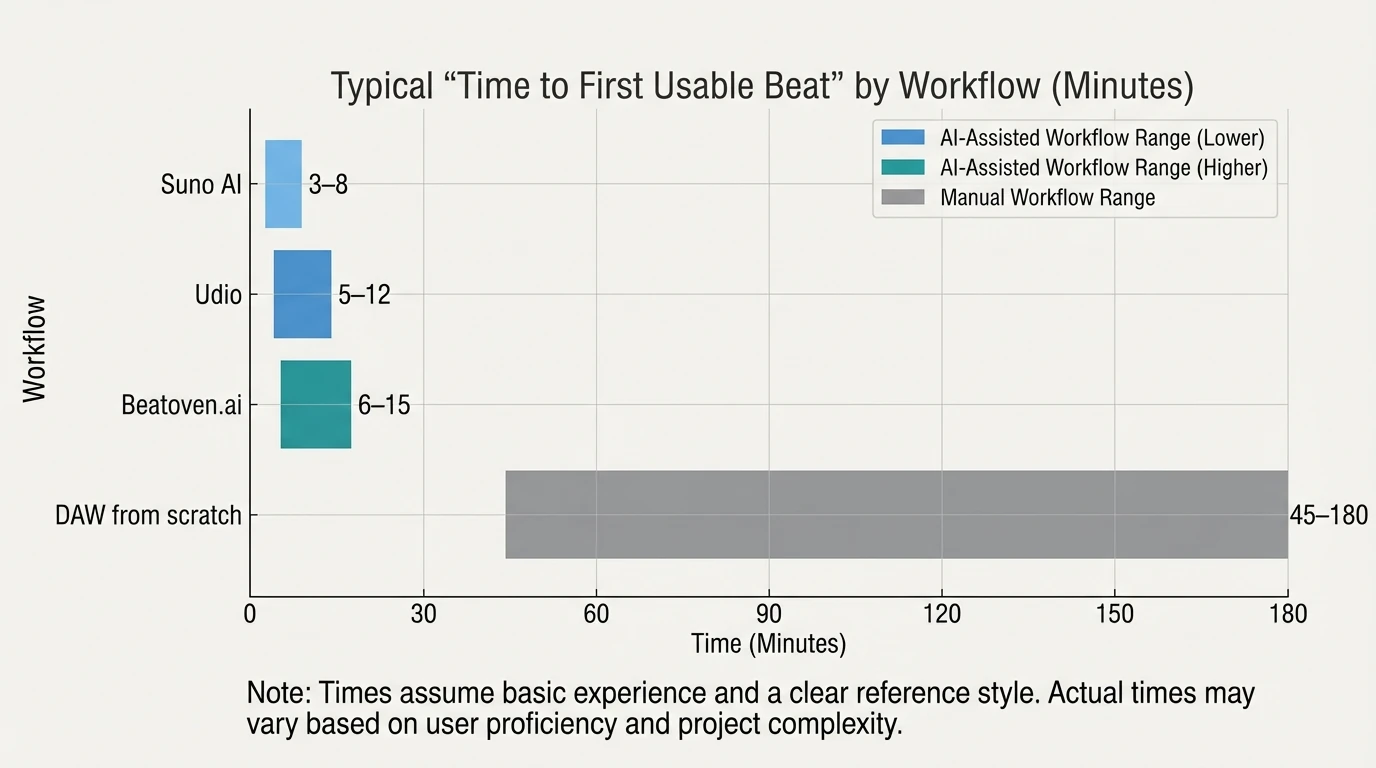
Suno vs Other AI Beat Tools (Practical Comparison)
Tool
Best for
Strength in beat-making
Common limitation
Suno AI
Full instrumental tracks fast
Strong section flow, quick ideation, editable generations
Loop-perfect consistency can take retries
Udio
Higher-fidelity instrumentals (often)
Detailed sound design and polish
Workflow and output vary by prompt; licensing considerations still apply
Beatoven.ai
Safer background music use cases
Clear licensing posture for some teams
More “underscore” than chart-style beats
Traditional DAW + sample packs
Professional, controllable production
Total control over groove, swing, stems, mix
Slower; requires production skill/time
Turn Suno Beats Into Scroll-Stopping Videos With Freebeat AI
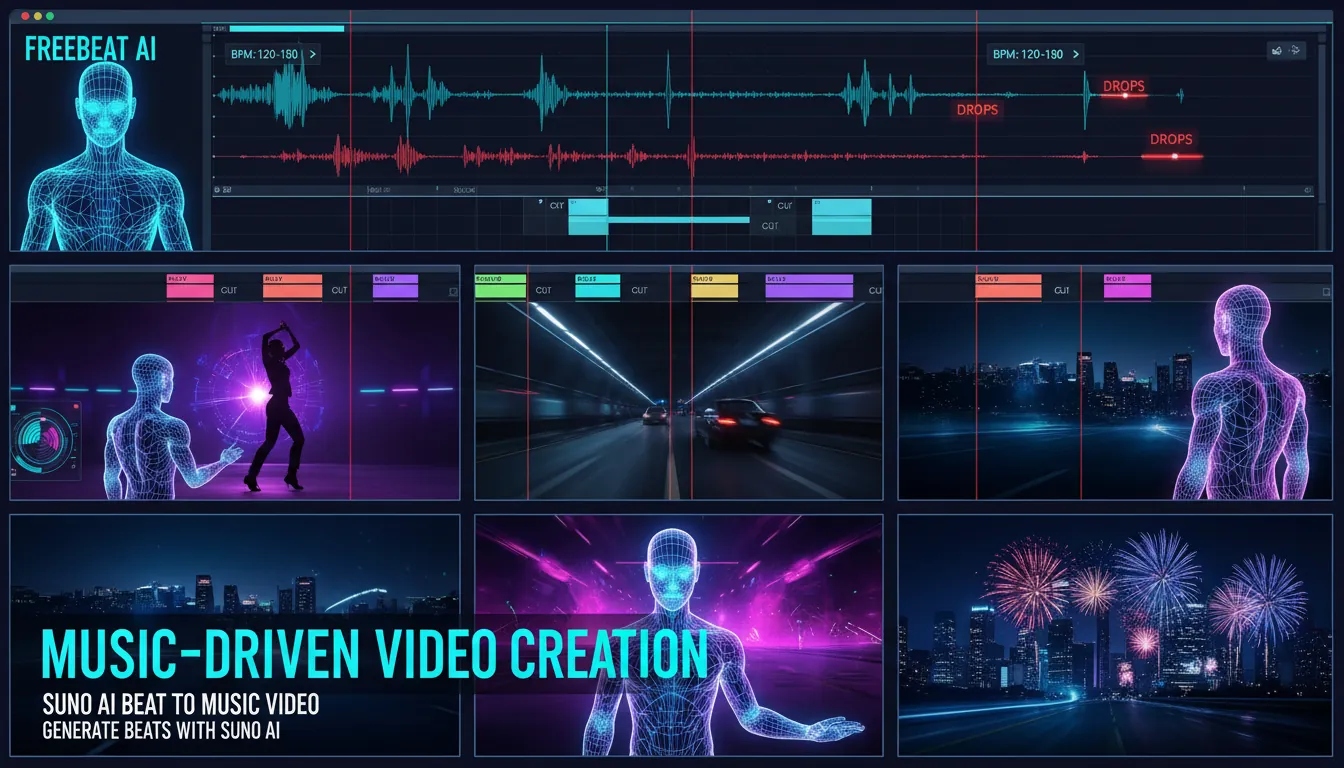
Generating a beat is only half the job—most creators need content that moves with the music. Freebeat AI is built for that exact handoff: you bring in your Suno instrumental, and Freebeat maps visuals to the track’s musical structure (BPM, bars, drops, sections) so the video feels edited by a human.
Where general video generators guess pacing from text, Freebeat is audio-reactive by design, using director-style logic:
- Performance-focused shots + cinematic B-roll planning
- Rhythm-based cuts and camera motion aligned to drops
- Consistent characters via custom AI avatars / image-based identity
- Lyric/dance modes when you need platform-specific formats
If your goal is TikTok/Shorts/Reels output, this “beat → video” pipeline is the fastest way I’ve found to publish consistently without learning complex editing.
Suno Ai Extend Song Tutorial 2025 (For Beginners)
A Repeatable Workflow (What I’d Do If I Had to Ship Today)
- Generate 6–10 instrumentals in Suno using one tight prompt (same BPM + genre).
- Pick the best 1–2 based on drum pocket + section transitions.
- Replace Section for any weak transition or messy 4–8 bar stretch.
- Extend to reach the length you need for your platform (15s/30s/60s/2m).
- Export WAV/MP3 (and stems if available/needed).
- Upload to Freebeat AI to auto-sync cuts, motion, and energy to the beat’s structure.
- Publish variants (hook cut, drop cut, breakdown cut) for A/B testing.
FAQ: “Can You Generate Beats With Suno AI?” (Common Search Questions)
1) Can Suno AI make beats?
Yes. You can generate instrumental tracks that function as beats, including genre-specific drums, basslines, and structured sections.
2) Can Suno just make beats (no vocals)?
Yes—use the Instrumental option and specify “instrumental” in your prompt to minimize vocal artifacts.
3) Can I sell beats I make on Suno?
It depends on your plan and the platform terms at the time you generated the beat. Paid tiers commonly grant commercial use rights, while free tiers often restrict monetization. Also consider copyright law limits for purely AI-generated works.
4) Which AI can generate beats besides Suno?
Popular alternatives include Udio and Beatoven.ai, plus DAW-based AI features in some music tools. The “best” choice depends on whether you want full songs, background music, or pro-level instrumental control.
5) What is the Suno controversy?
Most discussion centers on training data, creator consent, and whether outputs can unintentionally echo protected styles/works. For commercial releases, avoid “sound exactly like” prompts and document your human contributions.
6) Is Suno copyright infringement?
Not automatically, but the risk increases if you prompt for near-clones of recognizable songs or artists. Treat AI beats like any other production: steer clear of imitation prompts and add original human elements.
7) Can I use Suno beats on YouTube or TikTok?
Often yes, but it depends on your account tier and the exact license terms when you created the beat. For monetization, verify commercial rights and keep records of your generation and edits.
Conclusion: Yes, You Can Generate Beats With Suno AI—Now Make Them Perform
If you came here asking can you generate beats with Suno AI, you’re not just looking for a novelty—you want a repeatable way to create instrumentals that sound intentional. Suno is excellent for fast beat ideation and surprisingly strong arrangement, especially once you learn to refine with Extend and Replace Section. The real unlock is pairing those beats with a music-driven video workflow—because attention lives in motion, cuts, and drops, not just audio.
📌 master ai music creation how to generate beats and videos seamlessly


