Best Lyric App for Co-Writing: 9 Picks for 2026
Contact partnership@freebeat.ai for guest post/link insertion opportunities.
Co-writing is supposed to feel like momentum—two brains, one song, faster decisions. But in real sessions, I’ve watched great hooks die in messy version history, lost voice notes, and “which draft is this?” chaos. If you’re hunting for the best lyric app for co-writing, you want more than a notes page: you need real-time edits, clean commenting, simple exports, and a workflow that survives time zones. Below are 9 picks for 2026, plus a quick way to choose what fits your room.
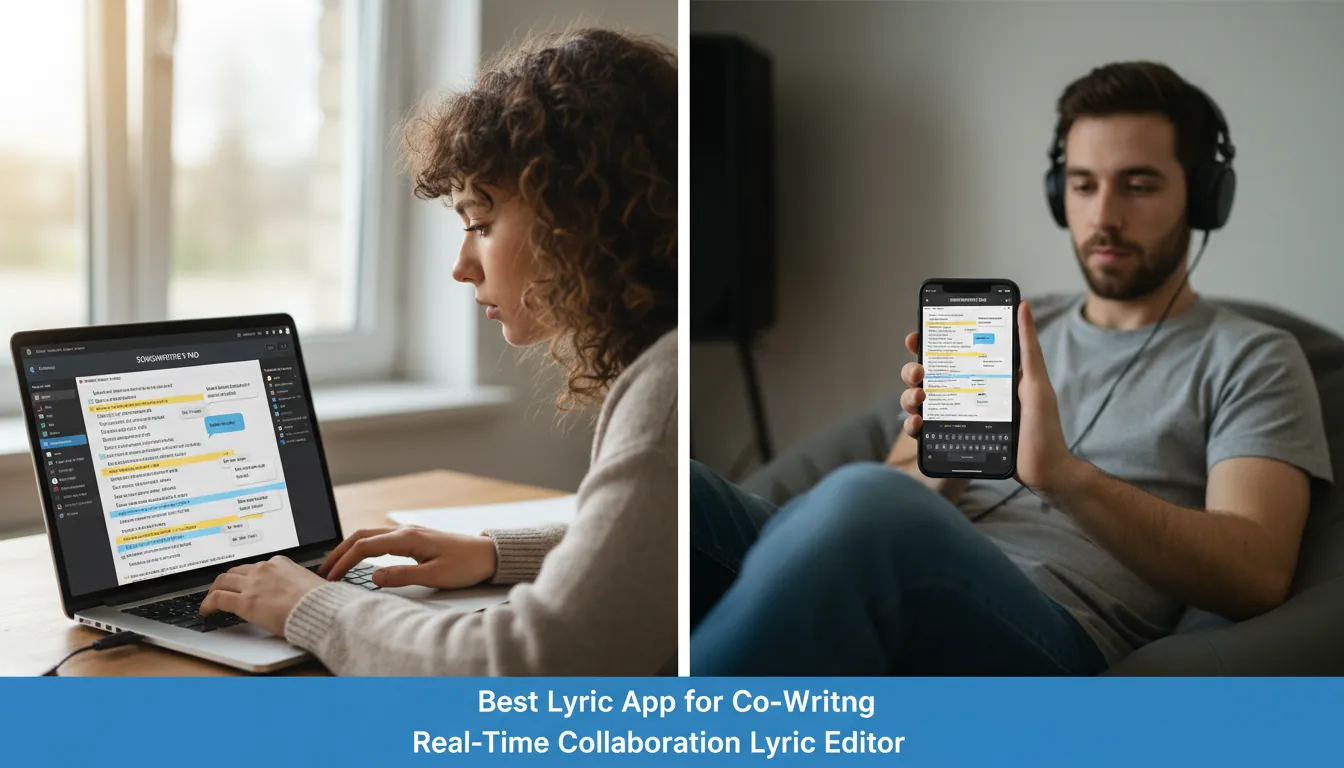
What makes the best lyric app for co-writing (a quick checklist)
In professional sessions, the “best” tool is the one that reduces friction without changing your voice. When I test co-writing stacks, I look for a few non-negotiables that keep drafts clean and decisions fast.
- Real-time collaboration (true simultaneous editing, not just shared access)
- Comments + suggestions (so edits don’t become arguments)
- Version history (undo is not enough when three people rewrite Verse 2)
- Fast sharing + exports (TXT/PDF/Doc links for producers, labels, or PRO paperwork)
- Offline mode + sync (because sessions happen in basements and tour vans)
External references worth scanning for deeper context:
- Songcraft’s collaborative songwriting features
- iMusician’s overview of songwriting software options
- CyberLink’s 2026 AI songwriting app comparison
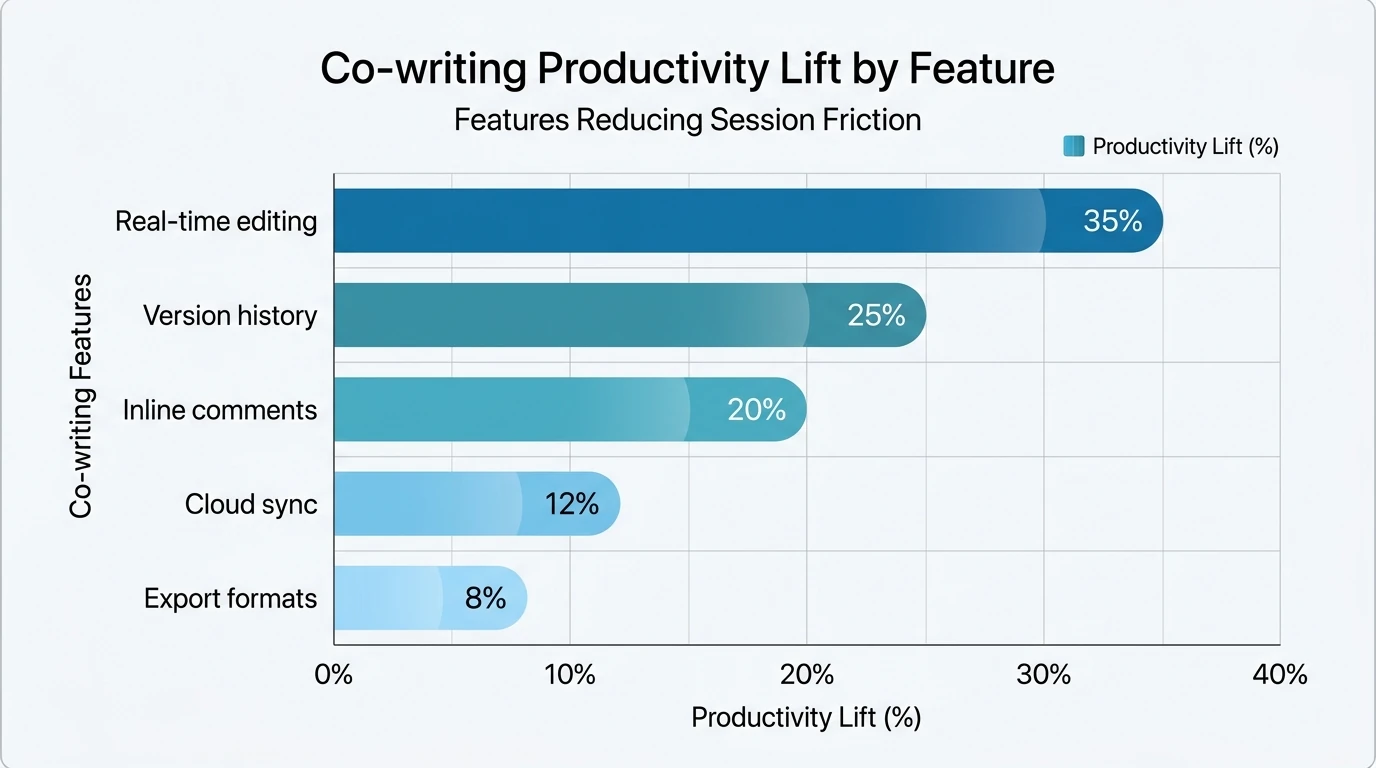
Comparison table (2026 quick scan)
Use this table to shortlist the best lyric app for co-writing based on how your sessions actually run—lyric-first rooms, DAW-first rooms, or hybrid.
1) Songcraft — Best “songwriting room” app for co-writing
If you want a dedicated environment where lyrics live next to chords, recordings, and structured song sections, Songcraft is one of the cleanest options. It’s designed around real co-writing behaviors: leaving notes on lines, organizing drafts, and keeping everything tied to the song—not scattered across apps. I’ve used setups like this when the room wants to move from lyric idea → chord check → rough capture without breaking focus.
Why it works for co-writing:
- Real-time collaboration plus integrated communication (comments/chat)
- Song-based organization (lyrics, chords, tabs, recordings in one place)
- Helpful writing supports like dictionaries/thesaurus depending on workflow
Best fit: writing teams that want one hub for the whole song, not just a lyric sheet.
2) WriterDuet — Best lyric app for co-writing with real-time editing discipline
WriterDuet is a “surprise pick” because it’s known for screenwriting, yet its collaboration system maps perfectly to lyric sessions. When I co-wrote remotely, having tight real-time edits plus comments stopped us from overwriting each other’s lines. It’s also strong when you want to keep drafts readable and annotated.
Why it works:
- True simultaneous editing (everyone sees changes instantly)
- Comments and structured feedback keep decisions trackable
- Useful when you treat lyrics like a document that needs clean revision control
Best fit: duos or teams doing remote lyric co-writing where clarity beats fancy songwriting features.
3) BandLab — Best free co-writing ecosystem (lyrics + quick demos)
BandLab is often the fastest route from lyric idea to a shareable demo, especially for beginners or distributed bands. It’s not a pure lyric editor, but it’s a strong collaboration platform that reduces setup friction. If your co-writer thinks in recordings (not pages), BandLab helps you meet in the middle.
Why it works:
- Cloud-based collaboration with easy sharing
- Built-in creation tools to sketch arrangement ideas
- Community workflow: quick feedback loops
Best fit: co-writers who want lyrics connected to a playable draft, not just text.
4) Soundtrap — Best browser-based DAW collaboration for co-writing
Soundtrap shines when your co-writing session includes production decisions in the same window. You can write while someone else roughs a beat, then adjust phrasing based on cadence—without exporting stems back and forth. For co-writing across devices, browser access is a real advantage.
Why it works:
- Strong collaboration for remote teams
- DAW features for building a session-ready demo
- Works anywhere a browser works
Best fit: co-writing teams that are DAW-first and want lyrics to follow the groove.
5) Songwriter’s Pad — Best lyric craft tools (rhyme + syllables) for co-writing prep
If you measure lines, count syllables, and care about internal rhyme density, Songwriter’s Pad is built for the craft. It’s not always the best real-time co-writing engine, but it is excellent for getting your “candidate lyrics” session-ready. I use apps like this before a writing day to avoid wasting the room’s energy on obvious rhyme dead ends.
Why it works:
- Rhyme, synonym, and syllable support inside the editor
- Strong organization across many songs and drafts
- Clean exports (useful when sending lyrics to collaborators)
Best fit: writers who do solo polish first, then bring stronger pages into co-writing.
6) Lyric Studio — Best AI-assisted lyric app for co-writing when you’re stuck
AI can be a decent third voice in the room—as long as you treat it like sparks, not final lines. Lyric Studio-style tools help generate directions, rhyme lists, and alternate phrasings quickly. In my experience, it’s most valuable when the team agrees on a clear target (theme, POV, mood), then uses AI to explore options fast.
Why it works:
- Rapid ideation: alternate lines, hooks, rhyme families
- Useful for breaking “Verse 2 paralysis”
- Can help match tone when collaborators have different vocab habits
Best fit: co-writers who need momentum, not perfection, and can edit ruthlessly.
7) Notion — Best co-writing hub for projects (lyrics + plans + references)
Notion isn’t a lyric app in the traditional sense, but it’s excellent for co-writing operations: storing briefs, references, topline ideas, and keeping track of splits, deadlines, and versions. When a project has multiple songs and multiple collaborators, Notion prevents “lost context” more than any rhyme tool ever will.
Why it works:
- Shared pages for briefs, references, and drafts
- Databases for tracking songs, status, and owners
- Great for async collaboration between sessions
Best fit: teams managing multiple songs (albums/EPs) with lots of moving parts.
8) Google Docs — Best simple lyric app for co-writing with zero onboarding
Google Docs is still a go-to because everyone already has it. If your co-writer is allergic to new platforms, this is often the quickest way to start. You trade songwriter-specific features for universal access and strong commenting.
Why it works:
- Real-time editing + comments + suggestion mode
- Easy sharing links and device support
- Simple version history
Best fit: rooms that value speed and familiarity over specialized lyric tooling.
9) MasterWriter — Best “word engine” for pros (but pair it with a collab editor)
MasterWriter is famous for deep phrase, rhyme, and synonym libraries. It’s excellent when you need fresh angles that still sound human. For co-writing, I typically treat it as a companion: one app for language discovery, another for live collaboration.
Why it works:
- Powerful wordfinding and phrasing support
- Great for tightening hooks and avoiding clichés
- Helps when collaborators have different genre vocab
Best fit: advanced lyricists who want better options faster, and don’t mind a two-app workflow.
How to choose the best lyric app for co-writing (in 60 seconds)
If you only remember one thing: match the tool to your session style, not your wish list. The best lyric app for co-writing is the one your collaborators will actually open and keep organized.
- If you write lyrics + chords + rough audio together: choose Songcraft or a DAW-collab tool.
- If you mainly rewrite text in real time: choose WriterDuet or Google Docs.
- If you need craft support (meter/rhyme) before the session: choose Songwriter’s Pad or MasterWriter.
- If you need idea volume (fast options): add an AI lyric helper like Lyric Studio.
- If you manage many collaborators/projects: use Notion as the home base.
5 BEST SONGWRITING APPS FOR LYRICS | Lyric Writing Apps Apps For Songwriting Free, AI, & Paid Apps
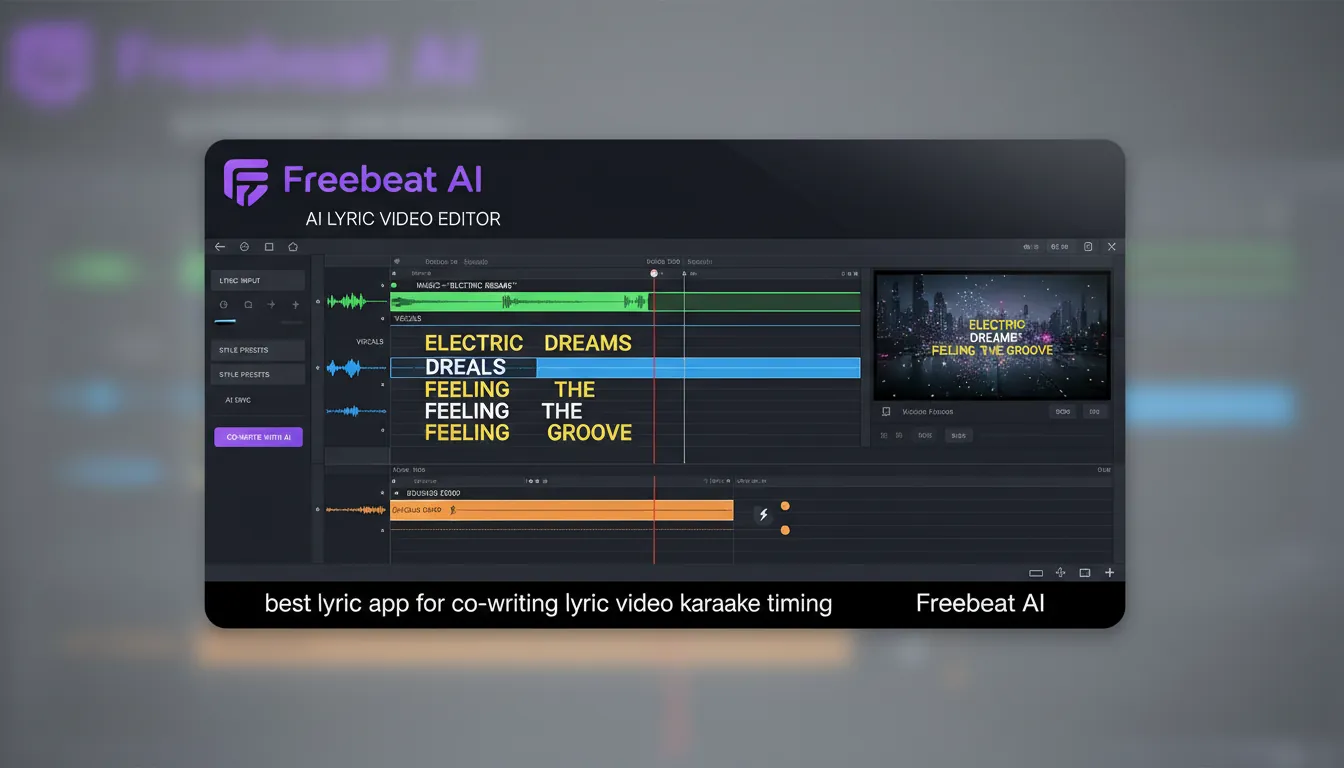
Pro workflow tip: turn lyrics into a shareable video quickly (Freebeat AI)
After the co-write, the fastest way to test if lyrics land is to publish a simple visual—especially for hooks and chorus timing. Freebeat AI is built for music-driven video, so it can auto-sync visuals to full song structure (BPM, bars, drops) and generate lyric videos with karaoke-style timing. I tried this approach for hook testing, and it’s surprisingly effective for catching phrasing issues—if a line feels late visually, it often feels late musically too.
Two practical uses after co-writing:
- Lyric video drafts to validate cadence and memorability before final release
- Social-ready snippets that keep visual energy aligned with the beat (less manual editing)
FAQ: Best lyric app for co-writing (2026)
1) What apps do most songwriters use?
Most songwriters use a DAW for production (like Ableton, Logic, or FL Studio) plus a separate tool for lyrics and collaboration. For co-writing, many teams also rely on cloud docs, chat, and a shared folder so versions don’t get lost.
2) What is the best lyric app for co-writing in real time?
If you want purpose-built songwriting collaboration, Songcraft is a strong pick. If you want a strict real-time document workflow with comments and suggestion control, WriterDuet (or Google Docs) is often the simplest answer.
3) What should I look for in a collaborative lyric editor?
Prioritize real-time editing, comments, version history, offline sync, and exports (TXT/PDF). Those features prevent “session waste,” where the group argues over drafts instead of improving lines.
4) Are AI lyric tools good for co-writing?
They’re useful for generating options, rhyme families, and alternate phrasings—especially when you’re stuck. They’re not a replacement for taste, so the best results come when one person acts as editor and keeps the voice consistent.
5) How does the 80/20 rule apply to songwriting?
In practice, you’ll write many songs and only a smaller set will connect strongly with listeners or earn meaningful income. Co-writing tools matter because they help you create more finished drafts with less friction, increasing your odds of landing those “20% songs.”
6) Is ASCAP free for songwriters?
Joining ASCAP is free for new writer members. (Publisher membership can have a fee unless you join as writer + publisher under certain conditions.) Always verify current terms on ASCAP’s official site before applying.
7) What’s the best setup for remote co-writing?
A real-time editor (WriterDuet/Docs), a shared audio/demo space (BandLab/Soundtrap), and one project hub (Notion) covers most professional needs. The key is agreeing upfront on naming conventions and who owns the “final” draft.
Conclusion: pick the tool your co-writer will actually use
The best lyric app for co-writing isn’t the fanciest—it’s the one that keeps your ideas safe, your edits trackable, and your sessions moving. When you remove version chaos and slow sharing, your collaborators spend more time doing the only part that matters: choosing the best lines.
📌 sync like a pro discover ai tools for seamless music and beat integration


