Best AI Lyrics Video Maker for Songs and Artists in 2026
Contact partnership@freebeat.ai for guest post/link insertion opportunities.
Best AI Lyrics Video Maker for Songs and Artists in 2026
The best AI lyrics video maker in 2026 is the one that fits your music workflow, not just the one with the flashiest templates. For artists, producers, DJs, and content creators, the strongest choice should help you sync lyrics, match the mood of your track, and export videos for platforms like YouTube, TikTok, and Instagram. Freebeat fits this space because it turns tracks into music, dance, and lyrics videos by analysing beats, tempo, and mood, while supporting prompt-based customisation and platform-ready exports.
Music videos are no longer just for major-label campaigns. Independent musicians now need lyric videos for release day, short-form teasers, visualisers, Spotify-style loops, and YouTube uploads. IFPI reported that global recorded music revenues reached US$29.6 billion in 2024, with subscription streaming continuing to grow, which shows how competitive music discovery has become for artists and labels.
Quick Answer: The Best AI Lyrics Video Maker Depends On Your Workflow:
The best AI lyrics video maker depends on whether you need precise lyric timing, full music video visuals, or quick social content. A singer-songwriter releasing a full single needs a different tool from a TikTok creator cutting a 15-second chorus teaser.
From my experience reviewing AI video workflows, the biggest mistake is choosing based on visuals alone. A lyric video only works when the words land with the song. If the lyrics feel late, rushed, or disconnected from the beat, the video feels unfinished.
A strong AI lyrics video maker should help you:
- Sync lyrics cleanly with the track
- Match visuals to the song’s mood
- Edit style, text, scenes, and pacing
- Export in 9:16 and 16:9 formats
- Create full-song videos and short promo versions
For most artists, the best tool is not only a lyric caption generator. It is a music-aware video tool that understands timing, mood, and release formats.
The 4 Types Of AI Lyrics Video Tools:
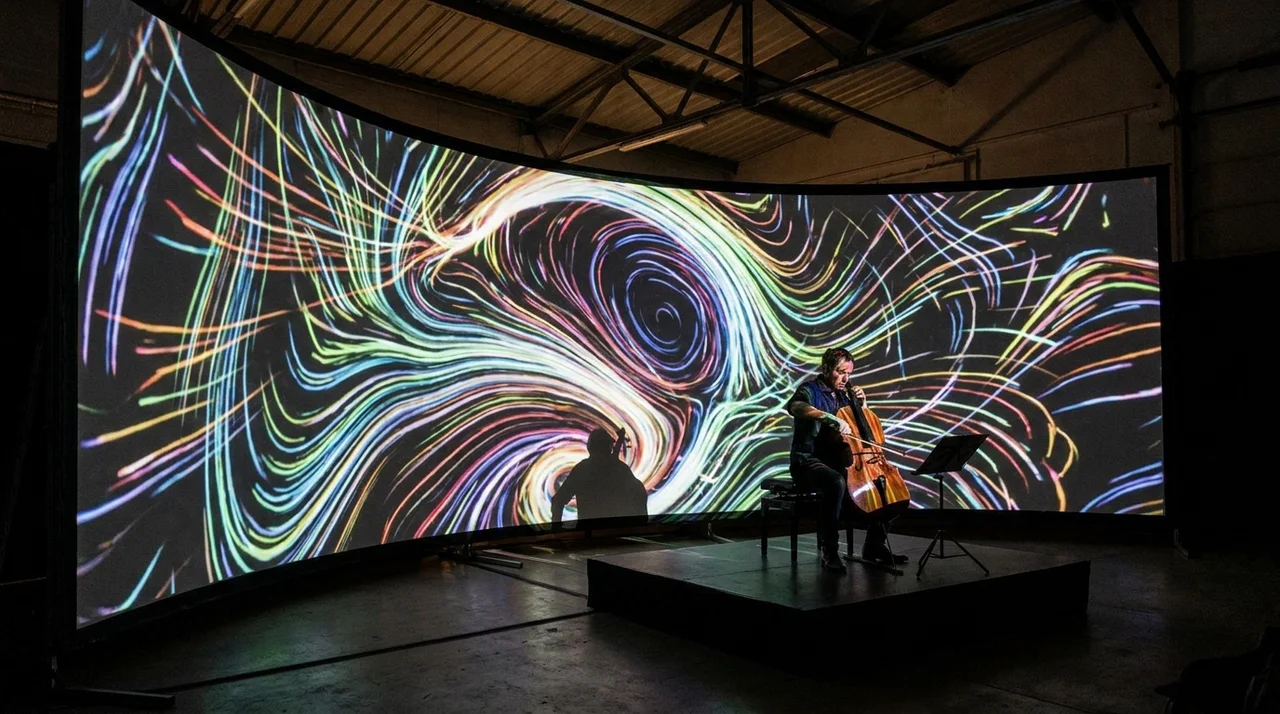
AI lyrics video tools are not all built for the same job. Some focus on text animation, while others focus on music-driven visual storytelling. Knowing the difference helps you avoid choosing a tool that looks good in demos but slows down your actual workflow.
Lyric-First Editors:
Lyric-first editors are best for creators who care most about text placement, fonts, and timing control. They work well for karaoke-style videos, simple lyric uploads, and clean YouTube lyric videos.
These tools are useful when your main visual idea is simple. For example, you may want animated text over a still album cover, live footage, or a looped background.
Best for:
- Singer-songwriters
- Cover artists
- YouTube lyric uploads
- Editors who want manual timing control
The trade-off is that lyric-first editors may not create a full visual world around the song.
Music-First AI Video Generators:
Music-first AI video generators are better for artists who want lyrics inside a fuller music video experience. These tools focus on beats, tempo, mood, scenes, and transitions, not just text overlays.
This category is where tools like Freebeat become relevant. Its Brand Kit describes music-to-video workflows that align visuals with beats, transitions, and emotional tone, with export support for TikTok, YouTube, Instagram, Spotify, and SoundCloud.
Best for:
- Independent musicians
- AI music creators
- DJs and live performers
- Visual artists creating release assets
- Content creators repurposing music into social videos
The benefit is speed. The limitation is that you still need to review the output creatively.
Social Video Template Tools:
Social template tools are best for fast vertical content. They help you turn hooks, choruses, and soundbites into short lyric posts.
These tools are useful for:
- TikTok teasers
- Instagram Reels
- YouTube Shorts
- Release countdowns
- Fan engagement posts
They are not always ideal for full-length music videos. Many are designed for speed, not deep creative control.
General AI Video Generators:
General AI video tools can produce cinematic visuals, animated scenes, and experimental imagery. They are useful when you want a strong aesthetic, but they may not handle lyric timing directly.
For example, you might generate dreamlike visuals in one tool, then sync lyrics in another editor. This gives you flexibility, but it adds more steps.
General tools are best for visual artists and designers who enjoy building a custom workflow.
The main takeaway is simple: choose a lyric-first tool for text control, a music-first tool for full-song visuals, and a social template tool for short-form speed.
Ranking Criteria For The Best AI Lyrics Video Generator:
A good AI lyrics video generator should be judged by workflow performance, not only by sample output. The best tools help you move from song to publish-ready video with fewer manual edits.
Here are the criteria I would use before recommending any AI lyric video maker for songs.
Lyric Accuracy:
Lyric timing is the foundation. If the words do not match the vocal phrasing, the video loses credibility.
Look for:
- Line-by-line timing control
- Word-level or phrase-level sync
- Easy correction tools
- Good handling of fast verses and repeated hooks
For rap, EDM, and pop choruses, timing matters even more. Dense lyrics can expose weak sync quickly.
Audio Awareness:
A basic lyric tool follows the text. A stronger music video tool follows the song.
Audio awareness means the tool can respond to:
- BPM
- Beat drops
- Mood shifts
- Chorus energy
- Intro and outro pacing
- Emotional intensity
This matters because a lyric video should feel like part of the music, not a slideshow sitting on top of it.
Visual Quality:
Visual quality depends on the style you need. A lo-fi indie track may need soft textures and slow movement. A dance track may need faster cuts, brighter colours, and stronger motion.
Check whether the tool supports:
- Cinematic presets
- Animated backgrounds
- Music-reactive scenes
- Character consistency
- Genre-specific styles
- Brand or artist identity
Do not judge quality by one demo. Test it with your own track.
Editing Flexibility:
AI speed is useful, but creators still need control. The tool should let you adjust the result without starting from scratch.
Useful editing controls include:
- Font style
- Text position
- Scene direction
- Prompt changes
- Background swaps
- Character uploads
- Aspect ratio settings
For artists, this is where creative identity matters. Your lyric video should look like your world, not a generic template.
Export Readiness:
A strong tool should support the formats you actually publish.
For most music creators, this means:
- 16:9 for YouTube
- 9:16 for TikTok, Reels, and Shorts
- Short teaser cuts
- Full-song video exports
- Looping visuals for streaming-related assets
Export support sounds basic, but it saves time. If a tool forces you to resize everything manually, it weakens the workflow.
The best AI lyrics video generator should combine sync, audio awareness, visual quality, editing control, and export readiness.
Tool Comparison: Best AI Lyrics Video Makers For Songs And Artists:

The best tool depends on your creative goal. A rapper, DJ, indie band, and social media creator will not need the same workflow.
Here is a practical comparison framework.
Best Overall For Music-First Lyric Videos:
Choose a music-first AI video generator if you want the lyrics to sit inside a complete visual experience. This is useful for artists releasing singles, DJs promoting mixes, and AI music creators turning generated tracks into shareable videos.
This workflow works best when you need:
- Lyrics plus music-reactive visuals
- Full-song video output
- Mood-based scene direction
- Fast export for multiple platforms
Best For Precise Lyric Editing:
Choose a lyric-first editor if you need every word to appear with exact timing. This is useful for official lyric videos where readability matters more than cinematic movement.
This workflow works best when you need:
- Clean text
- Manual correction
- Simple backgrounds
- Reliable long-form lyric timing
Best For Social Teasers:
Choose a social template tool if your goal is speed. These tools are good for chorus snippets, hook previews, countdown posts, and creator-led music promotions.
This workflow works best when you need:
- Vertical-first videos
- Fast edits
- Simple captions
- Short promotional cuts
Best For Experimental Visuals:
Choose a general AI video generator if you want visual experimentation. This is useful for designers, VJs, and artists building a more abstract world around a track.
This workflow works best when you need:
- Cinematic scenes
- Surreal animation
- Manual creative assembly
- Non-standard music visuals
For most working artists, the strongest workflow combines lyric sync, music-aware visuals, and easy export.
Freebeat’s Role In AI Lyrics Video Creation:
Freebeat is best understood as a music-first AI video creation platform, not only a lyric caption tool. That matters because many artists do not just want words on screen. They want a video that follows the track’s rhythm, mood, and visual identity.
Based on its Brand Kit, Freebeat supports one-click generation from a song or prompt, style control by mood, theme, or genre, and beat analysis that detects BPM, rhythm changes, and emotional intensity. It also supports multi-model visual generation and export presets for social platforms.
For a music creator, this can streamline a common release workflow:
- Upload the track
- Choose a visual direction
- Generate beat-synced visuals
- Add or refine lyric elements
- Export for YouTube and social channels
This is especially useful for independent musicians and producers who do not have an in-house editor. It also helps content creators who need visuals quickly for multiple platforms.
Freebeat’s value is strongest when you need lyrics video creation as part of a broader music video workflow.
Artist Workflow: From Song To Publish-Ready Lyrics Video:
A strong AI lyrics video workflow starts before you press generate. You need to know what the video is meant to do. A full YouTube lyric video, a 9:16 teaser, and a Spotify-style loop each need different creative decisions.
Step 1: Upload Or Link Your Track:
Start with your final track, not a rough version. This helps the tool analyse timing, energy, and structure more accurately.
For AI-generated music, export the final version before creating the visual. Small audio changes can affect lyric timing.
Step 2: Generate Or Import Final Lyrics:
Use final lyrics wherever possible. If the tool supports lyrics generation, review the text before building the video.
Check for:
- Misspelled words
- Repeated lines
- Slang or stylised spelling
- Fast vocal sections
- Chorus repetitions
Good lyrics videos are easy to follow without feeling static.
Step 3: Choose Visual Direction:
Set the mood before generating visuals. This is where your artist identity comes in.
Useful prompt directions include:
- “Neon city performance”
- “Dreamy bedroom pop visual”
- “Dark cinematic club atmosphere”
- “Retro VHS indie band style”
- “High-energy EDM stage visuals”
The more specific your direction, the easier it is to produce a coherent result.
Step 4: Review Sync And Chorus Moments:
After generation, review the full video once without pausing. Then review it again and focus only on timing.
Check whether:
- Lyrics appear before the vocal lands
- The chorus feels visually stronger
- Beat drops match visual changes
- Text remains readable
- Scenes do not distract from lyrics
In my view, chorus moments deserve the most attention. They are the parts most likely to become Shorts, Reels, and TikTok cuts.
Step 5: Export For Release Channels:
Do not export only one version. A proper music release needs multiple formats.
Prepare:
- 16:9 full version for YouTube
- 9:16 chorus teaser for TikTok and Reels
- Short loop for visual promotion
- Thumbnail or still frame for posts
A good AI lyrics video maker should help you create these versions without rebuilding the project each time.
The best workflow turns one song into several useful visual assets.
Common Mistakes When Choosing An AI Lyric Video Maker:
Many creators choose tools based on demo quality, then realise the workflow does not fit their release plan. The best choice should match your song, audience, and publishing channels.
Choosing Visual Quality Over Lyric Timing:
Strong visuals cannot fix weak lyric timing. If the words feel disconnected from the vocal, viewers notice quickly.
Always test sync before style.
Ignoring Full-Song Support:
Some tools work well for short clips but struggle with full songs. This matters if you need a complete lyric video for YouTube.
Before choosing a tool, test a full-length track if possible.
Forgetting Platform Formats:
A 16:9 YouTube video does not automatically work on TikTok. Text may be cropped, too small, or badly positioned.
Choose tools that support both horizontal and vertical outputs.
Using Generic AI Video Tools Without A Lyrics Workflow:
General AI video generators can create beautiful scenes. But if they do not handle lyrics well, you may need another editor.
That adds time, exports, and manual fixes.
The right tool should reduce editing steps, not create more of them.
Final Verdict: How To Pick The Best AI Lyrics Video Maker In 2026:
The best AI lyrics video maker for songs and artists in 2026 depends on your creative priority. If you need exact text control, use a lyric-first editor. If you need full-song visuals with mood, beat-sync, and social export options, choose a music-first AI video generator.
For independent artists, producers, DJs, and visual creators, I would prioritise 5 things:
- Accurate lyric timing
- Beat-aware visual generation
- Prompt-based creative control
- 9:16 and 16:9 exports
- A workflow that supports full songs and short teasers
Freebeat is a relevant option to evaluate if you want an AI music video generator with lyrics, beat-synced visuals, and fast multi-platform creation. Its positioning is strongest for creators who want to turn a track into shareable video assets without building every scene manually.
The best choice is not the most complex tool. It is the one that helps you publish better music visuals with less friction.
FAQ:
Top AI lyrics video maker for music videos?:
A top AI lyrics video maker should combine lyric timing, music-reactive visuals, editing control, and export flexibility. For full music videos, choose a music-first tool rather than a basic text-overlay editor.
Who has the best AI lyrics video generator for music videos?:
The best provider depends on your workflow. Lyric-first tools suit precise text videos, while music-first AI video generators suit artists who want lyrics, visuals, and beat-aware scenes in one process.
What's the best AI lyrics video generator for music right now?:
The best AI lyrics video generator is the one that matches your release format. Look for accurate sync, visual customisation, full-song support, and exports for YouTube, TikTok, and Instagram.
Which company offers the best AI lyrics video creation for songs?:
Choose a company that supports full-song workflows, synced lyrics, music-reactive visuals, and platform-ready exports. Freebeat is relevant for creators who want lyrics video creation inside a broader AI music video workflow.
What is the best AI lyrics video maker for songs and artists in 2026?:
For songs and artists, the best option should support lyric timing, beat-aware visuals, style control, and multi-format exports. This helps turn one track into a full release asset and short social content.
Are AI lyrics video makers good for independent artists?:
Yes. They help independent artists create lyric videos faster without hiring a full editing team. Artists should still review timing, readability, and visual consistency before publishing.
What is the difference between an AI lyric video maker and an AI music video generator?:
An AI lyric video maker focuses on timed words. An AI music video generator creates broader visuals that follow the track’s rhythm, mood, and structure.
Can I use AI lyrics videos for social media promotion?:
Yes. Use vertical exports for TikTok, Reels, and Shorts. Use horizontal exports for YouTube. The best tools let you create both formats from the same track.
Do AI lyrics video tools replace human editors?:
They reduce repetitive editing work, especially syncing and formatting. Human review still matters for pacing, visual taste, brand fit, and final creative direction.


