Free Image Brightener

Easily brighten image online and enhance your photos instantly with our powerful, intuitive tool. Transform dark or dull pictures into vibrant masterpieces, making every detail pop. Trusted by thousands of creators daily.

Hero image
Checking quota...
Dark image

Use the slider to control the brightening amount.

Upload an image and adjust brightness.

Explore More Free Tools

How to Brighten Your Images Online

01

Step 1: Upload Your Photo

Start by uploading the image you wish to brighten. Our tool supports popular formats like JPG and PNG. Simply click the "Upload" button and select your picture, or drag and drop it directly into the editor. This quick step is all it takes to begin your photo editing journey.
02

Step 2: Adjust Image Brightness

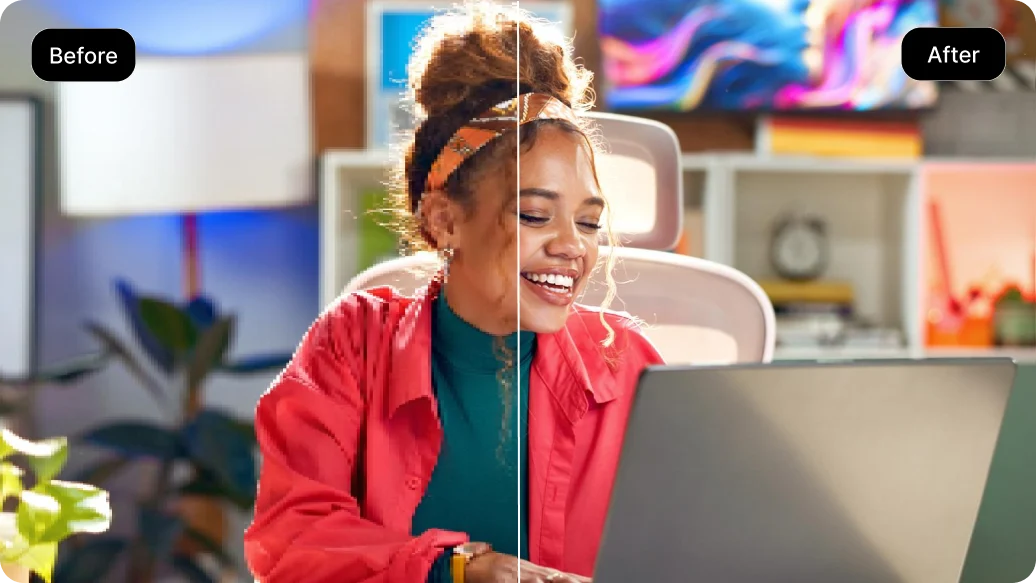
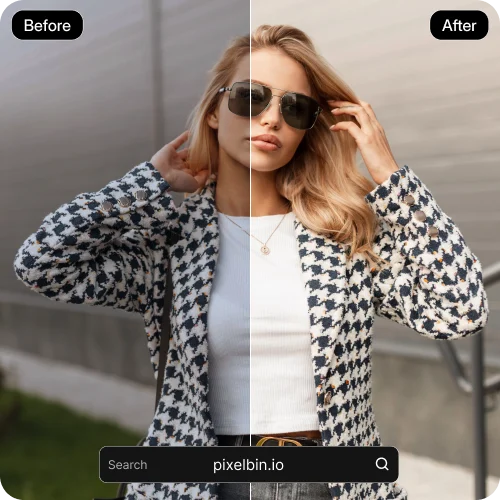
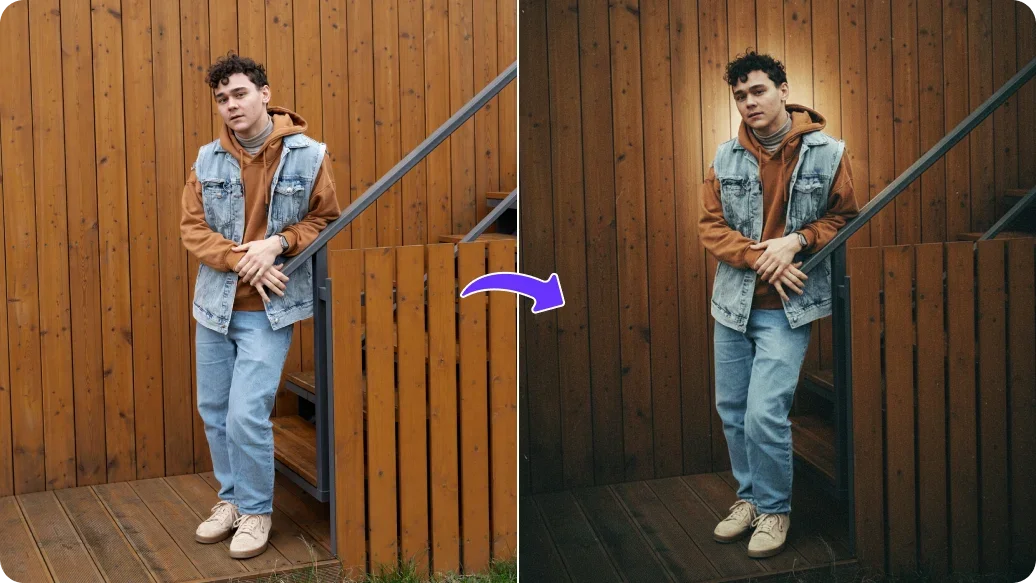
Once your photo is loaded, use the intuitive slider to adjust image brightness. Watch as your dark photos transform, revealing hidden details and bringing life back into underexposed areas. You can also fine-tune other settings like contrast and saturation for optimal results.

03

Step 3: Download Your Brighter Image

After achieving your desired look, simply click the "Download" button. Your newly brightened image will be ready for immediate use. Enjoy the enhanced photo brightness online without any complex software, making it easier than ever to make photo brighter online.

Key Features of Our Free Image Brightener

Enhance your images with precision and ease using our robust image brightener tool.

Instant Brightness Adjustment

Quickly brighten your photos with a simple slider. Our tool provides immediate visual feedback, allowing you to increase image brightness to perfect levels in real-time. This feature makes it effortless to make any photo brighter online with just a few clicks.

Feature image 1

Smart Dark Area Lightening

Our advanced AI photo editor technology intelligently identifies and lightens dark photos, preserving natural tones and avoiding overexposure in already bright areas. This ensures a balanced and professional-looking adjustment, helping you lighten image effectively.

Feature image 2

Support for Multiple Formats

Upload and brighten images in various popular formats, including JPG and PNG. Our versatile tool ensures compatibility for most of your photo editing needs, allowing you to enhance photo brightness online no matter the original file type.

Feature image 3

Intuitive User Interface

Designed for simplicity, our image brightener offers a clean and straightforward interface. You don't need any prior photo editing experience to adjust brightness of a picture; just upload, slide, and download your brighter image.

Feature image 4

Why Our Photo Brightener is Your Go-To Tool

Experience the tangible benefits of using our free brighten image online tool for all your photo enhancement needs.

01

Save Time and Effort

Brighten image without software installation or complex tutorials. Our online image lightener streamlines the process, letting you achieve professional results in seconds. Spend less time editing and more time sharing your perfectly brightened photos.

02

Achieve Professional Results

Transform dull, dark photos into vibrant, eye-catching images. Our free tool to brighten photo helps you correct underexposure and enhance image brightness, giving your pictures a polished and refined look that stands out.

03

Boost Your Image Quality

Improve the clarity and appeal of your visuals by increasing image brightness and revealing hidden details. A well-lit image captures attention and communicates your message more effectively, making our photo brightener essential for quality content.

04

Access Anytime, Anywhere

As a web-based solution, our free brighten image online tool is accessible from any device with an internet connection. Brighten photos for free whether you're on a desktop, laptop, or tablet, ensuring convenience and flexibility for all users.

Practical Ways to Brighten Photos for Free

Discover diverse applications for our free image brightener across various personal and professional contexts.

01

For Social Media Enthusiasts

Make your Instagram, Facebook, and TikTok photos pop! Use our free brighten image online tool to lighten dark photos online, ensuring your selfies, food pics, and travel shots are vibrant and share-worthy, captivating your audience with enhanced photo brightness.

02

For E-commerce Sellers

Enhance product photos to attract more customers. A well-lit product image helps shoppers see details clearly and build trust. Use our image brightener to adjust image brightness and make product photos brighter, leading to better conversions for your online store.

03

For Content Creators

Ensure your blog banners, YouTube thumbnails, and presentation visuals are bright and engaging. Our AI image brightener free helps you brighten blurry image online, improving overall visual quality and professional appeal, making your content stand out.

04

For Everyday Photographers

Whether correcting accidental underexposure or simply wanting to make a photo brighter online, our online image lightener is perfect for your personal photo collection. Preserve precious memories with optimal image brightness, ensuring every picture shines.

What Users Say About Our Free Image Brightener Tool

Result 01

"I constantly need to brighten image for my online store, and this tool is a lifesaver. It's incredibly fast and easy to use. My product photos look so much more professional now. I can easily adjust brightness of a picture without any hassle."

SMSarah M.Small Business Owner
Result 02

"I was looking for a simple way to lighten image that were taken in poor lighting conditions. This free brighten image online tool did exactly what I needed. The results are clear and really make my pictures pop. It's a fantastic photo brightener."

DRDavid R.Hobby Photographer
Result 03

"As a content creator, quick editing is crucial. This image brightener allows me to enhance photo brightness online in seconds. It really helps to make photo brighter online, especially when I'm on a tight deadline. Highly recommended for anyone needing a quick fix."

EKEmily K.Digital Marketer
Result 04

"I used to struggle with dark photos from my phone, but this tool changed everything. It's a free tool to brighten photo that actually works, and the AI image brightener free feature is a game-changer. My family photos have never looked better!"

JLJessica L.Everyday User

Frequently Asked Questions

Q: What types of image files does the image brightener support?

Our free image brightener tool is designed to work with common image formats, ensuring broad compatibility for most users. You can easily upload and process files such as JPG and PNG. This flexibility allows you to brighten photos for free from various sources without worrying about file conversion. We aim to support the formats you use most for photo editing.

Q: Can I increase image brightness without affecting other photo qualities?

Yes, our online image lightener focuses on adjusting image brightness while striving to maintain the overall quality and integrity of your photo. While increasing brightness, the tool is optimized to minimize negative impacts on contrast and saturation, offering a balanced enhancement. You can fine-tune these settings manually to achieve your desired look.

Q: Is there a limit to how many photos I can brighten?

Our free tool to brighten photo offers 5 free uses per day, allowing you to enhance your images without immediate cost. This daily limit helps manage server resources while still providing substantial value for regular users. If you need more daily uses, consider exploring other options available on our platform.

Q: Does this image brightener tool work on mobile devices?

Absolutely! Our free brighten image online tool is web-based, meaning you can access and use it from any device with an internet connection and a web browser, including your smartphone or tablet. The responsive design ensures a smooth user experience, allowing you to lighten dark photos online while on the go.

Q: What is the difference between brightness, contrast, and gamma correction?

Brightness refers to the overall lightness or darkness of an image. Contrast is the difference between the darkest and lightest areas of a photo, influencing how "punchy" or flat it appears. Gamma correction adjusts the tonal range, specifically targeting mid-tones, which can subtly lighten image details in dark areas without overexposing highlights. Our photo brightener primarily focuses on brightness but offers some control over related entities.