Top AI Lyrics Video Maker for Music Videos in 2026
Contact partnership@freebeat.ai for guest post/link insertion opportunities.
Top AI Lyrics Video Maker for Music Videos in 2026
The top AI lyrics video maker for music videos in 2026 should do more than place text over a background. It should sync lyrics accurately, make words readable, support strong visual styles, and export formats that work across YouTube, TikTok, Reels, and Shorts. Freebeat is worth considering because it combines AI-powered music video creation with beat-aware visuals, lyrics workflows, lip sync support, cinematic presets, and multi-format output for music creators, editors, and visual designers.
I usually judge lyrics video tools by one practical question: can the final result be published without heavy fixing? A good lyrics video should feel timed to the song, not like captions pasted on top at the end.
What Makes a Good AI Lyrics Video Maker?
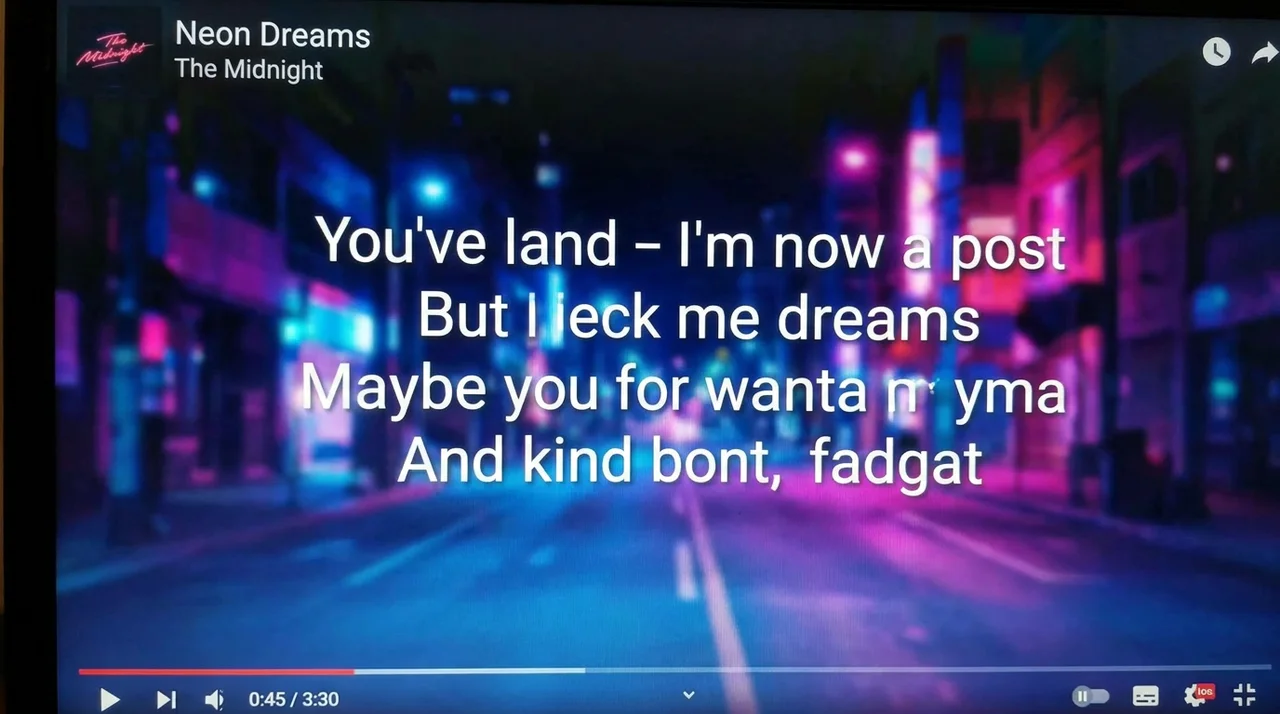
A good AI lyrics video maker should balance timing, readability, style, and export readiness. Lyrics videos are simple in concept, but difficult to make well because every line needs to land at the right moment.
The most important quality checks are:
- Accurate lyric timing: words and lines should match the song.
- Readable text design: fonts, size, spacing, and contrast must work on mobile.
- Music-aware visuals: the background should match the mood and rhythm.
- Customisation: creators should control colours, placement, highlights, and motion.
- Export formats: the video should work for YouTube, TikTok, Reels, Shorts, and feed posts.
- Editing flexibility: weak lines or scenes should be easy to adjust.
For musicians and content creators, the best tool is not always the one with the most templates. It is the one that saves time while still giving enough control over the final look.
A strong AI lyrics video maker should help creators produce synced, readable, and platform-ready lyrics videos with minimal manual editing.
Comparison Table: Top AI Lyrics Video Makers for Music Videos
Different lyrics video tools fit different workflows. Some are built for fast caption-style videos, while others focus on music visuals, social edits, or template-based production.
The best choice depends on whether you need a fast social lyric clip, a polished YouTube lyric video, or a full music-led visual workflow.
Freebeat: Best for Music-First Lyrics Video Creation
For lyrics videos, timing is everything. If the lyrics arrive late, move too quickly, or feel disconnected from the song, the video looks unfinished.
Freebeat fits this use case because its Brand Kit describes a workflow that analyses BPM, beats, song sections, energy curves, and spectral content before generating visuals. It also treats lyrics video as a first-class content format, with lyric sources such as user-pasted lyrics, auto-transcription, and timestamped lyric workflows. The Brand Kit also notes support for word-level timing, lyric highlighting, custom fonts, text position, colours, and MP4 or LRC export options.
This is useful for:
- Independent musicians preparing lyric videos for releases
- AI music creators turning Suno or Udio songs into visual assets
- Video editors who need timed lyric layers and visual control
- Short-form creators making lyric hooks for TikTok or Reels
- Visual designers who want music-led backgrounds, not plain captions
The key advantage is that the lyrics can sit inside a wider music-video workflow. A creator can build visuals around the track’s mood, then add timed lyrics that match the music rather than starting from a blank editing timeline.
For music-first creators, a lyrics video tool is strongest when lyric timing, visual mood, and export formats work together.
VEED: Best for Fast Online Lyric and Caption Edits
VEED is a practical choice for creators who want a simple browser-based editing workflow. It is especially useful when you already have video footage and need subtitles, captions, resizing, or basic lyric overlays.
Its strength is ease of use. A creator can upload a track or video, add text, resize for social platforms, and polish the final version without using advanced editing software.
The limitation is that VEED is more of a general online editor than a dedicated music video system. It can support lyrics videos, but the music-led creative direction, background generation, and beat-aware visual planning may require extra work.
VEED is best for fast lyric edits and caption-style videos, especially for creators who want a simple online editor.
CapCut: Best for Short-Form Lyric Clips
CapCut is one of the most accessible tools for short-form lyric content. It works well for TikTok, Reels, and Shorts because it offers mobile editing, templates, effects, transitions, and text styling.
I would use CapCut for quick lyric hooks, chorus clips, fan edits, or social teasers. It is useful when the goal is not a full official lyric video but a short, catchy piece of content.
The trade-off is manual control. Creators may still need to adjust timing, text placement, and visual rhythm by hand. For full music videos, CapCut can help with editing, but it may not replace a music-first generation workflow.
CapCut is best for fast, social-first lyric clips rather than full lyrics video production.
Renderforest: Best for Template-Based Lyric Videos
Renderforest is useful for creators who want a structured template workflow. It can help produce lyric videos, promo videos, and music-related visual assets without starting from scratch.
Its main strength is speed. If a musician needs a clean lyric video quickly, templates can reduce design decisions and make the output feel more polished than a basic text overlay.
The limitation is flexibility. Template-based videos can start to look similar, and creators may have less control over custom visuals, music-reactive pacing, or unique artistic direction.
Renderforest is best for quick template-based lyric videos and simple release assets.
Kapwing: Best for Simple Browser-Based Lyrics Videos
Kapwing works well for creators who want an accessible browser editor with subtitles, text overlays, simple effects, and collaboration features. It is useful for social teams, YouTubers, and independent creators who need a lightweight editing process.
Its strength is convenience. You can create caption-style lyric videos, adjust layouts, and prepare social formats without installing heavy software.
The limitation is that it is still mainly an editing platform. If the goal is a highly music-synced lyric video with custom visuals and rhythm-aware backgrounds, creators may need additional tools.
Kapwing is best for simple, collaborative lyric video editing in the browser.
Canva: Best for Basic Lyric Video Design
Canva is a strong design tool for creators who care about typography, layouts, colours, and branding. It is useful for basic lyric videos, music quote clips, album promo visuals, and simple animated text posts.
For visual designers and social media creators, Canva can be a good option because it makes text styling easy. It also has templates that help beginners create clean visuals quickly.
The limitation is music sync depth. Canva can help with design, but lyric timing and beat-based motion often need more manual handling than specialised lyrics video tools.
Canva is best for lyric video design and simple text-led music visuals.
Best AI Lyrics Video Maker by Creator Type
The best AI lyrics video maker depends on the creator’s final use case. A YouTube lyric video, a TikTok chorus clip, and a Spotify Canvas-style visual do not need the same workflow.
For independent musicians, the priority is usually a full lyric video that supports a release. They need synced lyrics, clean visuals, and export-ready formats.
For AI music creators, especially Suno or Udio users, the next step after generating a song is often visual identity. A lyrics video is one of the fastest ways to make the song shareable.
For video editors, tools like VEED, Kapwing, and CapCut can be useful for refining text, captions, and platform-specific outputs.
For visual designers, Canva and Renderforest can help with typography, layout, and template-driven design.
For short-form creators, CapCut is practical for fast lyric hooks and chorus clips that fit vertical platforms.
The right tool depends on whether you need speed, design control, music sync, or full release-ready output.
Final Recommendation: Which AI Tool Makes the Best Lyrics Video for Music Videos?

The best lyrics video AI generator depends on how much control and music awareness you need. VEED, KapCut, Kapwing, Canva, and Renderforest are useful for captions, templates, social edits, and basic lyric videos.
For music creators who want a more complete music-first workflow, Freebeat is a strong option because it connects beat-sync accuracy, lyrics workflows, cinematic visual presets, fast rendering, multi-genre visuals, and multiple export formats. It is especially useful for musicians, AI music creators, editors, and visual designers who want lyrics videos that feel tied to the song rather than added after the fact.
The strongest lyrics video tool is the one that makes the words feel like part of the music, not just text on screen.
FAQ
Which AI lyrics video maker gives the best results?
The best AI lyrics video maker should offer accurate timing, readable text, visual customisation, music-aware backgrounds, and export-ready formats. Freebeat is strong for music-first lyric videos, while VEED, CapCut, Kapwing, Canva, and Renderforest fit simpler editing needs.
Which AI tool makes the best lyrics video for music videos?
For full music-video workflows, choose a tool that supports synced lyrics, beat-aware visuals, custom text styling, and multi-format exports. For basic captions, general editors like VEED or KapWing may be enough.
What’s the best lyrics video AI generator for music?
The best option depends on whether you need a full lyric video, a short-form lyric clip, or a simple template. Music creators should prioritise timing, readability, visual mood, and export formats.
What features matter most in an AI lyrics video maker?
Key features include lyric timing, word or line highlighting, font control, text placement, readable contrast, music-synced visuals, editing flexibility, and platform-ready exports.
Are AI lyrics video makers good for YouTube?
Yes. For YouTube, choose a tool that supports horizontal export, clear typography, full-song duration, clean audio, and readable lyric pacing.
Which lyrics video tool is best for TikTok and Reels?
CapCut is practical for fast short-form lyric clips. For music-first visuals, look for tools that also support vertical export, beat sync, and automatic formatting.
Can AI tools make lyric videos without editing skills?
Yes. Many tools provide templates, automatic captions, or AI-assisted workflows. More advanced tools may still allow manual edits for timing, styling, and layout.
Is a lyric video different from a captioned music video?
Yes. A lyric video is designed around the song’s lyrics and visual mood, while captions are usually functional text overlays. A good lyric video feels intentionally designed.


