How to use Freebeat's Command-Line-Interface (CLI) to generate a music video
Freebeat CLI - Complete User Guidance
Freebeat has introduced a Command-Line-Interface (CLI) that allows users to interact with its music video generation capabilities directly from the command line, eliminating the need to rely solely on a browser-based interface.
The Freebeat CLI enables developers and creators to trigger video generation workflows, making it well-suited for automation and rapid iteration. With support for integrating audio sources, defining visual styles, and executing generation commands programmatically, the CLI streamlines the process of turning music into video through simple, repeatable commands.
This makes it easier to incorporate Freebeat into development pipelines, batch processes, or AI-assisted workflows, giving users a more flexible and efficient way to produce and experiment with music video content.
Turn text prompts, audio, and images into AI music videos from your terminal. This guide takes you from setup to production-ready workflows.
What Freebeat CLI Can Do
End-to-End Video Generation in Terminal
With a few commands you can:
- Save your API key once
- Upload audio from local files or source URLs
- Upload one or two reference images
- Submit music video or effect generation tasks
- Poll task status and retrieve final outputs
Async-First Workflow for Long Jobs
Music video generation is queue-based and can take time. The CLI supports async submission, so your scripts and terminals stay responsive while jobs run.
Script-Friendly JSON Output
Add --json to get structured responses you can pipe into other tools, CI, or agent workflows.
Installation guide
Open a compatible program such as windows powershell and run this command:
npm install -g freebeat-cliIf you have installed successfully, you can run this command to check:
freebeat --helpIt should return a list of commands and options.
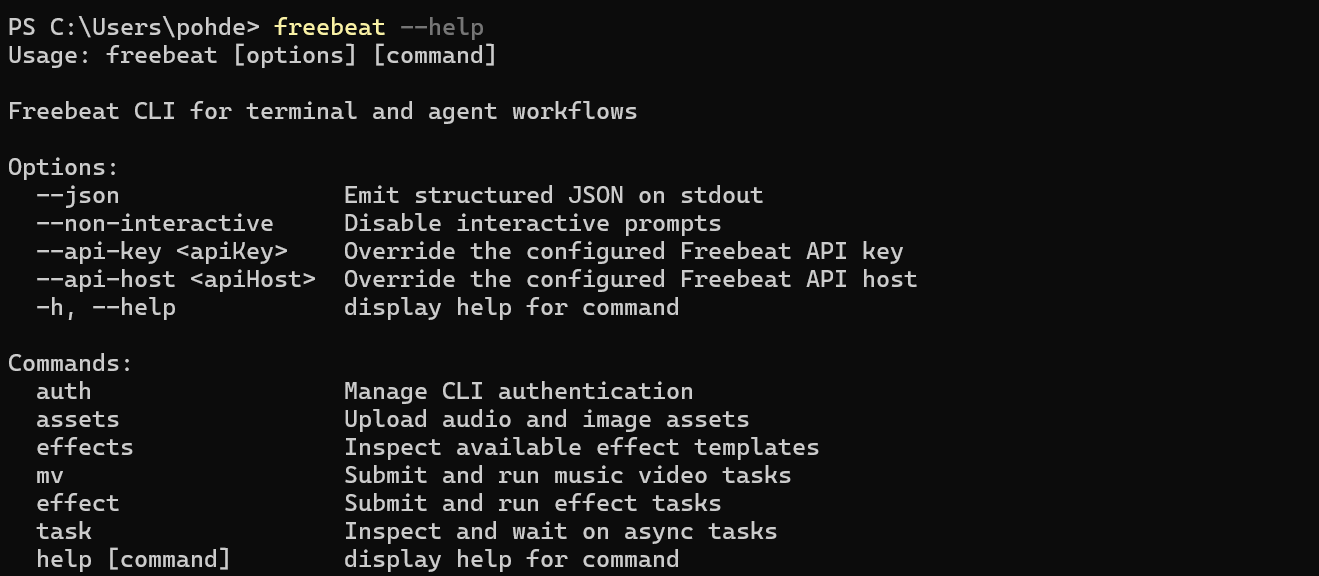
If you are developing locally in this repository:
1npm install、
2npm run build
3npx tsx src/index.ts --help
Get Your API Key
1. Go to freebeat.ai and sign in
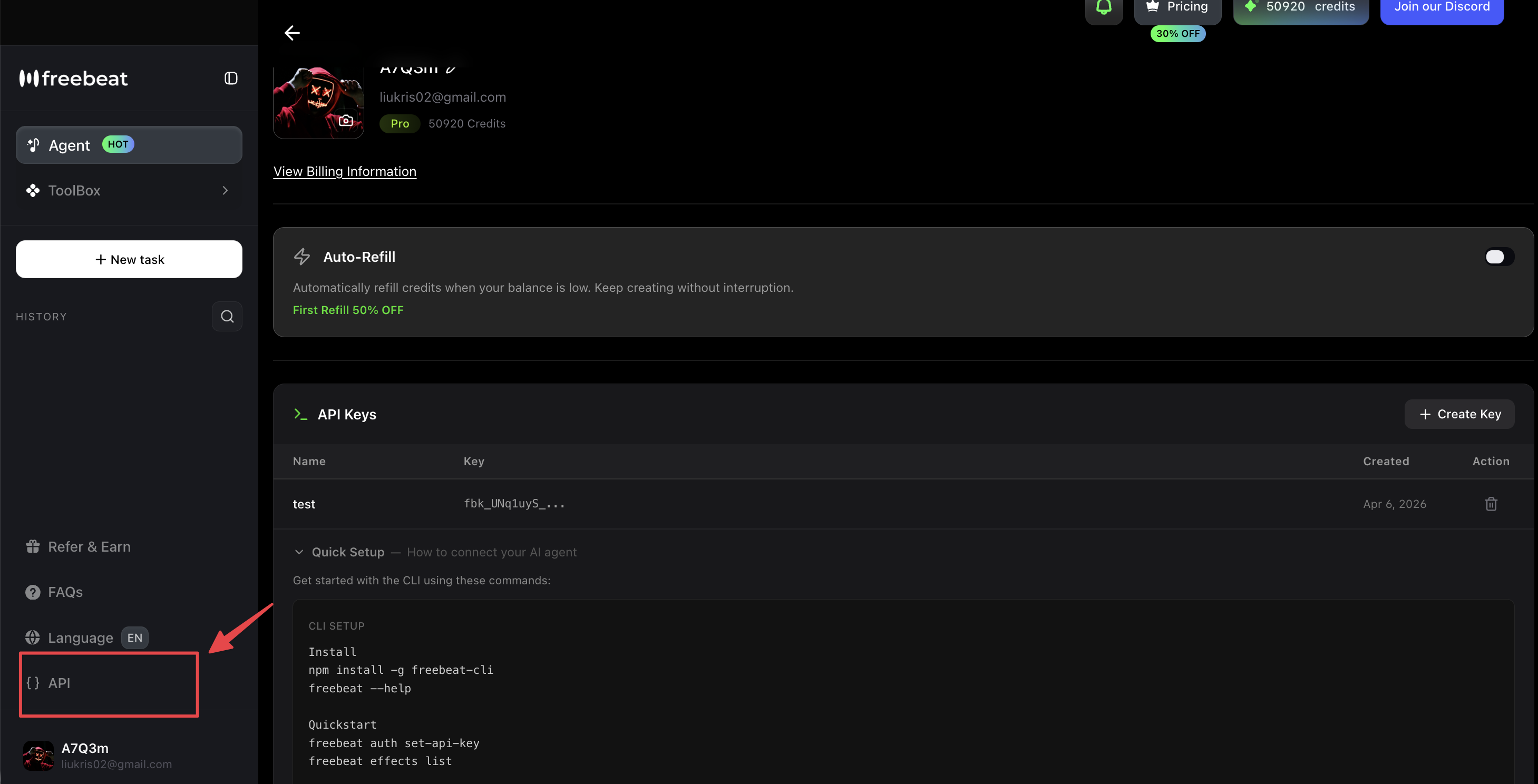
2. Navigate to API section from the left sidebar
3. Click "+ Create Key" button
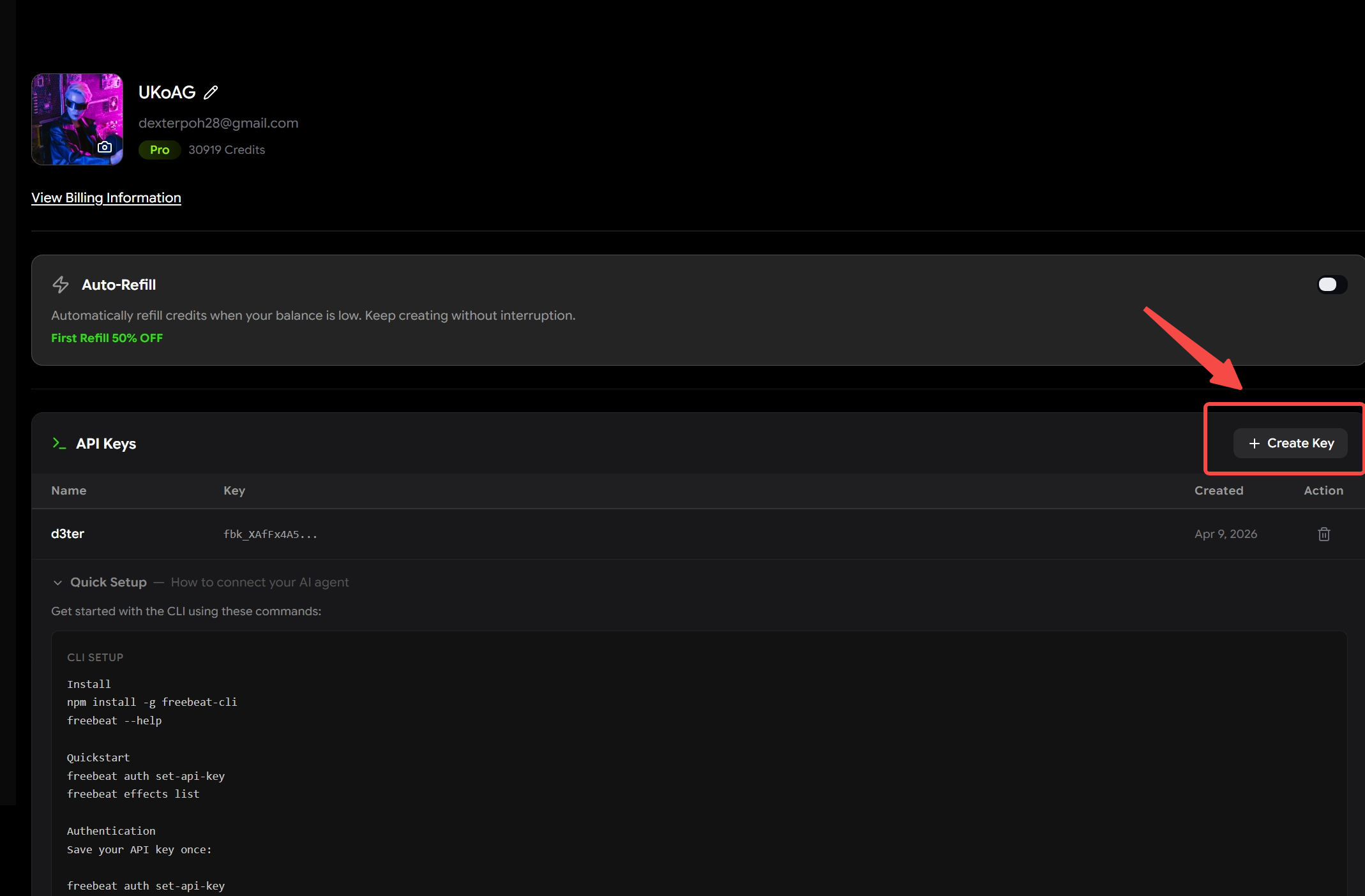
4. Name your key (e.g., "CLI") and save
5. Copy the key - it starts with fbk_. Take note that you can only copy it once, so note it down somewhere if you are planning on using the same key multiple times in the future.
💡 Tip: Your account shows available credits. Each video generation typically costs 60-180 credits depending on duration and resolution.
Authentication
To set up your API Key, run this code:
freebeat auth set-api-keyIt should prompt you to input your API Key.

Paste in your API Key that you generated from the API page and you should be good to go.
To set it non-interactively (great for automation):
printf '%s' "$FREEBEAT_API_KEY" | freebeat auth set-api-key --stdinTo check if your API key is set up correctly, run this code:
freebeat auth showIt should show the last few digits of your API Key
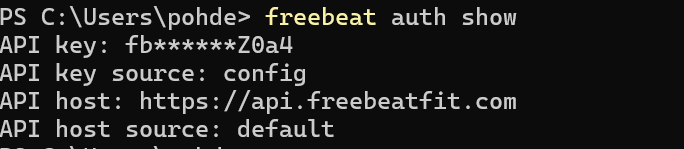
To override API key per command, run this command:
freebeat --api-key your-key-here effects listQuickstart (5 Minutes)
What You'll Create
Upload a song → Get a lip-sync or narrative music video. No video editing skills needed.
1) Upload audio
Run either one of the codes below to upload an audio file. You can either upload an audio file from your computer or you can provide a link from one of the supported platforms. Make sure to replace the file source and website links accordingly in the codes accordingly.
⚠️ Supported platforms: Suno, Udio, YouTube, SoundCloud, TikTok, Stable Audio, Riffusion, or local file upload
freebeat assets upload-audio --file song.mp3
#or
freebeat assets upload-audio --url https://www.youtube.com/watch?v=abc123
It will then generate a music_id. Save that music_id - you'll need it for generation.
2) (Optional) Upload references
freebeat assets upload-image ref-a.jpg ref-b.jpg
Save returned image URL(s) if you plan to use submit-style commands.
3) Start generation
You can then enter this prompt to start generating a music video. Input your music_id that you generated earlier and then your requirements accordingly.
freebeat mv submit --music-id 123 --prompt "neon city, fast cuts"Here is an example of generating an abstract music video:

If the prompt is successful, you should get a task_id. Save that task_id for tracking.
4) Track and fetch result
You can use the task_id to check on the status and result through these commands:
freebeat task status task-123
freebeat task result task-123
Here is an example of checking on the status of the task:

Once it has been sucessfully generated, a link to the video and cover image will be generated for you to view and download:

Simply go to the video_url to download your MV and cover_url to download your cover image.
Core Command Patterns
One-shot run commands
Use when you want fewer steps and optional waiting:
freebeat mv run --audio song.mp3 --image ref.png --prompt "neon city, fast cuts"
freebeat effect run --effect-id 12 --prompt "anime glow"
Async submit commands
Use when building robust scripts and pipelines:
freebeat mv submit --music-id 123 --prompt "neon city, fast cuts"
freebeat effect submit --effect-id 12 --music-id 88 --image-url https://cdn.example.com/ref.jpg --prompt "anime glow"
Then check on results and status:
freebeat task status <task-id>
freebeat task result <task-id>
mv submit and effect submit are preferred async-first names. mv create and effect create remain backward-compatible aliases.
Long-Running Tasks
To get a task id immediately, run this command:
freebeat mv run --audio song.mp3 --prompt "neon city, fast cuts" --jsonWait helpers:
Default poll interval: 15s
Default timeout: 2h
Override per command:
freebeat task wait <task-id> --poll-interval 30s --timeout 3hJSON Output Contract
If you include the flag --json when running a command, the program will output its results in JSON format instead of normal text.
Success responses will look like:
{
  "success": true,
  "data": {}
}
Failures will look like:
{
  "success": false,
  "error": {
    "code": "ERROR_CODE",
    "message": "Human readable message"
  }
}
Common Errors & Solutions
"TASK_NOT_COMPLETED"
- Cause: calling
task resultbefore completion - Fix: keep running
task statusuntil completed
Authentication errors (401)
- Cause: missing/invalid API key
- Fix: run
freebeat auth showand reset withfreebeat auth set-api-key
Slow or queued generation
- Cause: backend queue/load
- Fix: use async submit +
task waitwith a longer timeout


