How to generate a music video using Freebeat MCP
Freebeat MCP - Complete User Guidance
Turn any song into a full AI music video — directly from your AI assistant. No web interface, no video editing skills needed.
Freebeat MCP lets AI agents like Claude and Cursor generate music videos from audio. Upload a song, describe what you want, and get a cinematic music video in minutes.
How to Generate a Music Video Using Freebeat MCP
What You Can Do
Generate full music videos from audio — paste a link from Suno, Udio, YouTube, or SoundCloud, or upload an MP3. AI handles cinematography, transitions, beat sync, and visual effects automatically.
Three creation modes:
- Singing — lip-sync performance video from a single face photo
- Storytelling — narrative music video with scene progression and emotional arcs
- Abstract — pure generative visuals synchronized to the beat
Direct your video with prompts — control era, setting, cinematography, color, and mood. Example: "1980s Tokyo nightlife, synthwave aesthetic, neon-lit alleyways, purple and cyan color grading, cinematic wide shots"
Consistent characters — upload a photo and AI maintains that identity across every scene. Perfect for making yourself the star of your MV.
Automatic beat sync — cuts, transitions, and camera movements match your track's rhythm, energy shifts, and song structure.
Flexible output — 720p or 1080p, any aspect ratio (9:16 for TikTok, 16:9 for YouTube, 1:1 for Instagram). Optimal clip length: 30-60 seconds per segment.
How It Works (30-Second Overview)
- Upload audio — song link or file
- Upload character image — optional, for singing/storytelling modes
- Generate — describe your creative vision in a prompt
- Wait ~10-20 min — AI produces the video
- Download — get your MP4 and cover image
That's it. Five steps, one conversation with your AI assistant.
1. Quick Start (5 Minutes)
What You'll Create
Upload a song + one photo → Get a lip-sync or narrative music video. No video editing skills needed.
Get Your API Key
1. Go to freebeat.ai and sign in
2. Navigate to API section from the left sidebar
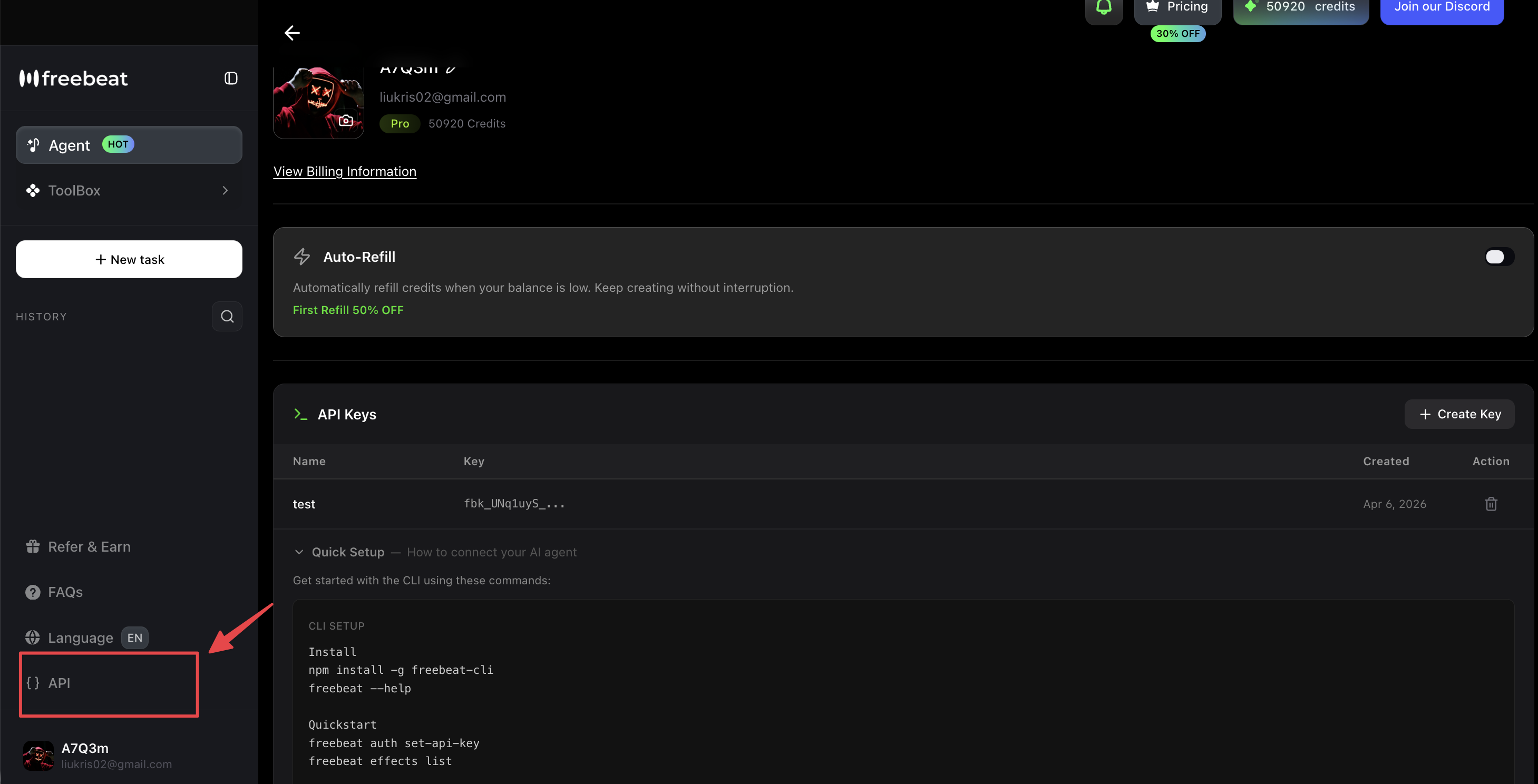
3. Click "+ Create Key" button
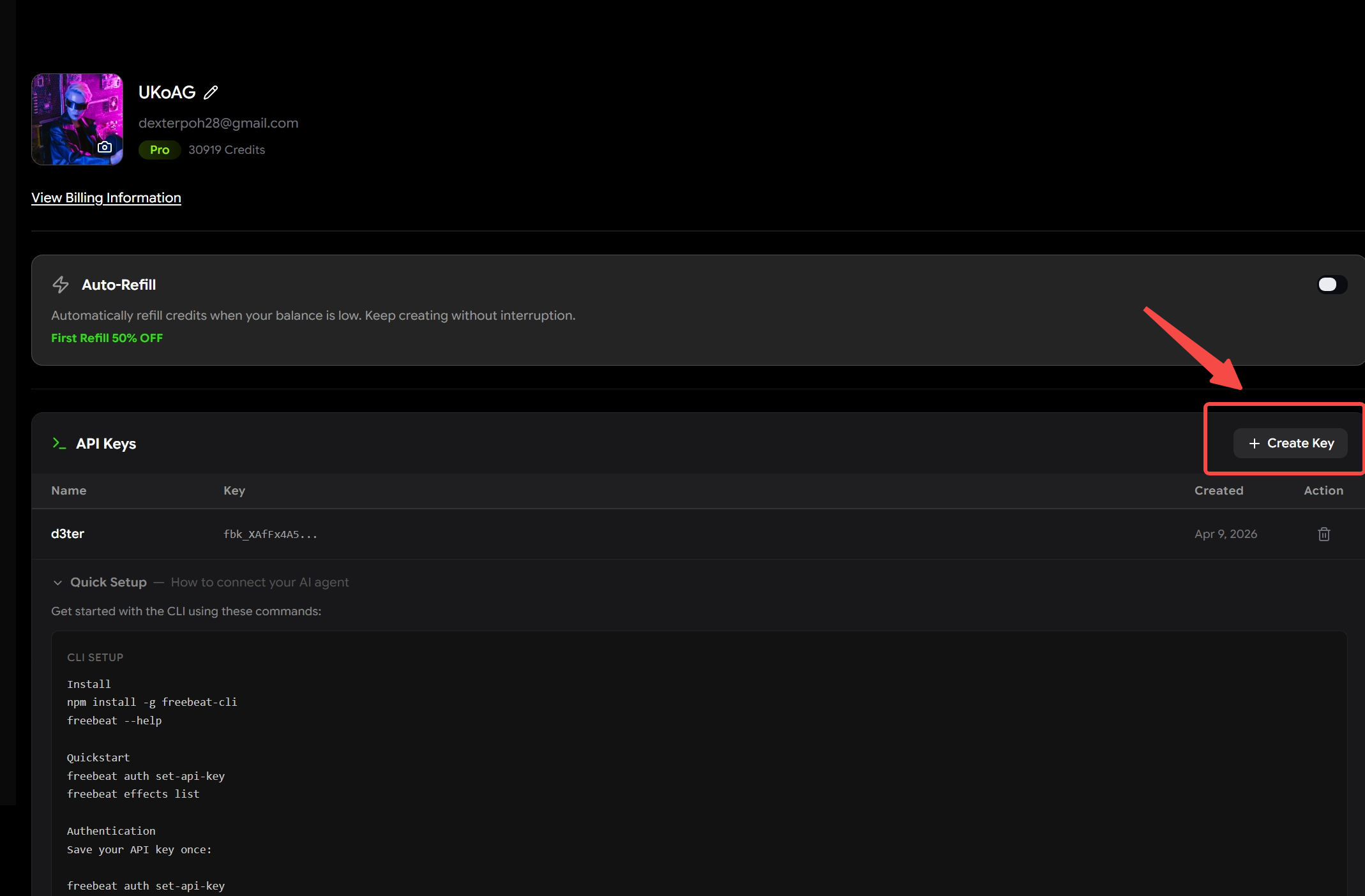
4. Name your key (e.g., "Claude Desktop") and save
5. Copy the key - it starts with fbk_. Take note that you can only copy it once, so note it down somewhere if you are planning on using the same key multiple times in the future.
💡 Tip: Your account shows available credits. Each video generation typically costs 60-180 credits depending on duration and resolution.
Configure Your MCP Client
For Claude Desktop:
Edit ~/Library/Application Support/Claude/claude_desktop_config.json by pasting this in:
{
  "mcpServers": {
    "freebeat": {
      "command": "npx",
      "args": ["-y", "freebeat-mcp"],
      "env": {
        "FREEBEAT_API_KEY": "your-api-key-here"
      }
    }
  }
}
Please take note to replace "your-api-key-here" with your actual API Key and include the quotation marks. Restart Claude Desktop and you should be able to start using the Freebeat MCP.
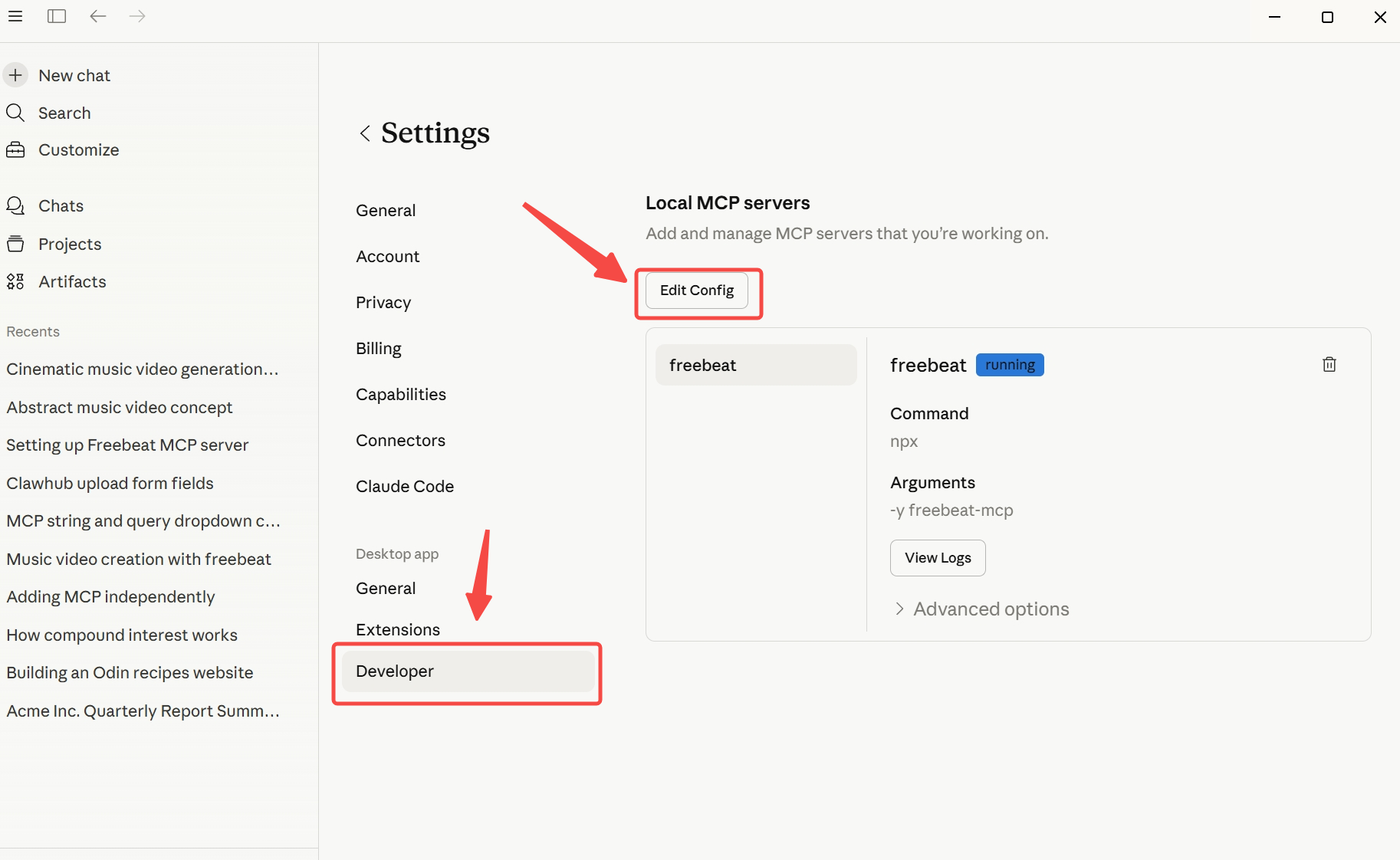
If you are unable to find the file, go to settings and then the developer section, and press "Edit Config". This should take you to the config.json file for you to edit.
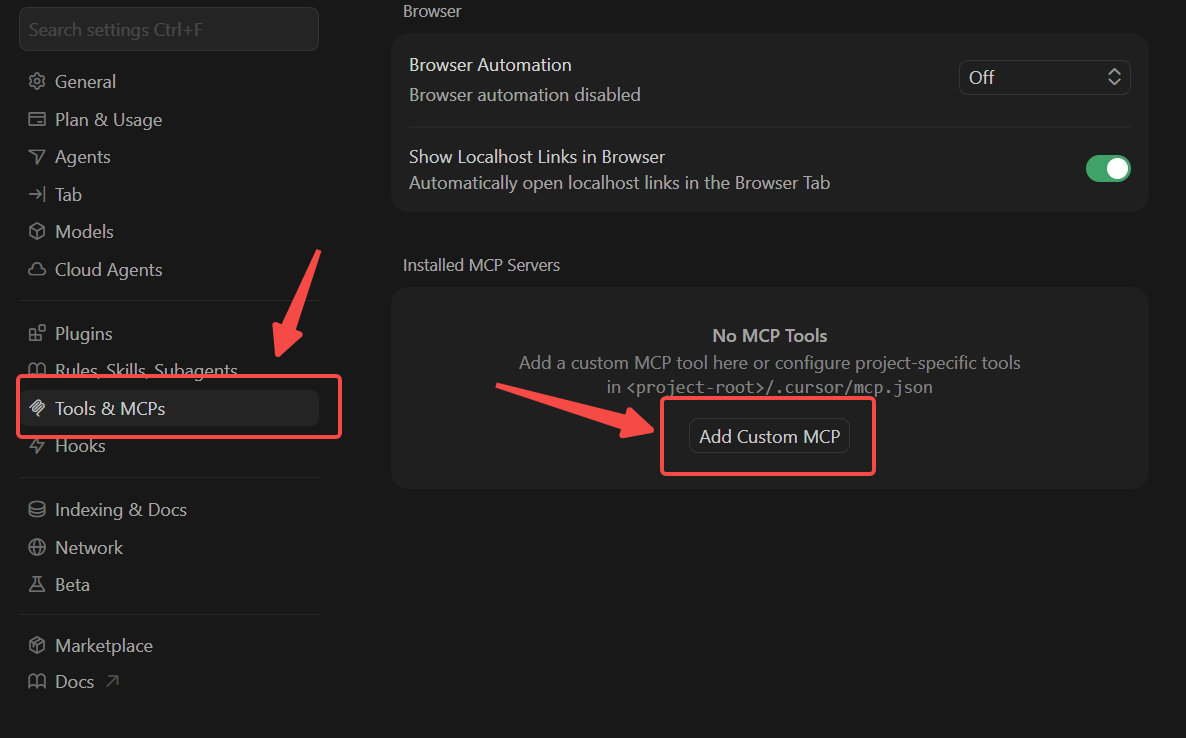
For Cursor:
Open Settings →Tools and MCPs → Add Custom MCP
Paste this code in:
{
  "mcpServers": {
    "freebeat": {
      "command": "npx",
      "args": ["-y", "freebeat-mcp"],
      "env": {
        "FREEBEAT_API_KEY": "your-api-key-here"
      }
    }
  }
}
Remember to change "your-api-key-here" with your actual API key and include the quotation marks.
Verify installation:
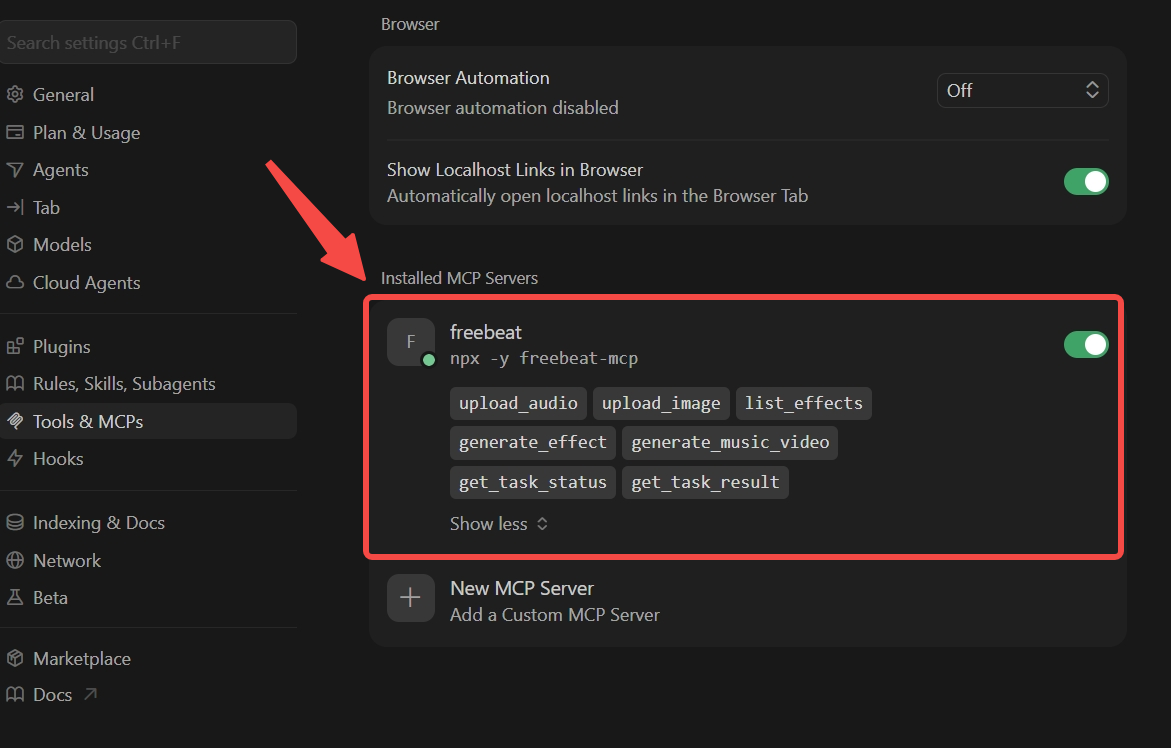
Restart your client and go back to "Tools & MCPs"You should be able to see the Freebeat MCP installed with the 7 tools including upload_audio, generate_music_video, etc.
2. Core Features Explained
7 Available Tools
There are mainly 7 available feature for this MCP:
3 MV Types: Which Should You Choose?
Here is the information of the different types of music videos you can generate. You can review and choose accordingly.
Common Use Cases:
Independent musician → Storytelling MV for Spotify/SoundCloud release
TikTok creator → Singing MV for viral lip-sync content
Podcaster → Abstract visualizer for episode clips
3. Step-by-Step Tutorial
Complete Workflow: Storytelling MV
Cursor
Step 1: Upload Audio
You can either upload an audio file from your computer or you can provide a link from one of the supported platforms.
⚠️ Supported platforms: Suno, Udio, YouTube, SoundCloud, TikTok, Stable Audio, Riffusion, or local file upload
mcp0_upload_audio(url="https://suno.com/s/your-song-id")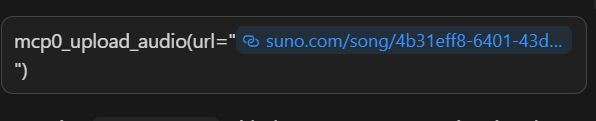
What you'll get back:
You will get back a music_id after successfully uploading your audio file.
{
  "success": true,
  "music_id": 1163290,
  "message": "Audio source ready. Use music_id=1163290 with generate_music_video or generate_effect."
}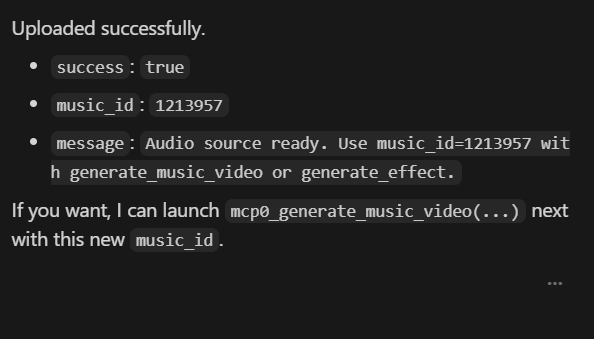
Save that music_id - you'll need it for generation.
Step 2: Upload Character Image(s)
If you have your own character image you would like to use, you can also choose to upload it as well. Make sure to copy the file path correctly.
mcp0_upload_image(file_paths=["/Users/you/character-photo.jpg"])This will then return a message that states that it has been uploaded successfully.
Returns:
{
  "success": true,
  "image_urls": ["https://static.freebeatfit.com/.../your-image.png"],
  "message": "Uploaded 1 image(s)."
}
Photo tips for best results:
Singing: Face should be well-lit, front-facing, no sunglasses/masks
Storytelling: Same person in different poses/angles helps consistency
- Max 10MB per image, PNG or JPG
Step 3: Generate the MV
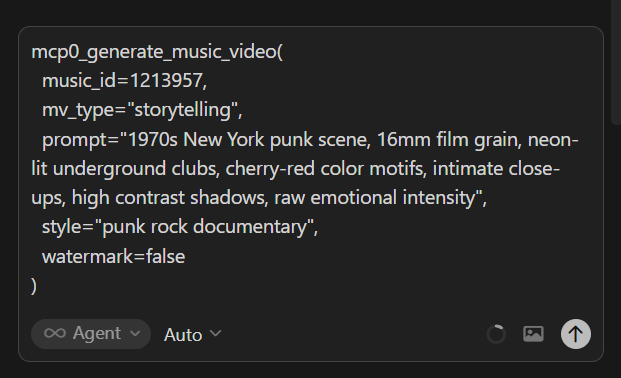
You can then enter a prompt to generate a music video according to your requirements.
mcp0_generate_music_video(
  music_id=1163290,
  mv_type="storytelling",
  prompt="1970s New York punk scene, 16mm film grain, neon-lit underground clubs, cherry-red color motifs, intimate close-ups, high contrast shadows, raw emotional intensity",
  reference_image_urls=["https://static.freebeat.ai/.../your-image.png"],
  style="punk rock documentary",
  watermark=false
)
What you get:
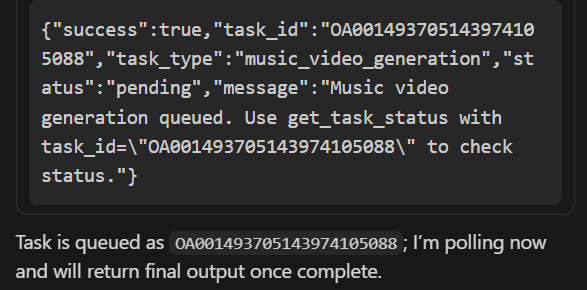
If the prompt is succesful, you should get a task_id. Save that task_id for tracking.
{
  "success": true,
  "task_id": "OA001490866320663646208",
  "task_type": "music_video_generation",
  "status": "pending",
  "message": "Music video generation queued."
}
Step 4: Check Status (Poll Until Complete)
You can use the task_id to check on the status
mcp0_get_task_status(task_id="OA001490866320663646208")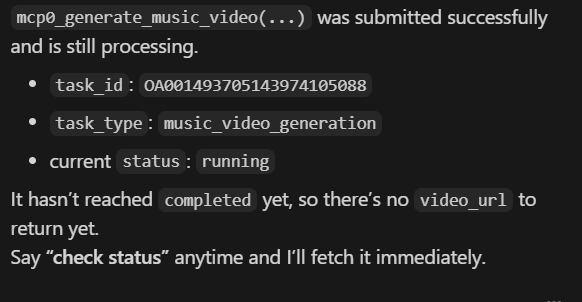
Status flow: pending → running → completed (or failed)
You can check the status every 2-3 minutes. Generation typically takes 10-20 minutes.
Step 5: Get Your Video
Once status shows "completed", you can enter this prompt together with your task id:
mcp0_get_task_result(task_id="enter your task id here")You should be able to see a video link and a link to the cover image.
Final output
{
  "success": true,
  "video_url": "https://video-new.freebeat.ai/.../result.mp4",
  "cover_url": "https://static.freebeatfit.com/.../cover.png"
}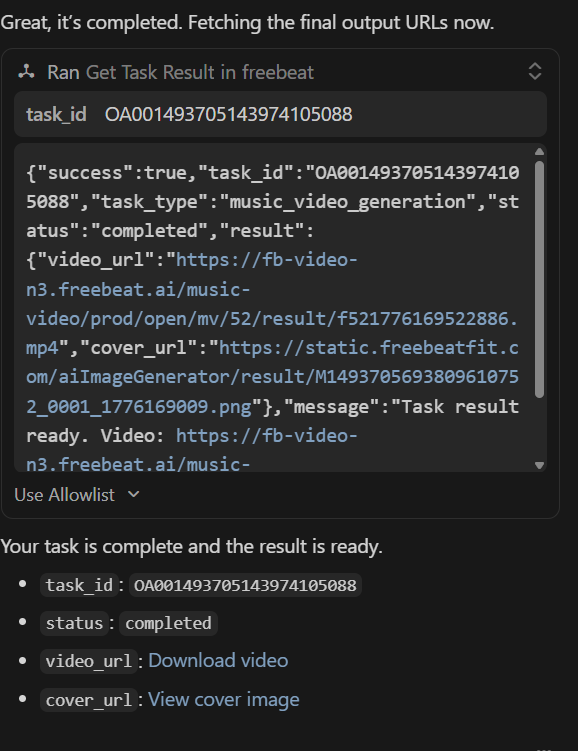
Click the video_url to download your MV and cover_url to download your cover image.
Claude Desktop
Step 1: Provide an audio file or a link to a music video
You can either upload an audio file from your computer or you can provide a link from one of the supported platforms:
- SoundCloud
- YouTube
- Suno
- Udio
- TikTok
- Stable Audio
- Riffusion
Step 2: Enter your Prompt
You can enter your prompt to generate your music video according to the requirements you want. If you are providing a link you can include it directly in the prompt.
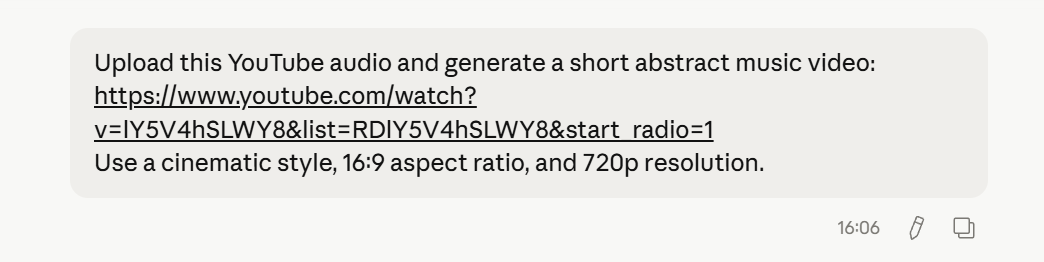
Here are some other example prompts:
- “Generate a cinematic music video from this song with a cohesive visual style.”
- “Produce an audio-reactive video that follows the rhythm changes and supports lip sync.”
- “Turn this track into a stylized music video using a controlled visual direction.“
Step 3: Let Freebeat create your music
Once a prompt is given, Claude will call upon Freebeat through the MCP to generate the music video and update you of the progress.
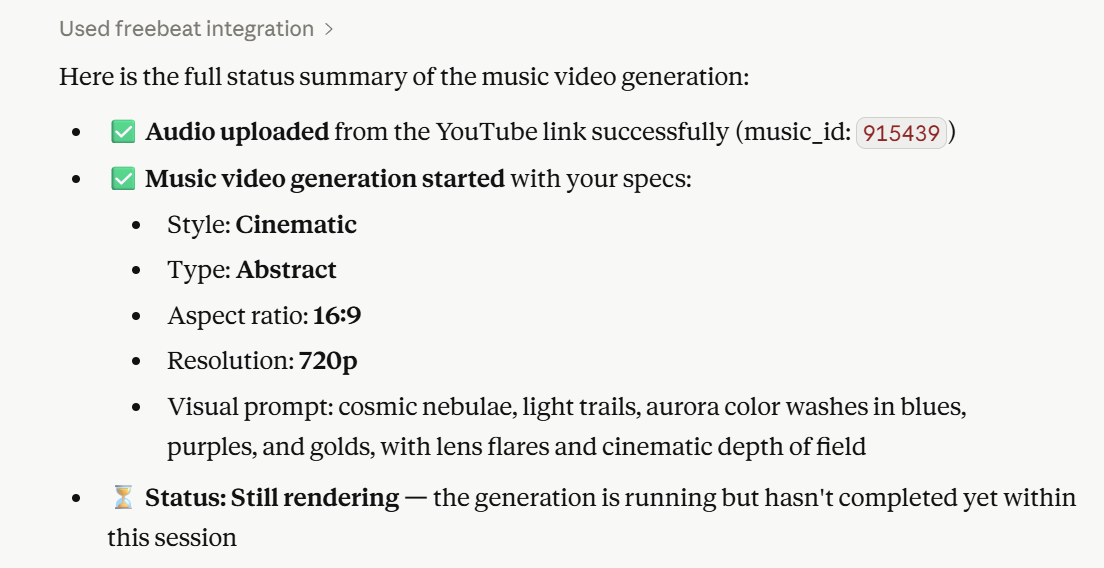
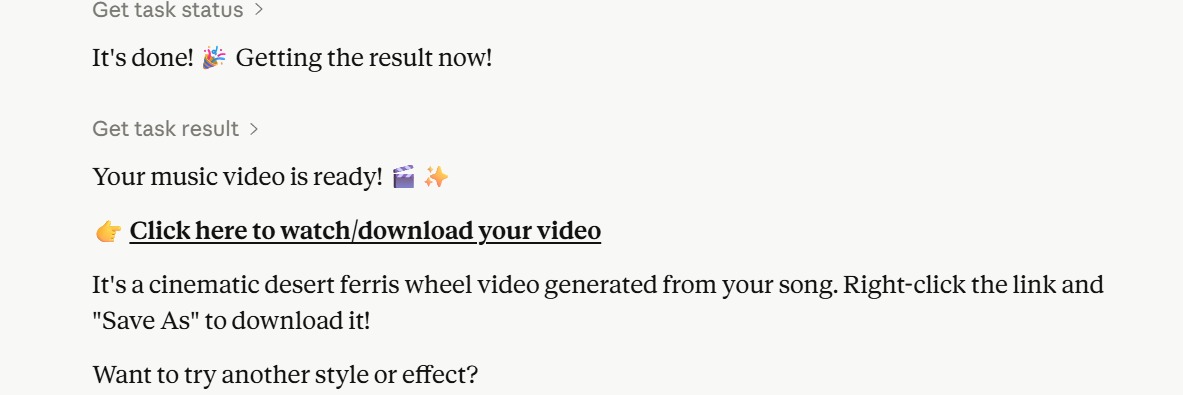
The music video will then be generated accordingly and a link will be provided to you when the music video has been generated successfully.
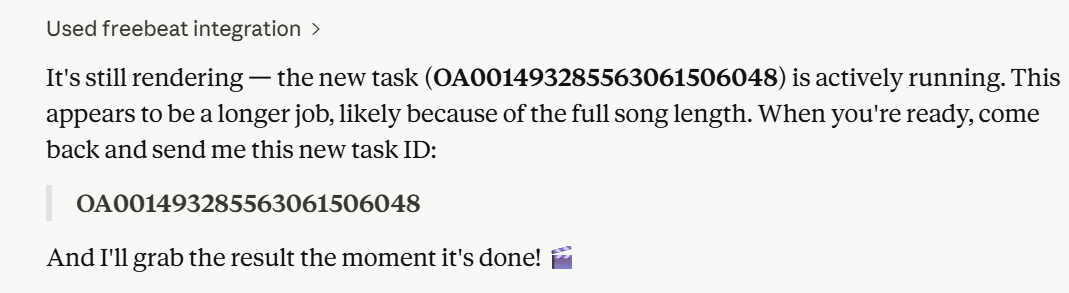
There will be times where it takes a bit longer to generate the music video, and you can check back in to see the progress.
4. Limitations & Troubleshooting
What You CAN'T Do (Set Expectations)
Common Errors & Solutions
"Video transition count mismatch"
Cause: Full-length song too long for backend
- Fix: Use
start_msandend_msto generate 30-60 second clips
"TASK_NOT_COMPLETED"
Cause: Called get_task_result before generation finished
- Fix: Wait for
get_task_statusto return "completed"
"Authentication Error" (401)
Cause: API key not configured or expired
- Fix: Check
FREEBEAT_API_KEYin MCP settings, create new key if needed. Please make sure that you added your own API Key in the configuration.
Out of credits
Check credit balance in freebeat.ai dashboard
- Each MV costs at least 60-180 credits depending on settings and how long the music video will be.
Best Practices
- Start small: Test with 30-second clips first
- Specific prompts beat vague ones: Include era, lighting, colors, mood
- One face at a time: Character consistency works best with 1-2 clear photos
- Retry on failure: Backend issues happen - same parameters often work on retry
- Save your IDs: Keep
music_idandtask_idfor reference
5. Advanced Tips
Optimizing Your Prompts
Structure: [Era] + [Setting] + [Visual Style] + [Color/Mood] + [Technical Details]
Full example:
"1980s Tokyo nightlife, synthwave aesthetic, neon-lit alleyways with vending machines, purple and cyan color grading, cinematic wide shots, light rain reflections, nostalgic cyberpunk mood"
Generating Longer Videos (Workaround)
Since full songs often fail, try to split them:
# First verse (0-30 seconds)
generate_music_video(start_ms=0, end_ms=30000, ...)

# Chorus (30-60 seconds)
generate_music_video(start_ms=30000, end_ms=60000, ...)

# Second verse (60-90 seconds)
generate_music_video(start_ms=60000, end_ms=90000, ...)
Download each segment and join in any video editor (iMovie, CapCut, Premiere).
Aspect Ratio Cheat Sheet
mcp0_generate_music_video(
  aspect_ratio="9:16",  # For TikTok
  resolution=1080,      # Higher quality
  ...
)
For Effect Videos (Alternative to MV)
If you want visual effects rather than narrative MVs:
list_effects - Browse available templates
generate_effect - Apply effect with your image/music
- Same polling pattern with
get_task_status/get_task_result
Quick Reference Card
COMPLETE WORKFLOW:
upload_audio → upload_image → generate_music_video →
get_task_status (poll) → get_task_result → download

KEY PARAMETERS:
mv_type: "singing" | "storytelling" | "abstract"
aspect_ratio: "9:16" | "16:9" | "1:1" | "4:3" | "3:4"
resolution: 720 | 1080
watermark: true | false

DURATION LIMITS:
- 30-60 seconds = Reliable
- 90+ seconds = Often fails
- Use start_ms/end_ms to clip

CREDIT COSTS:
- 720p MV: ~60-90 credits
- 1080p MV: ~120-180 credits
- Check balance at freebeat.ai
Support
Documentation: freebeat.ai/mcp-doc
API Dashboard: freebeat.ai (check credits, manage keys)
- Issues: Contact freebeat team through your account dashboard
Ready? Start with Step 1 - upload a song and see what happens. Most first-time users have their first MV within 20 minutes.


