Best AI Tools to Convert MP3 to MP4 Music Videos
Contact partnership@freebeat.ai for guest post/link insertion opportunities.
Best AI Tools to Convert MP3 to MP4 Music Videos
If you want to turn an MP3 track into a polished MP4 music video with beat-synced visuals, AI tools are now the most efficient option. The best solutions automatically analyze rhythm, tempo, and mood, then generate visuals that stay in sync without manual editing. In my experience testing browser and desktop tools, platforms like Freebeat stand out for creators who want speed, accuracy, and creative control without a steep learning curve.
As more music lives on visual platforms like YouTube, TikTok, and Instagram, converting audio into video is no longer optional. The challenge is choosing an AI tool that matches your workflow, quality expectations, and distribution goals.
What Are AI Music Video Tools for MP3 to MP4 Conversion
AI music video tools convert audio files, such as MP3s, into video formats like MP4 by analyzing musical structure and generating synchronized visuals. Most modern platforms detect BPM, rhythm changes, and emotional intensity to time scene cuts, motion, and effects.
From my perspective as a creator, the real value is automation. Instead of manually keyframing visuals or aligning clips to beats, the AI handles the timing, while you focus on style and storytelling. Some tools emphasize simplicity, others offer deeper customization.
In short, these tools reduce hours of editing into minutes while preserving musical timing.
Key Features to Evaluate in an AI Music Video Generator
Before comparing specific tools, it helps to understand which features matter most for MP3 to MP4 conversion. Not all AI music video platforms are built the same.
Beat Sync and Audio Analysis
Beat sync accuracy is the core of any AI music video tool. The best platforms analyze BPM, beat drops, and transitions, then align visual changes accordingly. Poor beat detection leads to visuals that feel disconnected from the music.
When testing tools, I always upload rhythmically complex tracks, not just simple loops. Tools that perform well here usually rely on deeper audio analysis rather than basic waveform detection.
Reliable beat sync is the foundation of a watchable music video.
Output Quality and Export Formats
MP4 export quality varies widely. Look for tools that support HD or higher resolution, stable frame rates, and platform-ready aspect ratios like 16:9 or 9:16. Compression matters too, especially if you plan to upload to streaming platforms.
Some tools limit export quality on free tiers, which is fine for testing but not for release. Always confirm export specs before committing to a workflow.
High-quality MP4 output ensures your visuals look professional across platforms.
Top Browser Based AI Music Video Tools
Browser based tools appeal to creators who want speed and accessibility. No installation, no hardware dependency, just upload and generate.
Freebeat fits well into this category. It runs entirely in the browser and focuses on transforming music into beat-synced videos by analyzing tempo and mood. For musicians, DJs, and content creators, this means you can go from MP3 to MP4 quickly, customize visuals with prompts, and export for social platforms without opening a timeline editor.
Other browser tools, such as Neural Frames or Media.io, also offer audio-to-video workflows. In my testing, they vary in customization depth and sync accuracy. Some prioritize abstract visuals, others focus on templates.
Browser tools work best when speed, ease of use, and portability matter more than granular control.
Best Desktop AI Music Video Converters
Desktop AI music video tools are better suited for creators who want offline workflows or tighter integration with existing editing software. These tools often provide more control over scenes, layers, and effects.
Examples include hybrid platforms that combine AI generation with manual editing. They can be powerful, but the learning curve is steeper, and setup takes longer. In practice, I see desktop tools used more by video editors than musicians.
If you already work inside a desktop editing environment, these tools can complement your workflow. For pure MP3 to MP4 conversion, however, they may feel heavier than necessary.
Desktop tools trade speed for control.
Freebeat in Context: How It Works for MP3 to MP4
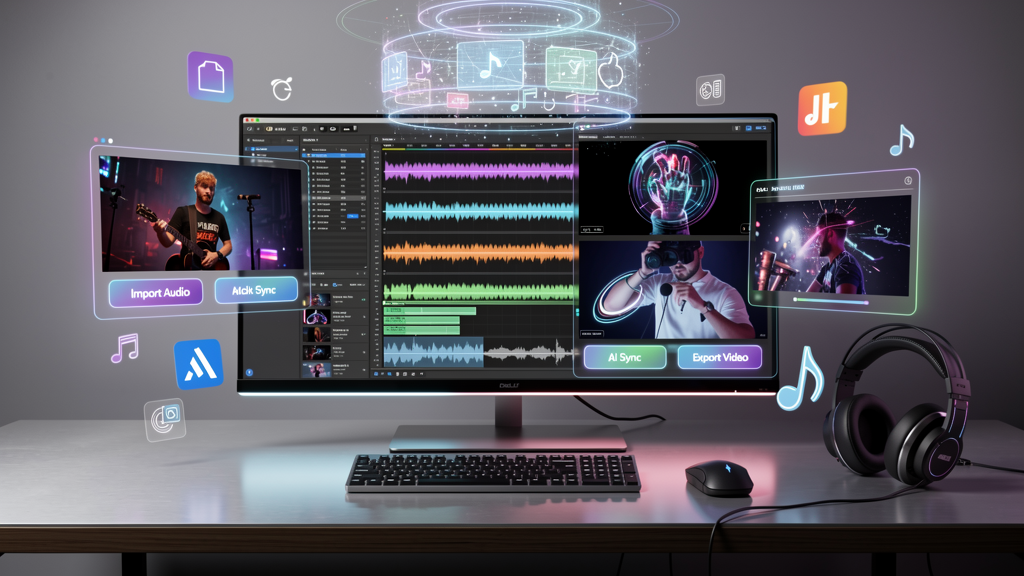
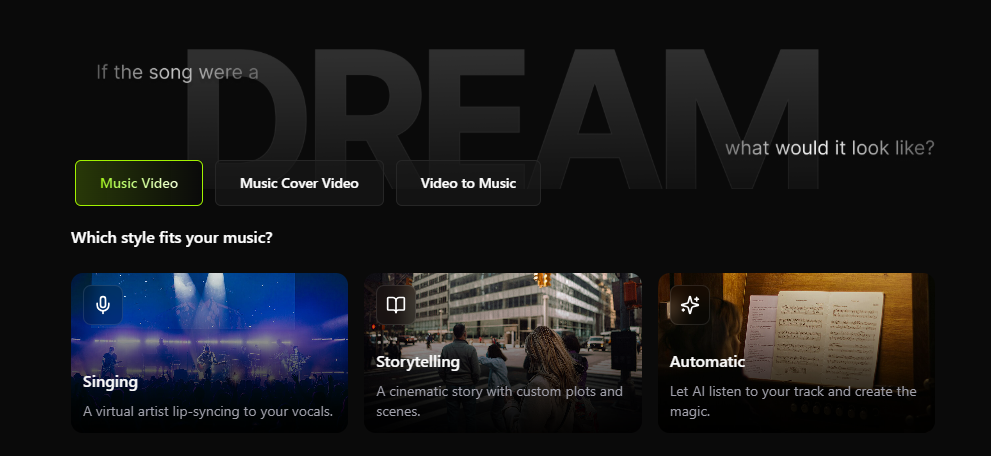
In the middle of this landscape, Freebeat positions itself as an AI music video creator rather than a traditional converter. You upload an MP3 or link a track, define a vibe or theme, and the system generates a synchronized MP4 video based on beat and mood analysis.
What stood out to me is how quickly it reaches usable results. Instead of forcing you into rigid templates, it allows visual customization through prompts while maintaining beat alignment. This makes it practical for independent musicians, visual artists, and social media creators who need consistent output.
Freebeat works best when you want cinematic visuals without manual editing.
Use Cases: Who Should Choose Which Tool
Different creators benefit from different tools, even when the goal is MP3 to MP4 conversion.
- Independent musicians and producers often prioritize speed and visual polish for releases. Browser tools with strong beat sync are ideal.
- Content creators and influencers need vertical formats and fast turnaround. Browser platforms with presets save time.
- DJs and live performers use music videos for promotion and visuals. Tools that react well to rhythm changes work best.
- Video editors and designers may prefer desktop tools for layered control and integration.
From my experience, choosing the right tool depends less on feature count and more on how well it fits your creative rhythm.
Matching the tool to your workflow matters more than chasing complexity.
FAQ: AI Music Video Tools and MP3 to MP4 Conversion
What is the best AI music video tool to convert MP3 to MP4?
The best tool depends on your needs. Browser based platforms are ideal for speed, while desktop tools offer more control. Tools with strong beat sync generally deliver better results.
Can I use a browser based AI music video tool without downloads?
Yes. Many AI music video tools run fully in the browser, allowing you to upload MP3 files and export MP4 videos without installing software.
How do I ensure high quality MP4 output from AI tools?
Check supported resolutions, frame rates, and compression settings. Export presets optimized for YouTube or social media usually produce better results.
Does Freebeat sync visuals automatically to my beat?
Yes. Freebeat analyzes tempo, rhythm, and mood to align visual changes with the music automatically.
Which desktop AI music video tool offers more control?
Desktop tools often allow manual scene adjustments and layering, making them suitable for editors who want fine-grained control.
Are there free MP3 to MP4 AI converters available?
Many platforms offer free trials or limited exports. These are useful for testing but may restrict resolution or watermark output.
What’s the difference between static converters and AI music video platforms?
Static converters simply attach audio to visuals. AI music video platforms generate visuals dynamically based on musical structure.
Can these tools add lyrics or captions to my videos?
Some AI music video tools support lyric overlays or text prompts, depending on the platform and feature set.
Conclusion
Turning MP3 tracks into MP4 music videos no longer requires complex editing skills. With the right AI tool, you can generate beat-synced visuals that enhance your music and fit modern platforms. In my experience, tools that balance automation with creative flexibility deliver the most consistent results. If you value speed, sync accuracy, and cinematic presets, Freebeat is a strong option worth exploring.


