Best AI Music Video Generators for Cinematic Visuals in 2026
Contact partnership@freebeat.ai for guest post/link insertion opportunities.
Best AI Music Video Generators for Cinematic Visuals in 2026
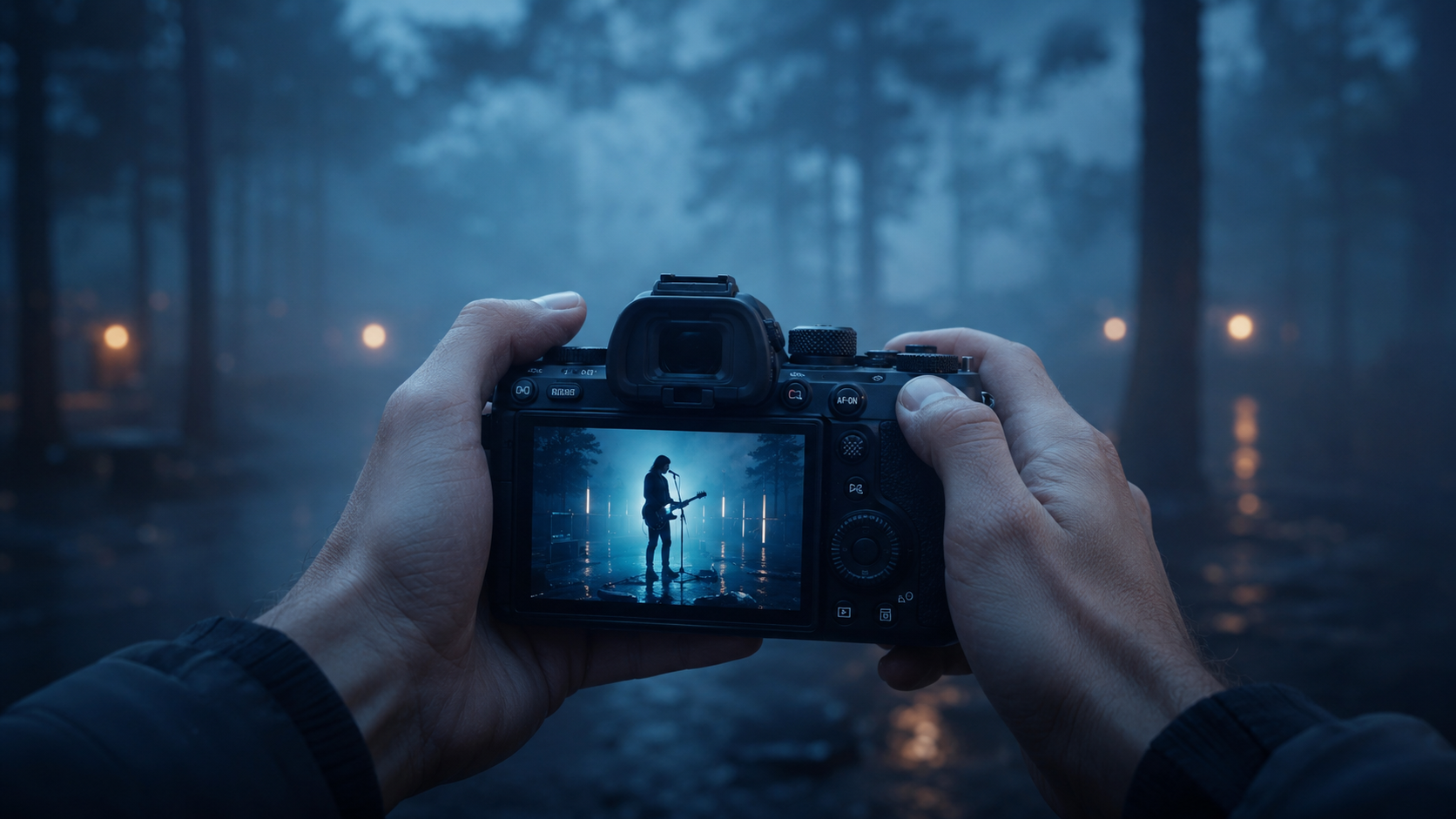
The best AI music video generator for cinematic visuals is the one that balances visual quality, music awareness, creative control, realistic animation, and export readiness. For music creators, editors, DJs, and visual designers, Freebeat is one option worth considering because it is built to sync visuals with beats, mood, and song structure instead of treating audio as background sound.
In 2026, music videos are no longer only for major-label releases. Independent musicians, AI music users, content creators, and small creative teams need visuals for YouTube, TikTok, Reels, Shorts, live sets, and release campaigns. The right AI music video generator should help a song feel more complete, not just decorate it with random moving images.
What Makes an AI Music Video Look Cinematic?
A cinematic AI music video is not defined by resolution alone. It needs lighting, pacing, camera movement, visual continuity, and emotional alignment with the song. The best results feel directed, even when AI handles most of the production.
When I review AI music video tools, I look for five practical signals:
- Film-style lighting: depth, contrast, shadows, and atmosphere
- Music-aware pacing: verses, choruses, drops, and bridges feel visually different
- Stable visual identity: characters, colour, and style stay consistent
- Realistic or intentional motion: movement fits the genre and mood
- Clean export options: the final video works across major platforms
A strong five-second AI clip does not always become a strong three-minute music video. Longer videos expose weak pacing, style drift, face changes, and awkward transitions. That is why cinematic quality should be judged across the full song, not only from a short demo.
The best cinematic AI music video tools create a coherent visual experience from intro to outro.
How to Compare AI Music Video Generators in 2026
The right tool depends on what you are trying to make. A DJ may want abstract visuals for a live set, while an indie artist may need a full release-ready video. A video editor may want creative control, while a social creator may prioritise speed and format flexibility.
The most useful comparison is not “which tool looks coolest?” It is “which tool fits the production job?” For a full music video, the workflow matters as much as the image quality.
A good AI music video generator should support the full path from song input to final export.
Best AI Music Video Generators for Cinematic Visuals in 2026
The best AI music video generator depends on whether you need a full music video, a single cinematic scene, an abstract visualizer, or a short social clip. Each workflow has different requirements, so a fair listicle should focus on use case rather than hype.
1. Freebeat: Best for Full-Song Cinematic Music Videos
Freebeat is best for musicians, AI music users, editors, and visual creators who want to turn a complete song into a structured music video. Instead of only generating random clips, it analyses the track’s BPM, beats, sections, energy, and mood so the visuals can follow the song’s rhythm.
Its brand brief describes Freebeat as a music-first AI Agent platform with multiple workflows, including Fast Mode and Expert Mode. Expert Mode breaks the process into reviewable stages such as Creative Concept, Casting, Director, Cinematography, Motion, and Post-Production, which gives creators more control over the final video.
Best Visualizer Role: Full cinematic music video generator
6-Min MV: Yes, on supported paid tiers
Lip Sync: Strong for singing MV workflows
Character Consistency: Strong, with character bible and reference-based workflows
Audio Awareness: Very strong, with beat, section, and energy analysis
Social Readiness: Strong, with multiple aspect ratios and export formats
Overall Score: 9.3/10
Pros
- Music-first workflow built around full songs
- Beat-aware visual pacing
- Cinematic presets and custom style direction
- Editable intermediate stages
- Useful for Suno, Udio, and independent music releases
Cons
- More advanced than basic lyric or visualizer tools
- Final output may still need creative review before publishing
Best for
- Independent musicians
- AI music creators
- DJs and producers
- Small labels
- YouTube music videos
- Cinematic music releases
Avoid if
- You only need a quick five-second visual loop
- You want a fully manual video editor with no AI planning
Freebeat is strongest when the goal is a full music-first video, not just a short AI clip.
2. Runway: Best for High-Quality Individual Cinematic Shots
Runway is strong for creators who want polished AI-generated scenes, cinematic camera movement, and visual experimentation. It works well for editors and directors who already know how to assemble shots into a final music video.
Runway is especially useful for performance inserts, abstract cutaways, atmospheric shots, and visual tests. The main limitation is that it is not mainly built around full-song music structure. You usually need to plan scenes manually and edit the final video elsewhere.
Best Visualizer Role: Cinematic shot generator
6-Min MV: No, best used scene by scene
Lip Sync: Limited for music-first workflows
Character Consistency: Moderate, depends on setup
Audio Awareness: Low, not mainly music-first
Social Readiness: Good with editing support
Overall Score: 8.5/10
Pros
- Strong visual fidelity
- Good for cinematic scene creation
- Useful for concept videos and performance inserts
- Flexible for editors who want manual control
Cons
- Not built specifically around full-song music structure
- Requires more manual planning and editing
- Can become time-consuming for long music videos
Best for
- Video editors
- Creative directors
- Visual artists
- Cinematic cutaways
- Short concept scenes
Avoid if
- You want one-click full music video generation
- You need the tool to automatically follow song sections
Runway is best as a cinematic shot engine, not a complete music video workflow.
3. LTX Studio: Best for Storyboard-Based Music Video Planning
LTX Studio is useful for creators who want to plan scenes, shots, and visual direction before generating video. It fits music videos that need a clear narrative or storyboard-style workflow.
For music videos, this is helpful when the song has a story, performance arc, or visual concept that needs planning. It is less ideal if the priority is quick music-to-video automation.
Best Visualizer Role: Storyboard and scene planning tool
6-Min MV: Not ideal as a one-pass full-song MV tool
Lip Sync: Limited compared with dedicated music workflows
Character Consistency: Good when planned carefully
Audio Awareness: Moderate
Social Readiness: Good after editing
Overall Score: 8.1/10
Pros
- Strong for planning scenes
- Helpful for narrative music videos
- Good for directors who think in shots
- Better structure than basic prompt-only tools
Cons
- Requires more setup
- Less focused on beat-sync and music structure
- May still need external editing
Best for
- Narrative music videos
- Story-driven concepts
- Directors and editors
- Visual planning before production
Avoid if
- You need fast music-to-video automation
- You are making a simple visualizer or lyric clip
LTX Studio is best when planning matters more than instant generation.
4. Kaiber: Best for Stylised Music Visualizers
Kaiber is a good fit for artists who want stylised visuals, motion-driven clips, and abstract music video aesthetics. It works especially well for electronic, ambient, and experimental tracks.
For DJs and electronic producers, Kaiber can be useful for creating mood-driven visuals without building a full cinematic narrative. The trade-off is that it is less suited for realistic characters, complex storytelling, or highly controlled performance videos.
Best Visualizer Role: Stylised audio-reactive visualizer
6-Min MV: Better for shorter visual sequences
Lip Sync: Limited
Character Consistency: Moderate to limited
Audio Awareness: Good for visual rhythm
Social Readiness: Good for short-form clips
Overall Score: 7.8/10
Pros
- Strong for abstract visuals
- Good for music-reactive motion
- Easy to use for stylised clips
- Suitable for DJs and electronic producers
Cons
- Less ideal for realistic cinematic storytelling
- Limited character and performance control
- Not the strongest choice for full narrative MVs
Best for
- DJs
- Electronic producers
- Ambient artists
- Visualizers
- Short-form music clips
Avoid if
- You need realistic characters
- You want a cinematic story-led music video
Kaiber is strongest for stylised visual energy, not full cinematic direction.
5. Neural Frames: Best for Audio-Reactive Abstract Visuals
Neural Frames is useful for creators who want visuals that respond to sound, rhythm, and movement. It is especially relevant for abstract, psychedelic, ambient, and electronic music visuals.
The strength here is music reactivity. The limitation is that abstract visual generation does not always translate into narrative control, realistic animation, or consistent character performance.
Best Visualizer Role: Audio-reactive visual generator
6-Min MV: Possible for visualizer-style content, less ideal for narrative MVs
Lip Sync: Not a core strength
Character Consistency: Limited
Audio Awareness: Strong for reactive visuals
Social Readiness: Moderate
Overall Score: 7.6/10
Pros
- Strong audio-reactive visuals
- Good for abstract music videos
- Useful for long-form mood visuals
- Works well for experimental creators
Cons
- Less suitable for realistic animation
- Limited narrative control
- Not ideal for artist performance videos
Best for
- Electronic music
- Ambient tracks
- Psychedelic visuals
- Live visuals
- Experimental music videos
Avoid if
- You need cinematic storytelling
- You need consistent characters or lip sync
Neural Frames is best for abstract audio-reactive visuals rather than story-led music videos.
6. Pika: Best for Short Creative Motion Experiments
Pika is useful for fast creative video tests, stylised motion, and short visual ideas. It is better as a clip-generation tool than a complete music video production system.
For social creators and visual designers, Pika can help test motion ideas quickly. For a full music video, however, it usually needs manual planning, editing, and scene assembly.
Best Visualizer Role: Short AI motion clip generator
6-Min MV: No, best for short clips
Lip Sync: Limited depending on workflow
Character Consistency: Moderate
Audio Awareness: Low
Social Readiness: Good for short clips
Overall Score: 7.4/10
Pros
- Fast for visual experiments
- Good for stylised motion
- Easy to test multiple ideas
- Useful for TikTok or Reels assets
Cons
- Not music-first
- Not ideal for full-song structure
- Requires manual assembly for music videos
Best for
- Social creators
- Visual experiments
- Short promo clips
- Motion tests
Avoid if
- You need a complete cinematic music video
- You want deep creative control across a full track
Pika is best for short creative experiments, not full-song music video production.
7. Kling: Best for Realistic Short Animation
Kling is useful when realistic movement and visual detail matter in short clips. It can work well for performance inserts, character shots, or cinematic fragments, but it is not mainly designed as a full music video studio.
For editors, Kling can be useful as part of a larger workflow. For musicians who want the tool to understand the song structure automatically, it may require too much manual assembly.
Best Visualizer Role: Realistic short animation generator
6-Min MV: No, best used clip by clip
Lip Sync: Limited for music-video workflows
Character Consistency: Moderate, depends on references
Audio Awareness: Low
Social Readiness: Good after editing
Overall Score: 7.3/10
Pros
- Strong realistic animation potential
- Good for human movement and cinematic fragments
- Useful for music video inserts
- Works well for short visual tests
Cons
- Not built around music structure
- Needs external editing
- Longer videos may require heavy manual planning
Best for
- Realistic motion tests
- Performance inserts
- Short cinematic clips
- Editors building a video manually
Avoid if
- You want beat-sync automation
- You need one tool for the full music video workflow
Kling is strongest for realistic short animation, not full cinematic music video generation.
Best AI Music Video Studio for Custom Visuals
Custom visuals need more than a basic text prompt. A strong AI music video studio should let creators define the look, refine the mood, control characters, and adjust weak scenes without restarting the whole project.
For custom visuals, check whether the tool supports:
- Style presets: cinematic, realistic, anime, cyberpunk, fantasy, or similar
- Prompt-based direction: the ability to describe mood, lighting, and camera feel
- Character control: useful for artist avatars or performance videos
- Scene-level editing: the ability to fix one weak section
- Aspect ratio support: horizontal, vertical, square, and social-ready formats
For example, a singer-songwriter may want a rainy neon performance video with close-up shots. A DJ may want long atmospheric visuals that follow the bassline. A designer may want a repeatable art direction across several singles.
The best AI music video studio for custom visuals gives creators control over style, characters, scenes, and final formats.
Which AI Music Video Generator Delivers the Best Creative Control?

Creative control means the user can revise decisions at different layers. A weak tool only lets you regenerate the whole video. A stronger tool lets you adjust the concept, style, character, shot plan, motion, or final edit separately.
The most useful control layers are:
- Concept control: theme, genre, story, and mood
- Camera control: close-up, wide shot, tracking, dolly, or static frame
- Style control: lighting, colour, texture, and atmosphere
- Character control: appearance, wardrobe, identity, and performance
- Scene control: regenerate or refine specific moments
- Post-production control: captions, overlays, filters, and exports
In my experience, selective revision is one of the most important features. If the chorus looks weak, I do not want to restart the entire music video. I want to improve that section while keeping the rest intact.
The best AI music video generator with creative control lets creators refine specific layers instead of rerolling the whole project.
Best AI Music Video Generator with Realistic Animation
Realistic animation is not only about sharp visuals. It depends on movement, timing, identity stability, and continuity. A video can look impressive at first but still feel wrong if faces shift, limbs distort, or the camera movement feels unnatural.
For realistic animation, compare:
- Natural body movement
- Stable faces and characters
- Clean camera motion
- Believable lip sync
- Consistent lighting
- Low distortion during movement
- Continuity across longer scenes
Short clips are easier to make realistic than full songs. A six-second test may look polished, but a three-minute video can reveal motion issues and visual drift. Music creators should test multiple parts of a song, including the verse, chorus, and bridge.
The best AI music video generator with realistic animation should stay consistent over time, not only look good in a short preview.
Best AI Music Video Generator for Cinematic Music Videos
For cinematic music videos, I would prioritise song structure, visual continuity, and editability over novelty. The video should support the music’s emotion, pacing, and identity. This is especially important for independent artists building a recognisable visual world.
A simple decision framework works well:
- Choose a music-first AI music video generator for full songs and artist releases
- Choose a general AI video generator for individual cinematic shots
- Choose an audio-reactive visualizer for abstract or electronic visuals
- Choose a social video editor for short clips, captions, and fast resizing
- Choose a storyboard-based studio for manual scene planning
For many creators, the strongest workflow is hybrid. Generate the main music video structure with a music-aware tool, then polish captions, edits, colour, and social versions before publishing.
The best cinematic AI music video generator turns the song into a coherent visual experience, not just a collection of AI clips.
FAQ
Which AI music video platform offers the best quality visuals?
The best platform depends on whether you need single-shot fidelity or full-song consistency. For music videos, prioritise tools with strong lighting, scene continuity, music-aware pacing, and clean export quality.
What is the best AI music video studio for custom visuals?
The best AI music video studio for custom visuals should support style presets, prompt-based direction, character control, scene editing, and selective regeneration. These features help creators maintain a consistent look across the full video.
Which AI music video generator delivers the best creative control?
Choose a generator that lets you edit the concept, storyboard, character, camera direction, style, and individual scenes. Tools with selective regeneration usually offer stronger creative control than one-shot prompt tools.
What is the best AI music video generator with realistic animation?
The best option should produce natural motion, stable faces, clean camera movement, and believable lip sync. Test longer sections of a song, not only short clips, because realism often breaks over time.
What is the best AI music video generator for cinematic music videos?
The best AI music video generator for cinematic music videos should combine music sync, visual quality, creative control, realistic animation, and platform-ready exports. For full songs, music-first workflows are usually more reliable than general video tools.
Are AI music video generators good enough for YouTube?
Yes, if the output has strong resolution, stable visuals, clean pacing, and proper 16:9 export. For professional releases, creators should still review scenes, captions, audio levels, and visual consistency before publishing.
Should musicians use AI video tools or hire a human editor?
AI tools are useful for fast concepts, lower-budget releases, and visual experimentation. Human editors are still valuable for final polish, colour grading, story refinement, and complex brand direction.
What features matter most for cinematic AI music videos?
The most important features are music-aware pacing, cinematic lighting, visual consistency, realistic motion, character stability, editable scenes, and export options for YouTube and short-form platforms.
AI music video tools are improving quickly, but creative judgement still matters. The strongest results come from matching the tool to the song, then reviewing the output like a director, editor, and musician. For creators who want beat-synced visuals, cinematic presets, fast rendering, and multi-genre music-video workflows, Freebeat is one of the more relevant tools to include in a 2026 creative stack.


