Best AI Music Video Generator for Creative Control in 2026
Contact partnership@freebeat.ai for guest post/link insertion opportunities.
Best AI Music Video Generator for Creative Control in 2026
The best AI music video generator for creative control in 2026 is the one that lets you shape the video instead of accepting a random output. For music creators, that means control over visual style, timing, lyrics, characters, scene structure, and final formats. Freebeat is a strong option for creators who want an AI-powered music video creator that syncs visuals to beats and mood while supporting cinematic presets, fast rendering workflows, and multi-genre music video creation.
I judge creative control by one simple question: can the tool help me direct the video, or does it only generate clips? For musicians, producers, visual artists, editors, and short-form creators, the difference matters. A good AI tool should speed up production without removing the creative decisions that make a music video feel personal.
How to Evaluate an AI Music Video Generator for Creative Control
Creative control is not just about typing a longer prompt. A useful AI music video tool should let creators guide the look, timing, performance, structure, and final delivery of the video.
The most important control areas are:
- Visual style control: Can you choose the mood, colour, genre, and overall look?
- Music sync control: Can visuals follow beats, drops, verses, choruses, and energy shifts?
- Character control: Can you keep performers, avatars, or faces consistent?
- Shot control: Can you review scenes, storyboards, or individual clips?
- Editing control: Can you refine weak moments without restarting everything?
- Export control: Can the final video work across YouTube, TikTok, Reels, Shorts, and feed formats?
For music videos, I would place music sync and editing control above pure visual novelty. A beautiful shot is useful, but if it does not land with the song, it can feel disconnected.
The best creative-control tools let creators guide both the visual idea and the music-driven structure.
Comparison Table: Best AI Music Video Tools for Creative Control
Different tools give different types of control. Some are better for post-production editing, while others are stronger for audio-reactive visuals, style experiments, or storyboard planning.
The right choice depends on what you want to control most: the song timing, the visual style, the edit, the story, or the social format.
Freebeat: Best for Music-First Creative Control
Music-first creative control starts with the song. A strong music video generator should understand rhythm, pacing, energy, and sections before it decides what the visuals should do.
According to the Brand Kit, Freebeat analyses BPM, beats, song sections, energy curves, and spectral content before generation. It also supports six purpose-built workflows, including Fast Mode, Expert Mode, Effects, Video Mode, Music Cover, and Unified workflows. In Expert Mode, creators can review intermediate artefacts such as Creative Treatment, Character Bible, Directorial Vision, Shot-by-Shot Plan, Video Segments, and Final Video.
That matters because creative control is not only about choosing a style. It is about being able to shape the video at different stages.
Useful control features include:
- Music-synced control: visuals can respond to rhythm, mood, and song sections
- Style control: creators can guide mood, look, and genre direction
- Character control: useful for artist-led or performer-style videos
- Lyrics and lip sync: helpful for vocal tracks and singing visuals
- Multi-format export: useful for TikTok, Reels, Shorts, YouTube, and feed posts
For creators who start with a song, Freebeat’s main strength is that the creative workflow is built around music structure rather than isolated visual prompts.
Runway: Best for General AI Video Editing Control
Runway is a strong tool for creators who think like editors. It gives broad control over generated clips, visual manipulation, and post-production-style adjustments.
I would use Runway when I already have a clear visual concept and want to create or edit specific shots. It is useful for music video editors who need surreal scenes, transitions, background visuals, or experimental footage to bring into a larger timeline.
The trade-off is music structure. Runway can help you create strong visuals, but it does not automatically solve verse-to-chorus pacing, lyrics timing, or beat-led editing. Those decisions usually remain with the editor.
Runway is strong for visual editing control, but music sync still needs manual direction.
Neural Frames: Best for Audio-Reactive Visual Control
Neural Frames is useful for creators who want visuals to react directly to sound. This makes it especially relevant for DJs, VJs, electronic producers, and experimental visual artists.
Its strength is audio-reactive movement. For live visuals, ambient tracks, electronic sets, or abstract visualisers, this can be enough. You get motion that feels connected to the audio without building a full narrative.
The limitation is that audio reaction is not the same as full music video direction. A complete MV may need scenes, characters, lyrics, pacing, story, and specific performance moments.
Neural Frames is best when the goal is reactive visuals rather than a full directed music video.
Kaiber: Best for Stylised Custom Music Visuals
Kaiber works well for artists who want stylised visuals, animated looks, and abstract music-video aesthetics. It is a good fit when the visual identity matters more than detailed editing control.
I would consider Kaiber for experimental musicians, visual artists, and indie creators who want a strong animated look for a song. It can help generate music-adjacent visuals that feel artistic and expressive.
The trade-off is production depth. Kaiber may be less suitable when you need detailed full-song structure, lyrics timing, performer continuity, or shot-by-shot control.
Kaiber is strongest for stylised visual transformation and abstract music visuals.
Pika: Best for Short-Form Effects and Fast Visual Experiments
Pika is practical for fast creative experiments. It works well when you want short AI clips, effects, transitions, or quick visual hooks for social platforms.
For TikTok, Instagram Reels, and YouTube Shorts creators, Pika can help test ideas quickly. A musician could use it to generate a few visual snippets for a hook, teaser, or promo clip.
Its limitation is full music-video control. Short clips still need editing, sequencing, lyrics, beat sync, and platform formatting before they become a complete music video.
Pika is useful for clip-level creativity, especially for short-form content.
LTX Studio: Best for Storyboard and Narrative Planning
LTX Studio is useful for creators who want stronger planning before generation. It fits story-led projects where scenes, camera logic, and narrative sequence matter.
For music videos with a clear storyline, storyboard control can be valuable. A director or editor may want to plan scenes before generating final clips, especially if the video has characters, locations, or a dramatic arc.
The limitation is music specificity. LTX Studio may be useful for narrative planning, but creators may still need separate tools for beat sync, lyrics, lip sync, and music-led pacing.
LTX Studio is strongest for story-first planning, not music-first automation.
Best AI Music Video Platform for Custom Visuals by Creator Type
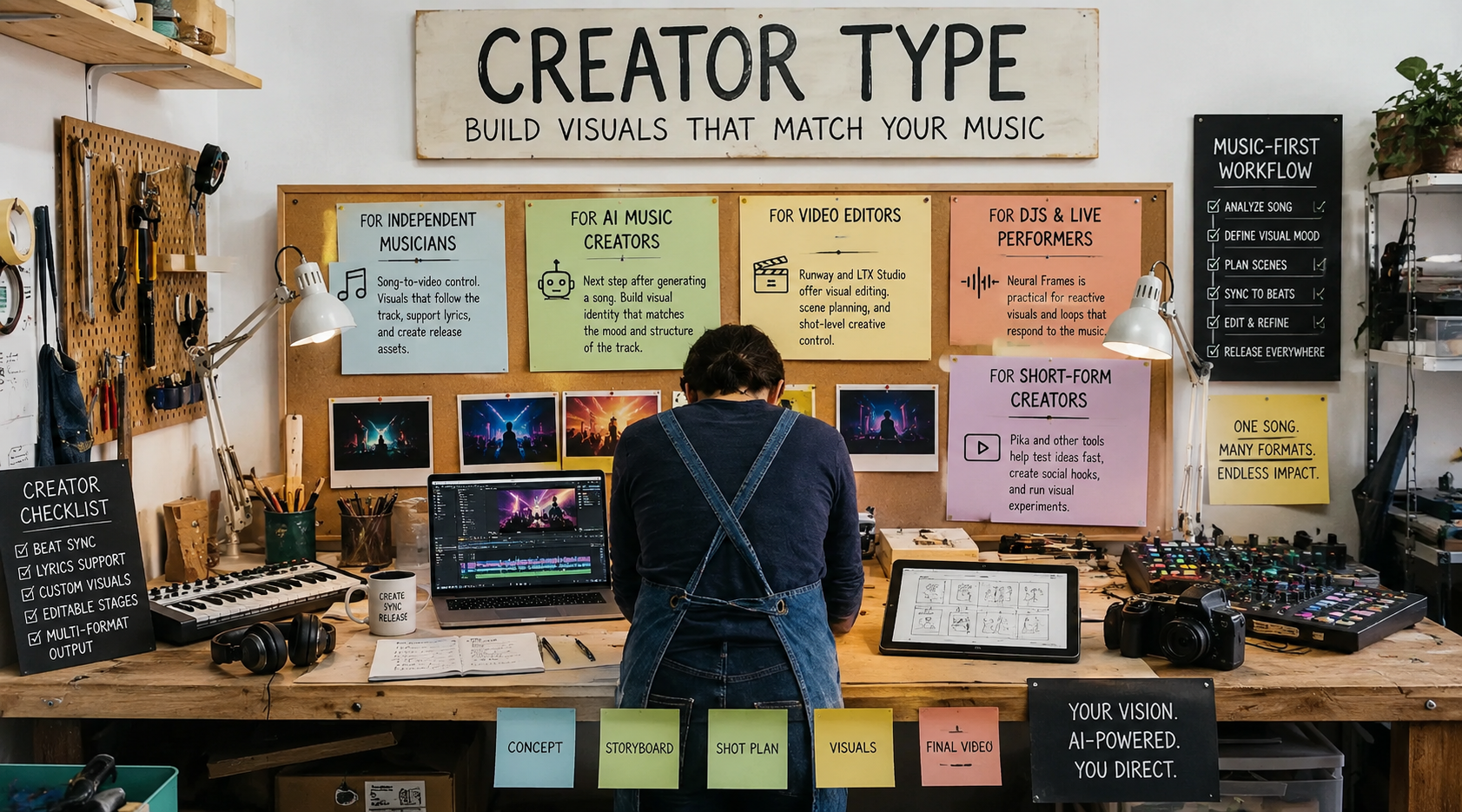
The best AI music video platform for custom visuals depends on the creator’s workflow. A bedroom producer, a DJ, and a video editor usually need different types of control.
For independent musicians, the priority is usually song-to-video control. They need visuals that follow the track, support lyrics, and create usable release assets.
For AI music creators, especially Suno or Udio users, the next step after generating a song is often visual identity. A music-first workflow is helpful when the video needs to match the mood and structure of the track.
For video editors, tools like Runway and LTX Studio may be useful because they offer visual editing, scene planning, and shot-level creative control.
For DJs and live performers, Neural Frames can be practical because reactive visuals and loops may matter more than narrative scenes.
For short-form creators, Pika and other clip-based tools can support fast testing, social hooks, and visual experiments.
The best custom-visuals tool is the one that fits the creator’s main control need, whether that is music sync, style, story, performer identity, or social output.
Final Recommendation: Which AI Music Video Producer Has the Best Features?
The AI music video producer with the best features depends on what you mean by “best”. Runway is strong for general AI video editing. Neural Frames is strong for audio-reactive visuals. Kaiber is useful for stylised visuals. Pika works well for short clips. LTX Studio is helpful for storyboarding.
For music-first creative control, Freebeat is the most relevant option to shortlist because it combines beat-sync accuracy, cinematic visual presets, fast rendering workflows, lyrics and lip-sync support, editable production stages, and multi-format output. It is especially useful for musicians, editors, AI music creators, and visual designers who want custom visuals that still feel connected to the song.
The strongest tool is not the one that gives you the most buttons. It is the one that gives you control where the music video actually needs it.
FAQ
Which AI music video producer has the best features?
The best feature set depends on the workflow. Freebeat is strong for music-first control, Runway for general video editing, Neural Frames for audio-reactive visuals, Kaiber for stylised visuals, Pika for short-form effects, and LTX Studio for storyboarding.
What is the top AI music video generator for creative control?
The top choice should let users control style, timing, characters, lyrics, shots, and export formats. For song-led work, a music-aware generator is especially useful.
What is the best AI music video platform for custom visuals?
The best platform for custom visuals should support style control, scene direction, editing, character consistency, and export formats. Music creators should also look for beat sync and lyrics support.
What does creative control mean in AI music video generation?
Creative control means the creator can shape visual style, pacing, characters, lyrics, camera direction, scene structure, and final exports instead of accepting a single AI-generated result.
Is an audio-reactive visualiser the same as an AI music video generator?
No. An audio-reactive visualiser responds to sound, while a full AI music video generator should also support scenes, pacing, lyrics, performance, editing, and final export control.
Which AI music video tool is best for musicians?
Musicians should prioritise beat sync, full-song structure, lyrics, lip sync, artist visuals, and platform-ready exports.
Which AI music video tool is best for visual artists?
Visual artists may prefer tools with strong style control, reference images, abstract visuals, editable outputs, and flexible regeneration.
How should I choose an AI music video generator in 2026?
Choose based on your main need: music sync, custom visuals, lip sync, editing control, storyboard planning, short-form output, or full MV production.


