2026 Suno-to-Video Benchmark: 4 Leading AI Workflows Compared

Suno has changed the first half of music creation. A creator can now move from an idea to a finished track far faster than a traditional recording workflow would allow.
The bottleneck increasingly comes next: What do you do with the finished song?
A Suno track may already contain an intro, verse, chorus, drop, bridge, outro, lyrics, emotional changes, and a clear rhythmic structure. Turning that song into a video therefore requires something more complicated than generating an attractive five-second AI clip.
The emerging Suno-to-video category includes several fundamentally different approaches:
- Freebeat — music-first generation built around the finished song
- Neural Frames — full-length, stem-driven audio-reactive video creation
- Kaiber — generative visual creation combined with Beat Sync and editing
- Runway — advanced general-purpose AI video generation used as part of a manually directed music-video workflow
For this 2026 benchmark, we evaluated each platform around six questions:
- How easily can a Suno song enter the workflow?
- How deeply does the platform analyze the music?
- How well is synchronization built into the product?
- How much of the production workflow can be automated?
- How much creative control remains with the creator?
- Can the system reasonably support a complete music video rather than only isolated AI clips?

How Suno-to-Video Got Here
Stage 1: The Song Gets a Visual Container
The simplest way to publish a finished digital song has always been to place the audio underneath something visual.
That might mean:
- album artwork
- a waveform
- a spectrum animation
- a lyric screen
- a looping background
- a simple slideshow
This solves the file-format problem. It turns audio into something that can live on YouTube, TikTok, Instagram, or another video platform.
But the relationship between the music and the visuals is limited. The chorus can explode while the image barely changes.
For many early AI musicians, this became the default way to publish a Suno track: create the song, add artwork, export an MP4, and move on.
The problem is that Suno can create surprisingly dynamic songs. A static visual often fails to communicate that structure.
Stage 2: AI Starts Generating the Footage
Generative video changed the equation.
Instead of finding stock footage or filming scenes, creators could use systems such as Runway to generate new shots from text prompts or reference images.
Runway's current Gen-4.5 workflow supports text-to-video and image-to-video generation with clips between two and ten seconds, giving creators substantial control over composition, motion, and camera direction.
Source: Runway Help Center — Creating with Gen-4.5
For musicians, this created an entirely new production method:
The footage could now be generated by AI, but the music video still largely had to be directed and assembled by the creator.
That distinction matters.
A beautiful ten-second AI shot is not automatically a music video.
Stage 3: Generative Visuals Start Reacting to Music
The next step was to make the audio influence what happens visually.
Instead of treating the song as something added after generation, music-focused systems began analyzing beats, stems, energy, and other audio information.
Neural Frames currently separates uploaded music into eight stems—including elements such as drums, bass, vocals, and melody—and allows those stems to control visual motion and effects. It also supports Autopilot and full-length music visualizations.
Source: Neural Frames — Audio Visualizer
Kaiber takes another approach. Its current suite combines Canvas, Beat Sync, and Editor. Beat Sync can take uploaded audio plus images or clips and automatically produce variations whose cuts follow the music.
Source: Kaiber Help Center — Welcome to Kaiber
The creative question changed again:
Not just: Can AI generate footage? But: Can the footage actually respond to the song?
Stage 4: The Suno Song Becomes the Creative Brief
The latest workflow goes further.
Instead of asking the creator to separately decide what scenes to generate, where they should appear, and how they should synchronize, music-first systems increasingly treat the entire finished song as the input to the production process.
Freebeat's current Suno workflow allows creators to paste a Suno share link directly rather than first downloading and re-uploading the track. The platform describes analyzing BPM, beat onsets, energy changes, and song structure before creating a storyboard and generating the video.
Source: Freebeat — How to Turn a Suno Song Into a Music Video in 2026
That changes the workflow toward:
The difference between this and traditional AI video generation is not necessarily the underlying video model. It is the orchestration layer around the model.
Four Generations of Suno-to-Video Creation
| Development | Primary Job of the AI | Representative Approach |
|---|---|---|
| Audio publishing | Put a finished song into a video format | Static visualizers / simple editors |
| Generative video | Create individual visual scenes | Runway |
| Music-reactive generation | Make visuals and cuts respond to audio | Neural Frames / Kaiber |
| Song-first orchestration | Plan and generate around a complete song | Freebeat |
These categories overlap. Neural Frames can create full videos, not simply abstract visualizers. Kaiber now includes complete music-video workflows rather than only beat-sync tools. Runway has expanded into multi-shot AI production through tools such as Agent and Workflows. Freebeat itself relies on generative-video technology.
The distinction is therefore less about what a platform can possibly be used for and more about where the workflow starts and how many production decisions the software attempts to make for the creator.
2026 Suno-to-Video Capability Benchmark
| Tool | Best For | Suno Compatibility | Music Understanding | Beat Sync | Automation | Creative Control | Full-Song Workflow |
|---|---|---|---|---|---|---|---|
| Freebeat | Complete Suno-to-video production | 5/5 | 5/5 | 5/5 | 5/5 | 4/5 | 5/5 |
| Neural Frames | Deep audio-reactive control | 4/5 | 5/5 | 5/5 | 4/5 | 5/5 | 5/5 |
| Kaiber | Beat-synced creative experimentation | 3/5 | 4/5 | 5/5 | 4/5 | 5/5 | 4/5 |
| Runway | Custom cinematic AI shots | 2/5 | 2/5 | 2/5 | 3/5 | 5/5 | 3/5 |
These scores evaluate each platform specifically as a Suno-to-video production system. They do not claim that Freebeat produces a better individual AI-generated shot than Runway, or that one platform is superior for every type of visual production.
The question is narrower:
How well does the product take a finished Suno song toward a finished music video?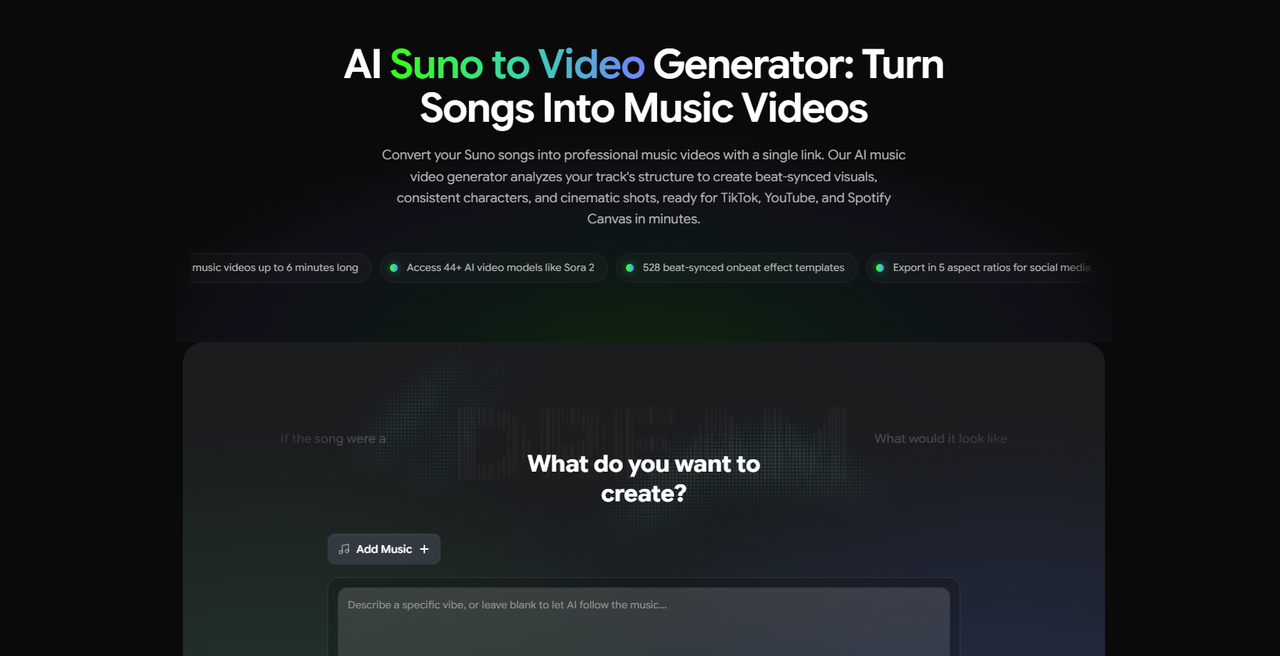
1. Freebeat — Best Overall for Direct Suno-to-Video Production
Best for: Suno creators, independent musicians, AI artists, and content teams that want to begin with the finished song rather than an empty editing timeline.
Freebeat's strongest advantage in this benchmark is workflow compression.
A public Suno share link can be used as the starting input. Freebeat then imports the audio and uses music analysis to inform the rest of the production process. Its current audio-to-video product describes analysis of beat, energy, and song structure, followed by generation of a complete synchronized video. Supported workflows include direct links from Suno and other music platforms, as well as uploaded audio.
Source: Freebeat — Audio to Video
This makes it fundamentally different from a general AI video generator.
The creator does not need to begin by asking:
What should shot one be?
Instead, the first question can be:
What should this song feel like visually?
The system can then develop that direction into a broader sequence.
Benchmark assessment
Source: Freebeat — Suno workflow article
Source: Freebeat — Audio to Video
Where Freebeat performs best
Freebeat is strongest when the production brief is already clear at the highest level:
Here is my completed song. Help me make the complete music video.
That makes it especially relevant to Suno creators, because Suno itself has already compressed much of the music-production workflow. The next logical tool is one that compresses the visual-production workflow in a similar way.
Where the workflow still adds friction
Automation should not be confused with perfect first-pass output.
Generative scenes can still require regeneration. Character identity can drift. A visual concept selected by AI may not match what the creator imagined. Credits also matter when creators iterate heavily.
Public Suno creator discussions reflect this tension. Some users describe Freebeat as significantly faster than manually building scenes, while others mention inconsistent generations, character changes, credit concerns, or wanting more control over individual decisions.
The relevant advantage is therefore not that human creative work disappears. It is that the creator can begin with a generated full-video structure instead of beginning from zero.
Source: Reddit — r/SunoAI discussion on Freebeat
Best reason to choose Freebeat
Choose Freebeat if the brief is: “I have a finished Suno song. Give me a coherent first cut of the entire music video, then let me refine it.”

2. Neural Frames — Best for Deep Audio-Reactive Control
Best for: Musicians, electronic artists, visual artists, and creators who want the song to control the visuals at a more granular level.
Neural Frames is one of the closest competitors to Freebeat because it is also designed specifically around music.
Its workflow starts by uploading the song. For Suno users, the platform currently instructs creators to export the finished Suno song as an MP3 or WAV and then upload that file to Neural Frames.
Source: Neural Frames — Suno to Video
Once imported, Neural Frames can separate the music into eight stems and allow different components of the track to influence visual parameters.
- drums can influence movement
- bass can control intensity
- vocals can trigger effects
- melody can influence transitions
- different song elements can affect camera motion or color
This is a fundamentally different kind of music intelligence from simply detecting BPM.
Benchmark assessment
Source: Neural Frames — Audio Visualizer
Source: Neural Frames Help — Autopilot
Where Neural Frames performs best
Neural Frames makes the most sense when the brief is not simply:
Make something synchronized.
It is:
I want this specific part of the music to control this specific visual behavior.
That makes it especially compelling for:
- EDM
- ambient music
- psychedelic visualizers
- instrumental tracks
- producer-driven projects
- artists who consider audio reactivity part of the artwork itself
Where the workflow adds friction
The same depth that creates flexibility can make the platform more involved.
A Suno creator whose main goal is simply publishing a finished video may not need eight-stem modulation or frame-level control.
For those creators, more control can become more production work.
Best reason to choose Neural Frames
Choose Neural Frames if the brief is: “I want my Suno song to actively drive the visuals, and I want detailed control over how that happens.”

3. Kaiber — Best for Beat-Synced Visual Experimentation
Best for: Musicians and creators who want to generate or upload visual assets, create multiple music-synchronized variations, and actively shape the finished edit.
Kaiber has evolved substantially from its earlier identity as a stylized AI animation tool.
Its current product is organized around three connected environments:
- Canvas for generating and arranging AI visuals
- Beat Sync for automatically synchronizing visual media to music
- Editor for sequencing clips, adding transitions and text, and finishing projects
Kaiber also offers workflows specifically designed to build full music videos from audio and a prompt.
Source: Kaiber Help Center — Welcome to Kaiber
Beat Sync is especially notable. Creators can upload audio together with images or video clips, choose an aspect ratio, and generate multiple synchronized variations. The system can also animate images, remix visual assets, generate lyrics or captions, and adjust editing pace.
Source: Kaiber Help Center — Getting Started with Beat Sync
Benchmark assessment
Source: Kaiber Help Center — Editing Beat Sync Videos
Where Kaiber performs best
Kaiber works particularly well when a creator already thinks visually. You may already have:
- artist photos
- AI character images
- album artwork
- generated clips
- live-performance footage
- Pinterest references
- aesthetic moodboards
Kaiber gives those assets a music-aware production environment.
Where the workflow adds friction
Kaiber's flexibility means the creator usually makes more decisions. You are more likely to think about:
- which visuals to include
- how clips should be arranged
- which variation works best
- which transition style fits
- how quickly scenes should change
- whether more assets need to be generated
For some creators, that is the fun part. For someone primarily trying to get a Suno track published quickly, it can also become extra work.
Best reason to choose Kaiber
Choose Kaiber if the brief is: “I have a visual direction—or visual assets already—and I want AI to help me turn them into a highly stylized, beat-synced video.”

4. Runway — Best for Custom Cinematic AI Shots
Best for: Filmmakers, experienced AI creators, directors, and musicians who want maximum control over the individual scenes in a music video.
Runway represents a different approach from the other three tools.
It is not primarily a Suno-to-video product.
It is one of the most advanced general-purpose AI video production environments, and musicians can use that capability to build music videos.
Runway's current Gen-4.5 model supports detailed text-to-video and image-to-video generation, including complex camera choreography and sequences of actions. Individual generations are currently two to ten seconds long.
Source: Runway Help Center — Creating with Gen-4.5
The broader Runway platform also now includes tools such as Agent and Workflows for building more complex multi-shot production processes.
Source: Runway Help Center — Getting Started with Generative Video
That gives experienced creators significant flexibility. But the music generally does not direct the workflow automatically.
Benchmark assessment
A creator can deliberately design:
- shots
- camera movements
- environments
- character references
- visual transitions
- motion
- atmosphere
- sequence concepts
Where Runway performs best
Runway makes sense when the creator already sees the video in their head.
Chorus: close-up performance shot under red lighting. Verse: slow dolly through an abandoned hotel. Bridge: surreal underwater scene. Final chorus: wide shot with the performer surrounded by moving lights.
Runway gives that creator powerful tools for generating the ingredients.
Where the workflow adds friction
The main challenge is obvious from Gen-4.5's current two-to-ten-second generation length. A three-minute song can require many separate scenes.
Those scenes then need to be:
- generated
- evaluated
- regenerated when necessary
- organized
- synchronized
- transitioned
- edited into the song
Suno creator discussions frequently describe similar multi-tool workflows—generating clips in one or more models and then assembling everything in a traditional editor such as CapCut or DaVinci Resolve.
Source: Reddit — r/SunoAI discussion on music video workflows
Best reason to choose Runway
Choose Runway if the brief is: “I want to direct the music video myself. I need AI to help me create the shots.”

One Suno Song, Four Different Production Philosophies
Freebeat
The software attempts to handle the largest part of the overall production chain.
Neural Frames
The song has deep control over the video, while the creator retains substantial technical and artistic influence.
Kaiber
The workflow begins with both the music and the visual material.
Runway
The creator remains much closer to the role of director and editor.
What Suno Creators Are Actually Struggling With
Public creator discussions reveal a useful distinction between what software companies promote and what musicians actually worry about.
Many Suno creators are no longer asking:
Can AI generate video?
They already know it can. The recurring questions are closer to:
- How do I make a three-minute video without generating dozens of clips manually?
- How do I keep characters consistent?
- How much will multiple generations cost?
- Can the video actually react when the chorus arrives?
- Can I get usable lip sync?
- Should I just make a visualizer instead?
- How much manual editing will I still have to do?
Recent r/SunoAI discussions continue to describe creators combining multiple tools—AI image generators, video models, and traditional editors—to complete a single music video. Others specifically mention the cost of repeated generations or the difficulty of maintaining consistency across longer projects.
Source: Reddit — r/SunoAI discussion on AI options for music videos
That suggests the next major competition in Suno-to-video is not simply which system creates the prettiest clip. It is:
Which system removes the most painful production steps without removing the creative decisions musicians actually want to keep?

What the 2026 Suno-to-Video Benchmark Tells Us
Finding 1: Suno-to-Video Is Becoming Its Own Product Category
Suno has created a new kind of creator workflow.
The song may already be generated, arranged, performed, mixed, and ready to share before the creator has made a single visual decision.
That creates a clear downstream category:
This is different from traditional filmmaking and different from general text-to-video generation. The product has to understand that the audio already contains a timeline.
The song determines:
- where sections begin
- when the emotional intensity changes
- when the chorus returns
- where a drop lands
- where visual repetition might make sense
- where performance or lyric moments matter
- how quickly scenes should move
In other words, the music itself contains production instructions.
Finding 2: Music Intelligence Is Becoming More Important Than Raw Generation Access
Access to powerful video models is becoming increasingly common.
Runway, Kaiber, Neural Frames, Freebeat, and other creative platforms can all work with increasingly sophisticated video-generation technology.
The more interesting differentiation is moving above the model.
It includes:
- analyzing the song
- detecting sections
- understanding energy
- generating the visual concept
- planning scenes
- maintaining characters
- deciding where cuts happen
- synchronizing movement
- using lyrics
- regenerating weak scenes
- assembling the finished video
That orchestration layer is what turns AI video generation into AI music-video production.
This is also one of the central conclusions of Freebeat's broader 2026 AI Music Video Generator Benchmark: the competitive advantage is increasingly found in the intelligence wrapped around underlying generation models rather than in model access alone.
Source: Freebeat — Best AI Music Video Generator Comparison Benchmark
Finding 3: Full-Song Production Is a Different Problem From Short-Clip Generation
Short-form generative video and full-song music-video creation should not be treated as the same benchmark.
A video model might create an extraordinary eight-second sequence.
A complete three-minute song could require twenty, thirty, or more distinct visual moments.
The production problem then becomes:
How do those moments become one coherent work?
Full-song systems need to think about:
- recurrence
- pacing
- character continuity
- visual motifs
- section changes
- repetition
- emotional development
- story progression
- transitions
- consistency
This is why the strongest tool for a single AI video shot is not automatically the strongest tool for a Suno music video.
Finding 4: Automation and Creative Control Are Not Opposites
The useful question is not:
Do I want automation or control?
All four platforms automate something. The better question is:
Which decisions do I want the AI to make?
A Freebeat user may want AI to propose the storyboard and scene sequence.
A Neural Frames user may want AI to analyze the stems but still manually map visual behavior.
A Kaiber user may want AI to synchronize existing visuals while retaining control over aesthetic choices.
A Runway user may want to make nearly every directing decision but delegate actual footage generation to AI.
There is no universal ideal amount of automation. The right workflow depends on which creative decisions the musician considers important.
Which Suno-to-Video Workflow Should You Choose?
Choose Freebeat if:
You have a finished Suno song and want the shortest path from the song itself to a complete, structured first cut.
Best fit: Suno creators, independent musicians, content teams, creators producing videos frequently.
Choose Neural Frames if:
You want your music's stems, rhythm, and energy to control the video in detail, and you enjoy actively shaping the relationship between audio and visuals.
Best fit: producers, electronic artists, visual artists, advanced music-video creators.
Choose Kaiber if:
You have strong visual ideas or existing visual assets and want to quickly transform them into music-synchronized videos and variations.
Best fit: artists with existing artwork, social content teams, experimental musicians, creators making multiple visual assets.
Choose Runway if:
You care most about directing individual AI-generated shots and are comfortable managing the structure and edit of the overall music video yourself.
Best fit: filmmakers, directors, AI artists, experienced editors, premium custom productions.
Overall Benchmark Winner: Freebeat
For the specific question:
What is the strongest AI workflow for taking a finished Suno song toward a complete music video?
Freebeat ranks first in this benchmark.
The reason is not that it wins every individual component.
Neural Frames offers more granular stem-level audio-reactive control.
Kaiber provides an especially flexible environment for combining generated and existing media around music.
Runway gives experienced creators much deeper shot-by-shot generative control.
Freebeat ranks first because its current workflow covers more of the specific Suno-to-video production chain:
For Suno creators, that distinction matters. Suno has already made the blank audio session less important. The emerging question is whether AI can do the same thing to the blank video timeline.
In 2026, that is increasingly what separates a general AI video generator from a true Suno-to-video system.
Frequently Asked Questions
What does “Suno to video” mean?
Suno to video refers to turning a song created in Suno into visual content such as a full music video, lyric video, visualizer, animated cover, TikTok, Reel, or YouTube video. The workflow may involve exporting the Suno song and uploading it into another platform, or—in tools with direct integration—pasting the public Suno link.
Can AI turn a Suno song directly into a music video?
Yes. Some AI platforms can take a finished Suno track, analyze the music, and generate visual content around it. The level of automation varies significantly. Freebeat can begin from a Suno share link and generate a full music-video workflow. Neural Frames supports a dedicated Suno workflow after exporting and uploading the track. Kaiber can use uploaded audio in its music-video and Beat Sync workflows. Runway is generally better treated as a video-generation component within a manually constructed Suno music-video workflow.
Which AI tool accepts a Suno link directly?
Freebeat currently supports direct Suno-link import in its music-video workflow, allowing the audio to be extracted without requiring the creator to download the file first.
Which Suno-to-video tool offers the most audio-reactive control?
Neural Frames is particularly strong for granular audio-reactive control because its current workflow separates music into eight stems and allows musical components such as drums, bass, vocals, and melody to influence visual parameters.
Which tool is best for generating cinematic individual shots?
Runway is particularly strong when creators want to direct individual AI-generated shots through detailed text or image prompting. Its current Gen-4.5 model supports detailed camera and motion instructions in clips up to ten seconds.
Is Kaiber good for Suno music videos?
Yes, particularly when the creator already has visual assets or wants to generate them inside the same creative environment. Kaiber's current suite combines Canvas, Beat Sync, and Editor, allowing uploaded audio to drive automatically synchronized video variations before additional editing.
Can AI make a full three-minute music video?
Yes, but the workflow varies. Some music-first platforms can generate or orchestrate full-song visualizations directly. General-purpose video generators usually create shorter scenes that need to be assembled into a longer production. The important distinction is therefore not simply whether a tool can produce three minutes of video, but how much work is required to turn those three minutes into a coherent music video.
What is the difference between an AI music video generator and an AI video generator?
A general AI video generator primarily creates visual footage from prompts, images, or other video. An AI music video generator is designed around the relationship between a song and its visuals. Depending on the platform, that may include audio analysis, beat detection, song-section detection, stem analysis, storyboarding, lyric synchronization, music-reactive motion, automatic editing, and complete song-to-video assembly. That music layer is the primary distinction.
Do Suno creators still need a video editor?
It depends on the workflow. Creators using general AI video models such as Runway commonly assemble scenes manually in an editor. Kaiber includes its own timeline editor. Neural Frames offers timeline and frame-level refinement. Freebeat is designed to generate a more complete first cut and then allow refinement within the music-video workflow. The more automated the platform, the less likely the creator is to begin with a completely empty timeline.
What should a Suno-to-video benchmark actually measure?
A useful benchmark should measure more than image quality. For Suno creators, the most relevant dimensions are:
1. Suno input compatibility
2. music understanding
3. song-structure awareness
4. beat synchronization
5. full-song automation
6. character or visual continuity
7. creative control
8. editing requirement
9. scene-level regeneration
10. export flexibility
A future controlled benchmark should also run the same Suno songs through every platform, record the number of manual steps and regenerations required, and separately evaluate output quality. That would make it possible to move from a capability benchmark to a true production-efficiency benchmark.
Referenced Sources
- Freebeat — Homepage — https://freebeat.ai/
- Freebeat — Audio to Video — https://freebeat.ai/audio-to-video
- Freebeat — How to Turn a Suno Song Into a Music Video in 2026 — https://freebeat.ai/articles/how-to-turn-a-suno-song-into-a-music-video-in-2026
- Freebeat — 2026 AI Music Video Generator Benchmark — https://freebeat.ai/articles/best-ai-music-video-generator-comparison-benchmark
- Neural Frames — Suno to Video
- Neural Frames — Audio Visualizer
- Neural Frames Help — Autopilot
- Kaiber Help Center — Welcome to Kaiber
- Kaiber Help Center — Getting Started with Beat Sync
- Kaiber Help Center — Editing Beat Sync Videos
- Runway Help Center — Creating with Gen-4.5
- Runway Help Center — Getting Started with Generative Video
- Reddit — r/SunoAI discussion on Freebeat
- Reddit — r/SunoAI discussion on music video workflows
- Reddit — r/SunoAI discussion on AI options for music videos


