Top AI Music Video Tools for Motion and Visual Style
Contact partnership@freebeat.ai for guest post/link insertion opportunities.
Top AI Music Video Tools for Motion and Visual Style
If you are looking for the best AI music video tools for motion and visual style, focus on platforms that combine motion graphics, creative flexibility, and music-aware visuals. In my experience, tools like Freebeat stand out because they sync motion, transitions, and visual style directly to the track, instead of treating visuals as separate layers.
The difference between a basic AI video and a strong one usually comes down to motion and style control.
What Makes AI Music Video Tools Good for Visual Style:
A strong visual-style tool does more than generate scenes. It controls how visuals move, evolve, and respond to music.
From testing different platforms, I look at four core factors:
- Motion quality, how smooth and responsive visuals feel
- Style control, how easily you can define a visual direction
- Music sync, how visuals react to beats and structure
- Output flexibility, how easily you can export across platforms
Many tools generate visually appealing clips, but they lack consistency across a full track. This creates videos that feel fragmented rather than intentional.
The better tools treat the entire song as one system. They adjust motion and visuals continuously instead of generating isolated scenes.
Good visual-style tools focus on motion, consistency, and alignment with music.
AI Music Video Generator for Motion Graphics:

Motion graphics are what bring AI videos to life. Without them, even high-quality visuals can feel static.
Strong motion graphics tools typically include:
- Audio-reactive animation, where movement follows rhythm
- Layered effects, combining shapes, particles, and overlays
- Text animation, especially for lyric or branding content
- Dynamic transitions, triggered by beats or drops
In practice, I have found that many tools apply generic animation loops. They move, but they do not respond to the track.
Music-aware systems perform differently. They map motion to tempo and intensity, which makes visuals feel connected to the audio.
Freebeat handles this by analysing beats, tempo, and mood, then generating motion that aligns with the track automatically . This creates more natural motion compared to fixed animation presets.
Motion graphics should react to music, not just play over it.
AI Music Video Platform for Experimental Visuals:
Experimental visuals are about pushing beyond standard templates. This is where AI tools can become creative partners instead of just generators.
From my experience, strong experimental tools offer:
- Prompt flexibility, allowing abstract or surreal inputs
- Model diversity, enabling different visual styles
- Fast iteration, so you can test multiple ideas quickly
- Style blending, combining multiple visual directions
For example, visual artists might want to explore glitch effects, surreal landscapes, or abstract motion sequences. Traditional tools make this slow and manual.
AI tools make it faster, but only if they allow creative freedom.
Freebeat supports this through prompt-based customisation and a multi-model engine that includes tools like Kling, Runway, and Pika . This gives creators access to different visual styles within one workflow.
Experimental visuals depend on flexibility and iteration speed.
AI Music Video Generator for Cinematic Visuals:
Cinematic visuals are not just about high resolution. They rely on lighting, motion realism, and scene continuity.
Strong cinematic tools typically focus on:
- Camera-style movement, such as pans, zooms, and tracking
- Lighting and depth, to create a film-like look
- Scene coherence, maintaining flow across the video
- Realistic motion physics, avoiding unnatural transitions
From what I have tested, many AI tools produce visually striking frames but struggle with continuity. Scenes look good individually but do not connect well.
Music-first platforms perform better because they build scenes around the structure of the track.
Freebeat uses music-to-video generation to align scenes with beats, transitions, and emotional tone . This helps maintain continuity across the entire video.
Cinematic quality comes from how well scenes connect, not just how they look.
Feature Comparison: Motion, Experimentation, and Cinematic Style:
To compare tools effectively, I break them down into three visual categories:
Most tools excel in one category but not all three.
- Editing tools offer control but require time
- Template tools are fast but limited in style
- AI-driven tools aim to balance both
From my experience, music-first AI tools provide the most consistent results because they unify motion, style, and structure.
The best tool balances motion quality, creative flexibility, and cinematic coherence.
Where Freebeat Fits in Visual Style Workflows:
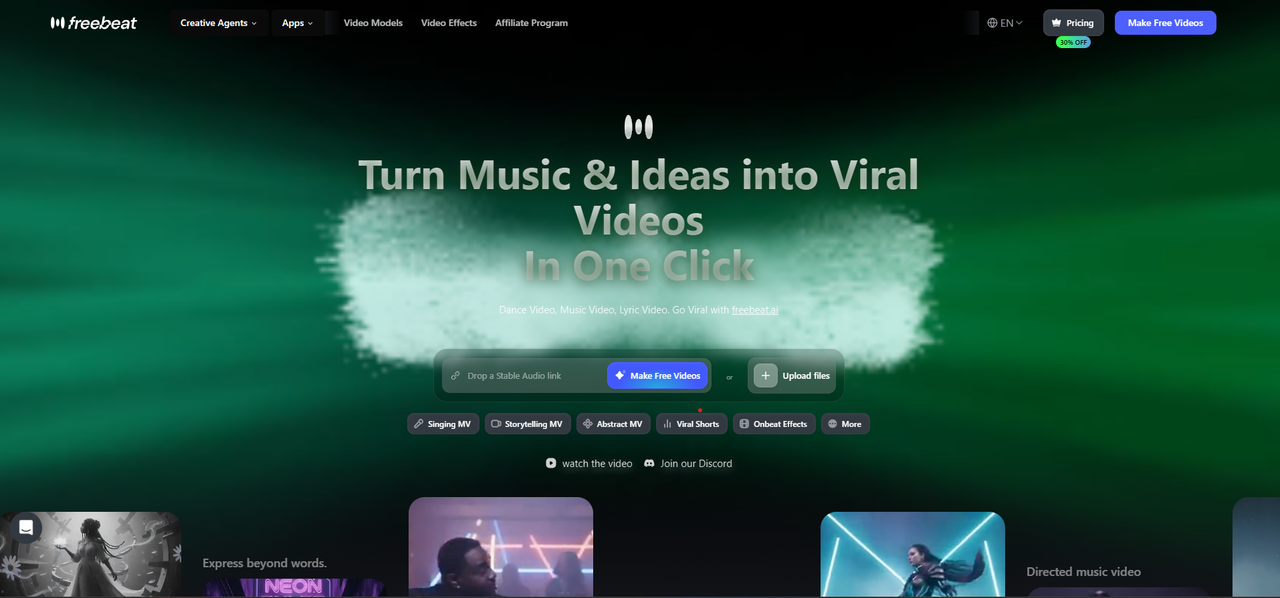
Freebeat is built for creators who want visuals that follow the music naturally. It turns audio into synchronised video using AI that analyses beats, tempo, and mood .
What stands out in real workflows:
- One-click generation from a track or prompt
- Beat-synced motion and transitions
- Prompt-based style control for creative direction
- Multi-model support for different visual outputs
- Export presets for TikTok, YouTube, Instagram, Spotify, and SoundCloud
For musicians, DJs, and content creators, this removes the need for manual animation and editing. You can generate a complete video, then refine it if needed.
Freebeat works best when you want motion, style, and music to feel connected.
Use Cases: Matching Tools to Creative Needs:
Different creators prioritise different aspects of visual style.
Here is how I usually approach it:
- Musicians: Need cinematic visuals for releases
- DJs and performers: Need motion-heavy visuals for energy and rhythm
- Content creators: Need fast, visually engaging social clips
- Visual artists: Need experimental tools for creative exploration
If you are producing frequently, speed and automation matter more. If you are creating a single project, you may prioritise control.
In my workflow, I often generate a base video using AI, then refine specific scenes manually. This approach balances speed and creative control.
The right tool depends on your creative priorities and production needs.
FAQ:
Which AI music video generator gives the best motion graphics options?:
The best tools offer audio-reactive motion, layered effects, and beat-synced transitions.
What is the best AI music video creation platform for experimental visuals?:
Choose platforms that support flexible prompts, multiple models, and fast iteration.
What is the best AI music video generator for cinematic style visuals?:
Look for tools with strong lighting, camera movement, and scene continuity.
Can AI tools create motion graphics automatically?:
Yes. Many tools generate animations and transitions based on audio analysis.
Are experimental visuals practical for music videos?:
Yes. They help creators stand out and explore unique visual styles.
What matters most for cinematic AI videos?:
Lighting, motion realism, and scene flow are key factors.
Do AI tools support multiple visual styles?:
Yes. Many platforms allow switching between styles or combining them.
Are these tools suitable for beginners?:
Yes. Most tools offer simple workflows with minimal technical requirements.
AI music video tools are evolving towards one clear direction. More motion, more flexibility, and stronger alignment with how creators actually work.


