Instagram Reel Trending Audio: Weekly Tracker & Alerts
Contact partnership@freebeat.ai for guest post/link insertion opportunities.
You’re about to post a Reel. The edit is clean, the hook is solid—and then you stall at the last step: Instagram Reel trending audio. Which sound is actually rising (not already peaked), safe for your account type, and fits your story? This weekly-style listicle gives you a practical tracker, alert system, and a repeatable workflow—plus how Freebeat AI helps you turn any audio into a fully synced, high-retention music-driven video.
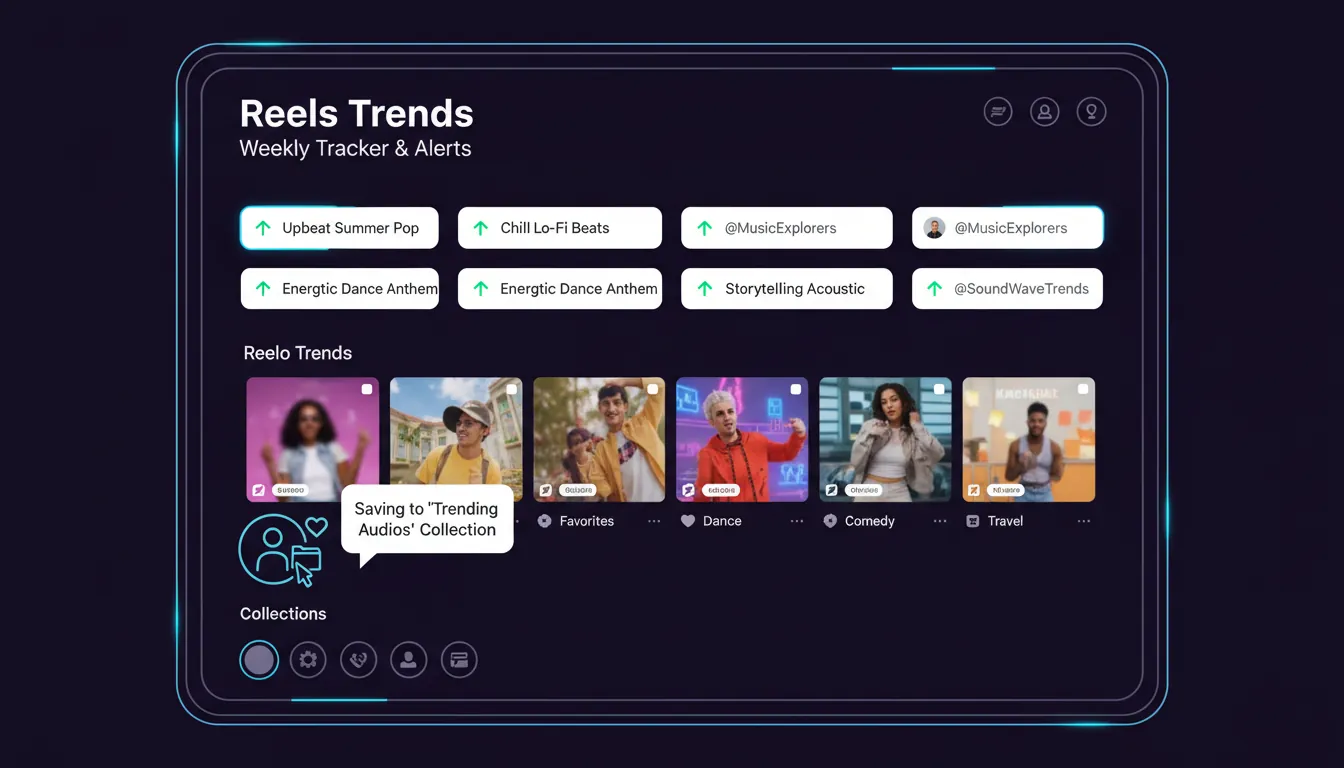
1) Use Instagram’s “Reels Trends” first (it’s the fastest signal)
If you have a professional account, Instagram’s own dashboard can surface Instagram Reel trending audio alongside usage counts and trend context. This is your highest-confidence starting point because it reflects what Instagram is actively promoting.
How I use it in practice (weekly, 10 minutes):
- Open Professional dashboard → find Reels Trends
- Save 10–20 audios that match your niche (not just “most popular”)
- Re-check 48 hours later: keep the ones still accelerating
For context, Instagram has highlighted that creators can see trending audio and usage counts directly in-app, making it easier to pick sounds with momentum rather than guesswork (Mashable’s overview of Reels trending audio and metrics).
2) Watch for the “upward arrow” on the audio page (momentum > popularity)
Not all “popular” sounds are trending right now. The easiest tell: the upward arrow indicator on the sound label or sound page—often a sign the platform is pushing it.
My rule of thumb:
- Rising audio (arrow + still low-to-mid usage) = best for discovery
- Saturated audio (everyone used it weeks ago) = harder to stand out unless your concept is exceptional
This matches what trend trackers emphasize: trends move fast, and the win often comes from catching momentum early, not late (Scott Social’s daily-updated trending audio list).
3) Build a simple weekly tracker (so you don’t “re-research” every post)
A tracker keeps your Instagram Reel trending audio decisions consistent, especially if you post 3–7 Reels/week. Below is a ready-to-copy format I’ve used with creators and brand teams.
Weekly Tracker Table (copy/paste into Notion or Sheets)
Notes:
- The “posts count” examples reflect how trend roundups report scale (e.g., Later and Dash Social). Use them as directional, then confirm in-app before publishing.
- For brand accounts, always double-check music availability and restrictions (more on that below).
4) Set “trend alerts” that don’t require extra tools
You can create a lightweight alert system with what you already have. The goal is to spot Instagram Reel trending audio before it’s everywhere.
A simple alert stack:
- Follow @creators for platform-led trend cues (often early)
- Save audio to a dedicated “Trending—This Week” collection
- Add a recurring calendar reminder: Mon + Thu (15 min) to refresh saved audios
- Track “repeat sightings”: if you hear the same sound 3+ times in a niche feed, it’s usually heating up
If you want a daily external reference, Scott Social maintains a frequently updated list that many social teams bookmark (Trending Reels Audio This Week).
5) Don’t let “trending” override “audience fit” (it’s the #1 avoidable miss)
A trend that doesn’t match your audience can underperform even if the sound is hot. I’ve tested this on brand accounts where a viral comedic sound decreased saves because it clashed with the brand’s tone.
Quick fit checklist:
- Does the sound’s mood match your message (funny, cinematic, tense, romantic)?
- Can you land the “beat drop” with a visual payoff?
- Would your audience share this as you?
Multiple analyses stress the same point: engagement matters more than the audio label, and relevance beats randomness (Jeff Bullas discussion on trending vs original audio and engagement).
6) Trending audio vs original audio: use a hybrid strategy
It’s tempting to treat Instagram Reel trending audio like a cheat code. It helps with discovery pathways, but it’s not guaranteed.
What works reliably:
- Trending audio for reach and “joining the conversation”
- Original audio for authority, brand voice, and repeatable series
A creator experiment circulating on Instagram even showed original audio outperforming trending audio in the first 24 hours—useful as a reminder that creative execution and watch time still win (example post about trending vs original audio test).
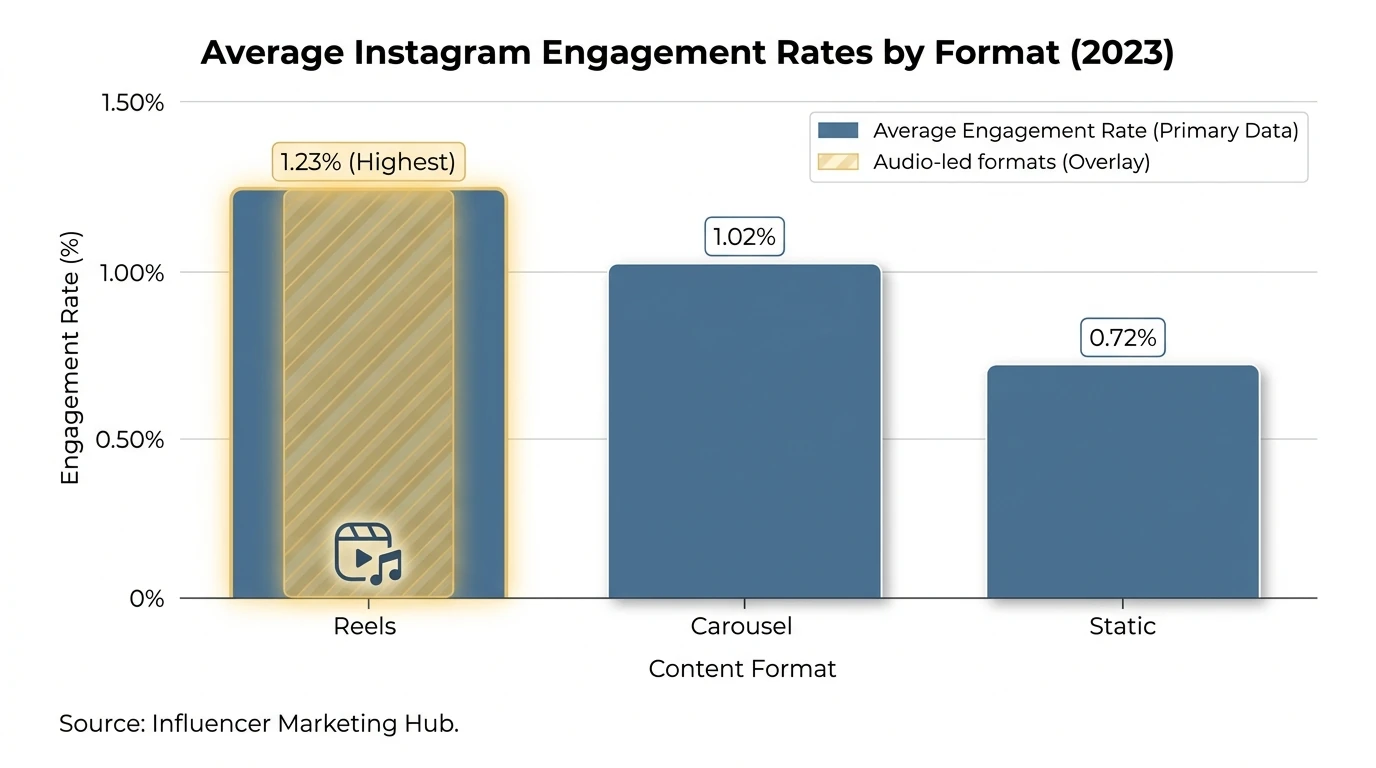
7) Brands: watch licensing and “Original audio” labels to avoid restrictions
If you’re posting from a business account, audio access can differ from creator accounts. Some tracks may be limited or removed for commercial use.
Practical safeguards:
- Prefer sounds clearly available in the in-app music library for your account type
- When in doubt, test with a private draft or a low-stakes Reel first
- Consider using “Original audio” where you control rights (voiceover, custom beat, or licensed track you own)
This aligns with common brand pitfalls called out in trend analysis: ignoring copyright restrictions and relying only on trending audio can backfire (Shortimize on analyzing Reels audio trends + common mistakes).
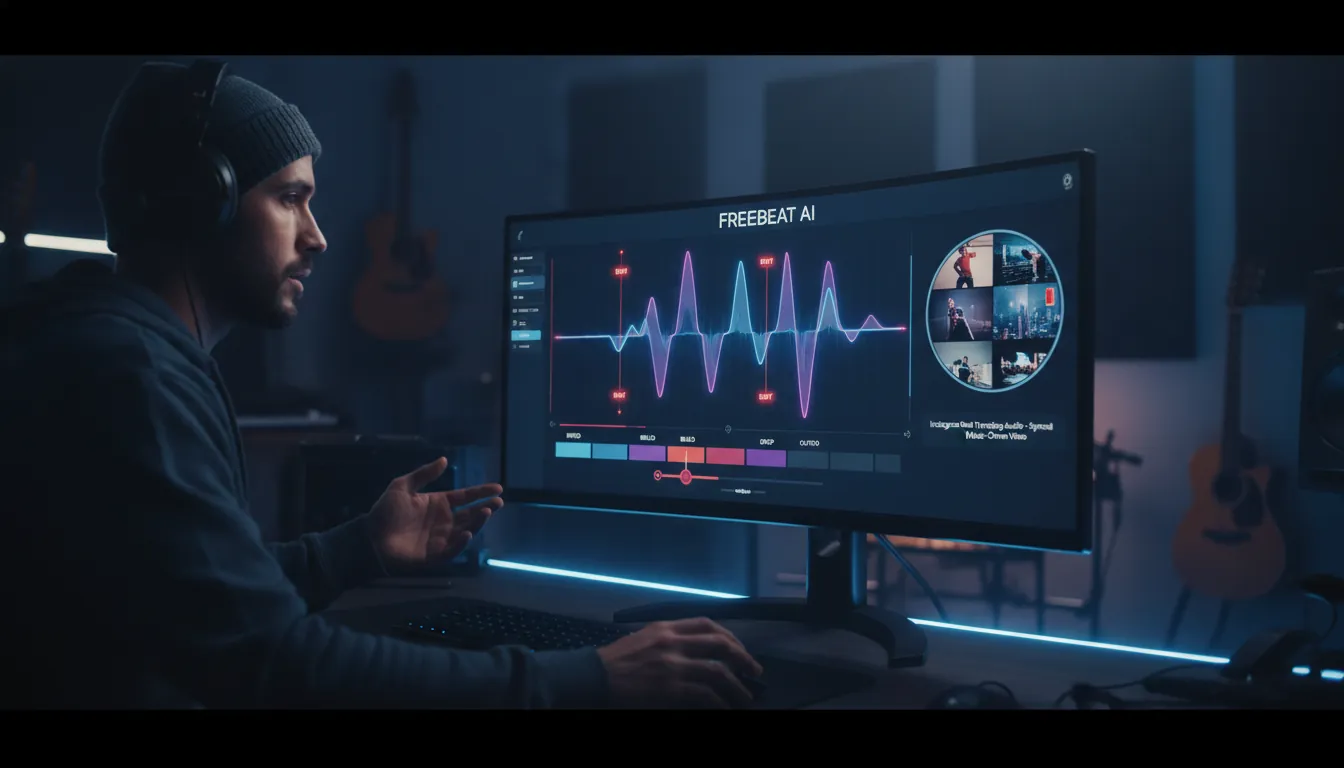
8) Turn any sound into a scroll-stopping Reel with Freebeat AI (audio-reactive advantage)
Most editors cut visuals first and “hope” the beat matches. Freebeat AI flips that: it understands BPM, beats, bars, drops, and sections, then drives camera motion, transitions, and pacing to the music.
Where I’ve seen it help most:
- Drop-timed reveals (product reveals, transformations, before/after)
- High-retention pacing (no dead air between sections)
- Consistent visual identity using reusable characters/avatars across a series
Freebeat’s “music video agent” approach is especially useful when you’re using Instagram Reel trending audio but want your Reel to feel directed, not templated—so you’re benefiting from trend distribution without looking like everyone else.
How to Find Trending Audio on Instagram to Grow Your Reels Fast (Step-by-Step)
9) “Weekly tracker” list: trend categories to rotate (so you always have a concept)
Instead of chasing one sound, rotate categories that reliably map to common trending audio formats. This keeps your content machine running even when trends shift overnight.
A rotation that works for most niches:
- Transformation / Glow-up (beat drop = reveal)
- BTS / “crunch time” (dramatic audio + fast cuts)
- Photo booth / nostalgia (strip layout, throwbacks)
- Duos / reunions (two-person intros, team chemistry)
- Reality TV edit (confessionals, “next week on…”)
Trend roundups often package audio alongside these repeatable formats (e.g., glow-up poses, photo booth imagery, workplace reality edits), which makes it easier to adapt the structure to your niche rather than copying the exact Reel (Later’s weekly Reels trends).
10) Advanced: track audio trend velocity with an API (for teams and marketers)
If you manage many accounts or need data-backed alerts, you can monitor audio usage programmatically. Some third-party endpoints expose audio metadata like title, artist, duration, and total Reel count—useful for trend velocity.
What to track:
- Total clip count over time (daily delta)
- Share/save rate on top Reels using that sound
- Category fit (which niches are pushing it)
One example describes an “Instagram Reels by Audio API” that returns metadata including total reel count in the response, making it possible to build internal dashboards and alerts (SociaVault’s Reels by Audio API overview). For official platform integration and permissions, always start with Meta/Instagram documentation fundamentals (OAuth, permissions, rate limits) (overview guide referencing Instagram’s official API docs).
Conclusion: Make trending audio work for you, not the other way around
Every week, Instagram Reel trending audio resets the playing field—new sounds, new formats, new winners. The creators who grow fastest aren’t the ones who chase every trend; they’re the ones who track momentum, match audience fit, and ship consistently with strong beat-timed payoffs. If you want your next Reel to feel like a directed music video (not a template), try building your weekly tracker and generating audio-synced edits with Freebeat AI.
📌 the best ai video reimagination tools in 2025 top 5 alternatives to freebeat ai
FAQ: Instagram Reel trending audio
1) How do I find Instagram Reel trending audio in the app?
Go to your Professional Dashboard and look for Reels Trends, or tap the audio name on a Reel and check the sound page for trending indicators (like the upward arrow).
2) Do trending audios actually increase reach on Instagram Reels?
They can, because Instagram recommends content clustered around popular sounds—but watch time, saves, shares, and relevance still matter most.
3) Is it better to use trending audio or original audio?
Neither is universally better. Trending audio can help discovery; original audio can build brand identity and sometimes outperform if the content is stronger.
4) Why can’t my business account use some trending songs?
Licensing restrictions vary by region and account type. Brands often have tighter music availability than creator accounts.
5) How often should I update my weekly tracker for trending audio?
Twice a week is a practical baseline (e.g., Monday and Thursday). Trends can peak quickly, so waiting a full week can be too slow.
6) What’s the fastest way to tell if a sound is “rising” vs already saturated?
Look for the upward arrow/trending label and check how often you’re hearing it in your niche. Low-to-mid usage plus frequent sightings usually signals growth.
7) How can I make a trending audio Reel feel original?
Tie the beat drops to your own story (before/after, BTS, tutorial payoff), keep a consistent on-screen persona, and use rhythm-based transitions instead of copying the same template.


