How to Turn Any Song or Audio Clip into a TikTok, Reel, or YouTube Short in 2026

Quick answer: To turn a song or audio clip into a TikTok, Reel, or YouTube Short, upload your audio to an AI music video tool like Freebeat, choose a vertical 9:16 output mode, write a short visual prompt, and export a beat-synced video clip. All three platforms require 9:16 vertical format, strong visual motion from the first frame, and ideally lyric captions for muted viewers. Duration sweet spot: 15–45 seconds for TikTok and Reels, up to 60 seconds for YouTube Shorts.
Every platform that matters for music discovery in 2026 is built around short vertical video. TikTok surfaces tracks to new listeners through its For You Page. Instagram Reels rewards audio-led content with wide organic reach. YouTube Shorts gives tracks a second discovery window outside the main feed. For artists, producers, and Suno creators, the question is no longer whether to publish short-form video — it is how to do it fast enough to stay consistent without sacrificing quality.
The workflow from audio to publishable short-form video is shorter than it has ever been. You do not need a shoot, a film crew, or a video editor. You need the right approach for each platform, a short visual prompt, and a tool that understands the music rather than just containing it.
Want to skip straight to the workflow? Paste a Suno link or upload an MP3, select 9:16, and let Freebeat generate a beat-synced short-form video in minutes.
Try Freebeat free →What All Three Platforms Have in Common
Before going platform-specific, these four requirements apply universally:
All three platforms are built for portrait video. Set 9:16 before generating — cropping afterward loses framing and quality.
Feeds auto-play with sound off. A static cover art opening loses attention before the audio starts.
Short-form platforms amplify music that already sounds good. The video's job is to stop the scroll long enough for the song to play.
A significant share of users watch muted first. Lyric captions convert passive scrollers into active listeners.
Step-by-Step: How to Turn a Song into a Short-Form Video
1Choose the right moment from the track
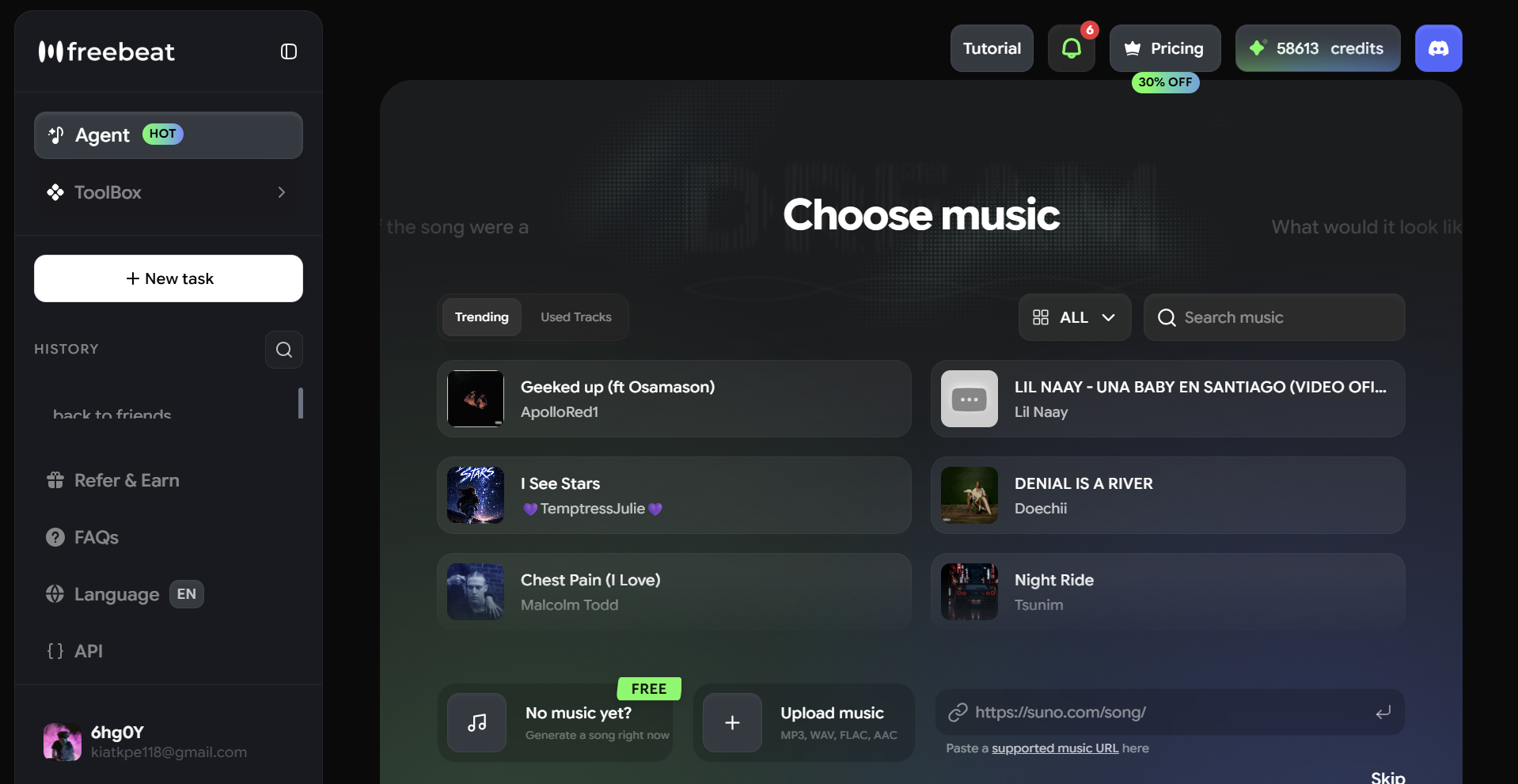
Short-form video performs best when it starts at the most compelling moment — not necessarily the beginning. The chorus, a drop, or a striking opening lyric are stronger entry points than a long intro. Identify the 15–45 second window you want to feature before generating. For Suno tracks with a clear structure, the chorus is usually the strongest clip.
2Prepare your audio
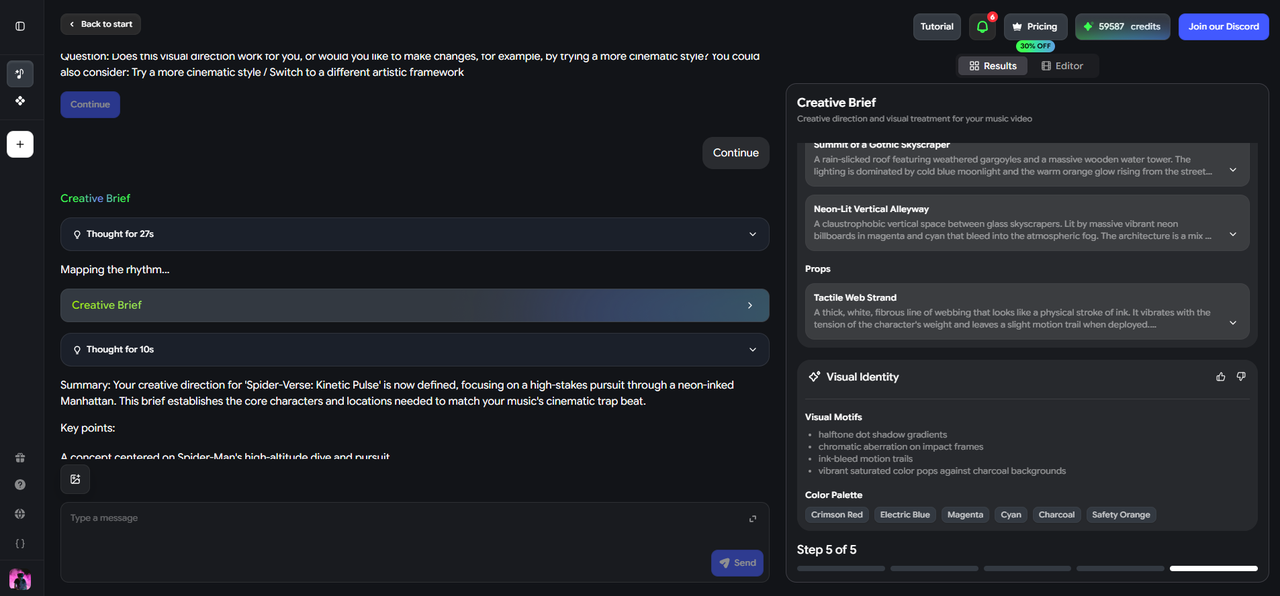
Export or download the relevant segment as MP3 or WAV. For Suno tracks, you can use the share link directly in Freebeat — no download required. If trimming a clip, cut cleanly at a natural musical boundary: a beat, a bar, or the end of a phrase. Clips that cut off mid-phrase feel abrupt and are less likely to be saved or shared.
3Upload to Freebeat and set output to 9:16

Go to freebeat.ai. Upload your audio file or paste your Suno share link. Confirm the output aspect ratio is set to 9:16 vertical before selecting a video mode. This ensures the generated video is correctly formatted from the start — not cropped after the fact.
4Choose your video mode
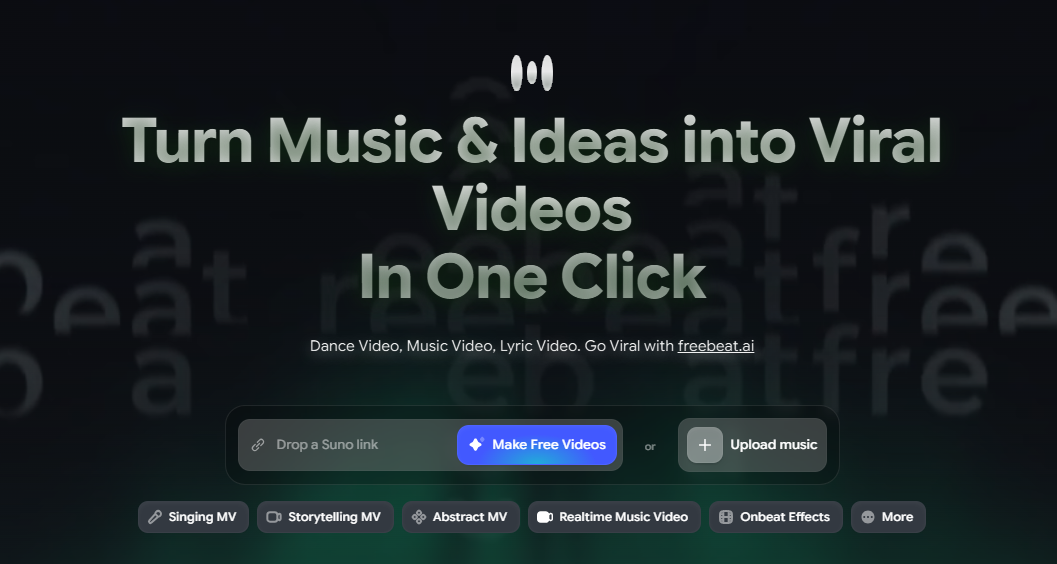
- Singing MV — for vocal tracks with lip sync; ideal for song-reveal clips and lyric-forward content
- Storytelling MV — for cinematic or instrumental tracks; generates scene-based video that evolves with song structure
- Lyric Video — animated captions that carry the visual; strong for hooks and chorus moments
- Abstract MV / Visualizer — for electronic, lo-fi, or instrumental tracks where audio-reactive motion is the visual
5Write a prompt for short-form energy
Short-form video rewards visual immediacy. Write a prompt that communicates high energy, strong contrast, or a visually distinctive setting from the first frame.
Pop hook: "Bright neon stage, close-up performance shot, fast cuts between performer and crowd, vivid pinks and yellows, high energy from the first frame."
Lo-fi / chill: "Late-night bedroom window, rain outside, warm lamp light, slow wide shot, calm and introspective."
Hip hop / trap: "Urban rooftop at sunset, single performer, slow motion B-roll of city, deep oranges and shadows, confident."
Electronic / dance: "Strobe-lit club interior, crowd and DJ split-screen, rapid cuts on every beat, electric blues and purples."
6Review the storyboard and export
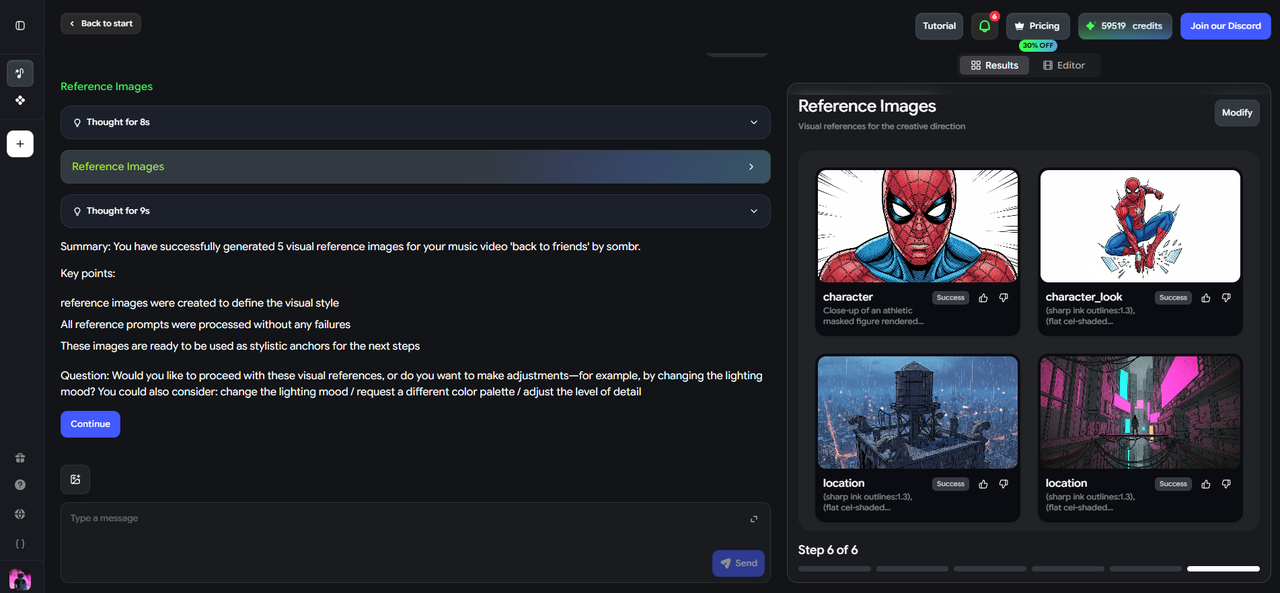
Freebeat presents a shot-by-shot storyboard before rendering. For a short-form clip, pay special attention to the opening frame — make sure the first shot has visual motion. Adjust if needed, then generate and export in 9:16 for all three platforms.
Platform-Specific Guide
The same 9:16 clip can go to all three platforms — but each rewards different things. Here is what to optimize for each.
TikTok

TikTok is the highest-volume discovery platform for music in 2026. Its For You Page algorithm distributes content to non-followers based on engagement signals — replays, shares, comments, and saves carry more weight than follower count. For music creators, this makes TikTok the strongest platform for reaching listeners who have never heard of you before.
- Visual hook in the first 1–2 seconds — movement, color, or a character appearing immediately
- Lyric captions styled to match the song's energy
- Close-up performer or strong visual subject in the opening shot
- Audio-reactive motion that matches TikTok's sound-first culture
- Slow, cinematic openers with no movement in the first two seconds
- Too much text on screen — one caption line at a time reads better
- Uploading 16:9 video rotated to 9:16 — quality loss is visible
- Starting at the intro rather than the hook or chorus
Instagram Reels

Instagram Reels rewards visual polish and aesthetic consistency more visibly than TikTok. The Reels audience tends to engage more with content that looks intentional — a clear color palette, cohesive lighting, and a mood that the audio reinforces. Saves and shares carry strong algorithmic weight here, so content that people want to return to performs better than content built purely for viral reach.
- Visually polished output — color palette, lighting, and mood feel cohesive
- Strong first frame that communicates genre and mood immediately
- Lyric captions using Reels' native caption feature or pre-burned text
- Aesthetic consistency between the visual and the artist's existing profile
- Uploading with a TikTok watermark — Instagram actively suppresses watermarked content
- Chaotic, fast-cut editing for genres where that does not fit the aesthetic
- Static cover art as a background — Reels rewards continuous motion
- Generic or mismatched visual mood — the video should feel made for this specific track
YouTube Shorts

YouTube Shorts operates differently from TikTok and Reels: it rewards watch time across the full clip more explicitly. A 45-second Short that retains most viewers to the end will outperform a 15-second clip with a high drop-off rate. Shorts also gives artists a second discovery layer — content can surface in the Shorts feed independently from a channel's subscriber base, making it useful for both new and established artists.
- Hook in the first 3–5 seconds — slightly more runway than TikTok before drop-off
- Strong visual storytelling across the full 60 seconds
- Lyric or caption overlays for vocal tracks throughout the video
- Clear end moment — a call to action, a final lyric, or a strong visual close
- Cropped 16:9 video — Shorts detection works on resolution and framing
- Uploading the identical clip from TikTok without any differentiation
- Clips that start strong and lose energy — retention across the full video matters
- Very short clips under 15 seconds — Shorts rewards the full 30–60 second window
Quick Reference: Platform Specs at a Glance
| TikTok | Instagram Reels | YouTube Shorts | |
|---|---|---|---|
| Aspect ratio | 9:16 | 9:16 | 9:16 |
| Duration | 15–60 sec | 15–60 sec | Up to 60 sec |
| Hook window | 1–2 sec | 1–2 sec | 3–5 sec |
| Algorithm priority | Replays + shares | Saves + reach | Watch time + retention |
| Watermark policy | Accepted | Suppresses watermarks | Accepted |
Things to Watch Out For
- Reusing the same clip without adjustment. Each platform has a different audience context and algorithm. A clip that performs on TikTok may need a tighter hook for Reels or a longer runtime for Shorts. Generate platform-specific variations when possible.
- Starting with a slow intro. Short-form feeds are competitive. A four-bar intro before any visual movement is enough time for most viewers to scroll past. Lead with the most energetic or visually compelling moment.
- Ignoring the audio mix on export. Platforms compress audio on upload. Export at the highest quality your tool allows and check the audio level before publishing — quiet tracks get buried on Reels and Shorts.
- Forgetting captions on vocal tracks. For any track with lyrics, captions are how a muted viewer becomes an engaged listener. Generate or add lyric captions as part of the video workflow, not as an afterthought.
- Publishing simultaneously on all three platforms. Stagger your releases — typically TikTok first, then Reels, then Shorts — so each platform gets a window of freshness and you can read performance before adapting.
Frequently Asked Questions
How do I turn a Suno song into a TikTok video?
Paste your Suno share link into Freebeat, select 9:16 aspect ratio, choose Singing MV or Lyric Video mode, write a short visual prompt with high-energy cues, review the storyboard, and export. The full process takes a few minutes and produces a publish-ready vertical video.
What is the ideal length for a music clip on TikTok?
For discovery, 15–45 seconds tends to outperform longer clips. The chorus or hook of a song works better than a full song-length clip — give listeners enough to want to find the full track, not so much that the clip loses them before the best moment.
Can I use the same video for TikTok, Reels, and YouTube Shorts?
The same 9:16 file can be uploaded to all three, but each platform responds differently. Reels suppresses content with TikTok watermarks, so export a clean version. Shorts rewards longer retention, so a 45-second clip may outperform a 20-second clip that works on TikTok.
What aspect ratio should I use for short-form music videos?
9:16 vertical for all three platforms. Generating in 16:9 and cropping afterward loses image quality and framing. Set 9:16 before generating, not after.
Do I need to add captions manually?
Not necessarily. Freebeat's Lyric Video mode generates animated captions from the track automatically. For other modes, you can add captions in the export step or use each platform's native caption tool after upload.
Does Freebeat support short clips or only full-length videos?
Freebeat supports both. You can input a short audio segment and generate a clip-length video, or generate a full song-length video and export a specific segment. For short-form publishing, generating directly from the relevant clip is the most efficient workflow.
More Resources
Explore more Freebeat tools and guides for music creators:
Ready to turn your track into a short-form video? Upload an MP3 or paste a Suno link into Freebeat, select 9:16, and export a beat-synced clip for TikTok, Reels, or Shorts in minutes.
Try Freebeat free →

