Best Music Video Maker Software in 2026: AI Generators and Video Editors Compared

“Music video maker” covers two kinds of software. Generators create the visuals from your song. Editors cut footage you already have. Many artists use both: a generator for the first cut and an editor for the finishing touches.
We compared nine options across both groups using vendor pages as of October 17, 2026.
Freebeat listens to your song, maps the verse, chorus, and drop, and cuts a music video to the beat. Make a music video with Freebeat →
What We Looked For
- Generator or editor: does it create visuals or cut your footage?
- Music tools: beat detection, beat sync, or song-structure analysis
- Platforms: Windows, Mac, Linux, iOS, Android, or web
- Price model: free, one-time, or subscription
- Learning curve for musicians who don't edit video
At a Glance
| Software | Type | Platforms | Music tools | Price |
|---|---|---|---|---|
| Freebeat | AI generator + AI editor | Web, Mac (editor), iOS, Android | Maps verse, chorus, and drop; cuts to the beat | 500 free credits; paid plans |
| DaVinci Resolve | Pro editor | Mac, Windows, Linux | Manual editing | Free; Studio $295 |
| Final Cut Pro | Pro editor | Mac; iPad | Beat Detection; Montage Maker on iPad | $299.99 on Mac; iPad $12.99/month |
| CapCut | Editor | Windows, Mac, iOS, Android, web | Templates, effects, auto captions | Pro $19.99/month |
| Adobe Premiere Pro | Pro editor | Windows, Mac | Manual editing | Subscription |
| Filmora | Editor | Windows, Mac | Auto Beat Sync | Advanced $59.99/year |
| Neural Frames | AI generator | Web | Stem-driven animation | From $39/month |
| Kaiber | AI generator | Web | Beat Sync (Creator plan) | Starter $10, Creator $29/month |
| Runway | AI video model | Web, iPhone | Clips you edit to the song | Standard $15/month |
Where Freebeat Fits as Music Video Maker Software
Freebeat is a music-first generator with an editor on top. Upload a song or paste a link, and Freebeat generates a beat-synced music video for tracks of up to six minutes. Its AI editor then “listens to your song, maps verse / chorus / drop, and cuts the timeline to the beat,” and you can change the pace, mood, visuals, or story with a sentence, in the browser or in the Freebeat Mac app.
Freebeat also runs on phones: its app is on the App Store (iPhone, iPad, and Apple silicon Macs) and Google Play. Already shot footage? Pair Freebeat's first cut with a traditional editor such as DaVinci Resolve or Final Cut Pro for frame-level finishing.
- Generates and edits: no footage needed for the first cut.
- Song-structure editing: verse, chorus, and drop mapped automatically.
- Web, Mac, iOS, and Android.
- Also makes lyric videos, dance videos, and visualizers.
Freebeat reference: https://freebeat.ai/ai-editor
Detailed Picks
1Freebeat

Musicians who want the software to make the video
Freebeat generates a full music video from your song and lets you re-cut it to the beat in its AI editor.
How it fits the workflowUpload the song, pick a style, generate, then refine shots in the editor and export for each platform.
Watch forStart with 500 free credits to try styles on your own song, then export full-length, watermark-free videos on a paid plan.
2DaVinci Resolve
A free professional editor
DaVinci Resolve is free on Mac, Windows, and Linux, and DaVinci Resolve Studio costs $295 as a one-time purchase.
How it fits the workflowImport your footage and song, cut on the timeline, grade, and export.
Watch forIt's powerful but has a steep learning curve for first-time editors.
3Final Cut Pro
Mac editors who cut to the rhythm
Final Cut Pro is a one-time $299.99 purchase on Mac. Its Beat Detection analyzes music so you can map song parts, bars, and beats on a grid, and on iPad (via Apple Creator Studio at $12.99 a month or $129 a year) Montage Maker cuts highlights to the beat of a song.
How it fits the workflowRun Beat Detection on the track, snap clips to the grid, and fine-tune the pacing.
Watch forMac and iPad only.
4CapCut

The easiest editor across phone and desktop
CapCut runs on Windows, Mac, iOS, Android, and the web, with templates, effects, and auto captions. Pro is listed at $19.99 a month.
How it fits the workflowImport the song and clips, apply a template or edit by hand, and export 16:9 and 9:16 versions.
Watch forReports differ on when the free plan adds a watermark, so check your first export.
5Adobe Premiere Pro
Editors already working in Adobe's apps
Premiere Pro is Adobe's professional timeline editor for Windows and Mac, sold as a subscription.
How it fits the workflowEdit footage to the song on the timeline and round-trip to other Adobe apps for effects and graphics.
Watch forIt's subscription-only; check Adobe's plans page for the current price.
6Filmora
Beginner-friendly editing with beat sync
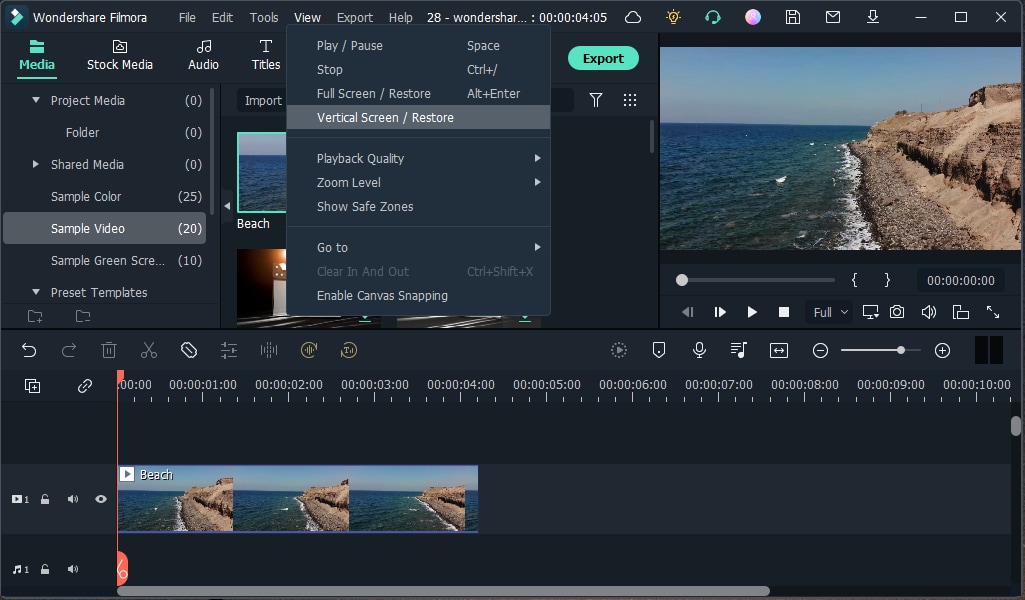
Filmora lists an Auto Beat Sync audio feature. The Advanced annual plan is listed at $59.99 a year, and the free version adds a watermark to exports.
How it fits the workflowImport clips and the song, run Auto Beat Sync, and adjust the cuts.
Watch forFree exports are watermarked.
7Neural Frames

Producers who want audio-reactive AI animation
Neural Frames accepts MP3, WAV, or FLAC files and drives AI animation from the separated stems of your mix. Plans start at $39 a month ($26 billed yearly), and its pricing page says you own the videos you create.
How it fits the workflowUpload the track, map stems to motion, and render.
Watch forMore setup than one-click tools, and no free plan.
8Kaiber

Stylized AI edits that sync to the music
Kaiber's Beat Sync auto-syncs and auto-clips video to music, starting on the $29 a month Creator plan; Starter is $10.
How it fits the workflowSet a visual style, run Beat Sync on the track, and finish in the timeline editor.
Watch forBeat Sync isn't on the $10 Starter plan.
9Runway

Cinematic AI shots to cut into a video
Runway generates video from text, images, and video, and its Act-Two transfers a performance onto a character. Standard costs $15 a month ($12 billed yearly), and Gen-4.5 uses 12 credits per second.
How it fits the workflowGenerate a few signature shots, then edit them to the song in an editor.
Watch forIt makes clips, not song-length videos, so you still need an editor.
How to Choose the Right Option
If you don't have footage, start with a generator: Freebeat for a full beat-synced video, Neural Frames for stem-driven animation, or Kaiber for stylized clips. If you shot footage, use DaVinci Resolve (free), Final Cut Pro (beat detection on Mac), CapCut (easiest everywhere), Filmora (beginner beat sync), or Premiere Pro (Adobe workflows). Use Runway for a few cinematic shots inside either workflow.
Generate a beat-synced first cut from your song, then refine it in the AI editor. Start with Freebeat →
Frequently Asked Questions
What is the best music video maker?
Freebeat is our top pick if you want software to make the video from your song. If you're editing your own footage, DaVinci Resolve is a free professional editor and Final Cut Pro a one-time purchase on Mac.
Which music video maker is the best?
For musicians without footage, Freebeat, because it generates and edits to the beat. For filmmakers, DaVinci Resolve or Final Cut Pro, and for quick phone edits, CapCut.
What is the best music video tool?
It depends on your starting point: an AI generator (Freebeat, Neural Frames, Kaiber) if you only have the song, or an editor (DaVinci Resolve, Final Cut Pro, CapCut) if you have footage.
Is there free music video maker software?
Yes. DaVinci Resolve is free on Mac, Windows, and Linux, CapCut has a free tier, and Freebeat gives new accounts 500 free credits to preview on their own song.
Do I need editing software if I use an AI music video generator?
Not always. Freebeat includes an AI editor that cuts to the beat. You'd add an editor like DaVinci Resolve only for frame-level changes or to mix in live-action footage.


