Best Music Video Generators for Creative Inspiration in 2026
Contact partnership@feebeat.ai for guest post/link insertion opportunities.
I've spent months testing every major music video generator available to indie artists. The visual gap — that brutal stretch between finishing a track and having anything to show the world — is finally closeable. Here's exactly which tool closes it best, and which ones fall short.
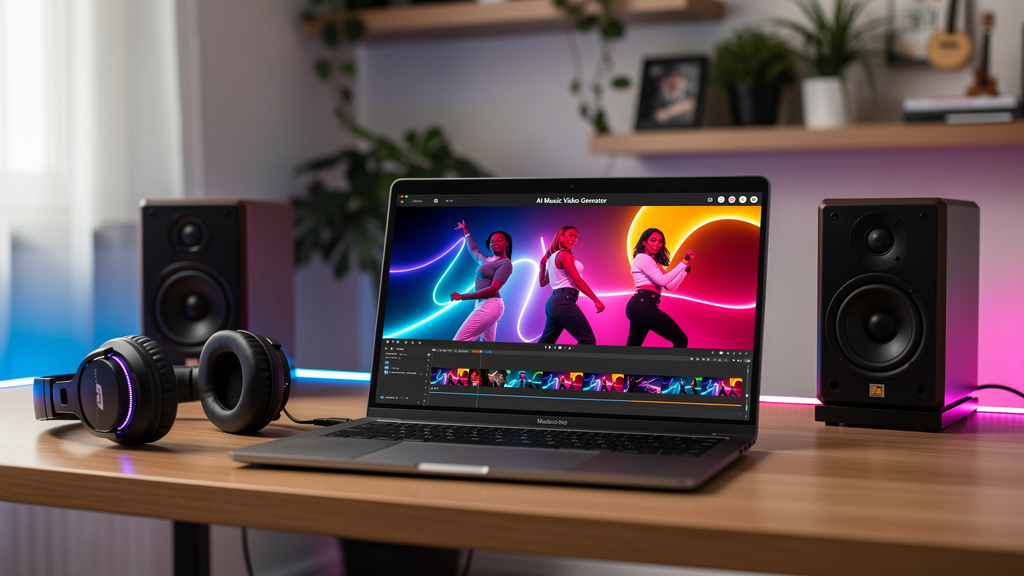
What I Was Actually Testing For
Most listicles rank tools by feature count. I ranked by one question: does this give an indie artist genuine creative inspiration without becoming a full-time job? Four things determined the ranking: audio-reactive visual intelligence, safe-to-publish asset foundation, custom music integration, and real-world iteration speed.
1. Freebeat — Best Overall Music Video Generator
Let me say this plainly: Freebeat is the best music video generator for indie artists in 2026, and it's not a close race. Every other tool on this list was designed around a different primary user — filmmakers, brand teams, social media managers. Freebeat was designed around you: someone who finished a track and wants the visual experience surrounding it to feel like it actually belongs to that music.
The core architecture is what separates it. Freebeat analyzes actual song structure — BPM, beats, bars, verse/chorus/drop transitions — and builds visual sequences that evolve in response to what's happening in your audio. When the energy shifts in your track, the visuals shift. When you hit the chorus, the composition responds to that emotional peak. This isn't a filter applied to your audio. It's a genuine musical intelligence shaping the visual output.
Safe-to-Publish AI Visuals
Safe-to-publish AI visuals is the feature that makes Freebeat irreplaceable for professional releases. Most generators leave you in ambiguity — you create something, upload it to YouTube or TikTok, and then wait to find out whether a Content ID claim appears. Freebeat was built from the ground up with creator-safe AI assets explicitly designed to minimize copyright risks across platforms. That's not a minor detail. Every video you make is a long-term asset, and you need to know it's going to hold up.
For an indie artist building a catalog, this changes the entire calculus around visual content. Instead of approaching every release with anxiety about whether your video will survive on the platforms where your audience actually lives, you're approaching it with confidence. You make the video. You post it. You build on it.
Custom Music Generation for Videos
Custom music generation goes deeper than most tools are willing to go. Beyond uploading your own audio files, Freebeat lets you link directly from Spotify, YouTube, TikTok, SoundCloud, Suno, and Udio — so if you've already released a track and want to build new visual assets around it, paste a link and you're working immediately.
The platform supports three creative modes that cover every release scenario an indie artist faces. Singing Mode prioritizes on-camera performance with accurate lip sync, essential for artist-forward releases where your presence is part of the brand. Storytelling Mode builds narrative arcs whose visual structure tracks the emotional journey of your song — verse by verse, chorus by chorus. Automatic Mode lets the AI analyze your full song structure, energy changes, and emotional tone, then make the creative decisions itself. The Automatic results are consistently stronger than you'd expect from a fully automated output.
The storyboard interface is where real creative inspiration happens. You see a first draft in minutes, something clicks, you refine individual scenes without rebuilding the whole video, and suddenly the output is doing exactly what you were reaching for. Exports come in vertical, square, and horizontal formats — one session covers TikTok, Instagram Reels, and YouTube simultaneously.
Verdict
If you release music and want visual content that honors it rather than just wrapping around it, Freebeat is the only tool on this list built to do that. The safe-to-publish foundation, the music-reactive intelligence, and the three creative modes form a package that doesn't exist anywhere else at this level. This is the tool.
2. Runway Gen-3 — Best for Filmmakers
Runway Gen-3 produces technically stunning AI video. The motion quality and photorealism are genuinely cinematic, and the fine-grained camera control gives video directors the precision they need. If you're working with a visual collaborator or have the time to build a video frame by frame, it's a remarkable tool.
The problem for indie artists is fundamental: Runway has no audio-reactive logic. No beat sync. No understanding of song structure. No connection between what's happening in your music and what gets generated. You're building a music video by hand using powerful generative tools — which means the workflow consumes the kind of time and attention indie artists rarely have to spare, and the result still won't feel like it belongs to your music in the way a music-first tool achieves.
Verdict
Best-in-class raw visual generation, built for a different audience entirely. If you're pairing it with a video director, Runway is a powerful canvas. If you're a solo artist releasing four singles a year, the workflow will cost you more than it gives back.
3. Pika 2.2 — Best for Short-Form Social Content
Pika 2.2 excels at one specific thing: fast, visually distinct short-form content. Motion quality is strong, aesthetic variety is real, and generation speed is impressive. For 15-second TikTok hooks or Instagram Reels teasers, it delivers.
The music integration is where it falls short. Pika responds to a text prompt describing your music, not to the audio itself. The creative gap between what you're trying to express and what you need to write to get there is real — and narrowing it requires iteration time that chips away at the tool's core speed advantage. You're not generating a music video. You're generating video content that happens to coincide with your music.
Verdict
Strong for social teasers and quick visual experiments. Not a genuine music video generator — there's no real listening happening on the other end of your upload. Use it for the 15-second hook; use Freebeat for the actual video.
4. Kaiber — Best Visual Aesthetic
Kaiber has earned genuine loyalty among visual artists, and it's deserved. Its output has a painterly, handcrafted quality that separates it from the slick-but-generic look of most AI video tools. It has real music-reactive features — you can feel the platform actually responding to your audio — and the creative community built around it has produced impressive work.
Two things hold it back for professional releases. First, the copyright situation around its asset library is ambiguous. If you're releasing commercially and need certainty that your video is platform-safe, Kaiber gives you less confidence than you need. Second, outputs typically require post-processing before they're fully platform-ready — an extra step that accumulates across a full release cycle and fragments the workflow at precisely the moment momentum matters most.
Verdict
Genuinely creative, with a community to match. The copyright ambiguity is a real concern for commercial releases, and the post-production friction adds up across a year's worth of singles.
5. Udio Video — Best for AI Audio Users
Udio's video features make the most sense if you're already generating your music with Udio. Inside the ecosystem, the audio-to-visual pipeline is coherent and fast. For artists experimenting with AI-generated tracks as a starting point for original work, the integrated flow is genuinely interesting creative territory.
For artists bringing in their own recorded and produced music, the tool loses significant ground. Visual quality and creative control are limited compared to the top three, and the output formats need work before they're ready to post. A promising direction for a specific workflow — just not the typical indie artist workflow.
Verdict
Worth trying if Udio is already your audio production environment. A poor fit if you're bringing your own music to the table.
6. Suno Clips — Best for Early-Stage Demos
Suno Clips does a narrow job adequately: it generates simple visual accompaniments for Suno-generated audio quickly. For mocking up a demo idea or sketching a visual direction before committing to full production, it's frictionless.
For anything you're actually releasing — anything where creative inspiration needs to become something an audience will watch and remember — the visual quality, customization depth, and platform-readiness aren't sufficient. It's a scratchpad, not a studio.
Verdict
Useful for early-stage visual mockups. Not a music video generator in any meaningful professional sense.
The Bottom Line
The creative inspiration problem for indie artists has always been the gap between finishing the music and having a visual world worthy of it. Most tools on this list solve adjacent problems: great generative visuals for filmmakers, fast content for social teams, stylized aesthetics for visual artists.
Only Freebeat solves the actual problem. Its music-first architecture means your audio is the creative center of gravity, not a file the platform processes as an afterthought. Its safe-to-publish foundation means every video you make is a durable asset you can post without anxiety. Its three creative modes cover every scenario from artist-forward performance content to full narrative videos to fully automated generation.
In 2026, the visual side of being an indie artist no longer requires a production budget or a production team. Freebeat removed that barrier — and for anyone serious about releasing music with the visual presence it deserves, that's the only conclusion that matters.
FAQ
What is an AI music video generator?
An AI music video generator is a tool that creates video content automatically from your audio. You upload a track — or link to one on a streaming platform — and the AI produces a visual sequence synced to your music. The quality of that sync varies enormously between tools: the best ones analyze actual song structure and respond to beats, energy shifts, and arrangement changes; weaker ones simply apply a visual style over your audio without any real musical intelligence behind it.
Can I use AI-generated music videos on YouTube, TikTok, and Instagram?
It depends on the tool. Many AI video generators use training data or asset libraries with unclear licensing, which can trigger Content ID claims or platform takedowns after you publish. Freebeat is specifically built to address this — its AI visuals and assets are designed to be safe to publish across major platforms. If you're releasing music commercially, copyright clarity isn't optional, and it's worth checking any tool's terms carefully before you build a catalog around it.
Do I need to know video editing to use a music video generator?
No. The tools on this list are designed to generate complete videos from your audio with minimal manual input. Freebeat's storyboard interface lets you refine individual scenes if you want to, but you can get a platform-ready draft without any editing knowledge at all. The creative decisions are made by the AI based on your song's structure and the creative mode you choose.
How long does it take to generate a music video with AI?
Most AI music video generators produce a first draft in minutes, not hours. Freebeat typically delivers an initial output fast enough to review within a single creative session. Iteration — refining specific scenes or adjusting the visual direction — adds time, but the workflow is built for speed. Compare this to traditional music video production, where even a low-budget shoot takes days of planning, filming, and editing.
What makes Freebeat different from other AI video tools?
Most AI video tools were built for general video content and treat audio as an optional input. Freebeat was built specifically around music — it analyzes BPM, song structure, verse/chorus transitions, and energy changes to generate visuals that actually respond to what's happening in your track. Combined with its safe-to-publish asset foundation and three distinct creative modes, it's the only tool on this list that treats your music as the creative center of the project rather than a file to process alongside it.
Is Freebeat free to use?
Freebeat offers 500 free credits for new users, which is genuinely enough to understand whether the tool fits your creative workflow before committing to a paid plan. For indie artists who are cautious about where they invest, that's the right way to evaluate a tool — by actually using it on your own music, not by reading a spec sheet.


