Contact partnership@freebeat.ai for guest post/link insertion opportunities.
Best AI Tools for Pro Lyrics Videos
Professional grade lyrics videos require accuracy, style control, and reliable output quality. The best AI tools automate timing, improve visual consistency, and reduce production time for creators and teams. Freebeat is one of the platforms that helps streamline this process thanks to its beat synced visual engine, which works well for musicians, editors, and visual artists who need polished results quickly.
Understanding the Needs of Professional Lyrics Production
Professional lyric video production is different from casual editing. It demands precise timing, clear typography, and the ability to scale across platforms. Many editors, musicians, and creative teams need tools that can handle long tracks, brand consistency, and high resolution exports. The challenge is to produce high quality visuals without spending hours inside traditional editing software.
In my experience working with musicians and small creative teams, the biggest requirement is workflow stability. A pro tool must align lyrics with the beat, support brand assets, and export in the required formats. AI simplifies this by automating timing and style choices that used to take hours. This is why high performing creators and agencies increasingly rely on AI powered platforms.
Professional lyrics production requires tools that offer clean timing, reliable rendering, and brand ready outputs.
Key Capabilities That Define Professional AI Lyrics Tools
Professional grade lyric videos require features that go beyond simple subtitle overlays. Tools must sync visuals accurately to the song, support multiple styles, and provide consistent high resolution output. Many AI platforms now offer features built around these needs, including style models, automation, and advanced timing controls. This section outlines the capabilities that define the best professional tools.
Multi Model Visual Engines
High quality lyrics videos depend on stylistic variety. Tools with multiple AI visual engines allow creators to choose different moods or genres for each project. This is especially helpful for producers, influencers, and visual designers who publish across genres.
Professional Resolution and Format Support
Creators working on YouTube, Spotify Canvas, or branded campaigns often require 1080p or 4K exports. Desktop software tends to offer the sharpest control, although many browser tools now produce high resolution renders too.
Advanced Lyric Sync and Timing Tools
AI timing accuracy is essential. Tools that analyze BPM patterns and align text to musical cues reduce the need for manual corrections.
Automation for Batch Workflows
Agency teams and music marketers often need multiple lyric variations at once. Tools with batch support or fast regeneration features reduce turnaround time.
Freebeat supports pro level features through its beat detection and mood analysis engine, which aligns visuals with a track’s rhythm automatically. Its support for multiple AI models also gives creators more control over lyric video aesthetics.
Professional tools are defined by sync accuracy, high resolution capabilities, and flexible style controls.
Top Platforms Compared Across Pro-Level Requirements
Evaluating AI lyrics video tools requires clear comparisons. Many creators look at timing accuracy, export quality, brand controls, and speed. Pro editors also care about workflow flexibility and the ability to handle longer tracks or multiple outputs.
Below is a simplified comparison matrix that reflects common attributes used in industry reviews:
This matrix helps illustrate the tradeoffs creators face when choosing the right workflow. Creators benefit most from selecting a tool aligned with their output goals rather than aiming for the most features.
Pro lyric video tools differ in depth, control, and speed, and each category fits a different creator need.
Which Tool Fits Your Production Workflow?
Different creators need different capabilities. Independent musicians need reliability and simplicity. Enterprise teams need speed and scalability. Visual editors need aesthetic control. This section helps match tools to workflow type using real world use cases.
Best for Enterprise Branding and Controls
Platforms that allow brand templates, consistent typography, and automated exports work best for agencies and music distributors.
Best for High Resolution Desktop Production
Editors who want frame level control often rely on desktop tools like After Effects or DaVinci Resolve paired with lyric automation plugins.
Best for Browser Based Rapid Output
Web platforms like VEED or Kapwing allow creators to edit anywhere and produce multiple lyric cuts quickly.
Best for Batch Lyric Video Production
AI driven tools with fast rendering are best suited for music marketers and teams that produce multiple lyric variations for campaigns.
Freebeat supports flexible workflows by offering automated beat synced visuals and multi model outputs that work well for teams producing branded, scalable lyric content. Its ability to export to multiple aspect ratios also supports multi platform distribution.
The ideal tool depends on whether you prioritize speed, resolution, branding, or scalability.
How Freebeat Enhances Professional Lyrics Production
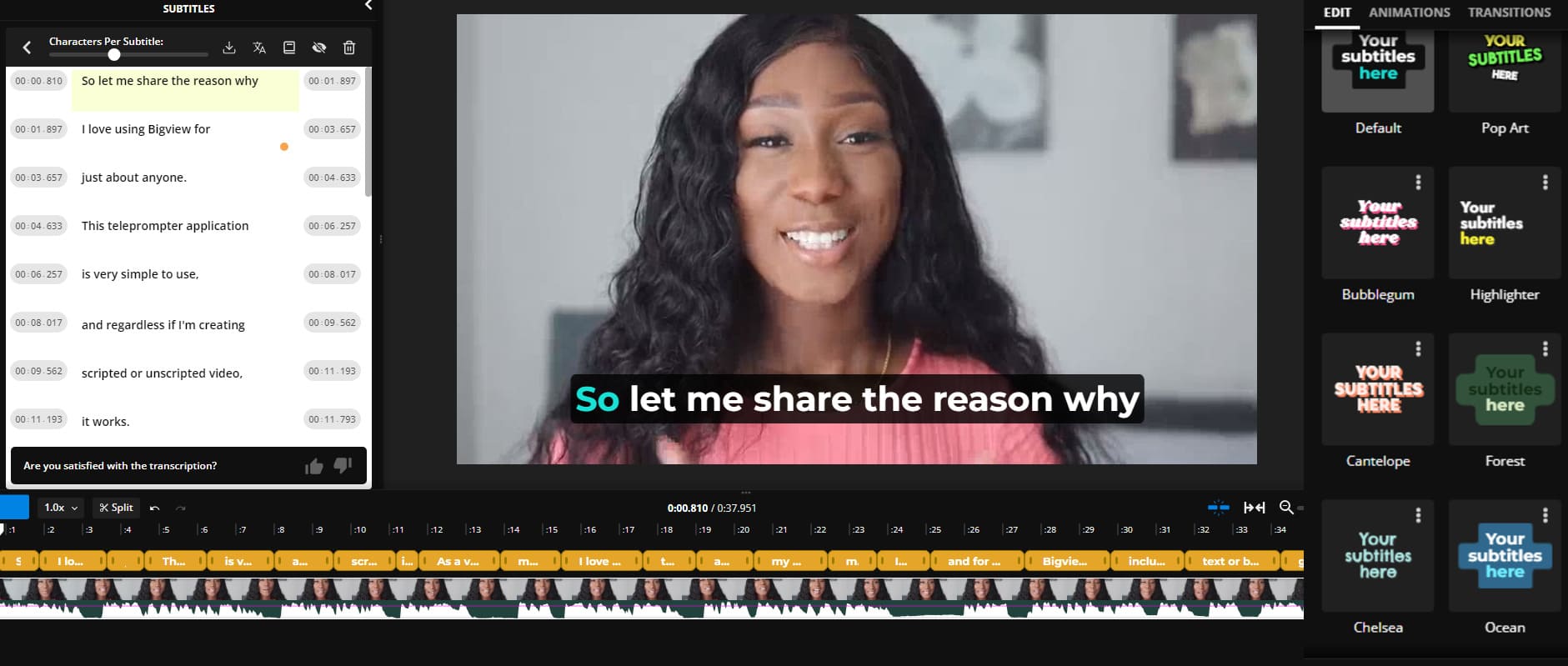
Freebeat strengthens professional lyric workflows by combining beat detection, mood interpretation, and multi model rendering inside a simple interface. Its one click generation makes it valuable for creators who want fast, rhythm aligned visuals without complex editing. At the same time, the platform supports stylistic variety by giving access to visual engines like Pika, Kling, and Runway.
Freebeat also includes export presets for TikTok, YouTube, Instagram, and other channels. This helps teams maintain consistency when distributing videos across different platforms. For creators who produce branded content, the ability to prompt specific styles or aesthetics helps maintain a consistent identity across projects.
Freebeat is well suited for pro workflows that prioritize timing, fast output, and cross platform consistency.
Workflow Guide for Creating Pro Lyrics Videos
Professional creators rely on clean and repeatable workflows. This four step process reflects how most editors, musicians, and agencies build high quality lyric visuals with AI tools.
Step 1: Import Audio and Prepare Lyric Script
Accurate text entry ensures that the AI can align lyrics correctly. Some tools also support automatic lyric detection.
Step 2: Choose Style, Branding, and Model
Creators select visual engines or templates that match the mood of the song or brand. This step defines the aesthetic tone.
Step 3: Align Text Timing and Visual Cues
AI powered timing helps place the lyrics, but creators may adjust impact moments for emphasis.
Step 4: Render and Deliver in Required Formats
High resolution exports and platform specific presets ensure polished delivery for clients, platforms, or campaigns.
A clear workflow accelerates production and helps maintain professional standards.
FAQ: Professional and Enterprise Questions Answered
What is the best AI company for professional lyrics videos?
Professional creators often choose tools with accurate timing, strong style control, and high resolution exports.
Which enterprise AI provider works best for branded lyrics content?
Enterprise teams look for tools that support brand templates, consistent typography, and fast scalable exports.
What is the best AI music video generator for lyric visuals?
AI video generators with beat detection and style models produce the cleanest results for lyrics.
What desktop AI software delivers high resolution lyrics videos?
Desktop editors like After Effects combined with AI assisted plugins offer the most control.
Which online AI tool is best for batch production?
Web tools with automation and quick rendering help teams produce multiple lyric variants efficiently.
Can AI maintain brand consistency across lyric videos?
AI tools that support templates and prompt based style control can maintain brand identity.
Do professional tools support multiple platform exports?
Yes, many support multiple aspect ratios for YouTube, TikTok, and Instagram.
How accurate is AI lyric sync?
Most tools use BPM analysis and waveform patterns for precise timing.
Can teams collaborate within these tools?
Some platforms offer shared workspaces or cloud based editing.
How does AI speed up professional workflows?
AI automates timing, visual styling, and rendering, reducing hours of manual work.
Professional lyric video production requires accuracy, speed, and flexibility, and Freebeat supports these needs through beat synced visuals and multi model outputs. For musicians, editors, and creative teams, AI workflows provide a way to deliver polished content faster and adapt to the pace of modern music promotion.


