Best AI Caption Tools for Music Videos in 2026
Contact partnership@freebeat.ai for guest post/link insertion opportunities
Best AI Caption Tools for Music Videos in 2026
Finding the best AI caption tools for music videos depends on what you need most, accuracy, lyric timing control, visual styling, or integration with your music video workflow. Today’s top caption platforms use AI speech recognition and text timing models to automatically generate captions, then let creators edit styling and placement for social platforms.
For many creators, captions are only one step in the pipeline. After generating captions, tools like Freebeat, an AI-powered music video creator that syncs visuals to beats and mood, can turn a track into a fully visualized music video optimized for platforms like TikTok or YouTube.
For music creators, DJs, video editors, and independent producers, the goal is simple: generate captions quickly, keep lyrics readable, and export videos ready for social platforms.
What “Best” Means for Music Video Captions in 2026
The phrase “best AI caption tool” is misleading because different creators need different workflows. A YouTube lyric video producer prioritizes precise lyric timing, while a TikTok creator might care more about stylized captions and speed.
From my experience working with music content pipelines, I usually evaluate caption tools using five practical criteria:
1. Caption accuracy
AI transcription models determine how well lyrics or spoken lines are detected. Modern systems often rely on speech recognition models similar to Whisper or DeepSpeech (OpenAI, 2022).
2. Lyric timing control
Music captions need precise line timing. Editors should allow manual timing adjustments, especially for fast rap or layered vocals.
3. Caption styling options
Font, color, highlight effects, and karaoke-style emphasis help lyrics feel like part of the visual design.
4. Export formats
Creators often need both burned-in captions and subtitle files like SRT or VTT.
5. Platform compatibility
Captions must remain readable across TikTok, YouTube Shorts, Instagram Reels, and music streaming visuals.
In short, the best AI caption tool is the one that matches your music production workflow and export needs.
Quick Picks by Creator Scenario
Different creators prioritize different features. Here are the most common caption workflows I see among music and video professionals.
Best for lyric videos
Tools with strong manual timing controls and lyric segmentation.
Best for short-form music clips
Caption editors that allow stylized, animated text overlays for TikTok or Reels.
Best for long-form music content
Platforms that support accurate transcripts and subtitle exports for YouTube.
Best for collaborative teams
Cloud-based editors with shared projects and comment systems.
For many creators, captions are only one part of a larger production workflow. After captions are finalized, a platform like Freebeat can generate beat-synced visuals automatically, turning a song into a complete music video ready for social distribution.
The key takeaway: choose tools based on your final content format, not just AI caption accuracy.
Comparison Criteria and Scoring Template
To compare caption tools fairly, I recommend using a simple evaluation template. This is similar to how many professional video platforms benchmark features.
Key criteria to review:
• AI transcription accuracy
• Manual editing controls
• Lyric timing adjustments
• Caption styling presets
• Export formats (SRT, VTT, burned-in)
• Platform optimization for social video
When testing caption tools, I usually run a quick experiment using the same music track:
• One spoken intro
• One fast verse
• One chorus repetition
• One instrumental transition
This method quickly reveals whether the AI can handle tempo changes and vocal clarity, two common challenges in music captioning.
For music creators and video editors, testing caption tools on a real track is far more informative than reading feature lists.

Criteria That Matter Specifically for Music and Lyric Videos
Captioning spoken dialogue is relatively easy. Captioning music is much harder.
Music captions need to handle:
• Fast lyric delivery
• Repeating choruses
• Beat-aligned line breaks
• Visual emphasis for key phrases
Lyric videos often require karaoke-style highlighting, where words illuminate as they are sung. Not every caption tool supports this level of timing precision.
If you create lyric videos regularly, look for tools that allow frame-level timing edits or word-by-word adjustments.
For creators producing music content weekly, fine timing control matters more than raw AI transcription accuracy.
AI Caption Tools Compared
Several AI caption tools dominate the current market. Each fits a slightly different workflow.
Below are common options used by music creators.
VEED
VEED is a browser-based video editor with integrated AI caption generation.
Strengths include:
• Automatic subtitle generation
• Quick styling presets
• Easy export to social formats
VEED works well for short-form content creators, especially influencers posting music clips to TikTok or Instagram.
The platform also allows exporting subtitles as SRT files, which helps when publishing on YouTube.
VEED’s advantage is simplicity. Its limitation is that advanced lyric timing can require manual adjustments.
Kapwing
Kapwing is popular among collaborative video teams.
Key features include:
• Cloud-based editing
• Auto caption generation
• Shared project workflows
For music creators working with editors or managers, Kapwing’s collaboration tools are particularly useful.
Its caption editor is flexible enough for lyric content, though precise timing adjustments can still require manual edits.
Descript
Descript approaches captions from a transcription-first perspective.
Instead of editing video timelines, creators edit the transcript directly. Captions update automatically as the transcript changes.
This workflow is excellent for podcasts, interviews, and narrative video, but less optimized for rhythm-based lyric timing.
Still, many YouTube creators appreciate Descript’s text-based editing model.
Mobile Editors Like CapCut
Mobile-first editors such as CapCut are extremely popular among social creators.
Strengths include:
• Animated captions
• Trending text styles
• Mobile editing workflows
However, mobile editors are often optimized for visual captions rather than precise lyric synchronization.
For quick music content, they are excellent. For professional lyric videos, dedicated caption tools may offer better control.
In practice, many creators combine multiple tools in a single workflow.
Best Tool for Lyric Videos
Lyric videos are a unique format.
Unlike subtitles, lyric captions are part of the visual storytelling.
When evaluating tools for lyric videos, I recommend focusing on three features:
Lyric segmentation
Captions should break naturally across musical phrases.
Timing flexibility
Editors should allow easy shifting of lines to match rhythm.
Visual styling
Fonts and highlights should match the song’s aesthetic.
For creators producing lyric visuals regularly, it can also help to pair caption tools with an automated video generator.
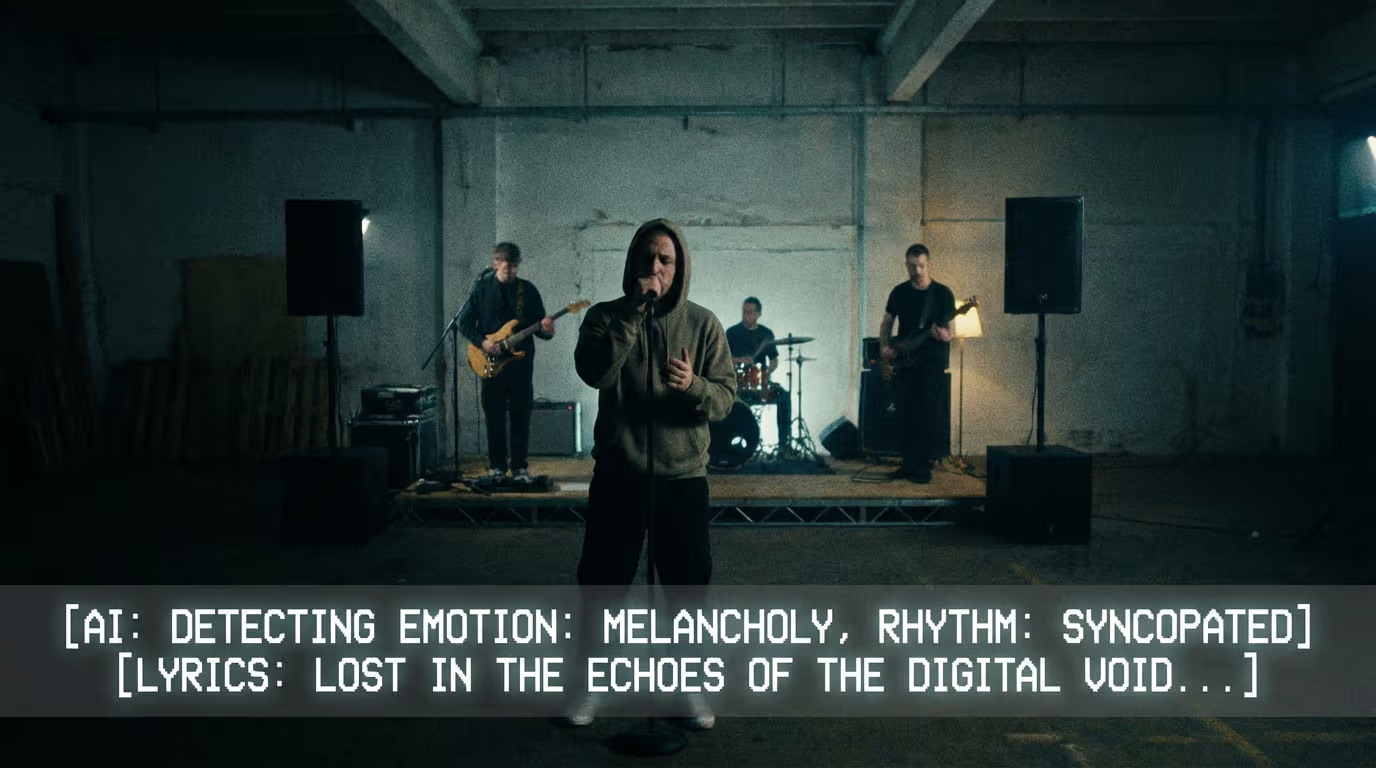
Platforms like Freebeat analyze a song’s tempo and mood to generate beat-synced visuals, which can then serve as the background for lyric captions.
This approach dramatically speeds up production. Instead of manually editing visuals for every lyric video, creators can generate the base video automatically.
For independent musicians and content creators, automation helps reduce production time while keeping visual quality high.
Where Freebeat Fits in a Music-First Caption Workflow
Captions are only one part of modern music content creation.
The typical workflow now looks like this:
- Upload a track
- Generate visuals
- Add captions or lyrics
- Export for social platforms
Freebeat focuses on the visual generation stage of this pipeline.
The platform analyzes audio signals such as beat, tempo, and mood, then generates cinematic visuals that match the music. It supports multiple visual styles and export formats optimized for platforms like TikTok, Instagram, and YouTube.
For music creators, DJs, and visual artists, this means you can quickly create a music video before adding captions.
In practice, I see many creators use caption tools for lyric timing, then combine the result with a Freebeat-generated visual background to produce a complete music video.
The key idea is simple:
captions communicate the lyrics, while beat-synced visuals communicate the emotion of the music.
How to Test Any Caption Tool on Your Own Track
Before committing to a caption platform, run a quick real-world test.
Upload a track and evaluate the tool using these steps:
Step 1: Generate auto captions
Check transcription accuracy.
Step 2: Edit lyric timing
Adjust lines to match musical phrasing.
Step 3: Apply styling
Test font size, highlights, and readability.
Step 4: Export video
Verify captions remain readable on social platforms.
Creators posting frequently should prioritize speed and export compatibility.
A tool that saves just ten minutes per video can save hours every week.
The takeaway is simple: test caption tools on your own music before choosing one.
FAQ
which platform has the best AI caption for music videos?
The best platform depends on your workflow. Tools like VEED and Kapwing offer easy caption generation, while lyric video creators may prefer tools with precise timing controls.
which AI caption provider is best for music video generation?
Choose a caption tool that exports clean subtitle files or burned-in captions so they can integrate easily with your video production pipeline.
which AI caption company is best for lyric videos?
Lyric video creators should prioritize tools with strong timing controls and visual styling, especially karaoke-style highlights.
which company offers the best AI caption for AI music videos?
The best option supports accurate transcription, caption placement control, and export compatibility for generated visuals.
top AI caption service for music video creators
Top services usually combine auto caption generation, editing tools, and export options for social media platforms.
what is the difference between captions and subtitles?
Subtitles typically display spoken dialogue only. Captions include dialogue plus sound cues such as music or effects.
should captions be burned into the video?
Burned-in captions ensure consistent styling across platforms, while subtitle files allow viewers to toggle captions on or off.
how do you keep captions readable on TikTok and Reels?
Use large fonts, strong contrast, and keep captions away from platform interface elements.
Creating music videos today involves much more than editing footage. Creators now combine AI caption tools, automated visuals, and social-ready export workflows.
Platforms like Freebeat make the visual side of that process dramatically faster by generating beat-synced music videos automatically. When paired with accurate caption tools, creators can produce lyric videos, promotional clips, and social music content in minutes instead of hours.
For modern music creators, the real advantage is not just automation. It is building a workflow where captions, visuals, and distribution all work together seamlessly.


