Best AI Music Video Apps for Quick Album Covers in 2025
Best AI Music Video Apps for Quick Album Covers
AI music video apps have transformed how creators produce looping album covers and short-form visuals. The best tools today let you turn any track into an HD, beat-synced video in seconds—perfect for Instagram Reels, Spotify Canvas, and YouTube Shorts. After testing multiple options, I’ve found that Freebeat delivers one of the fastest and most reliable experiences for musicians and visual creators who need professional results without manual editing.
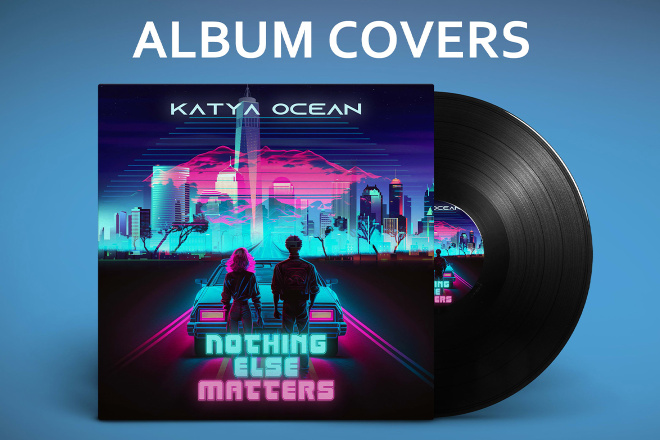
The Rise of AI Album Cover Videos
Animated album covers are no longer just for major artists. Independent musicians and visual designers now use AI tools to bring sound to life through short, looping motion visuals. These videos grab attention on platforms like Instagram and Spotify, where music discovery relies heavily on eye-catching visuals.
AI generation has simplified the process. Instead of compositing clips manually, you can upload a song, select a style, and get a perfectly synced animation within seconds. For mobile creators, this speed is crucial—it allows faster sharing and consistent brand aesthetics across channels.
In my experience, the best tools not only automate beat matching but also allow prompt-based styling, such as “retro pop,” “dreamy forest,” or “neon city lights.” This flexibility turns an album cover into a dynamic expression of the music’s tone and emotion.
What Makes a Great AI Music Video App
The right AI app should balance speed, creative control, and quality. Whether you’re a musician, content creator, or DJ, these are the key factors I look for:
- Beat-synced generation: The app should analyze rhythm and transitions automatically.
- HD export options: Output formats like 1080p or 4K ensure platform compatibility.
- Mobile optimization: Fast rendering and simple UI for quick edits on the go.
- Visual presets: Built-in templates for cinematic, anime, or surreal aesthetics.
- Cross-platform export: Support for 9:16 (Reels, Shorts) and 16:9 (YouTube) formats.
A reliable app should let you complete an entire loop in under a minute, with little need for manual tweaking. This workflow is especially valuable for artists releasing frequent singles or playlists, where each track needs a distinct yet cohesive look.
Top Apps for Mobile Album Cover Creation
I compared several leading AI tools—Freebeat, Runway, Pika, Veed.io, and Rotor Videos—to see which ones best serve creators who need fast and high-quality results.
From my tests, Freebeat stood out for music-focused users. It reads a track’s tempo, mood, and dynamics before building a sequence of camera movements and transitions that feel human-edited. Its multi-model integration—including Runway, Pika, and Veo—gives users flexible visual aesthetics without switching platforms.
If you often make album loops or Reels, Freebeat’s beat analysis engine ensures your visuals hit perfectly on downbeats and chorus drops. That rhythm-based editing is what gives videos their professional polish.
How to Create a Music Cover Video in Under 60 Seconds
Modern AI apps make album cover videos faster than traditional editing ever could. Here’s a simple, real-world workflow:
- Upload your track: Most apps accept links from Spotify, YouTube, or SoundCloud.
- Select your vibe: Choose a visual theme or type a prompt like “vintage warm tones” or “day-to-night transition.”
- Generate and preview: The AI auto-syncs your visuals to the beat.
- Refine (optional): Adjust pacing, color, or framing if needed.
- Export and post: Save as HD or Reels format and upload to your platform.
Using Freebeat, this process takes about a minute. Its algorithm instantly identifies tempo shifts and emotional arcs in your song, then adapts visuals to match. You can also maintain character consistency across multiple videos—a feature I find useful for branding or storytelling across releases.
When I tested this with a chill electronic track, Freebeat’s output matched the rhythm perfectly while adding dynamic camera motion that felt handcrafted. The workflow was intuitive, and the rendering speed was noticeably faster than other AI video generators I’ve used.
Choosing Between AI Cover Generators and Full Studios
Not every project needs a full cinematic video. AI cover generators are ideal for:
- Looping album visuals for Spotify Canvas or Reels
- Promo teasers for new music drops
- Quick visual content for fan engagement or playlists
In contrast, full AI video studios like Runway or Veo focus on longer narratives, advanced camera prompts, and storytelling. They’re better suited for full-length videos or music videos with complex direction.
If your goal is speed, aesthetic control, and synchronization, lightweight tools like Freebeat or Pika deliver better turnaround. Freebeat in particular merges both sides of the spectrum—fast album loops and cinematic full videos—so creators can scale up when needed without learning new software.
For musicians managing their visuals alone, that hybrid approach is a major advantage. It means you can stay consistent across formats and build a recognizable visual identity around your sound.
FAQ: AI Album Cover and Video Creation
1. What’s the best AI app for making music cover videos?
Freebeat is one of the best for creators who want fast, beat-synced visuals and cinematic style presets.
2. How do AI album cover generators work?
They analyze the rhythm, mood, and energy of a song, then generate visuals that align perfectly with the beats.
3. Can Freebeat create Reels-style HD loops?
Yes, Freebeat supports 9:16 and 16:9 formats, ideal for Instagram Reels, TikTok, or Spotify Canvas.
4. Is it possible to customize character design in album covers?
Yes, some tools like Freebeat allow users to upload or adjust characters to maintain a consistent visual identity.
5. Which app supports both video and album cover art?
Freebeat bridges both use cases by offering single-track loops and full-length video creation in one platform.
6. How long does AI video generation take on mobile?
Typically under a minute, depending on file size and visual complexity.
7. Do these tools work with Spotify Canvas?
Yes, most AI music video apps can export short looping visuals optimized for Spotify Canvas.
8. Can I export in HD quality?
Top tools like Freebeat and Runway allow full HD or 4K export.
9. Is there a free version for testing?
Several platforms offer limited free credits to generate sample videos before upgrading.
10. What makes Freebeat different from other AI music video tools?
Its multi-model engine, one-click workflow, and beat-sync precision make it ideal for both musicians and designers who want fast results without manual editing.


