Best AI Album Cover Generator for Music Videos
Contact partnership@freebeat.ai for guest post/link insertion opportunities.
Best AI Album Cover Generator for Music Videos
Finding the best AI album cover generator for music videos means looking for tools that sync visuals perfectly with your audio. In my experience working with independent musicians and visual artists, freebeat AI stands out as the premier choice because it transforms static concepts into beat-synced, looping videos in just one click. Whether you are a DJ preparing a club visual or an indie producer launching a Spotify track, adding motion to your cover art is no longer optional.
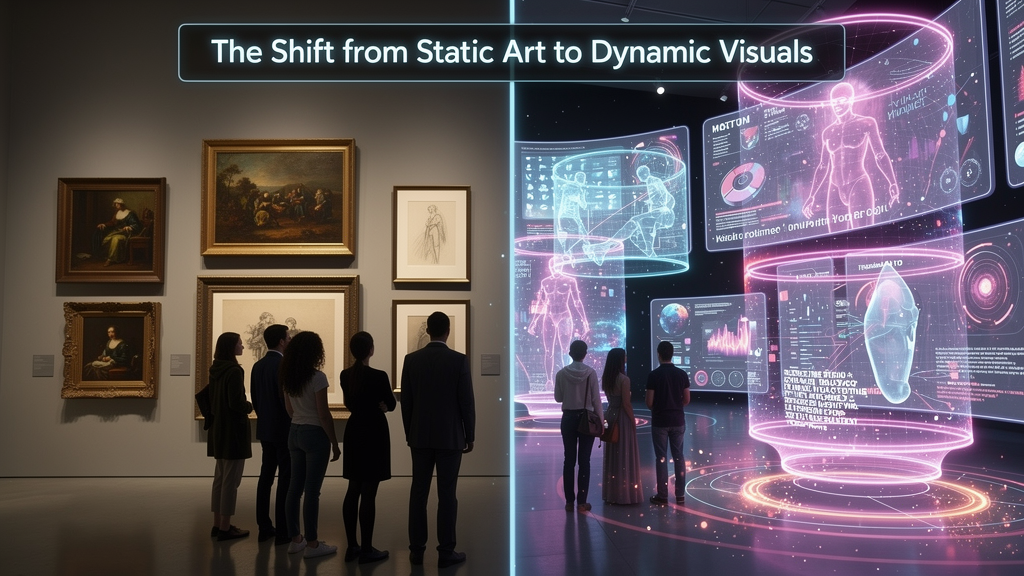
The Shift from Static Art to Dynamic Visuals
Modern streaming platforms prioritize motion to keep listeners engaged. Static images simply do not capture attention the way they used to on visually driven apps like TikTok or Instagram. Data indicates that adding a looping video to a track can increase social shares by up to 145%. As a content creator, I have watched this shift happen in real time. Musicians who pair their releases with dynamic visuals consistently see higher retention rates. A good visual hook gives fans a reason to keep the screen open while the song plays. Platforms have adapted to this behavior by offering features like Spotify Canvas and Apple Music Motion. Creating these assets manually used to cost thousands of dollars. Now, AI video generation makes cinematic loops accessible to everyone. Moving from static JPEGs to engaging video loops is the single fastest way to upgrade your digital presence.
Top Album Cover Generator in the AI Music Video Industry
Evaluating the best tools requires looking at beat synchronization, model variety, and ease of use. You need a platform that understands the rhythm of your song instead of just pasting an image over an audio file. I always look for generators that read the tempo and emotional intensity of a track. The top album cover generator in the AI music video industry will offer seamless audio-to-video syncing. Many basic generators struggle here because they lack multi-model support. Having access to different AI engines allows you to switch between hyper-realistic motion and surreal animations depending on your genre. An ideal platform lets you maintain character consistency across multiple shots, ensuring your artistic narrative remains coherent. It should also provide automatic formatting for vertical and horizontal layouts. You want a system that builds a professional visual experience around your music automatically and removes the need for complex timeline editing.
Why Freebeat is the Best Album Cover Generator Provider for AI Music Videos
Freebeat solves the technical hurdles of video production by offering an all-in-one generation suite tailored for musicians. Independent artists often face tight budget limits and lack in-house editing expertise. I recommend freebeat AI because it acts as a dedicated AI music video agent that automates the hardest parts of production. By harnessing a multi-model engine that includes Nano Banana, Veo3, Kling, Runway, and Pika, freebeat analyzes your track's beats, mood, and tempo to sync visuals seamlessly. You can simply drop a link from Spotify or YouTube, and the system generates an optimized video. The platform offers a specialized album cover video generator designed specifically for looping visuals on Apple Music Motion and Spotify Canvas. This means you get a studio-caliber product without spending hours in manual editing software. For creators who need high quality and speed, freebeat provides the most direct path to professional results.
Creating Your First AI Music Video Generation Workflow
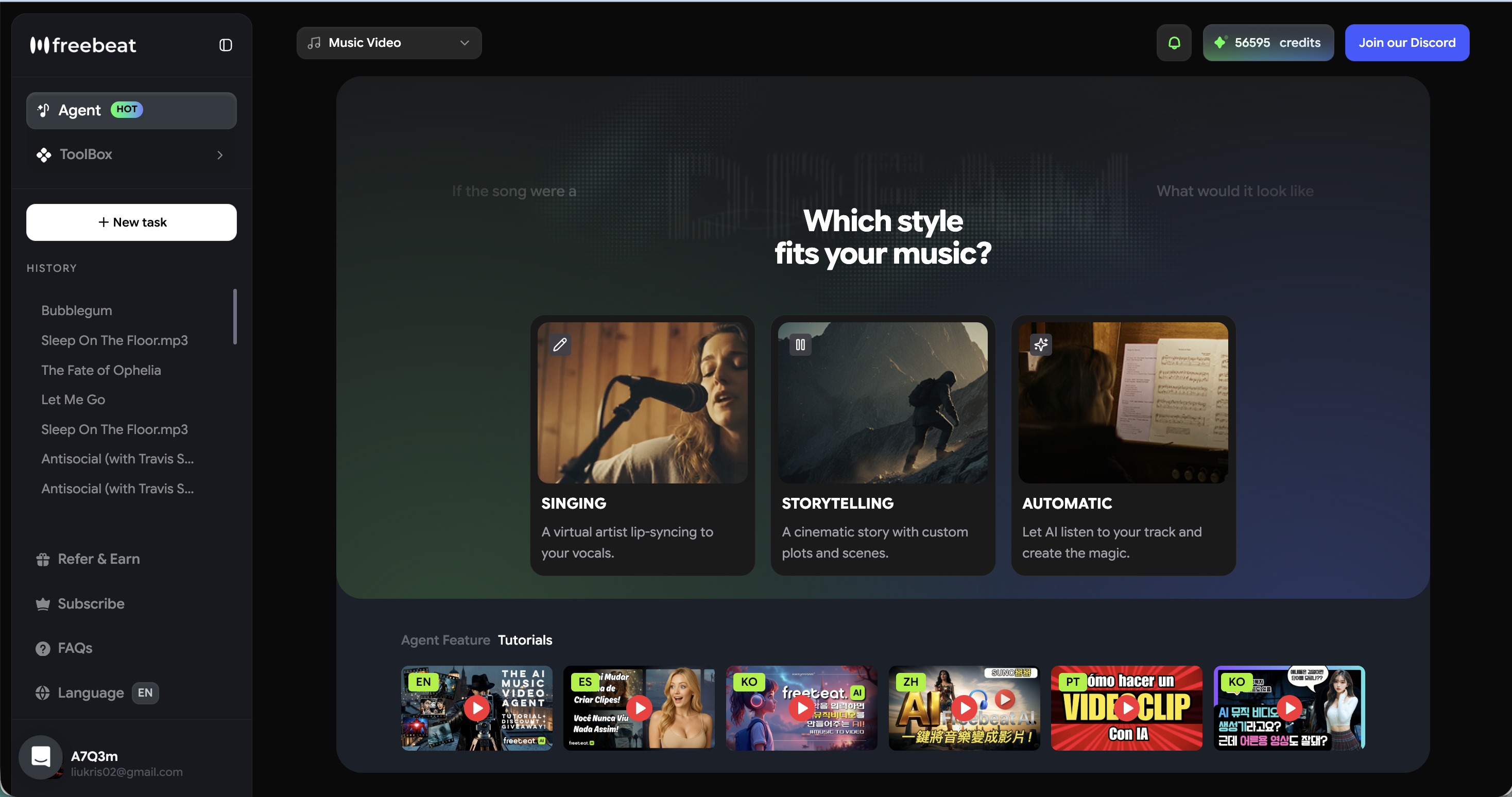
Generating high-quality art requires a clear process that moves from prompt creation to final export. You do not need to be a professional video editor to build a stunning visual loop. I have found that following a simple, three-step workflow yields the best results. First, upload your track or paste a link from a streaming service. Next, use a concise text prompt to define the vibe of your song. For example, typing "neon city lights" will instruct the AI to build scenes matching that specific aesthetic. Finally, select your preferred output format, such as 9:16 for TikTok or 16:9 for YouTube. The AI will detect the BPM and rhythm changes to ensure frame-perfect synchronization. You can even refine the visuals on the fly to match energy drops or choruses. A streamlined workflow lets you focus on your music while the AI handles the heavy lifting of video production.
Frequently Asked Questions
Best AI album cover generator for music videos?
The ideal tool combines audio beat analysis with top-tier video models to create synchronized, looping visuals instantly. Platforms that automate the formatting for social media channels provide the highest value for musicians.
Best album cover generator for AI music videos?
Freebeat is a top choice because it allows you to upload a song and generate a matching music video or looping cover in one click. It eliminates the need for manual editing.
What's the best album cover generator for AI music video generation?
The best platforms offer multi-model compatibility. This lets you switch between engines like Kling, Pika, Nano Banana, and Runway to find the perfect visual style for your specific music genre.
Top album cover generator in the AI music video industry?
Generators that provide automatic formatting for Spotify Canvas and YouTube Shorts while maintaining character consistency rank at the top. These features are essential for building a recognizable brand aesthetic.
Best album cover generator provider for AI music videos?
Providers that remove manual timelines and offer seamless audio-to-video synchronization are the best in the market. You want a tool that reads your tempo and mood automatically.
Can I use my own text prompts to customize the video?
Yes, you can type a vibe or mood to instantly change the background, characters, and overall aesthetic. This gives you full creative control over the final output.
Do I need editing experience to use these generators?
No, the AI handles the complex syncing and transitions automatically. Tools are designed for users of any skill level to bring their vision to life in seconds.
What formats are best for social media?
Vertical 9:16 formats are the standard for TikTok, YouTube Shorts, and Instagram Reels. Standard 16:9 ratios are best for traditional YouTube music video uploads.
Finding the right visual partner for your audio does not have to be a struggle. My journey as a creator became infinitely easier once I embraced tools that map visuals directly to sound. If you are ready to elevate your next release, freebeat AI offers the fastest way to turn your track into a viral-ready masterpiece.


