7 Album Cover Templates to Make Album Covers Fast
Contact partnership@freebeat.ai for guest post/link insertion opportunities
You’re exporting your track tonight, and the distributor wants artwork now. I’ve been there—music finished, branding half-finished, and suddenly you’re trying to make album covers that look “real” on Spotify and readable as a tiny square on a phone. The fastest fix is a solid template family: one you can reuse across singles, EPs, and promo clips without redesigning from scratch.
This how-to guide gives you 7 album cover templates (layout formulas), the exact sizing rules you should follow, and a fast workflow that turns a cover into a scroll-stopping visual package.
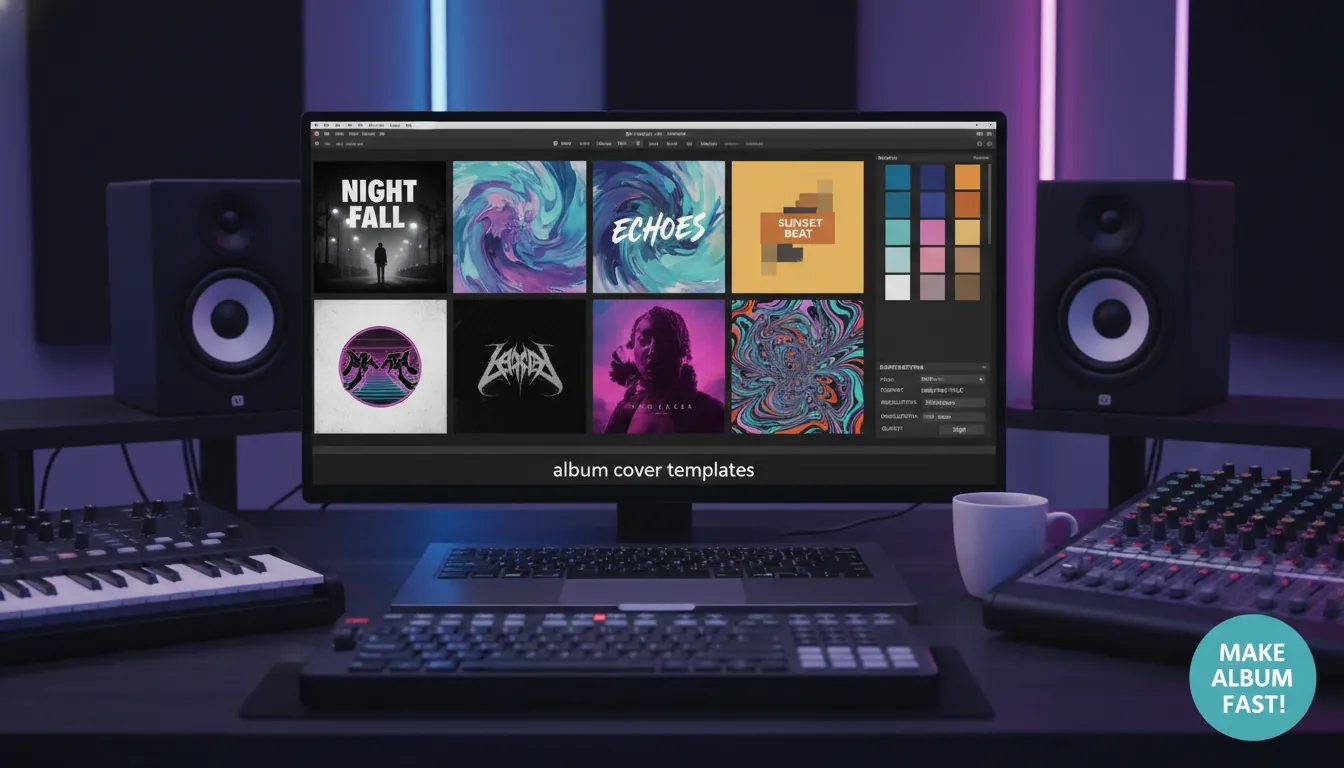
Before You Start: The “Make Album Covers” Checklist (So Stores Don’t Reject It)
A great design is useless if it fails upload requirements. Most platforms want a square 1:1 cover, and many distributors recommend 3000 × 3000 px for sharpness across devices and future-proofing.
Use these practical rules (pulled from common distributor and design guidance):
- Canvas size: Aim for 3000 × 3000 px (safe, high quality).
- Color mode: RGB for digital platforms (not CMYK).
- Format: Typically JPG/JPEG (PNG often accepted too).
- Clarity: Avoid blur/pixelation; test at small thumbnail size.
Authoritative reading:
- Adobe Express album cover maker (templates + fast editing)
- TuneCore cover art size & rules (common store requirements)
- Disc Makers vinyl cover dimensions (print sizing, bleed, jackets)
The Fast Workflow I Use to Make Album Covers in Under 30 Minutes
When I’m moving fast, I treat the cover like a system. You can do the same:
- Pick one template style (from the 7 below) that matches the track’s mood.
- Drop in one strong focal element (photo, illustration, or abstract background).
- Lock typography hierarchy: Artist name (small), release title (big), optional label/vol. tag (tiny).
- Thumbnail test: Zoom out until it’s the size of a phone icon—can you still read it?
- Export masters: JPG for distribution + PNG for social overlays.
If you’re also making visuals, pair the cover with an audio-reactive video so the release looks cohesive across platforms. Freebeat AI is built for that: it reads BPM, sections, drops, and drives camera motion and transitions to match the song—so your cover isn’t just a static asset, it becomes a visual identity across video too.
Internal links (Freebeat AI):
Design Your Own Album Cover Art: Quick and Easy Steps
7 Album Cover Templates (Copy These Layouts)
Each template below is a repeatable blueprint for making album covers fast. Pick one, save it as a reusable file, and swap elements each release.
1) Centered Portrait + Big Title (The “Artist-Forward” Template)
Best when your face/character is the brand (singers, creators, persona-led projects).
- Layout: Center subject, minimal background, title across chest/upper third
- Type: Bold sans or condensed, high contrast
- Pro tip: Add subtle grain so phone compression doesn’t look “too clean”
Works well with avatar-led branding—especially if you keep the same character style across releases.
2) Minimal Type on Texture (The “Mood-First” Template)
Best for ambient, lo-fi, techno, instrumental releases.
- Layout: Texture/gradient fills the square; tiny text in one corner
- Type: Small, spaced tracking, 1–2 lines only
- Pro tip: Use 2 colors max; the texture does the work
3) Geometric Frame + Negative Space (The “Modern Label” Template)
Best for consistent series drops (Vol. 1, Vol. 2, etc.).
- Layout: Thick border/frame; center symbol or photo crop
- Type: Structured grid; release title aligned to frame edges
- Pro tip: Reuse the frame as your “label signature”
4) Collage Grid (The “Story in One Square” Template)
Best for multi-genre or narrative projects.
- Layout: 3–6 tiles; one tile reserved for type
- Type: Simple, neutral font to avoid fighting the collage
- Pro tip: Keep one unifying element (same color grade or paper texture)
5) Silhouette + Backlight (The “Cinematic” Template)
Best for dramatic pop, trap, alt rock, soundtrack vibes.
- Layout: Dark silhouette foreground; bright halo/light beam behind
- Type: Title in the light area; artist name small
- Pro tip: Use fog/noise overlays to blend cutouts
6) Illustration/Character Poster (The “Merch-Ready” Template)
Best when you might print posters or sell tees later.
- Layout: Illustrated hero + iconography (symbols, stickers, badges)
- Type: Display font for title; clean font for details
- Legal note: If you hire an illustrator, clarify ownership (license vs work-for-hire) so you can use it on merch later.
Helpful legal background:
7) Abstract AI Background + Clean Type (The “Fastest Variant Machine” Template)
Best for rapid experimentation when you need 10 options in 20 minutes.
- Layout: Abstract background, simple centered type stack
- Type: One font family, 2 weights
- Pro tip: Generate 5–10 backgrounds, then pick the one that still reads at thumbnail size
Tools that are strong for fast template-based cover creation:
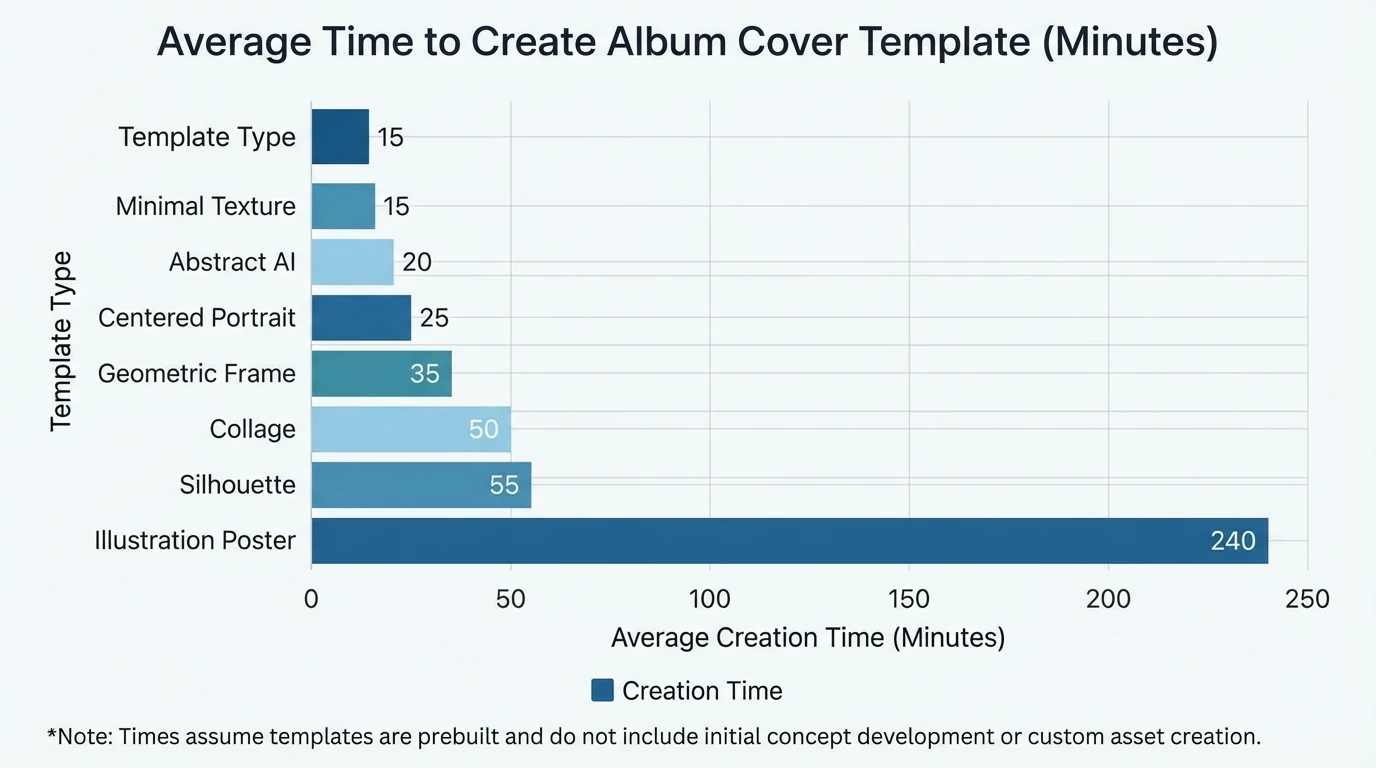
Quick Comparison: Template Styles, Best Use, and Time-to-Finish
Template style
Best for
Skill level
Typical time
Biggest risk
Fix
Centered Portrait + Big Title
Personal branding, artist-led releases
Beginner
15–30 min
Text clashes with face
Move title to top third / add shadow
Minimal Type on Texture
Lo-fi, ambient, electronic
Beginner
10–20 min
Looks “empty”
Add subtle grain + tiny emblem
Geometric Frame + Negative Space
Series drops, label identity
Intermediate
20–40 min
Feels generic
Custom frame + consistent palette
Collage Grid
Narrative EPs, multi-vibe projects
Intermediate
30–60 min
Visual mess
Limit colors + one consistent texture
Silhouette + Backlight
Cinematic genres
Intermediate
30–60 min
Cutout looks fake
Add fog + match color grade
Illustration Poster
Merch, fandom art
Advanced
2–10 hrs
Rights unclear
Written agreement + usage scope
Abstract AI + Clean Type
Fast iterations
Beginner
10–25 min
Overused AI look
Add custom type + unique mark
How to Turn One Album Cover Into a Full Release Visual Package (Fast)
Making album covers is step one. The real growth move is turning that cover into assets for TikTok, Reels, Shorts, and YouTube.
Here’s a simple repurposing stack:
- Square cover (1:1): streaming + profile grids
- Vertical poster (9:16): stories + shorts backgrounds
- Animated version: subtle zoom, grain, light leaks, lyric highlights
- Audio-reactive music video: transitions that follow beats and drops
With Freebeat AI, the advantage is the automation: it understands song structure (BPM, bars, sections) and can generate visuals that move like the track feels, not random motion. I’ve found this cuts the “blank timeline panic” and keeps pacing coherent across the full song.
Common Mistakes When You Make Album Covers (And How to Fix Them)
- Mistake: Tiny text everywhere.
Fix: One clear title + one small artist line. That’s it. - Mistake: Low-res images that look fine until export.
Fix: Start at 3000 × 3000 px and use high-quality sources. - Mistake: Too many fonts.
Fix: Use one font family, two weights (Regular/Bold). - Mistake: No brand repeat.
Fix: Keep 1–2 consistent elements across releases: frame, emblem, palette, or typography system. - Mistake: Unclear rights for artwork.
Fix: If commissioning, get terms in writing (license scope, merch rights, duration, territory). For a starting point, see an album art licensing agreement template.
Conclusion: Make Album Covers Once—Then Ship Faster Every Release
Your next release doesn’t need a “perfect” cover; it needs a clear, consistent, high-quality cover that earns the click. When you pick one of these 7 templates and reuse it, you stop redesigning from zero and start building a recognizable visual identity. And when you extend that identity into an audio-reactive video, your song doesn’t just launch—it travels across platforms with a unified look.
📌 12943270 how to create a music cover video with freebeat agent
FAQ: Make Album Covers
1) What size should I use to make album covers for Spotify and distributors?
Use a square 1:1 cover. A safe, high-quality standard is 3000 × 3000 px in RGB, usually exported as JPG.
2) What’s the fastest tool to make album covers with templates?
For speed and ease, template editors like Canva album cover templates and Adobe Express are common choices.
3) How do I make album covers that stay readable on phones?
Do a thumbnail test: zoom out until it’s tiny. Keep one main title, high contrast, and avoid thin fonts.
4) Can I use AI-generated art to make album covers?
Yes, but make it yours with custom typography and a consistent brand mark. Also review the tool’s commercial-use terms.
5) Do I need 300 DPI for digital album covers?
DPI matters most for print. For digital, pixel dimensions matter most—still, exporting at high quality (like 3000 × 3000 px) keeps it sharp.
6) If I hire a designer, do I automatically own the album cover art?
Not always. Without the right agreement, you may only have limited usage rights. Clarify licensing or work-for-hire terms in writing.
7) How can I turn my album cover into a promo video quickly?
Use an audio-reactive tool that follows BPM and song sections. Freebeat AI is designed to auto-sync visuals to full track structure, which speeds up production for Shorts/Reels/YouTube.


