logo
Agent
History
    Library
    Refer & Earn
      Tutorial
      Pricing
      30% OFF
      Meet OnBeat Effects
      Create pro visualizers instantly. Perfect sync, zero effort.
      Try the magic
      0/8000
      Remove watermark

      Seedance 2.5 AI Video Generator

      Seedance 2.5 generates videos up to 30 seconds from text or images, with synchronized audio. Freebeat brings it together with 40+ other video models in one affordable, all-in-one platform.

      • Native 720p HD resolution
      • Up to 50 reference inputs
      • Access 40+ AI video models
      • Synchronized audio in every 30-second clip
      • 500 free credits on sign-up — no credit card
      Trusted by Creators

      Why Do 1M+ Creators Build with Freebeat's AI?

      Over 1 million creators trust freebeat to generate more than a billion seconds of video. Our platform provides vetted access to top-tier models like Seedance 2.5 alongside a full suite of creative tools, all from one account.

      1,000,000+
      Creators worldwide
      As of May 2026, freebeat has served over 1 million creators across the world.
      1,000,000,000+
      Seconds of music visualized
      As of May 2026, the platform has rendered over 1 billion seconds of AI music visuals.
      Over 150
      Countries resonated
      As of May 2026, creators from more than 150 countries have built music videos with freebeat.
      Forbes
      Featured 2026
      In May 2026, Forbes featured freebeat in its coverage of how AI is reshaping music video production.
      Yamaha
      Creator Pass partner
      Since March 2026, freebeat has been an official partner in the Yamaha Creator Pass program.
      Three-Step Creation

      How Do You Create a Video with Seedance 2.5 on Freebeat?

      Our platform streamlines video generation. Just provide your idea or references, choose your style and settings, and let our AI generate your video in minutes. No technical setup is required.

      ✨
      01

      Provide Your Prompt or References

      Start with a text description of your scene, or upload up to 50 reference assets including images, video clips, and audio. Freebeat's interface makes it simple to provide your complete creative direction.

      💎
      02

      Select Seedance 2.5 and Settings

      Choose Seedance 2.5 from our model library. Set your aspect ratio from our 5 native options, like 16:9 or 9:16, and confirm your desired output length. The AI handles the rest of the technical configuration.

      🌙
      03

      Generate and Export Your Video

      Click to generate your video clip. Once complete, you can download the 720p HD clip directly as an MP4. Paid plans offer watermark removal and access to our full suite of editing tools.

      Model Capabilities

      What Makes Our Seedance 2.5 Tool Different?

      Create longer, more detailed videos with native 30-second clips, support for 50 reference inputs, and synchronized audio, all integrated into freebeat's all-in-one creative platform.

      A single, continuous 30-second video clip showing a coherent story.
      EXTENDED CLIPS

      Generate 30-Second Clips Natively

      Seedance 2.5 excels at creating longer, continuous scenes. It generates single video clips up to 30 seconds long without stitching, maintaining character and scene consistency for more complete storytelling in one take.

      • Up to 30 seconds per clip
      • No stitching required
      • Maintains scene consistency
      • Ideal for short narratives
      Grid of 50 reference assets feeding into an AI model.
      CREATIVE CONTROL

      Use 50 Multimodal Inputs for Direction

      Side-by-Side

      How Does Freebeat Compare to Other AI Video Tools?

      While other platforms offer single models, freebeat is an all-in-one studio that integrates Seedance 2.5 with over 40 other models, plus unique music-driven features you won't find elsewhere.

      Feature
      freebeat
      Runway
      Kaiber
      Model Access
      Seedance 2.5 + 40+ models
      Gen-4 / Gen-4.5 models
      Aggregates multiple models
      Max Video Length
      Up to 6 minutes (music video)
      ~10-20s clips (extendable)
      User Outcomes

      What Can You Achieve with Seedance 2.5 in Freebeat?

      Generate longer, more controllable video clips that match your creative vision, then turn them into finished music videos or social ads, all within one platform.

      ✨

      Tell Longer Stories

      Create up to 30-second clips in a single generation. This allows you to build more complete narrative scenes without the jarring cuts of shorter AI video tools.
      💎

      Achieve Your Exact Vision

      With support for 50 different reference inputs, you can precisely guide the AI. Your characters, products, and environments will look the way you intend them to.
      🌙

      Save Time on Sound Design

      Your generated videos include synchronized audio automatically. This saves you the step of finding and syncing sound effects or ambient audio in a separate video editor.
      🔮

      Stop Juggling Accounts

      Access Seedance 2.5 and over 40 other top AI models through your single freebeat account. No more managing multiple subscriptions and credit balances.
      Explore More

      Explore More Freebeat Tools

      Every freebeat tool you need to take music from idea to publishable visual content — in one platform.

      AI Music Video GeneratorAI Music VisualizerAudio to VideoSuno to VideoAI Lyrics Video GeneratorAI Video GeneratorAI Lip Sync VideoMinimax 3.0Seedance 2.0Pixverse V4Pixverse V4.5Hailuo 02 ProGoogle Veo 2Wan 2.1 ProGoogle Veo 3 FastKling 2.1 ProKling 1.6
      Voices From Creators

      Why Do Creators Choose Freebeat for AI Video?

      Filmmakers, marketers, and musicians trust freebeat for its all-in-one model access and powerful creative tools. Our platform makes it simple to produce high-quality video content.

      4.8/5
      ★★★★★
      From 1,000,000+ Creators Featured on TAAFT
      KT
      Kenji Tanaka
      Short Film Director
      ★★★★★
      The 30-second native generation with Seedance 2.5 is a huge deal. I can finally draft entire scenes without stitching. Having it inside freebeat with all the other models is incredibly efficient.
      MR
      Maria Rossi
      Product Marketer
      ★★★★★
      Using 50 reference inputs for our product visuals made a real difference. The consistency is fantastic. We use freebeat to create all our social media ad clips now.
      CK
      Chloe Kim
      Indie Musician
      ★★★★★
      Creator Workflows

      Who Creates Video with Seedance 2.5 on Freebeat?

      From indie filmmakers to marketing teams, creators use our platform to produce everything from cinematic shorts to polished product ads and full-length music videos.

      ✨

      Marketers and Advertisers

      They use the 50-input reference system to create on-brand product videos and social media ads with consistent visuals, saving weeks of production time.
      💎

      Independent Filmmakers

      Filmmakers leverage the 30-second native clip length for storyboarding, pre-visualization, and generating complete short-form narrative scenes without complex editing.
      🌙

      Musicians and Artists

      Artists generate stylized clips with Seedance 2.5 and then use freebeat's music-aware AI to transform them into full, beat-synced music videos for YouTube and Spotify Canvas.
      🔮

      Content Creators

      YouTubers and TikTok creators use the platform to quickly generate unique B-roll, intro sequences, and visual effects, accessing over 40 models to find the perfect style.
      Common Questions

      What Should You Know About Seedance 2.5?

      Find answers to common questions about creating videos with Seedance 2.5, including its capabilities, costs, and how it works within the freebeat AI video generator platform.

      Is Seedance 2.5 free to use?

      Yes, you can start creating with Seedance 2.5 for free on the freebeat platform. All new users receive 500 free credits upon sign-up, with no credit card required, which you can use to generate videos.

      What is Seedance 2.5 best at?

      Seedance 2.5 excels at generating longer, single-shot video clips of up to 30 seconds with high visual consistency. It's also uniquely powerful for projects that require many reference inputs (up to 50 assets) to guide the final look.

      How does Seedance 2.5 compare to Kling 3.0?

      Seedance 2.5's main advantage is its native 30-second clip length, while Kling 3.0 is often limited to 5-10 second clips. However, Kling 3.0 can achieve a higher native resolution (4K). Freebeat gives you access to both, so you can choose the best tool for each shot.

      Can I make a full music video with Seedance 2.5 on freebeat?

      Yes. While Seedance 2.5 generates clips up to 30 seconds, freebeat's AI Director feature is designed to edit these clips into a full-length music video. Our AI analyzes your song's structure and assembles the clips into a cohesive, beat-synced video up to 6 minutes long.
      From the blog

      Insights, tutorials & creator stories

      Stay sharp on what's working in AI music video right now.
      View all articles →
      Comparing 2025's Leading AI Platforms for Cinematic Music VideosARTICLE

      Comparing 2025's Leading AI Platforms for Cinematic Music Videos

      Compare leading AI music video generators by realism, audio sync, customization, narrative tools, and mobile or social media…

      May 2026 · 12 min·freebeat blog
      Best AI Music Video Tools Compared for Output QualityARTICLE

      Best AI Music Video Tools Compared for Output Quality

      Compare the best AI music video generators in 2025 — Neural Frames, Kaiber, Runway ML, PIKA, and Freebeat — to find which…

      May 2026 · 7 minfreebeat blog
      Is Seedance 2.5 free to use?
      Yes, you can start creating with Seedance 2.5 for free on the freebeat platform. All new users receive 500 free credits upon sign-up, with no credit card required, which you can use to generate videos.
      What is Seedance 2.5 best at?
      Seedance 2.5 excels at generating longer, single-shot video clips of up to 30 seconds with high visual consistency. It's also uniquely powerful for projects that require many reference inputs (up to 50 assets) to guide the final look.
      How does Seedance 2.5 compare to Kling 3.0?
      Seedance 2.5's main advantage is its native 30-second clip length, while Kling 3.0 is often limited to 5-10 second clips. However, Kling 3.0 can achieve a higher native resolution (4K). Freebeat gives you access to both, so you can choose the best tool for each shot.
      Can I make a full music video with Seedance 2.5 on freebeat?
      Yes. While Seedance 2.5 generates clips up to 30 seconds, freebeat's AI Director feature is designed to edit these clips into a full-length music video. Our AI analyzes your song's structure and assembles the clips into a cohesive, beat-synced video up to 6 minutes long.
      What kind of reference inputs does Seedance 2.5 support?
      It supports up to 50 multimodal inputs per generation. Within freebeat, you can upload up to 30 images, 10 video clips, and 10 audio clips to serve as references for characters, style, motion, and sound.
      What video resolution can I export?
      The native output resolution for Seedance 2.5 is 720p HD. Freebeat's platform also includes an AI upscaler that can enhance video resolution up to 4K, available on paid plans.
      Do I need to install any software?
      No, freebeat is a fully browser-based software platform. You can create videos with Seedance 2.5 and our entire library of 40+ AI models on any device with a modern web browser, including desktops, laptops, tablets, and phones. Nothing to install.
      Are videos made with Seedance 2.5 on freebeat safe for commercial use?
      Yes. When you create a video on the freebeat app, you own the copyright to your generation. We provide a full commercial-use license, the same terms trusted by over 1,000,000 creators, so you can safely monetize your content on platforms like YouTube, TikTok, and Instagram.
      Does Seedance 2.5 generate audio with the video?
      Yes, Seedance 2.5 generates synchronized audio with every clip by default, up to the full 30-second length. This audio is included at no extra cost when you generate inside freebeat.
      Provide deep creative direction by uploading up to 50 reference assets per generation. Combine images, video clips, and audio to guide the AI, ensuring the final video matches your vision for characters, style, and products.
      • 30 image references
      • 10 video references
      • 10 audio references
      • Unmatched creative guidance
      A video clip with a waveform underneath, symbolizing synchronized audio.
      AUDIO NATIVE

      Get Synchronized Audio with Your Video

      Unlike many models that generate silent video, Seedance 2.5 includes synchronized audio by default. This makes it ideal for creating clips with ambient sound or effects that match the on-screen action, at no extra cost.

      • Synchronized audio included
      • No extra cost for audio
      • Perfect for dialogue & SFX
      • Output in 720p HD
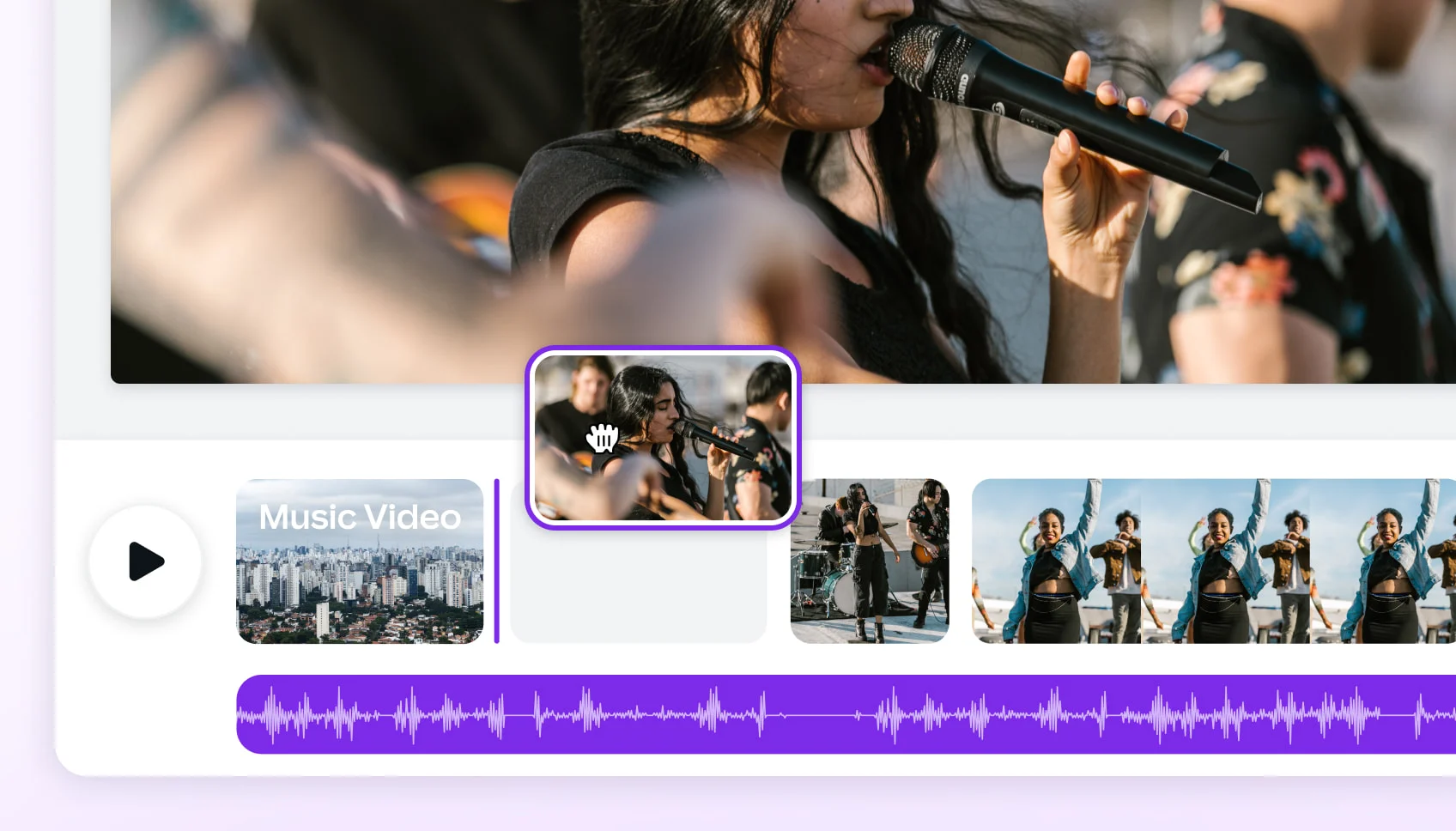
      A timeline showing short clips edited into a full-length music video.
      MUSIC VIDEO BRIDGE

      Turn Clips into a Full Music Video

      Freebeat's AI Director can use clips from Seedance 2.5 as part of a full-length, beat-synced music video. Our platform analyzes your song and edits clips together, extending them into a complete 6-minute video that moves with your music.

      • 6-minute full-length music video
      • Beat-synced to your song
      • AI Director assembles the final cut
      • Access 30+ musician tools
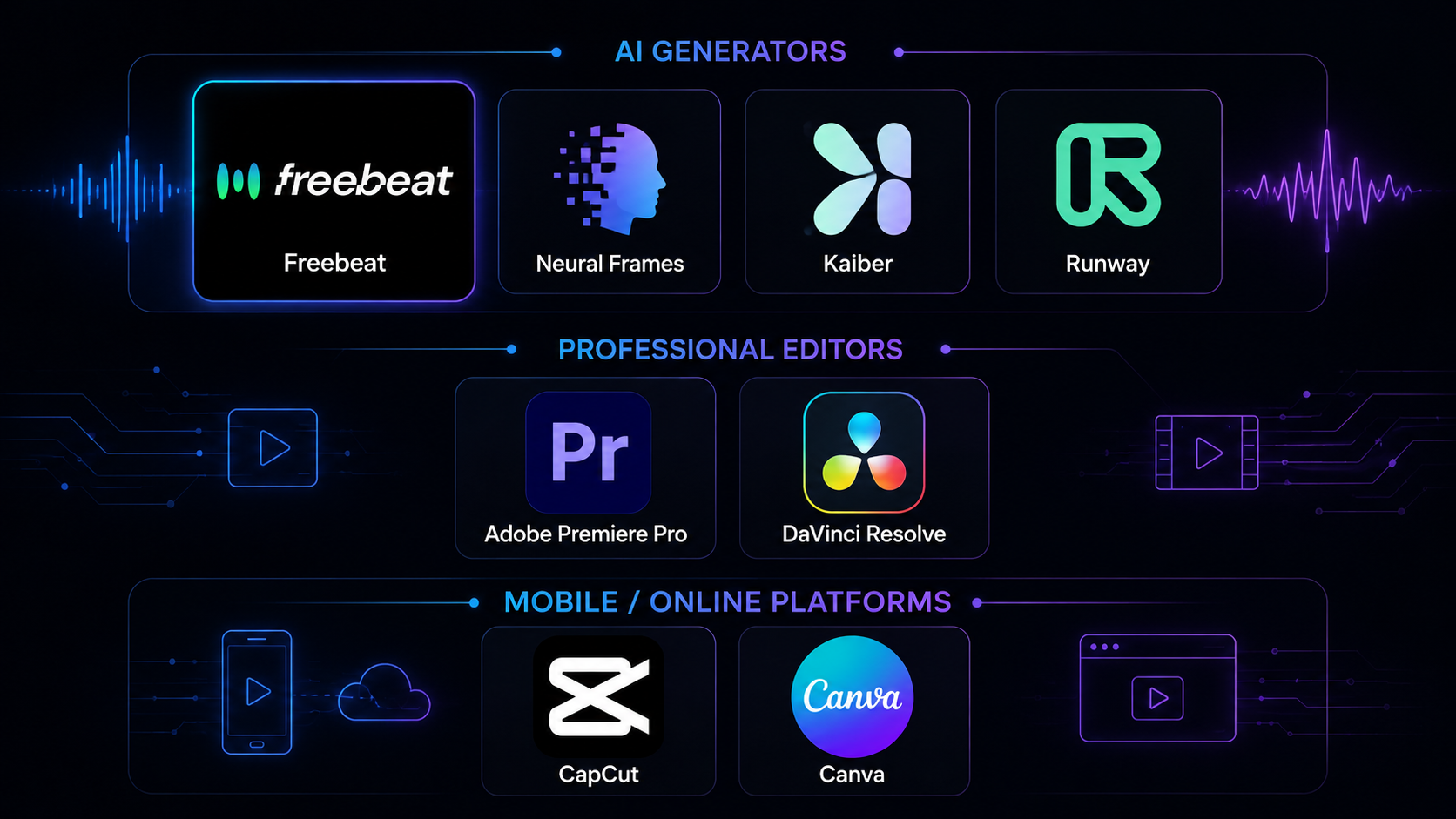
      Logos of different AI models converging into the freebeat platform icon.
      ALL-IN-ONE PLATFORM

      Access Every Top Model in One Place

      Why jump between different tools? Freebeat is your all-in-one creative platform. Get access to Seedance 2.5 alongside 40+ other leading AI video and image models, all under one account with one simple billing system.
      • 40+ video and image models
      • One account, one subscription
      • 30+ free musician tools
      • Full commercial-use license
      Varies by model / plan
      Music Beat Sync
      Yes, native analysis
      No
      Yes, core feature
      Synchronized Audio
      Yes, via Seedance 2.5
      No
      Depends on underlying model
      Free Trial
      500 free credits
      125 one-time credits
      Limited free option
      Output Resolution
      Up to 4K (upscaled)
      Up to 4K (upscaled)
      Varies by plan
      Primary Use Case
      Full music videos & multi-model creation
      Pro cinematic short clips
      Stylized, music-driven clips
      Commercial License
      Included, you own copyright
      Included on paid plans
      Included on paid plans
      🌈

      Go from Clip to Music Video

      Use your Seedance 2.5 creations as building blocks. Our AI Director can edit them into a full 6-minute, beat-synced music video, ready for YouTube or Spotify.
      ⭐

      Start Creating Instantly

      There's nothing to install and no technical setup required. Create with Seedance 2.5 directly in your browser, on any device, and start with 500 free credits.
      Kling 1.6 Pro
      Pika 2.2
      Kling 2.1
      I love that I can make clips with Seedance 2.5 and then use freebeat's AI Director to turn them into a full 6-minute music video. The beat-sync is perfect for my tracks.
      AC
      Alex Chen
      VFX Artist
      ★★★★☆
      The native 720p output is solid, and the synchronized audio saves a lot of post-production time. It’s my go-to platform for quick conceptual work and pre-visualization.
      FA
      Fatima Al-Jamil
      Content Creator
      ★★★★★
      Having 40+ models in one place is why I use freebeat. I can experiment with Seedance 2.5 for one shot and a different model for the next, all in the same project. It’s so flexible.
      DJ
      DJ_Vortex
      Electronic Music Producer
      ★★★★★
      The music video bridge feature is amazing. I generate abstract clips and freebeat's AI turns it into a full visualizer for my sets. The 500 free credits made it easy to try.

      What kind of reference inputs does Seedance 2.5 support?

      It supports up to 50 multimodal inputs per generation. Within freebeat, you can upload up to 30 images, 10 video clips, and 10 audio clips to serve as references for characters, style, motion, and sound.

      What video resolution can I export?

      The native output resolution for Seedance 2.5 is 720p HD. Freebeat's platform also includes an AI upscaler that can enhance video resolution up to 4K, available on paid plans.

      Do I need to install any software?

      No, freebeat is a fully browser-based software platform. You can create videos with Seedance 2.5 and our entire library of 40+ AI models on any device with a modern web browser, including desktops, laptops, tablets, and phones. Nothing to install.

      Are videos made with Seedance 2.5 on freebeat safe for commercial use?

      Yes. When you create a video on the freebeat app, you own the copyright to your generation. We provide a full commercial-use license, the same terms trusted by over 1,000,000 creators, so you can safely monetize your content on platforms like YouTube, TikTok, and Instagram.

      Does Seedance 2.5 generate audio with the video?

      Yes, Seedance 2.5 generates synchronized audio with every clip by default, up to the full 30-second length. This audio is included at no extra cost when you generate inside freebeat.

      What video formats can I export from freebeat?

      All videos from freebeat are exported as standard MP4 files with H.264 video and AAC audio. This format is ready for direct upload to all major platforms, including YouTube, TikTok, Instagram Reels, and Spotify Canvas.
      ·
      Best Music Video Tools in 2026: 8 Options TestedCOMPARISON

      Best Music Video Tools in 2026: 8 Options Tested

      We tested 8 music video tools — AI generators, desktop editors, and mobile apps — on audio sync, output quality, speed, and…

      May 2026 · 14 min·freebeat blog
      Freebeat vs Neural Frames: Which AI Music Video Generator Should You Choose in 2026?ARTICLE

      Freebeat vs Neural Frames: Which AI Music Video Generator Should You Choose in 2026?

      Compare Freebeat vs Neural Frames in 2026 for AI music videos, character consistency, beat sync, lip sync, audio-reactive…

      May 2026 · 13 min·freebeat blog
      What video formats can I export from freebeat?
      All videos from freebeat are exported as standard MP4 files with H.264 video and AAC audio. This format is ready for direct upload to all major platforms, including YouTube, TikTok, Instagram Reels, and Spotify Canvas.