Repurpose Archive Footage for Music Video Production with AI

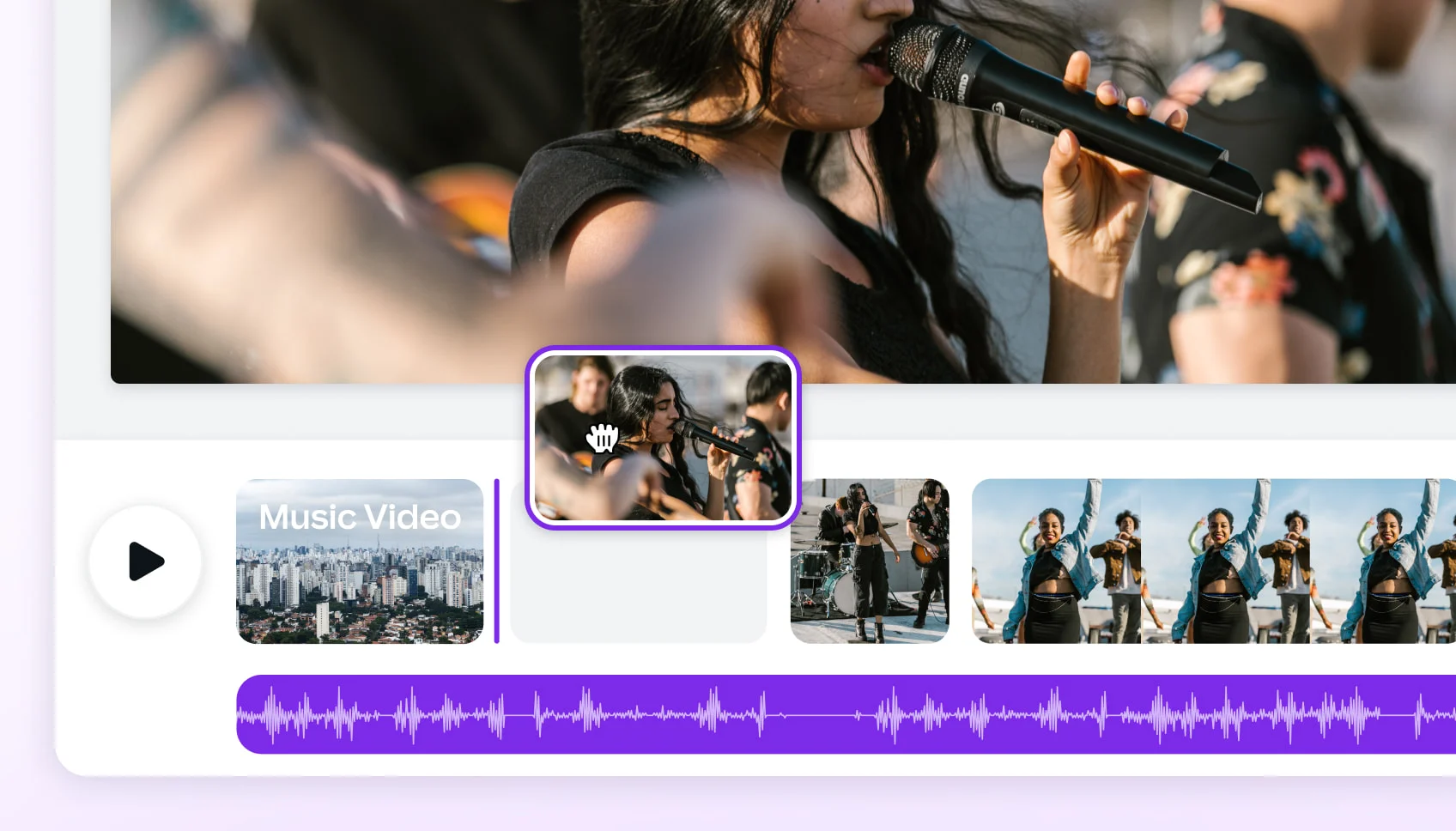
Use your existing video clips or public domain archives to create a full music video. Freebeat's AI analyzes your song's structure and edits your footage to the beat automatically.

  • AI edits to 8 musical dimensions
  • Full 6-minute music video output
  • 5 native aspect ratios (9:16, 16:9, 1:1)
  • ~5-minute one-click generation
  • Upload any clips: MP4, VHS, 8mm
  • 500 free credits on sign-up — no credit card
Trusted By Creators

Why Do 1M+ Artists Use Freebeat for Their Videos?

Musicians and filmmakers trust freebeat to transform their raw ideas into finished visuals. With over 1,000,000 creators served and 1 billion seconds of music visualized, our platform provides a proven, fast path to professional video production.

1,000,000+
Creators worldwide
As of May 2026, freebeat has served over 1 million creators across the world.
1,000,000,000+
Seconds of music visualized
As of May 2026, the platform has rendered over 1 billion seconds of AI music visuals.
Over 150
Countries resonated
As of May 2026, creators from more than 150 countries have built music videos with freebeat.
Forbes
Featured 2026
In May 2026, Forbes featured freebeat in its coverage of how AI is reshaping music video production.
Yamaha
Creator Pass partner
Since March 2026, freebeat has been an official partner in the Yamaha Creator Pass program.
AI-Powered Workflow

How Does Our AI Repurpose Archive Footage for Music Videos?

Our platform streamlines music video production by analyzing your audio and matching it to your video clips. This three-step process turns collections of footage into a cohesive, beat-synced narrative.

01

Upload Your Song and Footage

Start by uploading your music track (MP3, WAV) and your collection of archive footage or video clips. You can also paste links from Suno or YouTube, and our AI will automatically prepare the files.

02

Choose Your Editing Style

Select an editing pace and visual style. Our AI Director analyzes your song's structure—intro, verse, chorus—to create a shot plan that matches the energy and mood of your music, ensuring a professional feel.

03

Generate and Export Your Video

Generate the full video in about 5 minutes. You can review the AI's edit, make shot-level adjustments if needed, and then export your final music video in 1080p for YouTube, TikTok, and more.

Core Capabilities

What Makes Our Archive Footage Editor Different?

Freebeat isn't just a video stitcher. Our AI understands music to make intelligent editing decisions, turning your raw footage into a story that moves with your song, ready for any platform.

AI engine analyzing a song's waveform and structure for video editing.
MUSIC-DRIVEN EDITING

AI Edits Your Footage to the Music

Instead of just cutting on the beat, our AI analyzes 8 dimensions of your song, from energy and tempo to song structure. It then creates a full editing plan, assigning your footage to the intro, verse, and chorus to match the music's emotional arc.

  • Analyzes 8 musical dimensions
  • Identifies intro, verse, chorus
  • Matches cuts to percussive events
  • 5 pacing modes from 4 to 64 beats
A timeline showing a full 6-minute music video composed of many short archive clips.
COMPLETE SONGS

Create Full 6-Minute Music Videos

While many tools focus on short clips, freebeat is built for full music video production. Turn your entire song into a complete visual narrative, from the first beat to the last, with consistent style and pacing throughout.

  • Up to 6 minutes of full-length output
  • AI Director maintains visual consistency
  • Generates ~120 shots per video
  • Perfect for album tracks, not just shorts
A user interface showing an editable shot list for a music video.
DIRECTOR'S TOOLS

You Have Final Cut on the Edit

Our AI provides a full first draft in minutes, but you're always in control. Dive into the shot list to swap clips, adjust pacing, or refine the AI's choices. The selective regeneration feature means changes are fast, as only the affected shots are re-rendered.

  • Editable shot-by-shot plan
  • Swap A-roll and B-roll clips
  • Selective regeneration for fast changes
  • Adjust color palette and lighting mood
A smartphone, tablet, and laptop displaying the same video in different aspect ratios.
PUBLISH EVERYWHERE

One Project, Every Social Media Format

Don't re-edit for every platform. Start your project by choosing the right aspect ratio for your primary channel, whether it's YouTube, TikTok, or Instagram. The AI composes every shot natively for that format, ensuring no awkward crops or black bars.

  • 5 native aspect ratios
  • 16:9 for YouTube
  • 9:16 for TikTok, Reels, Shorts
  • 1080p HD and 4K AI upscaling
A folder icon containing video files, images, and text documents representing exported project assets.
YOUR CREATIVE ASSETS

Export More Than Just the Final Video

We believe you should own your creative process. With freebeat, you can download not only the final MP4 but also the entire project package: the AI's shot list, storyboard, and all intermediate assets. This gives you the freedom to continue work in other tools or reuse assets later.

  • Downloadable shot list & storyboard
  • Full commercial-use license
  • You own the copyright to the video
  • No platform lock-in
A grid showing logos of various freebeat tools like Lip Sync, Album Cover, and Lyrics Generator.
ALL-IN-ONE PLATFORM

A Full Suite of Musician Tools

Freebeat is more than a single video editor. Your account gives you access to an entire creative ecosystem. Generate lyrics, design an animated album cover, or create a lip-sync video—all with one login, one credit balance, and one commercial license.

  • 30+ free musician-dedicated tools
  • AI Lip Sync Video generator
  • Animated Album Cover maker
  • Onbeat Effects with 528 templates
Side-by-Side

How Does Freebeat Compare to Other Video Tools?

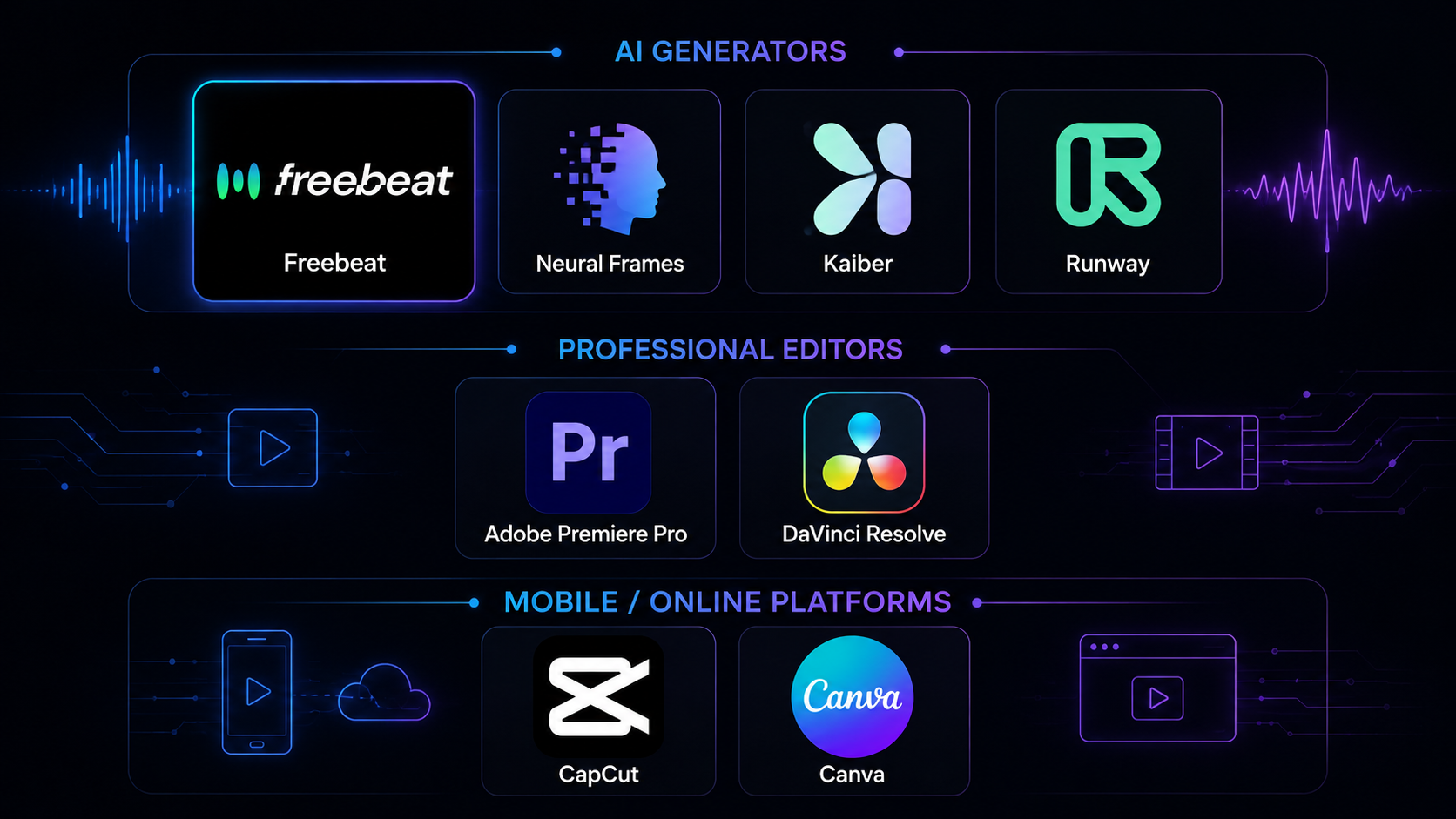
While traditional editors offer total manual control, freebeat's AI automates the most time-consuming parts of music video production. See how our music-first approach compares for repurposing archive footage.

Feature
freebeat
Runway
Adobe Premiere Pro
Music-Driven Editing
AI analyzes 8 musical dimensions to automate cuts
Not music-driven; manual audio syncing required
Manual, frame-by-frame beat matching
Time to First Draft
~5 minutes for a full song
Minutes per short clip; manual assembly needed
Hours to days of manual editing
Max Video Length
Up to 6 minutes
~10-20 seconds per generation
Unlimited, project-dependent
Editing Skills Required
None for one-click generation
Moderate prompt and editing skills
Professional editing skills required
Core Function
Automated music video production
AI-powered short clip generation
Professional non-linear video editing software
Archive Footage Handling
AI auto-sequences uploaded clips to music
Stylizes or generates new clips from images/text
Manual import, logging, and sequencing
Platform
Browser-based, no install
Desktop software, requires powerful hardware
Free Tier
500 free credits, no credit card
125 one-time credits, watermarked
7-day trial only
Best For
Fast, automated music videos from existing footage
Creating short, stylized cinematic clips
Full control for professional, high-budget projects
User Outcomes

Why Use Freebeat for Archive Footage Videos?

Unlock the potential in your old tapes, hard drives, and public domain finds. Freebeat gives you a fast, affordable, and creative way to produce music videos without shooting a single new frame.

Save Weeks of Editing Time

A manually edited music video can take weeks. Our AI delivers a complete, beat-synced first draft from your footage in about 5 minutes, freeing you up to focus on your music.

No Production Budget Needed

Repurposing archive footage is the ultimate budget-friendly production method. You can create a compelling music video using free public domain clips or your own unused footage.

Tell Unique Visual Stories

Found footage gives your music video a unique texture and historical depth that's impossible to replicate with a modern shoot. Create visuals that are nostalgic, historical, or surreal.

Create Without a Camera

Don't have a crew or camera? No problem. With freebeat, your laptop and a collection of video clips are all you need to produce a full-length music video.

Publish Content Consistently

The speed of our AI editor allows you to produce high-quality video content for every song you release, helping you maintain a consistent presence on YouTube and social media.

Get Professional Pacing, Instantly

Good editing is about rhythm. Our AI understands musical structure, ensuring your video's pacing feels professional and intentional, not just a random animation.
Voices From Creators

Why Do Filmmakers and Musicians Choose Freebeat?

Creators trust freebeat to handle the technical parts of video editing so they can focus on storytelling. Hear from artists who use our AI to give their archive footage new life.

4.8/5
★★★★★
From 1,000,000+ Creators Featured on TAAFT
JR
Javier Rojas
Documentary Filmmaker
★★★★★
I have terabytes of B-roll from old projects. Freebeat's AI helped me repurpose it into a music video for a local band. The way it analyzed the song and matched clips to the chorus was incredible. Saved me at least 40 hours of sorting and editing.
CP
Chloe Park
Indie Pop Artist
★★★★★
As a solo artist, I don't have a video budget. I used public domain footage from the 1950s with freebeat to create a video for my latest single. It looks so unique, and the platform handled the full song perfectly.
KT
Kenji Tanaka
VJ & Media Artist
★★★★★
My work involves re-mixing found footage for live shows. I use this app to create base loops. The AI's ability to create different edits using the 5 pacing modes is fantastic for generating variations quickly. The 9:16 export is great for venue screens.
FA
Fatima Al-Jamil
Digital Archivist
★★★★★
We used freebeat to create short social videos from our institution's film archive. It's a powerful tool for engagement. Being able to export the AI's shot list is a huge plus for our records, and this music video generator makes it easy.
LS
Leo Schmidt
Experimental Musician
★★★★★
I make ambient music and use a lot of old family VHS tapes in my visuals. Freebeat's editor handled the low-fi footage surprisingly well and created a cohesive, dreamlike video that perfectly matches my sound. A great way to turn audio to video.
RE
retro_vibe_edits
TikTok Creator
★★★★★
This tool is perfect for my found-footage aesthetic channel. I can feed it a bunch of clips and a trending sound, and the AI spits out a perfectly synced vertical video. The one-click workflow is ridiculously fast.
Creative Applications

Who Can Use AI for Repurposing Archive Footage?

From musicians on a budget to filmmakers with vast archives, AI-powered editing opens up new creative possibilities for anyone with a story to tell and footage to share.

Independent Musicians

Create professional, full-length music videos without the cost of a film shoot. Use your own behind-the-scenes footage, phone clips, or free public domain archives to give every song a visual identity.

Documentary Filmmakers

Breathe new life into your B-roll and unused interview footage. Quickly create promotional trailers, social media clips, or short visual essays set to music, turning archival content into new, monetizable assets.

Social Media Creators

Produce a steady stream of unique content for platforms like TikTok and Instagram. Combine trending audio with found footage to create compelling, shareable videos that stand out from the crowd. It's a great song to video maker.

Visual Artists & VJs

Generate stunning visual loops and non-narrative videos for installations or live performances. Let the AI create complex, beat-synced edits that would take hours to assemble manually, like an audio visualizer.

Music Labels & Marketers

Need a video for a back-catalog track? Repurpose old music videos and live clips into a fresh 'anniversary edition' or 'lyric video' cut. A smart way to convert existing assets into new promotional content.
Common Questions

What Should You Know About AI-Powered Video Repurposing?

Get answers to key questions about copyright, video quality, and the creative process when using AI to repurpose archive footage for your music video production.

What is an archive footage music video?

An archive footage music video is a video created by editing together pre-existing film or video clips, rather than shooting new material. Freebeat uses AI to automate this process, analyzing your song and sequencing your archive clips to create a cohesive, beat-synced music video.

Is it legal to use archive footage in a music video?

Yes, provided you have the rights to the footage. This is straightforward with public domain material or footage you own. For other clips, you need a license. Freebeat provides the AI tool; you are responsible for ensuring your source footage is cleared for use.

Where can I find free archive footage?

Great sources for free, public domain footage include the Internet Archive (specifically the Prelinger Archives), Wikimedia Commons, and the National Archives Catalog. These collections offer millions of clips you can legally use in your music video production.

Can AI really edit video better than a human?

AI and human editors have different strengths. A human editor brings nuance and emotional understanding. Freebeat's AI excels at speed and musical analysis, performing the time-consuming task of syncing hundreds of clips to a song's structure in minutes. It provides a high-quality draft you can use as-is or refine further.

What's the best AI tool for making videos from old clips?

Freebeat is the best tool for turning old clips into music videos because it's built around music. Our AI analyzes your song's structure to make intelligent editing choices, creating a music to video experience that feels connected to the song's energy and narrative arc.

How much does it cost to make a music video with archive footage?

Using an AI tool like freebeat makes it very affordable. The footage itself can be free if you use public domain sources. With freebeat, you can start for free with 500 credits. Paid plans for full-length videos start at just $18.89 per month (billed annually).

What kind of video files can I upload to freebeat?

Freebeat accepts most common video formats, including MP4. You can upload digital files of any kind, from high-resolution B-roll to digitized VHS or 8mm film clips. Our platform processes them for the AI editing workflow.

Can I choose which clips the AI uses for certain parts of the song?

Yes. While our one-click generation makes all the choices for you, the creative control mode allows you to influence the edit. You can review the AI's shot plan and manually assign specific clips to the chorus or verse before generating the final video.

What resolution will my final video be?

Freebeat exports videos in 1080p HD by default on our paid plans. We also offer a 4K AI upscaler that can enhance your video's resolution, which works especially well when your source footage is of high quality.

Does freebeat work on mobile devices?

Yes, freebeat is a fully browser-based website and platform. It works on any device with a modern web browser, including desktops (Mac, Windows, Linux), smartphones (iOS, Android), and tablets. No app installation is required.

Can I remove the watermark from my video?

Yes, all of freebeat's paid plans, starting from our Basic tier, allow you to export your videos without a watermark. The free plan includes a watermark on all generated videos.
What is an archive footage music video?
An archive footage music video is a video created by editing together pre-existing film or video clips, rather than shooting new material. Freebeat uses AI to automate this process, analyzing your song and sequencing your archive clips to create a cohesive, beat-synced music video.
Is it legal to use archive footage in a music video?
Yes, provided you have the rights to the footage. This is straightforward with public domain material or footage you own. For other clips, you need a license. Freebeat provides the AI tool; you are responsible for ensuring your source footage is cleared for use.
Where can I find free archive footage?
Great sources for free, public domain footage include the Internet Archive (specifically the Prelinger Archives), Wikimedia Commons, and the National Archives Catalog. These collections offer millions of clips you can legally use in your music video production.
Can AI really edit video better than a human?
AI and human editors have different strengths. A human editor brings nuance and emotional understanding. Freebeat's AI excels at speed and musical analysis, performing the time-consuming task of syncing hundreds of clips to a song's structure in minutes. It provides a high-quality draft you can use as-is or refine further.
What's the best AI tool for making videos from old clips?
Freebeat is the best tool for turning old clips into music videos because it's built around music. Our AI analyzes your song's structure to make intelligent editing choices, creating a music to video experience that feels connected to the song's energy and narrative arc.
How much does it cost to make a music video with archive footage?
Using an AI tool like freebeat makes it very affordable. The footage itself can be free if you use public domain sources. With freebeat, you can start for free with 500 credits. Paid plans for full-length videos start at just $18.89 per month (billed annually).
What kind of video files can I upload to freebeat?
Freebeat accepts most common video formats, including MP4. You can upload digital files of any kind, from high-resolution B-roll to digitized VHS or 8mm film clips. Our platform processes them for the AI editing workflow.
Can I choose which clips the AI uses for certain parts of the song?
Yes. While our one-click generation makes all the choices for you, the creative control mode allows you to influence the edit. You can review the AI's shot plan and manually assign specific clips to the chorus or verse before generating the final video.
What resolution will my final video be?
Freebeat exports videos in 1080p HD by default on our paid plans. We also offer a 4K AI upscaler that can enhance your video's resolution, which works especially well when your source footage is of high quality.
Does freebeat work on mobile devices?
Yes, freebeat is a fully browser-based website and platform. It works on any device with a modern web browser, including desktops (Mac, Windows, Linux), smartphones (iOS, Android), and tablets. No app installation is required.
Can I remove the watermark from my video?
Yes, all of freebeat's paid plans, starting from our Basic tier, allow you to export your videos without a watermark. The free plan includes a watermark on all generated videos.