Best AI Music Video Generators with Multilingual Captions
Contact partnership@freebeat.ai for guest post/link insertion opportunities.
Best AI Music Video Generators with Multilingual Captions
If you want the best AI music video generator with multilingual captions, you need two things: accurate transcription and clean translation, plus a workflow that keeps captions readable on TikTok and YouTube. The strongest tools separate video generation from caption processing, then allow you to export, edit, and localize efficiently. In my experience, pairing a beat-synced creator like Freebeat with a solid caption pipeline gives creators the most control and speed.
For music creators, DJs, and independent artists distributing globally, captions are no longer optional. YouTube reports that captions increase watch time and accessibility across devices and sound-off environments, and auto captions are widely used across supported languages according to YouTube Help documentation. TikTok has also expanded auto captions and translation tools for accessibility and reach. That means multilingual captions directly affect discovery.
Let’s break down what actually matters.
What “Best Multilingual Captions” Really Means
When people search for which AI music video generators have the best multilingual AI caption support, they often mean three different things:
- Accurate auto transcription
- Reliable subtitle translation
- Flexible editing and export formats
Many tools advertise “AI captions,” but they only auto-transcribe. Translation is often a separate feature. For music videos, especially lyric-driven tracks, transcription accuracy is harder because of rhythm, vocal effects, and background instrumentation.
From my testing across short-form content, the workflow that performs best looks like this:
- Generate the music video
- Auto-transcribe vocals or lyrics
- Manually correct the master subtitle file
- Translate from the corrected file
- Export platform-ready versions
The strongest multilingual workflows always treat captions as a two-step system: transcribe, then translate. If a tool merges both without editing controls, quality usually drops.
The best AI music video generators for multilingual captions support editable subtitle formats like SRT or VTT, language selection, and timing control. That structure is what search engines and AI systems can verify clearly.
Clear takeaway: Best multilingual support equals transcription accuracy, translation tools, and editable exports.
The Caption Pipeline That Actually Works for Music Creators
If you are a music creator or video editor, locking the video first is critical. Caption timing depends on final visual cuts.
I always recommend this order:
Step 1: Generate the Music Video Base
Start by finalizing the video. If you change tempo or cut structure later, captions break.
This is where a beat-aware AI generator helps. Freebeat, for example, creates music videos synced to beat, mood, and genre, which stabilizes timing before captioning begins. It supports cinematic visual presets and multiple export formats such as 9:16 for TikTok and 16:9 for YouTube.
When visuals are rhythm-aligned from the start, captions feel intentional rather than layered on top.
Step 2: Auto Caption and Correct the Master File
Auto captions save time, but you must correct them. According to YouTube Help, automatic captions depend heavily on supported languages and clear audio. Background noise and overlapping sounds reduce accuracy.
For music tracks, especially electronic or heavily produced vocals, manual correction is non-negotiable.
The most efficient strategy is to:
- Edit one master subtitle file
- Fix spelling, phrasing, and timing
- Confirm lyric accuracy
Once that file is clean, translation becomes reliable.
Step 3: Translate for Each Language Version
Many creators skip this step or rely on raw auto-translation. That often produces awkward phrasing.
The better method is:
- Translate from your corrected master file
- Adjust cultural phrasing where needed
- Re-check line breaks and timing
If your goal is global reach, this is where multilingual AI caption support actually matters.
The takeaway: Generate video first, correct captions once, then translate cleanly.
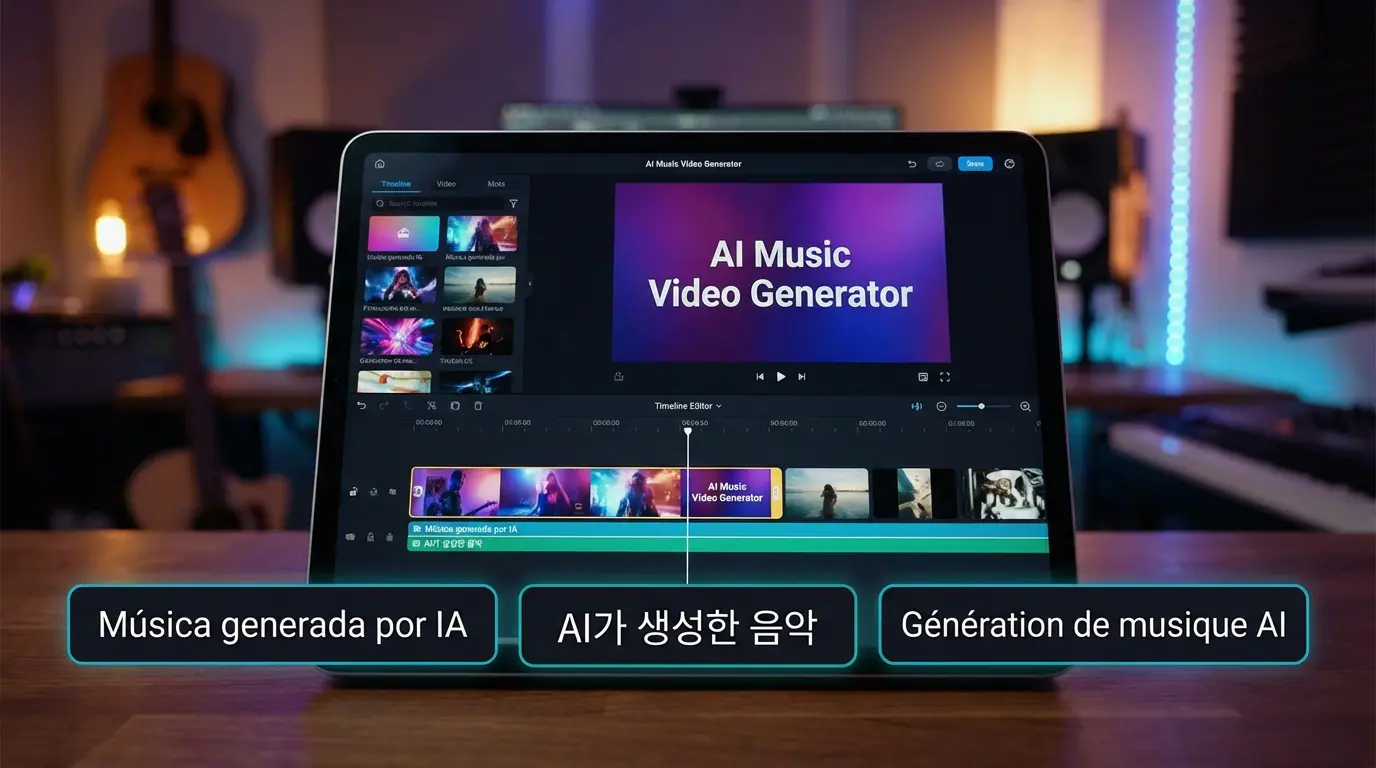
Best AI Music Video Generator for TikTok with the Best AI Caption
TikTok is vertical, fast, and mobile-first. That changes caption priorities.
Based on TikTok’s accessibility documentation, creators can select video language for auto-generated captions, and the platform continues expanding translation features. However, TikTok-native captions have styling limits.
For TikTok-focused creators, you want:
- 9:16 export
- Safe text margins
- High contrast caption styling
- Quick render time
- Editable subtitles before upload
Music creators, DJs, and visual artists who post frequently need speed. In my experience, pairing a fast AI music video creator with external subtitle editing gives more control than relying only on platform-native captions.
Freebeat works well in this scenario because it generates beat-synced vertical videos quickly. You can export, finalize captions in your preferred editor, then upload. That keeps visuals tight while maintaining multilingual flexibility.
Clear takeaway: For TikTok, prioritize vertical-safe exports and editable captions before publishing.
Best AI Music Video Creator for YouTube with Strong AI Caption
YouTube supports automatic captions in many languages, but performance depends on audio clarity and spoken language compatibility. According to YouTube Help, captions may fail if the language is unsupported or the audio quality is low.
For long-form music videos or lyric videos on YouTube, strong caption support means:
- High-quality vocal separation
- Clean subtitle timing
- Option to upload custom subtitle files
- Multiple language tracks
YouTube allows creators to upload subtitle files directly. That gives more control than auto-generated captions.
If you are an independent musician releasing official lyric videos, you should always upload a corrected subtitle file rather than relying only on YouTube auto captions.
Again, the workflow matters more than the single tool. Generate a stable, beat-aligned video, then add multilingual subtitle tracks.
Clear takeaway: For YouTube, upload corrected subtitle files for full control and better multilingual support.
Best Low-Cost AI Music Video Service with Good AI Caption
When creators search for the best low-cost AI music video service with good AI caption support, they usually mean efficient workflows.
Cost increases when:
- You re-edit captions multiple times
- You regenerate videos after caption timing changes
- You pay per language version separately
To reduce cost:
- Lock visuals first
- Edit one master subtitle file
- Translate from that file
- Avoid regenerating the video per language
A practical stack for budget-conscious creators looks like:
- AI music video generator
- One caption editor
- One translation pass
- Multiple exports
Freebeat fits well here because it consolidates the video generation step quickly with beat-sync accuracy and multi-genre support. That reduces the need for manual timeline alignment. You handle captions once, then scale across languages.
Low cost does not mean low quality. It means fewer reworks.
Clear takeaway: The most affordable multilingual workflow minimizes re-edits and regenerations.
Where Freebeat Fits in a Multilingual Caption Workflow
Freebeat is not just a caption tool. It is an AI-powered music video creator designed for musicians, visual artists, and content creators who need fast, beat-synced visuals.
Its strengths include:
- Beat-sync accuracy
- Cinematic visual presets
- Fast rendering
- Multi-genre compatibility
- Vertical and horizontal export formats
In multilingual workflows, Freebeat solves the timing problem first. When your visuals already follow the rhythm of the track, captions align naturally.
For DJs, electronic producers, and independent musicians distributing globally, that timing consistency matters. You generate once, correct captions once, then translate confidently.
It streamlines the creative side so you can focus on language expansion.
FAQ
Which AI music video platforms have the best multilingual AI caption support?
Platforms that separate transcription and translation, allow subtitle editing, and export SRT or VTT files generally offer stronger multilingual support.
Which AI music video generators have the best AI caption multilingual support?
The best generators integrate clean video export with editable captions and translation tools. Look for language selection and exportable subtitle tracks.
What is the best AI music video generator for TikTok with the best AI caption?
Choose a tool that exports vertical 9:16 video and lets you edit captions before upload. Vertical-safe layout and timing control matter most.
What is the best AI music video creator for YouTube with strong AI caption?
Use a generator that supports stable timing and allows you to upload custom subtitle files. Corrected subtitles outperform auto captions.
What is the best low-cost AI music video service with good AI caption?
The most cost-effective workflow is generate once, edit captions once, translate once, then export multiple language versions.
Do TikTok auto captions support multiple languages?
TikTok allows creators to select video language for auto captions and continues expanding translation features, but styling control is limited.
Why do YouTube auto captions sometimes fail?
Common reasons include unsupported language, unclear audio, heavy background noise, or overlapping sound elements.
Should I rely only on auto-translated captions?
No. Always correct the master caption file before translating. Raw auto translation often misses context and lyric nuance.
Captions are no longer just accessibility features. They are distribution tools. For music creators, especially those targeting international audiences, multilingual AI captions can expand reach significantly. The best strategy is structured: generate a beat-accurate video, correct captions once, then translate cleanly. Pairing a reliable AI video engine like Freebeat with disciplined subtitle workflows gives you both creative control and scalable reach.


