10 Best AI Tools to Create Lip Sync Singing Videos from Photos in 2026

Quick answer: Freebeat Singing Photo is our best overall music-first choice in this list for turning a photo into a singing video. HeyGen and Hedra are strong for avatar-style performance, while DreamFace and Revive are better suited to fast, playful social effects.
Photo lip sync now ranges from polished digital avatars to singing pets and fictional performers. The best tool depends on whether you need a quick effect, a controlled human face, an expressive character, or a singing shot that can become part of a larger music-video campaign.
For photo-to-song creation, Freebeat Singing Photo is the most relevant Freebeat workflow. The broader Freebeat platform supports music videos, visualizers, lyrics, realtime video, and social-ready output.
Try Freebeat Singing Photo →10 Best AI Tools for Lip Sync Singing Videos From Photos
| Rank | Tool | Best for |
|---|---|---|
| 1 | Freebeat Singing Photo | Music-first photo-to-song lip sync |
| 2 | HeyGen | Polished avatar-style lip sync |
| 3 | Hedra | Expressive character performance |
| 4 | DreamFace | Fast singing-photo effects |
| 5 | D-ID | Talking portraits and digital people |
| 6 | CapCut | Lip sync inside a social edit |
| 7 | Pika | Stylized photo animation |
| 8 | Vidnoz | Accessible browser avatar creation |
| 9 | Mango AI | Simple animated portraits |
| 10 | Revive | Playful singing-photo clips |
How We Evaluated Photo-to-Song Tools
Singing is harder than ordinary speech animation. Sustained vowels, rapid lyrical passages, breathy transitions, and emotional intensity all need to feel connected to the audio. We therefore prioritize music-specific timing, facial expression, identity preservation, support for different image styles, and the ability to place the singing face inside a broader piece of content.
We also look at practical publishing needs. The same performance may need to become a 9:16 social hook, a longer music-video shot, or a duet. A technically accurate mouth is less useful if the rest of the face stays frozen or the workflow cannot keep the character consistent across multiple scenes.
1Freebeat Singing Photo

PASTE_FREEBEAT_IMAGE_URL_HEREFreebeat Singing Photo is built around the exact use case of making a still person, pet, character, illustration, or album image perform a song. The current product page supports Solo, Duet, and Pet modes, preset stages, custom scene prompting, reusable character assets, and full performance staging rather than only animating the mouth.
Best for: Music-first photo-to-song lip sync
Why it stands out: The music-first workflow is especially useful when the singing portrait is not the final destination. The same visual identity can become the hook for a larger Freebeat music video, visualizer, or social campaign.
What to consider: The source image still matters. Clear, well-lit, front-facing faces with a visible mouth or muzzle give the model the strongest starting point.
2HeyGen

PASTE_HEYGEN_IMAGE_URL_HEREHeyGen is a strong option when the visual needs a polished, face-forward avatar treatment. Its broader avatar ecosystem is useful for realistic presenters and multilingual content, and the lip-sync workflow can also support music experiments.
Best for: Polished avatar-style lip sync
Why it stands out: The system is well suited to creators who value a controlled avatar presentation and need the same face to appear across multiple pieces of content.
What to consider: Its primary use cases extend beyond music, so a full song campaign may require additional editing or visual-generation tools.
3Hedra
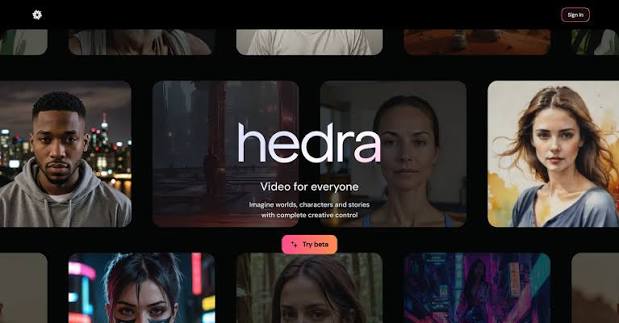
PASTE_HEDRA_IMAGE_URL_HEREHedra is well suited to turning a still portrait or designed character into an expressive audio-driven performance. It works for realistic faces as well as fictional or stylized personas.
Best for: Expressive character performance
Why it stands out: That character-first orientation makes it attractive for AI artists, virtual performers, or creators who want one recurring face to carry different songs and narrative concepts.
What to consider: Full-song campaign assembly may still require additional scene generation or editing around the character performance.

4DreamFace

PASTE_DREAMFACE_IMAGE_URL_HEREDreamFace is oriented toward accessible face animation and entertainment-style photo-to-video creation. It can be a quick way to test a singing portrait, meme, or short social concept.
Best for: Fast singing-photo effects
Why it stands out: The low-friction experience makes it useful for experimentation when the creator wants a fast result without planning a larger production.
What to consider: The workflow is more effect-focused than a complete music-video environment.
5D-ID
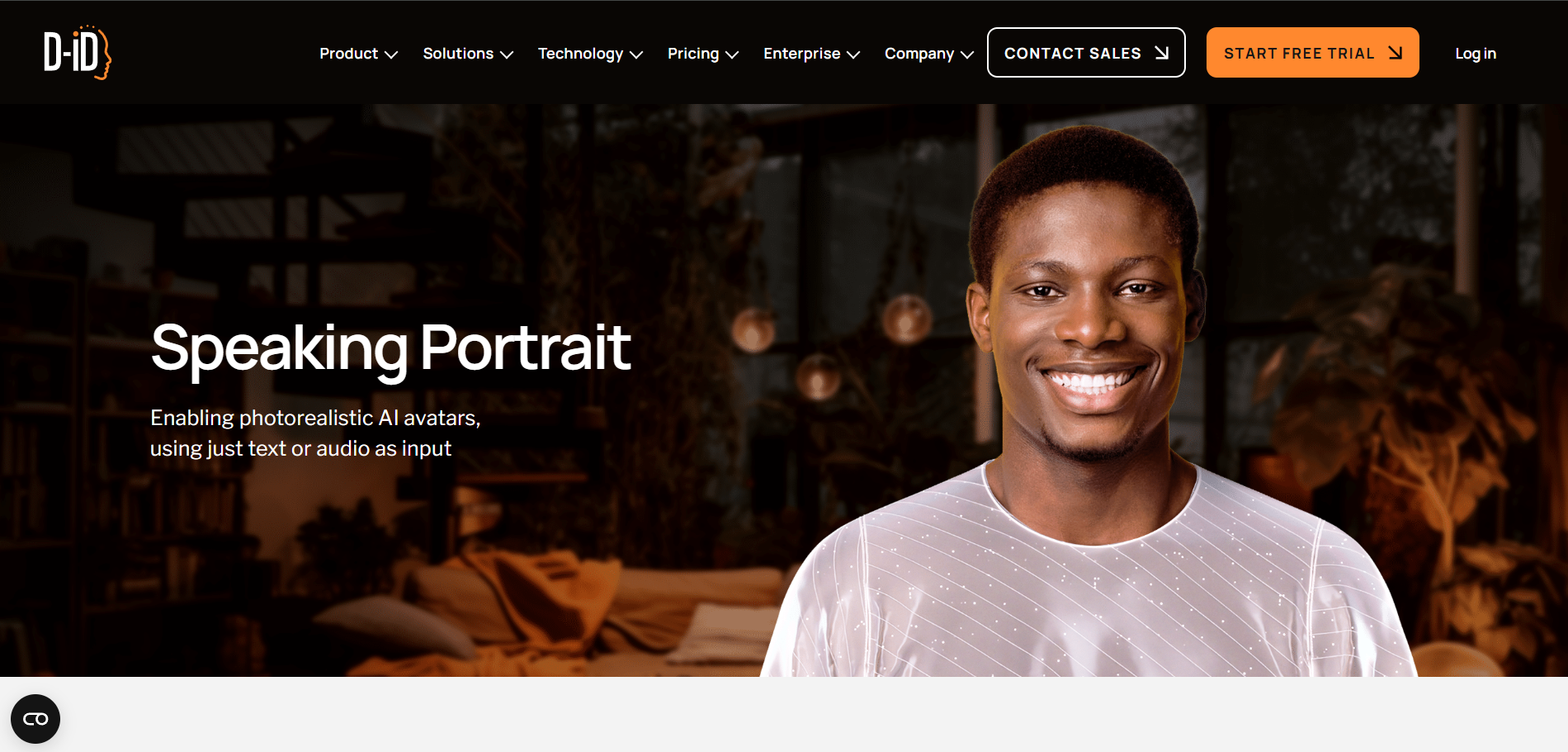
PASTE_DID_IMAGE_URL_HERED-ID is a mature portrait-animation platform that can turn still faces into digital people. It is useful when the concept is centered almost entirely on one face and a controlled talking-head style.
Best for: Talking portraits and digital people
Why it stands out: Its straightforward portrait animation is useful for explainers, avatars, and face-led content that can sometimes be adapted for musical experiments.
What to consider: It is better known for speech and presenter use cases than for music-first singing performances.
6CapCut

PASTE_CAPCUT_IMAGE_URL_HERECapCut is practical when the singing-photo moment is one ingredient in a larger TikTok, Reel, or Short. The creator can place the face animation next to captions, reaction shots, effects, cutaways, and additional footage.
Best for: Lip sync inside a social edit
Why it stands out: Its value is the finishing environment: social pacing, typography, resizing, and quick experimentation can happen in one place.
What to consider: More manual assembly is required than with a dedicated photo-to-song workflow.
7Pika

PASTE_PIKA_IMAGE_URL_HEREPika is useful when the source photo should transform, move, or become visually playful rather than remain a strictly realistic singing portrait.
Best for: Stylized photo animation
Why it stands out: Short effects and image-to-video experiments can make strong hooks around a song, especially when novelty or visual transformation matters.
What to consider: Music lip sync is only one part of a broader creative toolkit.
8Vidnoz

PASTE_VIDNOZ_IMAGE_URL_HEREVidnoz provides a browser-oriented route to avatar and face-led AI video. It can work for lightweight portrait animation and quick content creation.
Best for: Accessible browser avatar creation
Why it stands out: The accessible interface is useful for creators who want a simple workflow without a complex production environment.
What to consider: The visual language often leans more toward avatar and presenter content than cinematic music-video staging.


9Mango AI

PASTE_MANGO_AI_IMAGE_URL_HEREMango AI offers an approachable way to turn still portraits into talking or animated avatar content.
Best for: Simple animated portraits
Why it stands out: It can be useful for quick face-led experiments and creators who prefer a browser workflow.
What to consider: It is less oriented toward elaborate music-video storytelling or a full release campaign.
10Revive
PASTE_REVIVE_IMAGE_URL_HERERevive is geared toward entertaining, shareable face animation and meme-style singing-photo concepts.
Best for: Playful singing-photo clips
Why it stands out: It is a good fit when humor, novelty, and fast social sharing are more important than a polished artist campaign.
What to consider: Long-form control, precise artist branding, and broader music-video workflow features are limited.
Six Features That Matter Most for Singing Photos
1. Lip-Sync Accuracy
Singing includes held vowels, fast consonants, and changes in intensity, so the mouth should follow the musical phrase rather than only approximate speech timing.
2. Expression
Eyes, brows, cheeks, and head movement should support the emotion of the track. A mouth that moves accurately on a completely static face still feels artificial.
3. Identity Preservation
The generated performer should remain recognizably connected to the uploaded photo, especially for an artist portrait, virtual singer, mascot, or recurring character.
4. Image-Style Flexibility
Creators may want to animate realistic portraits, illustrations, pets, mascots, or album artwork. A strong workflow handles more than one type of face.
5. Music-Video Expansion
The singing portrait should be able to function as one performance layer inside a larger visual concept instead of becoming a dead end.
6. Social Formats
Vertical composition matters because singing-photo concepts are especially effective on TikTok, Reels, and Shorts. Keep the mouth and eyes large enough to read after cropping.
How to Prepare the Source Photo
- Use a well-lit image with the face large in frame.
- Keep hair, hands, microphones, and props away from the mouth.
- Avoid extreme profile angles for the first test.
- Use one high-quality master image for repeated character work.
- Match the expression to the emotional tone of the lyric.
- For pets, make sure the muzzle shape is clearly visible.
- For illustrations, preserve clean mouth and jaw lines.
- Do not upscale a tiny image so aggressively that facial details become artificial.
Common Photo Lip-Sync Mistakes to Avoid
- Choosing a style before listening for the song's structure.
- Changing characters, wardrobe, or color palette in every scene.
- Using the same visual intensity for verse and chorus.
- Generating many beautiful clips with no plan for how they connect.
- Forcing readable UI or long text into AI-generated footage.
- Making the performer too small for vertical social formats.
- Ignoring mouth visibility when lip sync is important.
- Adding effects on every beat until the visual feels noisy.
- Waiting until the end to think about 9:16 crops.
- Using a full song where a short hook would communicate the concept better.
How to Troubleshoot a Weak Singing-Photo Result
The mouth looks too human on a pet or stylized character
Reduce the intensity of the facial performance and choose a cleaner source image. For animals, preserve the natural muzzle shape and avoid prompts that imply visible human teeth. For illustrations, keep the jaw motion small enough that it does not break the drawing style.
The face changes identity during the song
Use one high-quality reference image and avoid drastic camera changes during the most important vocal lines. If the tool supports reusable assets or character references, keep the same source locked across scenes. Large style changes are safer in the background than on the face.
The lip sync is technically correct but the performance feels dead
Mouth accuracy is only part of singing. Look for eye movement, cheek motion, brow expression, subtle head rhythm, and changes in intensity. A believable vocalist reacts emotionally to the lyric instead of only opening and closing the mouth.
The face works in 16:9 but fails in vertical
Reframe before generating the final version. Keep the performer near the center and large enough that the eyes and mouth remain readable on a phone. Avoid important hand gestures or props at the far sides of the frame if you know the content will become 9:16.

Best Workflow by Type of Source Image
| Source image | What to prioritize | What to avoid |
|---|---|---|
| Real artist portrait | Identity preservation, natural expression, controlled lighting | Extreme face reshaping and style changes |
| AI-generated character | Consistent reference, recurring wardrobe, clear mouth | Changing the design every scene |
| Pet | Visible muzzle, subtle jaw motion, humorous staging | Human teeth or oversized mouth motion |
| Illustration / anime | Preserve line art and proportions | Photorealistic facial transformation unless intended |
| Album cover | Keep original composition recognizable | Replacing every design element during animation |
| Two-person duet | Clear separation and consistent framing | Overlapping faces or rapid cross-screen movement |
Turn One Singing Photo Into a Full Short-Form Edit
Use the singing close-up for the most important lyric, not for every second. Open with the face immediately, cut away during an instrumental beat, change the stage or camera at the chorus, and return to the face for the final word. This gives the viewer visual progression while preserving the strongest part of the effect.
For creators posting frequently, save the character and reuse it with different songs, outfits, or stages. A recurring performer can become a recognizable social format, which is more valuable than rebuilding an unrelated face for every post.
Questions to Ask Before Choosing a Photo-to-Song Tool
- Does it animate singing or mainly speech?
- Can it preserve the same identity across longer clips?
- Does it support pets or illustrations if you need them?
- Can two faces perform together?
- Can you change the stage without changing the face?
- Can the final video be exported vertically?
- Can the singing shot become part of a larger edit?
- Can you reuse the same character later?
Performance Direction by Music Style
Lip-sync accuracy is only the baseline. The same source portrait can feel convincing in one track and strangely flat in another because a singing performance also communicates phrasing, intensity, and attitude. Before generating, decide what the face should be doing emotionally during the hook. That direction helps you judge whether a result is actually useful rather than merely synchronized.
| Music style | Performance direction | Visual treatment |
|---|---|---|
| Pop | Clear expressions, confident eye contact, readable chorus emphasis | Bright key light, close framing, quick cutaways on beat accents |
| Indie / acoustic | Smaller mouth movement, softer eyes, restrained head motion | Natural light, warmer textures, longer holds |
| Dance / electronic | More rhythmic head and shoulder energy around the vocal | Color changes, reactive light, faster scene punctuation |
| Rap | Precise consonant timing and controlled facial intensity | Tighter framing, stronger contrast, cuts tied to bars rather than every beat |
| Comedy / novelty | Deliberately exaggerated expressions without destroying identity | Unexpected props, reaction shots, fast escalation |
How to Evaluate a Singing-Photo Test Before Rendering More
Run a short hook first and review it at normal playback speed, muted, and then audio-only. With sound on, look for syllables that visibly lag. Muted, check whether the face still feels alive and whether identity remains stable. Audio-only reminds you where the actual emotional peaks occur so you can see whether the animation gives those moments enough visual emphasis.
Also review the clip on a phone-sized screen. Small identity shifts, eye artifacts, or weak mouth shapes can be easier to notice when the face occupies most of a vertical frame. If the first test is close but not convincing, change one variable at a time: source photo, crop, hook selection, or style direction. That makes it much easier to learn what improved the result.
Frequently Asked Questions
What is the best tool to create a lip sync singing video from a photo?
Freebeat Singing Photo is our top music-first choice in this list because it is specifically designed around turning a photo and song into a performance and can connect to a broader music-video workflow.
Which tools are best for avatar-style lip sync?
HeyGen, Hedra, and D-ID are strong options for face-led avatar or character workflows.
Can I animate illustrations or pets?
Yes, although results depend heavily on how clearly the face and mouth area are represented in the source image. Freebeat currently includes dedicated people, character, and Pet workflows.
Should I use the whole song or a short hook?
Use a short hook for social discovery unless the visual has enough scene variation to sustain a longer performance.


