Free AI Lip Sync Photo Generator to Make Any Photo Sing

An AI lip sync photo tool animates a still image to match any audio track. Upload your own photo, or one you have permission to use, and our AI generates realistic mouth movements from just a picture, making the face talk or sing naturally.

  • Animate any still face photo in 1 click
  • 90% phoneme accuracy for natural sync
  • Supports MP3, WAV, and M4A audio
  • Generate in under 60 seconds
  • Export as a shareable MP4 video
  • 500 free credits, no card required
Trusted By Creators

Why Do Millions of Artists Use Our AI Tools?

Over 1,000,000 creators from 150+ countries trust freebeat's AI. Featured in Forbes and partnered with Yamaha, our platform provides professional-grade tools for musicians, marketers, and content creators looking to produce unique visual content.

1,000,000+
Creators worldwide
As of May 2026, freebeat has served over 1 million creators across the world.
1,000,000,000+
Seconds of music visualized
As of May 2026, the platform has rendered over 1 billion seconds of AI music visuals.
Over 150
Countries resonated
As of May 2026, creators from more than 150 countries have built music videos with freebeat.
Forbes
Featured 2026
In May 2026, Forbes featured freebeat in its coverage of how AI is reshaping music video production.
Yamaha
Creator Pass partner
Since March 2026, freebeat has been an official partner in the Yamaha Creator Pass program.
Simple Workflow

How Do You Create a Lip Sync Photo Video?

Turn a static image into an animated speaking video in three simple steps. Our AI platform handles the complex mouth animation, so you can focus on creativity and turn your audio to video.

01

Upload Your Photo and Audio

Start by uploading a clear, front-facing portrait photo in JPG or PNG format, either your own or one you have permission to use. Then, upload your audio file. This can be a song, spoken words, or any sound track in MP3 or WAV format.

02

Let AI Analyze and Animate

Our AI analyzes the phonemes in your audio and maps them to the mouth shapes on the photo. It generates smooth, natural-looking lip movements that accurately match the sound.

03

Preview and Export Your Video

Review the generated animation. Once you're happy with the result, export your new animated photo as a high-quality MP4 video, ready to share on social media or in your projects.

Core Capabilities

What Makes Our Lip Sync Photo App Different?

Our AI focuses on realistic mouth articulation and ease of use, turning any static image into a dynamic, expressive character with minimal effort. This is a core part of our Video Generator suite.
Waveform being analyzed for phonemes next to a human mouth.
ACCURATE SYNC

Phoneme-Level Mouth Matching

Our AI goes beyond simple open-and-close mouth movements. It analyzes the specific sounds (phonemes) in your audio to create precise, realistic lip shapes for every word or note. This advanced analysis, which boasts over 90% accuracy, ensures the final animation is believable and natural, capturing the nuances of speech and singing for professional-grade results.
  • 90% phoneme accuracy
  • Supports 2 modes: singing and speech
  • 4-point natural jaw and chin motion
  • Analyzes audio in under 60 seconds
Icons for MP3, WAV, and M4A files pointing to a photo.
FLEXIBLE INPUTS

Use Any Audio Source

Bring your own sound to any picture. Whether it's a clip from your latest song, a full voiceover for a social media post, or a funny soundbite, our AI tool can sync it perfectly. We support 3 high-quality formats to ensure your audio's integrity is maintained from upload to final video export. Just upload a standard audio file to get started.
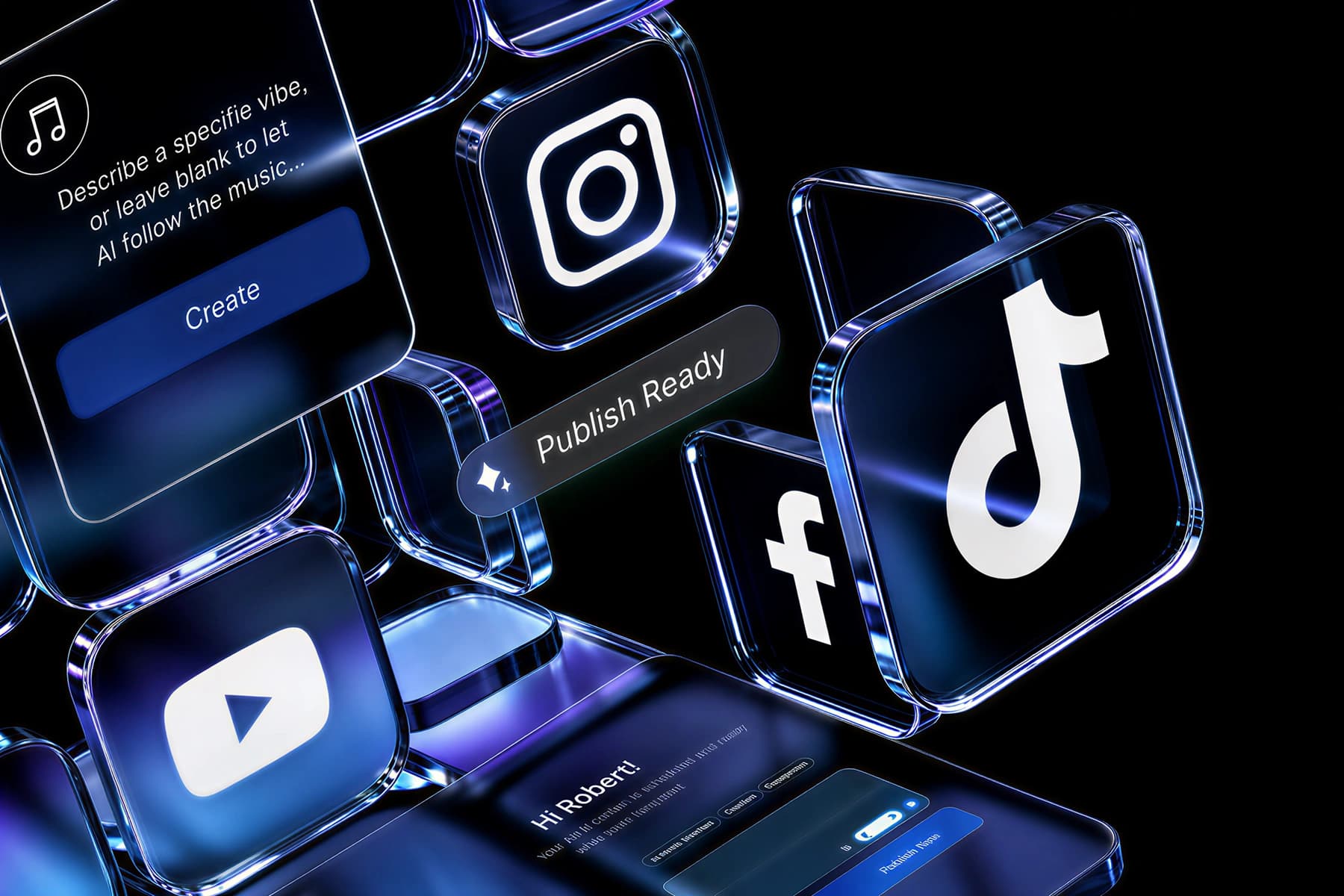
  • Supports 3 formats (MP3, WAV, M4A)
  • Up to 6 minutes of audio
  • Processes 2 track types (voice and music)
  • Supports over 128kbps audio quality
A smartphone screen showing an animated photo playing with social media icons.
QUICK EXPORT

Generate and Share Video in Minutes

The entire process from upload to final export is designed to be incredibly fast and efficient for any creator. Generate your animated video in under sixty seconds, then instantly download a high-quality, ready-to-share MP4 file. Our system optimizes the output, making it perfect for platforms like TikTok, Instagram, or YouTube without extra editing.
  • Average 60-second generation
  • High-quality 1080p MP4 video output
  • 3 aspect ratios available
  • Direct 1-click download from browser
A grid showing a photo, a cartoon, and a statue all with animated mouths.
VERSATILE USE

Animate Photos, Illustrations, and Art

This tool isn't limited to just human photographs. You can bring illustrations, game characters, or even statues to life with incredible ease. As long as there's a clear face with a mouth, our AI can identify over 50 key facial landmarks and animate it to sync perfectly with your audio, opening up limitless creative possibilities for your projects.
  • Works on real and digital faces
  • Identifies 50+ key facial landmarks
  • Handles various lighting conditions
  • Great for memes and character art
An album cover with an animated character singing, with a Suno logo nearby.
MUSIC FOCUSED

Bring Your Suno Album Art to Life

If you create music with AI tools like Suno, you can now use your album art as the visual for a promo. Animate the character on your cover to sing a clip from the song, creating a perfect and engaging promotional video in just a few clicks. This is a fantastic way to convert your new song to video for social media.
  • Paste a Suno link to use audio in 1 step
  • Animate static album art
  • Create short-form music promos in under 60 seconds
  • Perfect for AI-generated music
A dashboard showing tiles for freebeat AI tools like Music Video and Lip Sync.
FULL SUITE

More Than Just a Lip Sync Tool

Your freebeat account unlocks a full suite of over 30 powerful AI creation tools. Go from a lip-synced photo to a complete music video, generate a professional lyrics video, or create a stunning audio visualizer for your latest track. Our goal is to provide everything you need in one platform, streamlining your entire creative workflow.

  • 30+ AI tools for musicians
  • 1-click AI Music Video Generator with 3 aspect ratios
  • 2-minute AI Lyrics Video Maker for 6-minute songs
  • 1 account includes 1 full commercial license
Side-by-Side

How Does Freebeat Compare to Other Photo Lip Sync Apps?

While many tools animate photos, freebeat integrates this feature into a larger creator ecosystem, focusing on high-fidelity sync and supporting full-length audio tracks for musicians.

Feature
freebeat
FreeLipSync
Lemonslice
Max Audio Duration
Up to 6 minutes
Short clips only
Varies by plan
Sync Technology
Phoneme-level analysis
Basic mouth movement
AI-driven
Output Format
MP4 Video
Video/GIF
Video
Watermark
Removable on paid plans
No watermark on free tier
Watermarked on free plan
Free Trial
500 credits on sign-up
Free to use without an account
Limited free tier
Integrated Tool Suite
Yes, 30+ creator tools
No, standalone tool
Yes, part of a video suite
Suno Audio Support
Yes, direct link support
No
No
Commercial Use License
Included, you own copyright
Unspecified
Included on paid plans
Creator Outcomes

Why Make a Lip Sync Photo with Our AI?

Create engaging content without a camera or complex animation software. A lip sync photo lets you quickly produce promos, memes, or character videos that capture attention.

Create Content Without a Camera

Turn any idea into a video using just a photo and your voice. Perfect for creators who want to produce content quickly without setting up a camera and lights.

Boost Social Media Engagement

Animated photos are novel and eye-catching. Use them to make viral memes, announce new music, or create unique social media posts that stop the scroll.

Promote Music with Album Art

Animate the characters on your album cover to sing a sample of your track. It's a powerful and simple way to create a visual promo for Spotify, TikTok, or Instagram.

Save Time on Animation

Manual lip-sync animation takes hours or days. Our AI Maker does the work in seconds, giving you back time to focus on the creative aspects of your project.

Make Educational Content Personal

Animate a photo of a historical figure or an expert to deliver educational content. This makes learning more engaging and memorable for your audience.

No Technical Skills Needed

You don't need to be a video editor or animator to get professional results. The entire process is designed to be as simple as uploading two files and clicking a single button. Our powerful AI handles all the complex work for you.
Voices From Creators

Why Do Creators Love Our AI Tools?

Musicians, social media managers, and marketers use freebeat to create unique visual content quickly. They value the high-quality output and the time saved compared to manual animation.

4.8/5
โ˜…โ˜…โ˜…โ˜…โ˜…
rating from 1,000,000+ Creators ยท Featured on TAAFT
KT
Kenji Tanaka
Indie Pop Artist
โ˜…โ˜…โ˜…โ˜…โ˜…
I used the lip sync photo tool to make my album art sing a hook from my new single. It took maybe two minutes and the result was amazing. The phoneme matching is surprisingly accurate for singing.
MG
Maria Garcia
Social Media Manager
โ˜…โ˜…โ˜…โ˜…โ˜…
This is a lifesaver for creating quick, engaging content. I can make a client's mascot speak or animate a stock photo for a campaign. The MP4 export is clean and ready for posting.
CR
CryptoClips
TikTok Creator
โ˜…โ˜…โ˜…โ˜…โ˜…
Perfect for making memes. I can take any trending picture, add some audio, and have a viral-ready video in seconds. The fact that it handles up to 6 minutes of audio is wild.
FA
Fatima Al-Jamil
Podcast Host
โ˜…โ˜…โ˜…โ˜…โ˜…
I animate my own headshot to promote new podcast episodes with an audio snippet. It's a great way to give a visual teaser on Instagram. The website is very easy to use.
DC
David Chen
Game Developer
โ˜…โ˜…โ˜…โ˜…โ˜…
We used this to quickly prototype some character dialogue by animating our concept art. The AI handles non-human faces surprisingly well, which was a huge plus for our fantasy game characters.
CD
Chloe Dubois
Music Marketer
โ˜…โ˜…โ˜…โ˜…โ˜…
This tool is part of a much larger platform. I came for the lip sync photo maker, but now I use the AI Music Video Generator and Lyrics Video tool. It's a fantastic value.
AP
Alexei Petrov
Digital Artist
โ˜…โ˜…โ˜…โ˜…โ˜†
The lip sync is very good for speech. Singing can be a little tricky with very fast lyrics, but for most songs, it's more than capable. The browser-based app is convenient, no software to install.
Creative Applications

Who Is the Lip Sync Photo Tool For?

From musicians promoting new tracks to marketers creating novel ads, this tool serves anyone who needs to create a video from a static image and sound.

Musicians and Artists

Animate your album art, band photos, or artist portraits to sing along with new music. It's a fast and effective way to create visual content for social media promotion.

Social Media Managers

Easily produce funny memes, speaking character shorts, or unique introductions for your videos. This tool adds a dynamic and engaging visual element to your content with minimal production effort, helping you stand out.

Content Creators & YouTubers

Bring historical figures or complex diagrams to life in order to explain concepts more effectively. Animate a portrait to narrate an entire lesson, making your educational material far more engaging and memorable for students.

Educators and Trainers

Create powerful video promos for your audio podcast. Animate your own headshot or podcast logo with a compelling clip from an episode to share on visual platforms like YouTube, TikTok, and Instagram.

Podcasters

Create compelling video promos for your audio podcast. Animate your headshot or podcast logo with a clip from an episode to share on visual platforms like YouTube, TikTok, and Instagram.
Common Questions

What Should You Know About AI Lip Sync Photo Tools?

Get answers to common questions about how AI animates photos, what you can create, supported formats, and commercial use policies for your generated videos.

What is a lip sync photo tool?

A lip sync photo tool, or photo animation app, is an AI software that takes a still image of a face and an audio track, and animates the mouth on the photo to move in sync with the sound. Freebeat uses advanced AI to analyze phonemes with 90% accuracy for realistic movement, making it look like the person or character in the photo is actually speaking or singing.

Can AI make any photo talk?

Yes, as long as the photo contains a clear, relatively front-facing face with visible mouth features, AI can animate it. Freebeat's AI is designed to work on over 10 styles of faces, including photographs of people, illustrations, digital art, and even statues. The clearer the facial features, the better the final animation will be.

What is the best AI tool to make a picture sing a song?

Freebeat is the best tool for making a picture sing a song, especially for musicians. Our AI is tuned for both speech and singing, and supports audio tracks up to 6 minutes long. This allows you to animate a photo for an entire song, not just a short clip, making it a powerful music promotion tool.

Are videos made from lip sync photo apps free to use commercially?

Yes, absolutely. With freebeat, you own the copyright to every single video you generate on our platform. All generated content comes with a full commercial-use license under our Section 3 creator agreement, so you are free to publish, monetize, and use your lip sync photo videos on over 10 platforms like YouTube, TikTok, and in marketing campaigns.

How long can an AI talking photo video be?

The maximum length depends heavily on the platform. Many competing apps limit you to just a few seconds of animation. Freebeat is different. Our advanced lip sync photo tool supports audio inputs up to 6 minutes long, which allows you to create full-length song animations or longer narrated pieces from a single image for any project.

What file formats do I need to upload?

To create a lip sync photo with freebeat, you will need one image file and one audio file to get started. For the image, we support standard formats like JPG or PNG, up to 25MB. For the audio, you can upload MP3, WAV, or M4A files. Our platform conveniently handles all the necessary conversion and processing for you.

How do I make a character from my Suno song's album art sing?

It's simple with freebeat. First, save the album art image from your Suno track. Then, in our lip sync photo tool, upload that image. For the audio, you can either download the MP3 from Suno and upload it, or just paste the Suno share link directly into our tool to import the audio.

What video formats can I export my animation in?

Freebeat exports all lip sync photo animations as a standard MP4 video file. This is a universal format that is compatible with all social media platforms, video editors, and devices. You can export in multiple aspect ratios including 9:16 for TikTok, 1:1 for Instagram, and 16:9 for YouTube.

Can I use a voiceover instead of a song?

Absolutely. The freebeat AI works with any type of audio track, including spoken-word voiceovers, podcast clips, or dialogue from scripts. The AI analyzes the phonemes in the speech with 90% accuracy to create precise lip movements, making it a perfect tool for creating explainer videos, character narrations, or any type of social media update.

Will my video have a watermark?

Videos generated on freebeat's free plan may include a small, unobtrusive watermark in the corner. You can easily remove this watermark completely by upgrading to any of our 3 paid plans, which start at a low price. All paid plans offer unlimited watermark-free exports, giving all of your projects a clean and professional look.

What is the best free app to make pictures talk?

Freebeat is the best free app to animate pictures like this because of its generous free trial and professional-grade features. You get 500 free credits on sign-up with no credit card required, which is enough to create several animations. Our AI offers superior phoneme-level accuracy for any music to video project.


