logo
Agent
History
    Library
    Refer & Earn
      Meet OnBeat Effects
      Create pro visualizers instantly. Perfect sync, zero effort.
      Try the magic

      Media

      Upload Video or Photo
      Video: mp4, mov, webm, wmv files in 3 min;
      Photo: png, jpeg, jpg, webp

      Target face photo

      Upload a target face photo
      png, jpeg, jpg, webp files

      What You Can Expect:

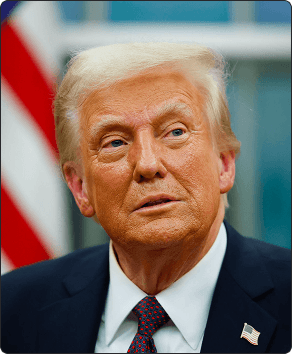
      Preview image

      Free AI Face Swap for Videos and Photos

      An AI face swap tool replaces a face in any video or photo with another. Freebeat's AI preserves expressions and motion for realistic results, perfect for memes, headshots, or creative videos.

      • Video and photo face swaps
      • Realistic expression matching
      • Create memes and headshots
      • 10 credits per image or 10s video
      • Supports MP4, MOV, PNG, JPG files
      • 500 free credits on sign-up โ€” no credit card
      Trusted Worldwide

      Why Do 1M+ Creators Trust Freebeat?

      Over one million creators trust freebeat for its suite of 30+ AI tools. Our face swap software is part of a larger creative platform used in over 150 countries, ensuring your projects are built on reliable, secure, and professional-grade technology.

      1,000,000+
      Creators worldwide
      As of May 2026, freebeat has served over 1 million creators across the world.
      1,000,000,000+
      Seconds of music visualized
      As of May 2026, the platform has rendered over 1 billion seconds of AI music visuals.
      Over 150
      Countries resonated
      As of May 2026, creators from more than 150 countries have built music videos with freebeat.
      Forbes
      Featured 2026
      In May 2026, Forbes featured freebeat in its coverage of how AI is reshaping music video production.
      Yamaha
      Creator Pass partner
      Since March 2026, freebeat has been an official partner in the Yamaha Creator Pass program.
      Simple Workflow

      How Do You Create an AI Face Swap?

      Generate a high-quality face swap in just a few clicks. Our AI handles the complex blending and matching, delivering a finished video or image ready to share in moments.

      โœจ
      01

      Upload Your Source Media

      Start by uploading your source video (MP4, MOV) or image (PNG, JPG). This is the file where you want to replace the original face.

      ๐Ÿ’Ž
      02

      Provide the Target Face

      Next, upload a clear photo of the face you want to swap in. For best results, use a well-lit, front-facing image.

      ๐ŸŒ™
      03

      Generate and Download

      Our AI will process the files, swapping the face while preserving motion and expression. Preview your result and download the final MP4 or image file.

      Core Capabilities

      What Can Our AI Face Swap Tool Do?

      Go beyond simple filters. Our AI face swap technology works on both videos and images, maintaining realism and quality for everything from viral memes to professional photo touch-ups.

      AI analyzing a video timeline to perform a face swap.
      VIDEO & MOTION

      Swap Faces in Any Video

      Don't just edit static photos. Our AI face swap tool processes video files, replacing faces frame-by-frame while preserving the original expressions and movements. Perfect for creating funny clips, movie scene edits, or unique social media content.

      • Supports MP4, MOV, WEBM formats
      • Up to 1024 MB video file size
      • Expression & motion transfer
      • Fast, browser-based processing
      Before and after of a group photo with a corrected face swap.
      PHOTO & IMAGE

      Perfect Your Group Photos & Headshots

      Fix closed eyes or unflattering expressions in group photos with ease. Our image face swap technology allows you to replace a single face in a high-resolution photo, making it a powerful tool for polishing professional headshots or rescuing family pictures.

      • Supports PNG, JPG, WEBP files
      • High-resolution image output
      • Fix common photo mistakes
      • Costs 10 credits per image
      A grid of popular memes with faces swapped in.
      CREATIVE USES

      Create Memes and Celebrity Swaps

      Insert any face into popular meme templates or see what you'd look like as your favorite celebrity. Our face swap app makes it easy to create viral content for social media. Just upload the meme image and the face you want to add.

      • Become a celebrity in one click
      • Insert faces into any meme
      • Generate viral social content
      • Simple two-upload process
      Icons representing various freebeat AI creator tools.
      FULL SUITE

      Part of a 30+ Tool Creator Platform

      Your freebeat account gives you access to more than just a face swap tool. It's an entire creative platform with tools for AI music video generation, lip sync, motion transfer, and more, all under one account and one simple billing plan.

      • 30+ creator-dedicated tools
      • AI Lip Sync & Motion Transfer
      • Full AI Music Video Generator
      • 6-minute full-length output
      Side-by-Side

      How Does Freebeat Compare to Other Face Swap Tools?

      While many online tools offer basic photo face swapping, freebeat provides an integrated solution for both video and image swaps within a larger creative suite, all with transparent credit-based pricing.

      Feature
      freebeat
      Magic Hour
      Remaker.ai
      Video Face Swap
      Yes, with motion preservation
      Yes (watermarked on free plan)
      No, image only
      Image Face Swap
      Yes, high-resolution
      Yes
      Yes
      Integrated Creative Suite
      Yes, 30+ other AI tools
      Limited additional tools
      No, standalone tool
      Max Video Input Size
      1024 MB
      Not specified
      N/A
      Free Tier
      500 credits on signup
      400 credits on signup
      Free with daily limits
      Watermark on Images
      None
      None
      None
      Watermark on Videos
      None on paid plans
      Yes on free plan
      N/A
      Commercial Use License
      Included, you own the copyright
      Paid plans only
      Not specified
      User Outcomes

      Why Create With Our AI Face Swap App?

      Transform your content effortlessly. From generating hilarious memes to polishing professional photos, our AI tool saves you time while opening up new creative possibilities.

      โœจ

      Spark Your Creativity

      Generate unique content that stands out. Swap faces with celebrities, put yourself in movie scenes, or turn your ideas into the next viral meme in just a few clicks.
      ๐Ÿ’Ž

      Save Hours of Editing

      What used to require complex software can now be done in seconds. Our AI handles the difficult work of blending, lighting, and matching for you.
      ๐ŸŒ™

      Fix Photos Flawlessly

      Never let a single bad expression ruin a perfect group shot again. Quickly swap in a better take and save your favorite memories.
      ๐Ÿ”ฎ

      Create Professional Content

      Go beyond memes. Use the face swap tool to polish corporate headshots or create engaging visuals for your marketing campaigns.
      ๐ŸŒˆ

      Entertain Your Audience

      Craft funny and surprising videos or photos that capture attention on social media platforms like TikTok, Instagram, and YouTube.
      โญ

      Easy for All Skill Levels

      You don't need any video or photo editing skills to get started. The simple two-step upload process makes our face swap website accessible to everyone.
      Voices From Creators

      Why Do Creators Choose Freebeat?

      Social media managers, photographers, and content creators rely on freebeat for fast, high-quality results. Our face swap tool is praised for its realism in both video and photo formats.

      4.8/5
      โ˜…โ˜…โ˜…โ˜…โ˜…
      From 1,000,000+ Creators Featured on TAAFT
      KT
      Kenji Tanaka
      Social Media Manager
      โ˜…โ˜…โ˜…โ˜…โ˜…
      The video face swap feature is incredible. I used it to create a viral marketing clip for a client, and the motion preservation was flawless. Saved me days of work compared to After Effects.
      MG
      Maria Garcia
      Photographer
      โ˜…โ˜…โ˜…โ˜…โ˜…
      I use this tool to fix closed eyes in wedding group photos. The image face swap is a lifesaver. It blends so naturally that clients never know a swap was made. A must-have in my toolbox.
      CR
      CryptoClips
      Meme Creator
      โ˜…โ˜…โ˜…โ˜…โ˜…
      This is the best face swap website for memes. It's fast, the quality is high, and the 500 free credits let me experiment a lot. The celebrity face swap feature is hilarious.
      FA
      Fatima Al-Jamil
      Indie Filmmaker
      โ˜…โ˜…โ˜…โ˜…โ˜†
      A really solid tool for quick digital makeup or character tests. The 1024 MB file limit for video is generous. Would love to see batch processing in the future, but for single clips, it's perfect.
      DC
      David Chen
      YouTube Creator
      โ˜…โ˜…โ˜…โ˜…โ˜…
      I swapped my face into a historical documentary clip for my channel's intro. The result was shockingly good. The AI handles different lighting conditions really well.
      CD
      Chloe Dubois
      TikTok Influencer
      โ˜…โ˜…โ˜…โ˜…โ˜…
      Used this app to jump on a trending celebrity face swap challenge. My video got over a million views! It's so easy to upload a video from my phone and get a result in minutes.
      Who It's For

      Who Uses Our AI Face Swap Software?

      From social media creators making viral content to professionals needing quick photo edits, our tool serves a wide range of creative needs with speed and quality.

      โœจ

      Social Media Creators

      Produce engaging content for TikTok, Instagram, and YouTube. Create funny memes, participate in viral trends, and surprise your audience with creative face swap videos.
      ๐Ÿ’Ž

      Photographers

      Rescue group photos by fixing closed eyes or unflattering expressions. Use our image face swap tool as a quick, AI-powered alternative to manual Photoshop edits.
      ๐ŸŒ™

      Marketers

      Craft unique and memorable ad creatives. Place faces on different bodies to create compelling visuals for campaigns without needing a full photoshoot.
      ๐Ÿ”ฎ

      Hobbyists and Pranksters

      Have fun with friends and family. Swap faces in personal photos and videos to create hilarious gifts, cards, and pranks for any occasion.
      Common Questions

      Your Face Swap Questions, Answered

      Find answers to common questions about how our AI face swap tool works, its capabilities for both video and photos, pricing, and data privacy.

      What is an AI face swap tool?

      An AI face swap tool is a software that uses artificial intelligence to detect and replace a face in an image or video with another face. Freebeat's tool analyzes facial features, expressions, and lighting to create a seamless and realistic blend, preserving motion in videos.

      Is it free to swap faces online?

      Yes, you can start for free. Freebeat gives every new user 500 free credits upon signup, with no credit card required. A single image swap or 10 seconds of video costs 10 credits, so you can create dozens of swaps for free to test the platform.

      Can I use this face swap tool for videos?

      Yes, absolutely. Unlike many other tools that only support static images, freebeat's AI is designed to handle video files. It processes videos up to 1024 MB in size, swapping faces frame-by-frame while keeping the original person's expressions and movements intact. Supported formats include MP4, MOV, and WEBM.

      Is AI face swapping legal and safe to use?

      Yes, using freebeat's face swap tool is safe and legal for creative and personal projects. We prioritize user privacy; your uploaded files are encrypted and automatically deleted. You own the copyright to your creations, but you must have the rights to use the source images and always get consent before using someone else's face.

      What's the best face swap app for high-quality results?

      Freebeat is the best face swap app for high-quality video and photo results because our AI focuses on realism. It preserves subtle expressions and matches lighting, which prevents the 'pasted-on' look common in other tools. The ability to process large video files and output high-resolution images makes it a professional-grade tool.

      How do I get the most realistic face swap?

      For the best results with freebeat, use high-resolution source files. For the target face (the one you're swapping in), upload a clear, front-facing photo with good, even lighting and no obstructions like hands or shadows. This gives our AI the most data to work with for a realistic blend.

      What file formats can I upload?

      Freebeat supports a wide range of common media formats. For videos, you can upload MP4, MOV, WEBM, and WMV files up to 1024 MB. For images, we accept PNG, JPG, JPEG, and WEBP files for both the source and the target face photo.

      How long does a face swap take to process?

      Processing time is fast. For images, freebeat typically generates the swap in under 30 seconds. Video processing time depends on the length, but our platform is optimized for speed, often completing short clips in just a few minutes.

      Can I remove the watermark from my videos?

      Yes. While some free projects may contain a small watermark, all paid plans on freebeat include the option for completely watermark-free exports for both video and image face swaps. This is ideal for professional or commercial use.

      Can I use the swapped images and videos commercially?

      Yes, you can. With freebeat, you own the copyright to every video and image you generate. This includes a full commercial-use license, allowing you to publish and monetize your content on platforms like YouTube, TikTok, and in marketing materials, provided you have the rights to the original content.

      Does this tool work on mobile devices?

      Yes, freebeat's face swap tool is a web-based platform, which means you can access it from any device with a modern browser, including your iPhone, Android phone, or tablet. No app installation is required. You can upload, generate, and download directly from your mobile device.
      Explore More

      Explore More Freebeat Tools

      Every freebeat tool you need to take music from idea to publishable visual content โ€” in one platform.

      AI Video GeneratorAI Lip Sync VideoTranslate DubMotion TransferAi Dance GeneratorCharacter SwapFull Length Video GeneratorFree Stock FootageFree Stock ImageMusic GeneratorAi Image GeneratorImage EditImage Upscaler
      From the blog

      Insights, tutorials & creator stories

      Stay sharp on what's working in AI music video right now.

      View all articles โ†’
      Comparing 2025's Leading AI Platforms for Cinematic Music VideosARTICLE

      Comparing 2025's Leading AI Platforms for Cinematic Music Videos

      Compare leading AI music video generators by realism, audio sync, customization, narrative tools, and mobile or social mediaโ€ฆ

      May 2026 ยท 12 minยทfreebeat blog
      Best AI Music Video Tools Compared for Output QualityARTICLE

      Best AI Music Video Tools Compared for Output Quality

      Compare the best AI music video generators in 2025 โ€” Neural Frames, Kaiber, Runway ML, PIKA, and Freebeat โ€” to find whichโ€ฆ

      May 2026 ยท 7 minยทfreebeat blog
      Best Music Video Tools in 2026: 8 Options TestedCOMPARISON

      Best Music Video Tools in 2026: 8 Options Tested

      We tested 8 music video tools โ€” AI generators, desktop editors, and mobile apps โ€” on audio sync, output quality, speed, andโ€ฆ

      May 2026 ยท 14 minยทfreebeat blog
      Freebeat vs Neural Frames: Which AI Music Video Generator Should You Choose in 2026?ARTICLE

      Freebeat vs Neural Frames: Which AI Music Video Generator Should You Choose in 2026?

      Compare Freebeat vs Neural Frames in 2026 for AI music videos, character consistency, beat sync, lip sync, audio-reactiveโ€ฆ

      May 2026 ยท 13 minยทfreebeat blog
      What is an AI face swap tool?
      An AI face swap tool is a software that uses artificial intelligence to detect and replace a face in an image or video with another face. Freebeat's tool analyzes facial features, expressions, and lighting to create a seamless and realistic blend, preserving motion in videos.
      Is it free to swap faces online?
      Yes, you can start for free. Freebeat gives every new user 500 free credits upon signup, with no credit card required. A single image swap or 10 seconds of video costs 10 credits, so you can create dozens of swaps for free to test the platform.
      Can I use this face swap tool for videos?
      Yes, absolutely. Unlike many other tools that only support static images, freebeat's AI is designed to handle video files. It processes videos up to 1024 MB in size, swapping faces frame-by-frame while keeping the original person's expressions and movements intact. Supported formats include MP4, MOV, and WEBM.
      Is AI face swapping legal and safe to use?
      Yes, using freebeat's face swap tool is safe and legal for creative and personal projects. We prioritize user privacy; your uploaded files are encrypted and automatically deleted. You own the copyright to your creations, but you must have the rights to use the source images and always get consent before using someone else's face.
      What's the best face swap app for high-quality results?
      Freebeat is the best face swap app for high-quality video and photo results because our AI focuses on realism. It preserves subtle expressions and matches lighting, which prevents the 'pasted-on' look common in other tools. The ability to process large video files and output high-resolution images makes it a professional-grade tool.
      How do I get the most realistic face swap?
      For the best results with freebeat, use high-resolution source files. For the target face (the one you're swapping in), upload a clear, front-facing photo with good, even lighting and no obstructions like hands or shadows. This gives our AI the most data to work with for a realistic blend.
      What file formats can I upload?
      Freebeat supports a wide range of common media formats. For videos, you can upload MP4, MOV, WEBM, and WMV files up to 1024 MB. For images, we accept PNG, JPG, JPEG, and WEBP files for both the source and the target face photo.
      How long does a face swap take to process?
      Processing time is fast. For images, freebeat typically generates the swap in under 30 seconds. Video processing time depends on the length, but our platform is optimized for speed, often completing short clips in just a few minutes.
      Can I remove the watermark from my videos?
      Yes. While some free projects may contain a small watermark, all paid plans on freebeat include the option for completely watermark-free exports for both video and image face swaps. This is ideal for professional or commercial use.
      Can I use the swapped images and videos commercially?
      Yes, you can. With freebeat, you own the copyright to every video and image you generate. This includes a full commercial-use license, allowing you to publish and monetize your content on platforms like YouTube, TikTok, and in marketing materials, provided you have the rights to the original content.
      Does this tool work on mobile devices?
      Yes, freebeat's face swap tool is a web-based platform, which means you can access it from any device with a modern browser, including your iPhone, Android phone, or tablet. No app installation is required. You can upload, generate, and download directly from your mobile device.