Professional Low Budget Music Video Production, Made with AI

A low budget music video doesn't have to look cheap. Freebeat's AI acts as your director, editor, and VFX team, turning any song into a cinematic video for a fraction of the cost of traditional production.

  • From song to video in ~5 minutes
  • Full 6-minute music videos
  • No camera or crew needed
  • Works with any song or genre
  • 500 free credits on sign-up — no credit card
Trusted by Musicians

Why Do 1M+ Indie Artists Choose Freebeat?

Over a million independent artists and producers trust freebeat for affordable music video production. Our AI platform replaces expensive software and weeks of editing, delivering cinematic quality without the high cost. As of May 2026, we've visualized over a billion seconds of music.

1,000,000+
Creators worldwide
As of May 2026, freebeat has served over 1 million creators across the world.
1,000,000,000+
Seconds of music visualized
As of May 2026, the platform has rendered over 1 billion seconds of AI music visuals.
Over 150
Countries resonated
As of May 2026, creators from more than 150 countries have built music videos with freebeat.
Forbes
Featured 2026
In May 2026, Forbes featured freebeat in its coverage of how AI is reshaping music video production.
Yamaha
Creator Pass partner
Since March 2026, freebeat has been an official partner in the Yamaha Creator Pass program.
Three-Step Workflow

How Do You Create a Low Budget Music Video with Our AI?

Our AI Music Video Generator streamlines production into three simple steps. Go from an audio file to a finished, shareable music video in about 5 minutes, without needing any editing skills or expensive equipment.

01

Upload Your Audio

Start with what you have. Upload an MP3 or WAV file, or just paste a link from Suno, YouTube, or SoundCloud. Our AI automatically analyzes your track's structure, BPM, and energy to inform the visuals.

02

Define Your Vision

Choose a style and character. Use our one-click generator for instant results, or take creative control to define the concept, casting, and cinematography. You can even upload a photo to cast yourself or an AI avatar.

03

Generate and Export

Our AI directs, edits, and produces your full-length music video. Review the result, make any final tweaks in our browser-based editor, and export your MP4 in formats ready for YouTube, TikTok, and Spotify.

AI Production Suite

What Does Our AI Music Video Production Tool Do?

Freebeat is a complete music video production software that replaces an entire film crew. Our AI handles everything from pre-production concepts and storyboards to final editing and visual effects, all from a single audio track.

AI analyzing a song's waveform to create a shot list.
DIRECTION

Your AI Director Plans Every Shot

A great video starts with a great plan. Our AI Director analyzes your song's structure to create a full creative treatment, including a logline, shot list, and a plan for A-roll and B-roll, ensuring a coherent visual narrative from start to finish.

  • Analyzes 8 musical dimensions
  • Generates a full shot plan
  • Allocates A-roll and B-roll
  • 6 pre-production AI agents
A timeline showing a full 6-minute music video with consistent scenes.
COST-EFFECTIVE

Create Full-Length Music Videos

While other AI tools create short clips, freebeat produces a complete, low budget music video up to six minutes long. Our AI maintains character and style consistency across ~120 shots, delivering a finished product, not just a sample.

  • Up to 6 minutes of full-length output
  • Consistent characters and style
  • ~120 shots per 6-minute video
  • Perfect for official YouTube releases
An artist's photo being turned into an animated, singing character.
CASTING

No Need to Hire Actors

Save on casting costs by featuring yourself, an AI avatar, or a character from our library. Simply upload a single photo, and our AI will animate a consistent, lip-synced performance throughout the entire video.

  • Upload your own photo
  • Describe an AI avatar
  • ~90% lip-sync accuracy
  • Dual-character support
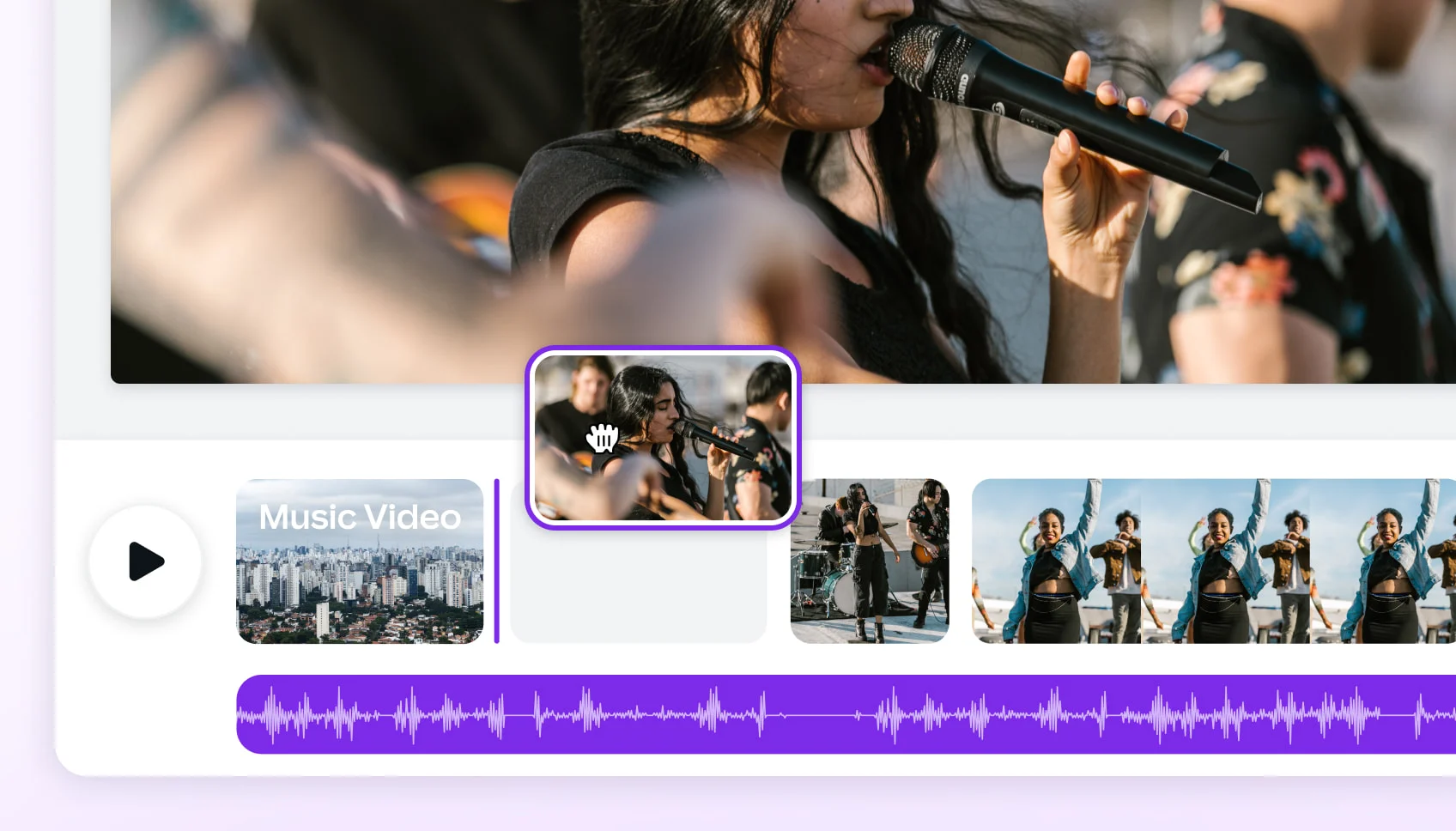
A user-friendly in-browser video editor with lyric and filter options.
POST-PRODUCTION

An Editor Built for Musicians

Forget complex, expensive video editing software. Our browser-based editor has everything you need to finalize your project. Add animated lyrics, apply cinematic filters, and trim clips without ever leaving your browser.

  • Browser-based, no install needed
  • Animated lyric overlays
  • 10+ cinematic filters
  • Auto-saves every 10 seconds
A music video shown in multiple aspect ratios for different social media platforms.
DISTRIBUTION

Export for Every Social Platform

Maximize your reach without re-editing. Create your project once and export it in any of the 5 major aspect ratios. Get a 16:9 video for YouTube and a 9:16 vertical cut for TikTok and Reels from the same source.

  • 5 native aspect ratios
  • 16:9 for YouTube
  • 9:16 for TikTok and Reels
  • 1:1 for Instagram Feed
Icons representing a suite of musician tools like lyrics, album art, and audio tools.
WORKFLOW

A Complete Musician's Toolkit

Freebeat is more than a music video maker; it's an entire creative platform. Your account gives you access to 30+ free tools for musicians, from AI lyrics generators and album art creators to a BPM finder and chord progression generator.

  • 30+ free musician tools
  • AI Album Cover Generator
  • AI Lyrics and Song Title tools
  • One account, one commercial license
Side-by-Side

How Does Freebeat Compare to Other Production Methods?

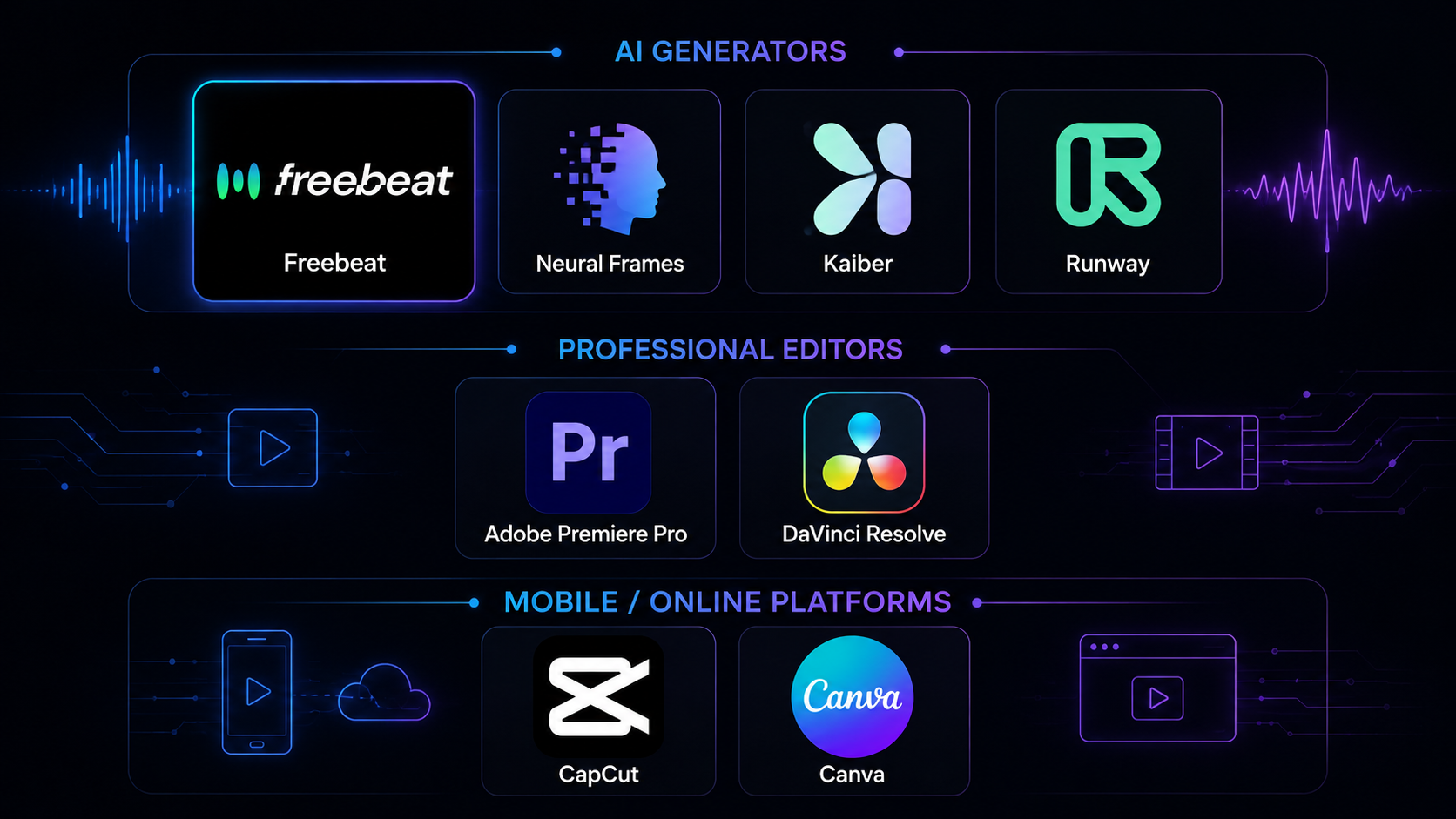
Making a low budget music video involves trade-offs between cost, time, and quality. See how freebeat's AI approach stacks up against other AI video generators and traditional DIY editing software.

Feature
freebeat
Runway
Adobe Premiere Pro
Cost to Start
Free (500 credits, no card)
Free (125 one-time credits)
$22.99/mo after trial
Time to First Video
~5 minutes
Minutes per clip
Hours to weeks
Max Video Length
6 minutes
~20 seconds per clip
Unlimited
Required Skill Level
None, fully automated
Basic prompting
Professional editing skills
AI Music Analysis
Yes, beat-synced visuals
No native beat-sync
No, manual beat-matching
Built-in Lip Sync
Yes, ~90% accuracy
No
No, requires manual animation
Platform
Browser-based App
Browser-based Website
Desktop Software install
Commercial Use License
Included on all generations
Included on paid plans
Included with subscription
User Outcomes

Why Make Your Low Budget Music Video With Our AI?

Using AI for music video production means you can achieve professional results without the traditional costs, time, or technical skills. Focus on your music, and let our AI handle the visuals.

Save Thousands on Production

Skip the cost of a film crew, camera rentals, location permits, and post-production. Our AI Music Video Generator handles all of it for a tiny fraction of a traditional budget, making it the smartest low budget music video tool.

Go from Song to Video in Minutes

What normally takes weeks of planning, shooting, and editing, you can now do in about five minutes. Upload your song and get a complete, ready-to-share video, perfect for artists on a tight deadline.

No Editing Skills Required

You don't need to learn complex software like Premiere Pro or DaVinci Resolve. Our AI makes all the creative and technical decisions, delivering a polished video you can use immediately or tweak in our simple editor.

Look Professional on Any Budget

Your video will have cinematic lighting, consistent characters, and beat-synced motion that looks like it came from a high-end production house. A low budget no longer means low quality.

Own Your Copyright

Every video you create is yours. You own the copyright and get a full commercial-use license, so you can monetize your music video on YouTube, TikTok, and other platforms without any legal worries.

Create Anywhere, on Any Device

Because freebeat is a browser-based platform, you can create your music video on any computer or tablet, no matter how old. No powerful GPU or software installation is required.
Voices From Creators

Why Do Artists Love Our Music Video Maker?

Musicians, producers, and indie artists choose freebeat to produce high-quality videos without breaking the bank. They trust our AI to turn their audio into compelling visuals that connect with their audience.

4.8/5
★★★★★
From 1,000,000+ Creators Featured on TAAFT
JK
Jasmine Kaur
Indie Pop Artist
★★★★★
As a solo artist, my video budget is basically zero. This tool was a lifesaver. I pasted my Suno link and got a full 3-minute video that looks incredible. The AI direction feature gave it a real narrative feel.
DH
DJ Hexcode
Electronic Music Producer
★★★★★
I needed visuals for my new track on SoundCloud and YouTube. The ability to get a 6-minute, beat-synced animation without any effort is insane. The quality is way better than any cheap visualizer app I've used.
LC
Leo Chen
Singer-Songwriter
★★★★★
I uploaded a photo of myself, and the lip-sync was surprisingly accurate. It saved me from having to rent a camera and film myself. This is the ultimate solution for a low budget music video.
AC
Acoustic_Dreams
Bedroom Producer
★★★★★
The best part is the commercial license. I can monetize the videos on YouTube without worrying about copyright. For what it costs, the value is unbeatable. Finally, a professional music video maker for artists like me.
KT
Kenji Tanaka
Lofi Hip-Hop Creator
★★★★★
I make a lot of music and can't afford a video for every track. With freebeat, I can. The ~5 minute generation time means I can create visuals for my entire EP in an afternoon. It's an essential part of my workflow now.
MF
Maria Flores
Content Creator
★★★★★
I love that I can get vertical videos for my TikTok and a widescreen version for YouTube from the same project. The 5 different aspect ratios save me so much re-editing time. A true all-in-one platform.
Creator Workflows

Who Is This Music Video Production Software For?

Freebeat is designed for any creator who needs a high-quality music video on a limited budget. Our AI-driven platform serves musicians, producers, and social media managers who value speed and affordability.

Independent Musicians

Create official music videos for your singles and album releases. Establish your visual brand and connect with fans on YouTube and social media without the high cost of a traditional video shoot.

Suno & Udio Artists

You've created a great song with AI, now give it a visual identity. Turn your AI-generated audio into a compelling music video with a single click, ready to share and build your audience.

Social Media Creators

Produce a steady stream of engaging, beat-synced vertical videos for TikTok, Instagram Reels, and YouTube Shorts. Keep your content calendar full without spending hours on video editing.

Producers and DJs

Generate dynamic visuals for your tracks on platforms like SoundCloud, or create looping backgrounds for live VJ sets and streams. Our Abstract Video mode is perfect for instrumental and electronic music.
Common Questions

Your Questions About Low Budget Music Video Production, Answered

Here are answers to common questions about creating music videos affordably. Learn how AI tools work, what's possible without a budget, and how freebeat provides a professional solution.

What is the cheapest way to make a music video?

The cheapest way to make a music video is to use an AI music video generator like freebeat. It eliminates the biggest costs: camera equipment, crew, location fees, and post-production. With freebeat, you can create a complete video from just an audio file, starting with 500 free credits and no credit card required.

How can I make a music video with no budget at all?

You can make a music video with no budget by using freebeat's free tier. You get 500 free credits upon signing up, which is enough to generate several short videos or experiment with styles for a full song. This allows you to produce a complete visual for your music without any financial investment.

Do I need a camera to make a music video?

No, you do not need a camera when using freebeat. Our AI platform generates all visuals from scratch based on your song and style choices. You can even create a performance video by uploading a single photo of an artist, and our AI will animate it with accurate lip-syncing.

Are AI-generated music videos free to use commercially?

Yes. With freebeat, you own the copyright to every video you generate and receive a full commercial-use license. This means you can safely monetize your AI-generated music videos on platforms like YouTube, TikTok, and Spotify without worrying about copyright claims.

How long can an AI music video be?

Most AI video tools are limited to short clips of 15-60 seconds. Freebeat is different, allowing you to create full-length music videos up to 6 minutes long on our paid plans. This is long enough to cover almost any song from start to finish.

How does freebeat turn a song into a video?

Freebeat uses a multi-step AI process. First, our platform analyzes your song across 8 musical dimensions like beat, energy, and structure. Then, our AI Director creates a storyboard and shot list. Finally, our video models generate each scene, ensuring character consistency and beat-synced motion.

What audio formats can I upload?

You can start a project on freebeat with multiple audio sources. We accept direct uploads of MP3, WAV, and M4A files. You can also simply paste a link from popular platforms like Suno, Udio, YouTube, and SoundCloud, and our app will automatically extract the audio for you.

Can I edit the video after the AI generates it?

Yes, you have full control. After the initial generation, you can use freebeat's built-in, browser-based editor to make changes. You can regenerate specific shots, adjust the color grading, add text or lyric overlays, and trim clips before your final export.

What video formats can I export for social media?

Freebeat exports standard MP4 files and supports 5 different aspect ratios for all major platforms. You can generate videos in 16:9 for YouTube, 9:16 for TikTok and Instagram Reels, 1:1 for Instagram feeds, and both 4:3 and 3:4 for other specific uses.

Does this music video software work on a phone or tablet?

Yes. Freebeat is a fully browser-based platform, which means it works on any device with a modern web browser, including desktops (Mac, Windows, Linux), tablets (iPad, Android), and smartphones (iPhone, Android). No installation or powerful hardware is required.
What is the cheapest way to make a music video?
The cheapest way to make a music video is to use an AI music video generator like freebeat. It eliminates the biggest costs: camera equipment, crew, location fees, and post-production. With freebeat, you can create a complete video from just an audio file, starting with 500 free credits and no credit card required.
How can I make a music video with no budget at all?
You can make a music video with no budget by using freebeat's free tier. You get 500 free credits upon signing up, which is enough to generate several short videos or experiment with styles for a full song. This allows you to produce a complete visual for your music without any financial investment.
Do I need a camera to make a music video?
No, you do not need a camera when using freebeat. Our AI platform generates all visuals from scratch based on your song and style choices. You can even create a performance video by uploading a single photo of an artist, and our AI will animate it with accurate lip-syncing.
Are AI-generated music videos free to use commercially?
Yes. With freebeat, you own the copyright to every video you generate and receive a full commercial-use license. This means you can safely monetize your AI-generated music videos on platforms like YouTube, TikTok, and Spotify without worrying about copyright claims.
How long can an AI music video be?
Most AI video tools are limited to short clips of 15-60 seconds. Freebeat is different, allowing you to create full-length music videos up to 6 minutes long on our paid plans. This is long enough to cover almost any song from start to finish.
How does freebeat turn a song into a video?
Freebeat uses a multi-step AI process. First, our platform analyzes your song across 8 musical dimensions like beat, energy, and structure. Then, our AI Director creates a storyboard and shot list. Finally, our video models generate each scene, ensuring character consistency and beat-synced motion.
What audio formats can I upload?
You can start a project on freebeat with multiple audio sources. We accept direct uploads of MP3, WAV, and M4A files. You can also simply paste a link from popular platforms like Suno, Udio, YouTube, and SoundCloud, and our app will automatically extract the audio for you.
Can I edit the video after the AI generates it?
Yes, you have full control. After the initial generation, you can use freebeat's built-in, browser-based editor to make changes. You can regenerate specific shots, adjust the color grading, add text or lyric overlays, and trim clips before your final export.
What video formats can I export for social media?
Freebeat exports standard MP4 files and supports 5 different aspect ratios for all major platforms. You can generate videos in 16:9 for YouTube, 9:16 for TikTok and Instagram Reels, 1:1 for Instagram feeds, and both 4:3 and 3:4 for other specific uses.
Does this music video software work on a phone or tablet?
Yes. Freebeat is a fully browser-based platform, which means it works on any device with a modern web browser, including desktops (Mac, Windows, Linux), tablets (iPad, Android), and smartphones (iPhone, Android). No installation or powerful hardware is required.