The AI Photo Karaoke Maker That Turns Pictures Into Performances

Our AI karaoke maker animates a photo to sing your chosen song with perfect lip sync. Upload your own photo, or one you have permission to use, and watch it come to life in a custom-staged performance video.

  • Animate 3 types of photos: people, pets, or art
  • Phoneme-level accuracy in over 50 languages
  • 3 Karaoke Modes: Solo, Duet, and Pet
  • Over 50 Instant Stage Presets
  • HD 1080p video exports
  • 500 free credits on sign-up, no credit card required
Trusted Worldwide

Why Do 1M+ Creators Trust Freebeat for Visuals?

Creators from over 150 countries use freebeat to produce high-quality AI visuals. Our platform is trusted for its advanced AI models that create engaging, shareable content from simple inputs like a single photo and an audio track.

1,000,000+
Creators worldwide
As of May 2026, freebeat has served over 1 million creators across the world.
1,000,000,000+
Seconds of music visualized
As of May 2026, the platform has rendered over 1 billion seconds of AI music visuals.
Over 150
Countries resonated
As of May 2026, creators from more than 150 countries have built music videos with freebeat.
Forbes
Featured 2026
In May 2026, Forbes featured freebeat in its coverage of how AI is reshaping music video production.
Yamaha
Creator Pass partner
Since March 2026, freebeat has been an official partner in the Yamaha Creator Pass program.
Creation Workflow

How Does Our Photo Karaoke App Work?

Create a unique karaoke video in three simple steps. Our AI handles the animation, lip-syncing, and staging, turning your photo and song into a finished performance in minutes.

01

Upload Your Photo and Song

Start by uploading a clear, front-facing photo of a person, pet, or character, either your own or one you have permission to use. Then, provide your audio track by uploading an MP3 or WAV file, or by pasting a link from Suno.

02

Choose Your Stage and Style

Select a mode like Solo, Duet, or Pet Karaoke. Browse our library of Instant Stage Presets to find the perfect background, lighting, and camera effects for your performance animation.

03

Generate and Export Your Video

Our AI generates the full, lip-synced video. Preview the result, make any final adjustments in the custom scene editor, and then export your creation as a high-definition MP4 file.

AI Capabilities

What Can Our AI Karaoke Maker Create?

Our tool goes beyond simple animation. It uses advanced AI to analyze faces and audio, creating realistic lip-synced performances with dynamic staging and effects, all from a single photo.
AI analyzing a static photo to create facial animation.
FACE ANIMATION

Bring Any Static Photo to Life

Our AI is sophisticated and doesn't just move a mouth. Instead, it meticulously analyzes key facial features to create remarkably natural-looking expressions, subtle head movements, and realistic eye blinks. Our powerful technology works on a wide variety of photos including people, beloved pets, and even detailed illustrations, transforming them into truly convincing and engaging performers for your videos.
  • Supports 3 face types: human, pet, and cartoon
  • Generates over 15 natural head and eye motions
  • Analyzes 68 facial landmarks in 2D images
  • Up to 6-minute full-length music video
Waveform of a song being matched to mouth phoneme shapes.
AUDIO ANALYSIS

Achieve Perfect Lip Sync Animation

The absolute core of our innovative karaoke maker is its advanced, phoneme-level audio analysis. The AI intelligently matches dozens of unique mouth shapes to the specific sounds found in your song, going far beyond simple rhythm. This meticulous process ensures the resulting lip movements are incredibly precise and highly believable for any genre of music track or spoken word audio file you provide.
  • Over 40 distinct phonemes for mouth mapping
  • Supports 2 primary audio types: singing and spoken word
  • Processes audio in over 50 languages
  • Maintains sync for lyrics up to 300 WPM
Icons representing solo, duet, and pet performance modes.
PERFORMANCE MODES

Solo, Duet, and Pet Karaoke

Easily tailor the entire performance to perfectly match your creative idea. You can use the standard Solo mode for a powerful single-character video, or create a dynamic and engaging duet by animating two separate photos that appear to interact. Additionally, our specialized Pet Karaoke mode is specially tuned with a unique AI model to animate your furry friends realistically and with hilarious results.
  • 3 distinct performance modes
  • Animate 2 photos simultaneously in Duet mode
  • 1 specialized model trained on thousands of animal faces
  • Combine all 3 modes for unique, creative scenes
A gallery of different virtual stage presets for karaoke videos.
VIRTUAL STAGING

Instant Stage and Scene Presets

You can instantly place your animated character into a fully realized and professionally designed scene. Simply choose from our extensive library of over 50 presets, which includes everything from epic concert stages and clean studio backdrops to mesmerizing abstract visualizer environments. To make things even better, each unique preset includes its own carefully crafted lighting and dynamic camera effects.
  • 50+ stage and lighting presets
  • 1-click scene application for instant results
  • Includes over 20 abstract and 30 realistic scenes
  • Over 10 adjustable parameters in the Custom Scene Editor
A video player showing a high-definition 1080p karaoke video.
EXPORT OPTIONS

HD Exports for Any Platform

Generate your final video masterpiece in crisp high-definition 1080p MP4 format, which is perfect for sharing on all major social media platforms or for more professional use cases. Our flexible paid plans allow for complete watermark removal and private, secure generation, giving you full creative and commercial control over all of your valuable and unique generated content.
  • 1080p HD video output
  • Universal MP4 file format for 100% compatibility
  • Watermark removal available on all 3 paid plans
  • 5 native aspect ratios
Grid of icons showing different freebeat AI creator tools.
CREATOR TOOLBOX

More Than Just a Karaoke App

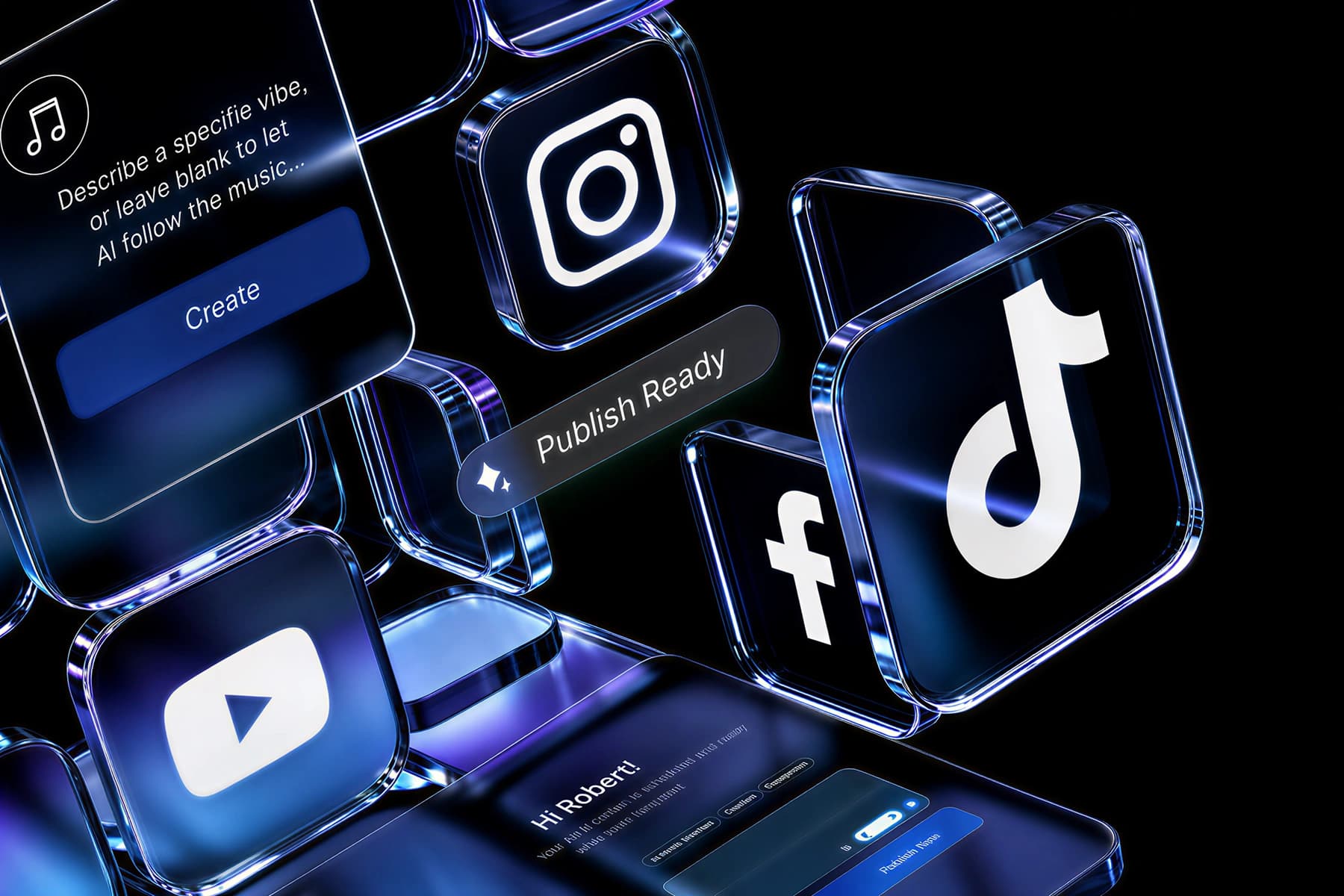
Your single freebeat account unlocks an entire, powerful suite of over 30 AI content creation tools designed specifically for musicians and creators. When you are done making your photo sing, you can easily try our full Music Video Generator, our dynamic AI Music Visualizer, or our popular lyric video maker. Everything works together seamlessly under one account and one simple commercial license.

  • 30+ musician-focused AI tools
  • Access the full AI Music Video Generator (V3)
  • Includes 3 distinct AI Lip Sync Video Tools
  • 1 account, 1 simple commercial license
Side-by-Side

How Does Freebeat Compare to Other Karaoke Makers?

While most karaoke software focuses on vocal removal or text sync, freebeat animates a photo to perform the song. See how our unique AI-driven approach offers a completely new way to create a visual.

Feature
freebeat
Youka.io
PhonicMind
Core Functionality
Animates a photo to sing a song
Creates text-based lyric videos
Removes vocals from audio tracks
AI Lip Sync
Yes, phoneme-level accuracy
No, text-based
No, audio separation only
Visual Output
Animated video of a face
Scrolling text over background
Audio file (MP3)
Performance Modes
Solo, Duet, and Pet Karaoke
N/A
N/A
Virtual Staging
Yes, 50+ presets
Custom backgrounds for text
No visual component
Video Export
Yes, HD 1080p MP4
Yes, MP4
No, audio only
Free Tier
500 credits on signup
3 free karaokes
Limited free usage
All-in-One Platform
Yes, 30+ creator tools
Karaoke/Lyric videos only
Audio stem separation only
User Outcomes

Why Make a Karaoke Video With Your Photo?

Create unique, shareable content that stands out. Our AI photo karaoke maker helps you engage your audience in a personal way, without needing a camera, a crew, or an editor.

Create Viral Social Content

Turn a funny pet photo or a vintage family picture into a singing meme. These unexpected videos grab attention on platforms like TikTok and Instagram, giving you a unique way to tell a story or share a song.

Promote Music Without a Video Shoot

If you're an artist, you can create a promotional video for your new track using just your press photo or album art. It's a fast, affordable way to produce a visual for every song.

Make Personalized Greetings

Animate a photo of a friend or family member singing 'Happy Birthday' or a special message. It's a memorable and fun alternative to a standard e-card that you can create in minutes.

No Camera or Acting Needed

Get a performance video without being on camera. For creators who are camera-shy or want to use an avatar, this tool lets you produce expressive videos using just a static image.

Bring Characters to Life

If you're a storyteller or animator, you can use the karaoke maker to prototype character animations. Test dialogue or song ideas on a character sketch before committing to a full animation process.

Save Time and Production Costs

A traditional music video can take days and cost thousands. With this AI tool, you can convert audio to video and generate a complete, high-quality visual in about 5 minutes for a fraction of the cost.
Voices From Creators

Why Do Creators Love Our Photo Karaoke Tool?

Artists, marketers, and social media creators trust freebeat to produce novel, engaging video content quickly. They highlight the surprising quality of the lip sync and the creative fun of the platform.

4.8/5
★★★★★
rating from 1,000,000+ Creators · Featured on TAAFT
MS
Maria Sanchez
Indie Pop Artist
★★★★★
I used this to animate my album cover for a promo, and my fans went wild. The lip sync on the Solo Karaoke mode was unbelievably accurate. It's a fantastic software tool for musicians on a budget.
KT
Kenji Tanaka
TikTok Creator
★★★★★
The Pet Karaoke mode is pure gold. I made a video of my cat singing a pop song and it got over a million views. The AI captures his expressions perfectly. This is the best app for viral content.
CK
Chloe Kim
Social Media Manager
★★★★★
We needed a quick visual for a client's audio ad. We animated their brand mascot using this maker. The ~5-minute turnaround from photo to MP4 video was incredible. Highly recommend.
DJ
DJ_VibeMaster
Electronic Music Producer
★★★★★
I use freebeat's other tools like the music visualizer, but this photo animator is something else. The Instant Stage Presets give my static logos a dynamic feel for my YouTube tracks. Great for making a song to video.
FA
Fatima Al-Jamil
Digital Artist
★★★★★
I brought one of my digital paintings to life with this. The AI handled the non-human face better than I expected. The Duet mode let me have two of my characters sing together, which was amazing.
LO
Liam O'Connell
Family Vlogger
★★★★★
Made a hilarious anniversary video for my wife using an old photo of us. The quality of the animation and the ease of use of this website is top-notch. A really fun way to turn a memory into something new.
Who It's For

Who Uses the AI Photo Karaoke Maker?

From independent musicians to social media managers and families, this tool serves anyone looking to create fun, engaging, and unique video content without technical skills or a big budget.

Musicians and Artists

Promote new songs on social media by animating their press photos or album art. It's a cost-effective way to create a music to video asset for every track, helping to visualize their audio.

Social Media Creators

Effortlessly generate viral memes, hilarious clips, and deeply engaging content perfect for TikTok, Instagram, and YouTube. Animating pets, historical figures, or inanimate objects is a simple and proven way to capture audience attention and boost views.

Marketers and Brands

Create quirky and memorable video ads by animating a brand mascot or product photo. It's a fast way to produce visual content for social campaigns that stands out from typical ads.

Friends and Family

Easily design personalized birthday cards, memorable anniversary messages, and fun holiday greetings. Just animate a favorite photo of a loved one to create a completely unique and heartfelt video gift they'll truly never forget.
Common Questions

What Should You Know About AI Photo Karaoke?

Find answers to common questions about how our AI turns photos into singing videos, what you can create, supported formats, and commercial use policies for the content you generate.

What is a photo karaoke maker?

A photo karaoke maker is a tool that uses AI to animate a static photograph, making it appear to sing a song. Freebeat's AI analyzes an audio track and a photo to generate a video with realistic lip movements, facial expressions, and head motion, creating a performance in under 5 minutes from a single image.

Can I use any photo?

Yes, you can use almost any photo. For the very best results, however, a clear, front-facing image is highly recommended. Freebeat's AI is trained on millions of images to work with 3 main types of photos: people, animals, cartoons, and even artistic portraits. Using high-resolution images will always produce a higher-quality final animation.

Is this different from a regular karaoke app?

Yes, it is very different from standard software. A traditional karaoke app typically just displays scrolling lyrics over a backing track for you to sing along to. In complete contrast, Freebeat's photo karaoke maker doesn't record your voice at all. Instead, it creates an entire video in under 5 minutes where the person or character in your photo actually performs the song.

Are the videos I create free to use commercially?

Yes. With a freebeat account, you own the full copyright to every single video you generate on our platform. This automatically includes a full commercial-use license, allowing you to freely publish and monetize your unique creations on over 10 major platforms like YouTube, TikTok, Spotify, and in your professional marketing campaigns without any legal worries.

What is the best AI karaoke maker for social media?

Freebeat is the best AI karaoke maker for social media because it creates visually unique, shareable videos that stand out. Instead of just text, you get an animated performance, which is perfect for creating memes and viral content on TikTok, Instagram Reels, and YouTube Shorts. The platform exports in multiple aspect ratios like 9:16 and 1:1.

How long can the generated karaoke video be?

Your AI-generated video can be up to a full 6 minutes long, which is a significant duration for AI video tools. This generous length allows you to create a complete performance for a full-length song, not just a short 30-second clip. Freebeat is specifically designed to handle complete audio tracks from start to finish.

What audio file formats can I upload?

You can upload a wide range of audio formats directly to the freebeat platform for your projects. We currently support the 2 most common file types, including high-quality MP3 and lossless WAV files. For added convenience, you can also directly paste a generation link from popular music platforms like Suno to import your audio track seamlessly.

What video format is the output?

All videos that are generated with our powerful AI tool are exported as high-definition 1080p MP4 files. This is a universal video format that makes it incredibly easy to share and is guaranteed to be compatible with all major social media platforms, popular video editors, and mobile and desktop devices without conversion.

Can I remove the watermark from my video?

Yes, you can absolutely remove the watermark from your videos. While videos generated on the free plan include a small freebeat watermark, all 3 of our paid subscription plans offer the important option to export your videos completely clean and professional, with no watermark whatsoever. This gives you full control over your branding.

How does the 'Duet Mode' work?

Duet Mode in freebeat lets you animate 2 different photos in the same scene. You upload two images and one audio track. The AI will then create an interactive performance with both characters singing. You can use this for back-and-forth songs or simply to have two characters on screen.

Can I edit the background or scene?

Yes, absolutely. The Freebeat platform offers an extensive library of over 50 'Instant Stage Presets' that you can easily apply with a single click to set the scene. For even more granular control, you can use the included Custom Scene Editor to manually adjust over 10 parameters like backgrounds, dynamic lighting, and camera effects.


