Best Tools to Use with Suno for Music Videos, Visualizers, and Social Content in 2026

Suno has made AI music creation accessible to anyone with an idea and a browser. The harder part is what comes next: turning that audio into something publishable on YouTube, TikTok, Instagram Reels, Spotify Canvas, or Apple Music. In 2026, the tools that close that gap are built for very different goals — some optimized for full-length music video generation, others for audio-reactive visualizers, others for fast social clips.
We reviewed four tools Suno creators are using most in 2026 across three use cases — music videos, visualizers, and social content. Each is evaluated on Suno compatibility, beat sync quality, output modes, and what kind of creator it actually suits. Here are the best tools to use with Suno in 2026.
- Freebeat — Best overall tool for full-length, beat-synced Suno music videos
- Neural Frames — Best for audio-reactive visualizers with advanced creative control
- Revid.ai — Best for fast short-form social content from Suno
- Specterr — Best for traditional waveform and spectrum-style visualizers
Freebeat — Best Overall Tool for Full-Length, Beat-Synced Suno Music Videos
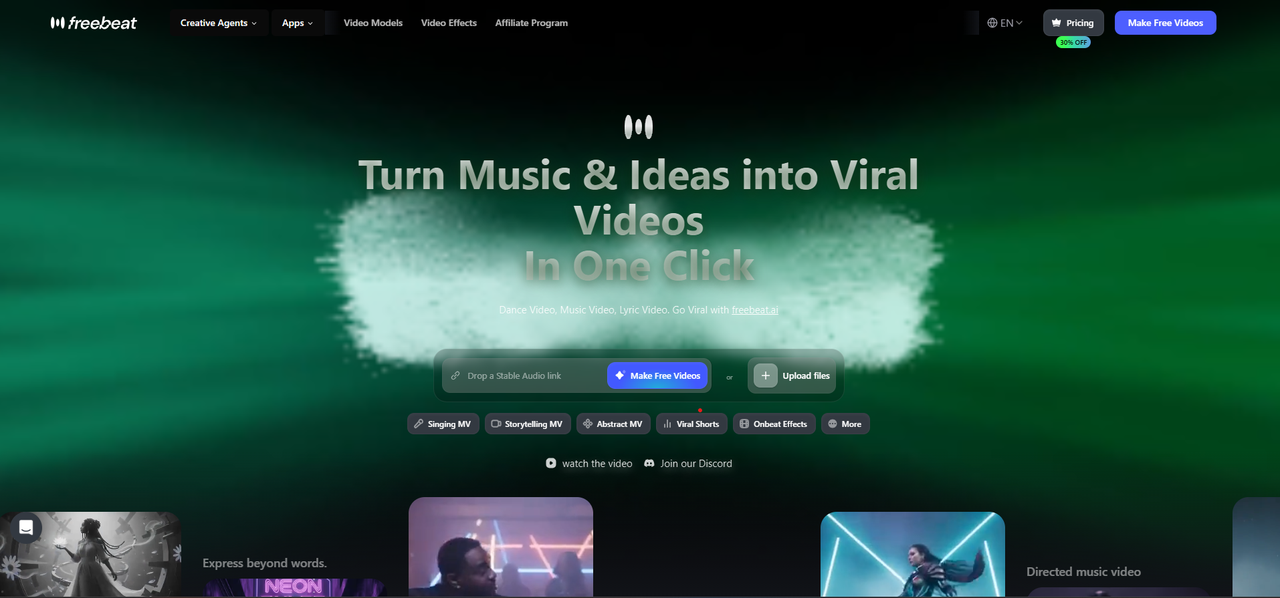
Freebeat homepage showing Suno link input and video mode selection: Singing MV, Storytelling MV, Abstract MV, and more.
Freebeat is an AI music video generator designed for creators who want to turn Suno tracks into beat-synced music videos quickly, without manual editing. Unlike a basic MP3-to-MP4 converter that simply wraps audio in a static image, Freebeat creates music-aware visuals that respond to rhythm, BPM, energy, and song structure. It accepts Suno share links natively — paste the URL, skip the download, and the tool immediately begins analyzing the track before the first frame is generated.
Among tools in this space, Freebeat covers the most complete Suno-to-video workflow: Singing MV with approximately 90% lip sync accuracy, Storytelling MV for cinematic narrative output, Lyric Video for caption-forward tracks, and Canvas Loop for Spotify and Apple Music visuals — all from a single Suno link.
How to Use Freebeat to Turn a Suno Song into a Video in 5 Steps
- Copy your Suno share link. Open your track on Suno.com, tap the share icon, and copy the public URL. No file download required — Freebeat pulls the audio directly from the link.
- Paste the link into Freebeat. Go to freebeat.ai and paste the Suno URL into the music input field. Freebeat imports the audio and analyzes BPM, beat onsets, energy shifts, and song structure automatically.
- Choose a video mode. Select Singing MV for vocal tracks with lip sync, Storytelling MV for cinematic or instrumental output, Lyric Video for animated captions, or Canvas Loop for short platform visuals.
- Write a short visual prompt. Describe the setting, character, mood, and camera style in one to three sentences. Specific prompts produce more directed storyboards than generic ones.
- Review the storyboard and export. Freebeat presents a shot-by-shot storyboard before rendering. Revise any scenes, then generate and export in 16:9 for YouTube, 9:16 for TikTok and Reels, or 1:1 for social feed posts.
Key Strengths
- Native Suno link support — no file download required
- Full-length video generation up to 6 minutes
- Automatic BPM and song-structure analysis drives visual timing
- Singing MV mode with ~90% lip sync accuracy
- Dual-character consistency across scenes
- Multiple output modes: Music Video, Storytelling MV, Lyric Video, Canvas Loop
Limitations
- Best lip sync results require a clean, prominent lead vocal
- Generation time increases with track length — plan ahead for release deadlines
Best For
Freebeat is best for Suno creators who want a complete, publish-ready music video without manual editing — especially for YouTube, TikTok, Instagram Reels, Spotify Canvas, and release campaigns. It is also the strongest option for creators who want lip sync, full song-length output, and beat-aware visual timing from a single tool.
Got a Suno track? Paste the link into Freebeat and get a beat-synced music video in minutes.
Turn your Suno song into a video →Neural Frames — Best for Audio-Reactive Visualizers and Creative Control
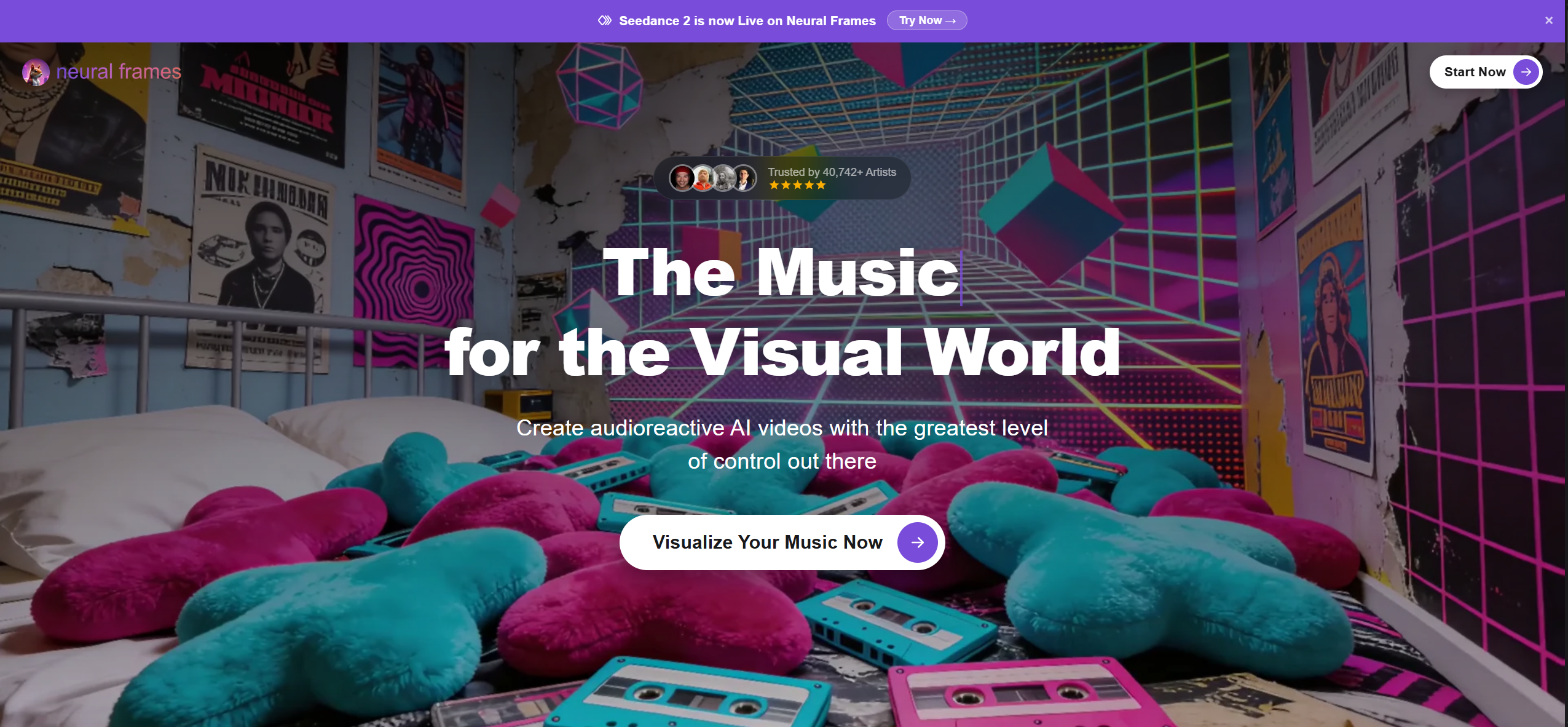
Neural Frames positions itself as the highest-control audio-reactive AI video platform, trusted by 40,000+ artists.
Neural Frames is built around the idea that every element of the visual should be tied to the audio. Unlike tools that generate a video from a prompt and let the AI decide when transitions happen, Neural Frames gives creators a timeline interface where they can specify exactly which visual parameters respond to which audio features — beat, energy, frequency bands, and more. The result is a highly controllable audio-reactive visualizer suited to creators who want precision over speed.
Key Strengths
- Deep audio-reactive control: tie visuals to BPM, frequency, energy, and more
- Timeline-based editing for directed visual storytelling
- Covers both music video and pure visualizer output
- Strong for experimental, abstract, and stylized aesthetics
- Trusted by a large community of artists and VJs
Limitations
- Steeper learning curve — getting good results takes more time and setup than automated tools
- Not optimized for quick social publishing or lyric-caption workflows
- Less practical for creators focused on speed or publishing volume
Best For
Neural Frames is best for Suno creators who have a specific visual identity in mind and want precise control over how the visuals evolve with the music — beat by beat. A strong choice for detail-oriented creators, VJs, and artists producing standalone visual releases; less practical for everyday social publishing workflows.
Revid.ai — Best for Fast Short-Form Social Content from Suno
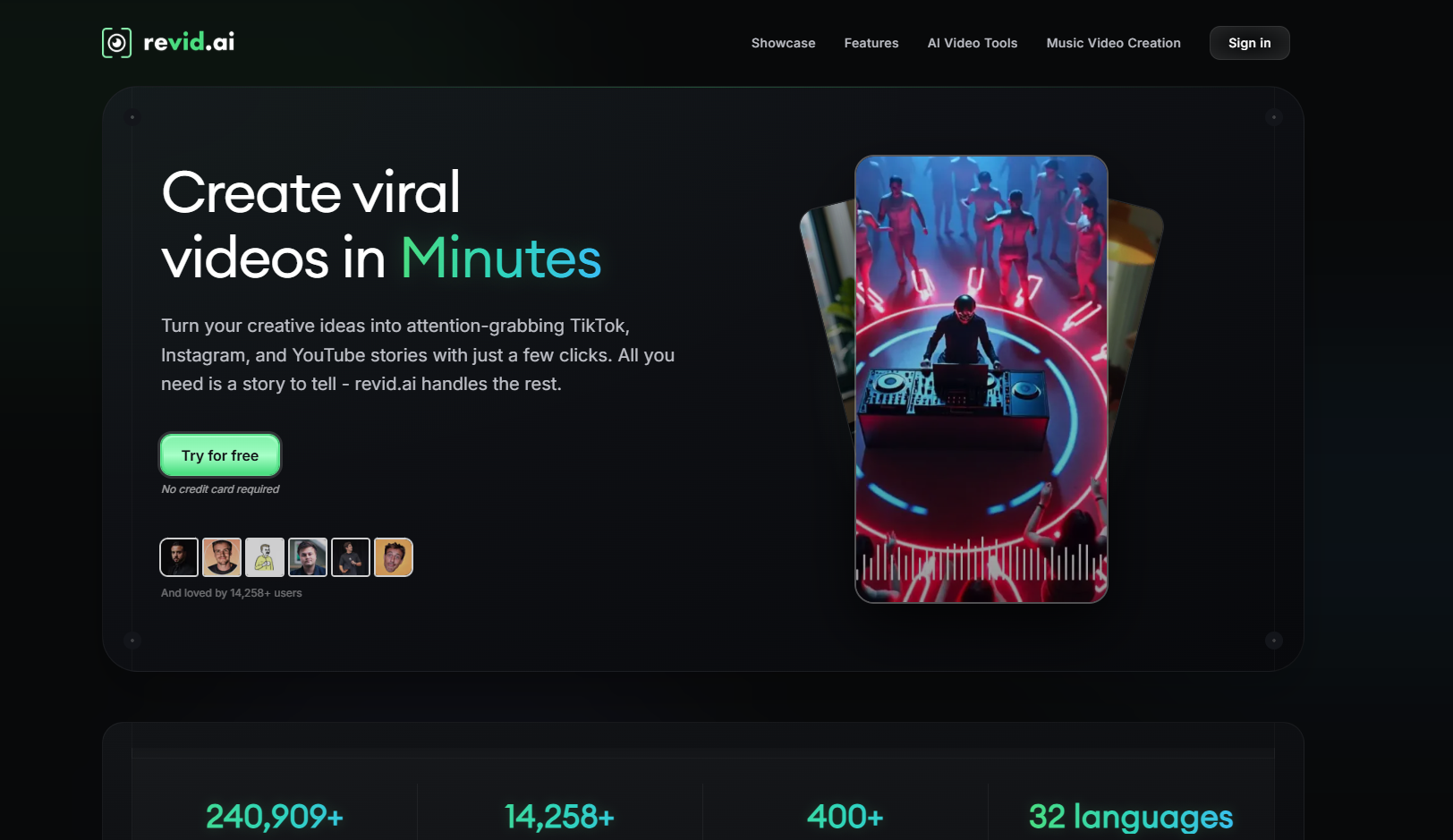
Revid.ai is built for fast social publishing — TikTok, Instagram Reels, and YouTube Shorts — with a focus on lyric captions and quick clip exports.
Revid.ai is optimized for speed and social-first formatting. Its workflow is built around getting a clip from audio to a shareable short-form video in the fewest steps, with templates and output formats designed for the platforms where Suno creators are most active. Lyric captions, text animations, and vertical short-clip exports are where it performs strongest.
Key Strengths
- Fast output optimized for 9:16 vertical formats
- Lyric caption and text overlay templates built for TikTok and Reels
- Good for turning a Suno hook or chorus clip into a shareable short
- Low barrier to entry — minimal setup required
- Broad language support across social publishing markets
Limitations
- Not designed for full song-length music video generation
- Visuals are driven more by lyrics and templates than by beat or song structure
- Lyric workflows work best with songs that have clear, distinct phrasing
Best For
Revid.ai is best for Suno creators who want to take a track — or a specific moment from it — and turn it into a fast, platform-ready short-form post for TikTok, Reels, or YouTube Shorts. Works well for lyric-forward content where text on screen is the primary visual element.
Specterr — Best for Traditional Waveform and Spectrum-Style Visualizers
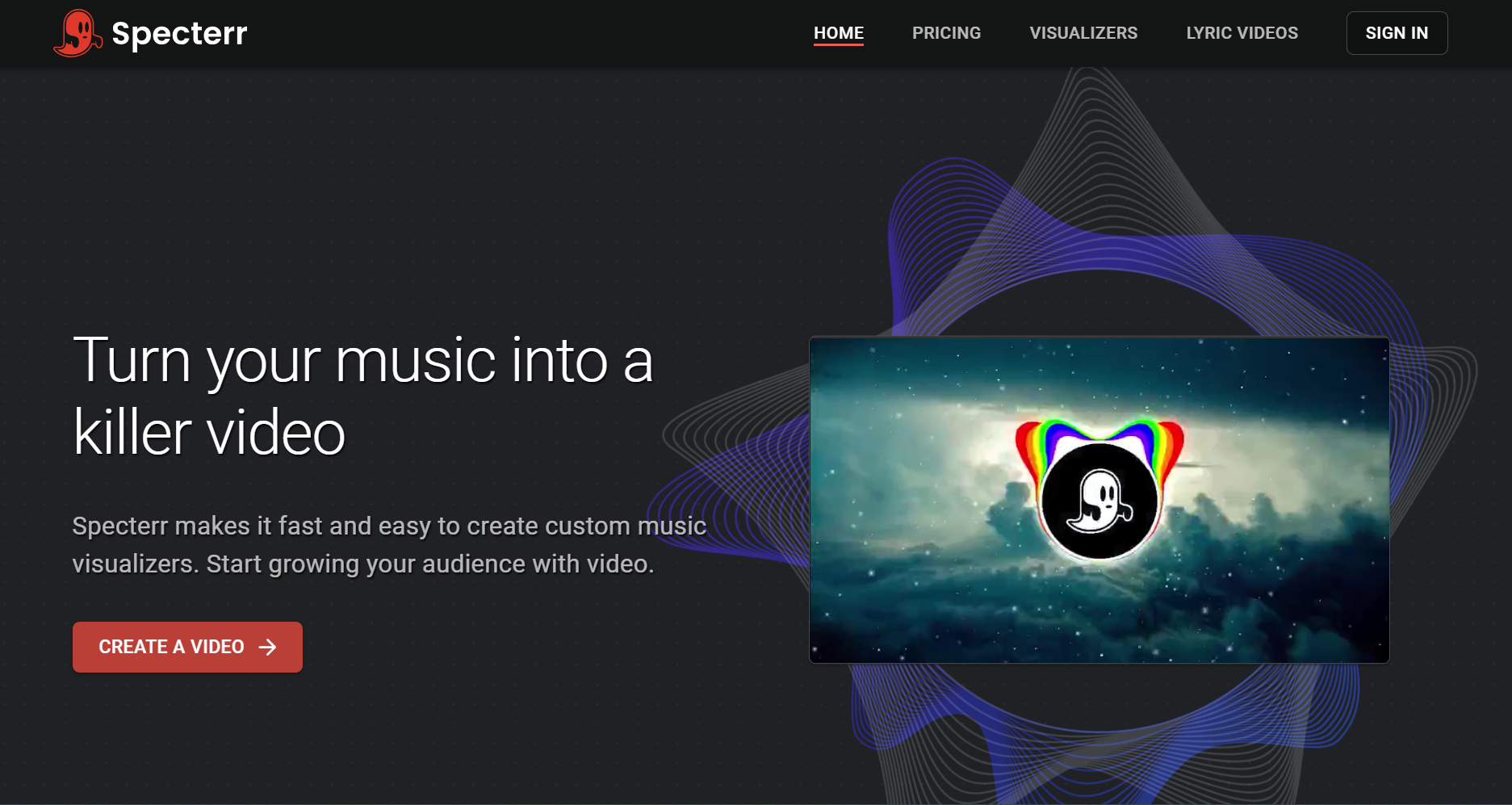
Specterr specializes in clean, customizable waveform and spectrum visualizers — a reliable option for YouTube uploads, Spotify Canvas, and lyric videos.
Specterr is one of the longest-established music visualizer tools in this category. Its output is clean, consistent, and predictable: waveform and spectrum animations that render audio as motion without the variability of AI-generated video. It does not produce AI music videos or analyze song structure intelligently, but for creators who want a reliable, branded visualizer rather than a directed video, that predictability is an advantage.
Key Strengths
- Clean, professional waveform and spectrum visualizer output
- Predictable results — no AI generation variability
- Simple lyric video builder with basic sync controls
- Customizable color, style, and aspect ratio
- Good for YouTube uploads, Spotify Canvas, and SoundCloud-adjacent content
Limitations
- No native Suno link support — requires audio file upload (MP3 or WAV)
- No AI music video generation or narrative storytelling capability
- Visuals respond to audio amplitude, not BPM, song structure, or musical intent
- Output feels dated compared to current AI music video tools
Best For
Specterr is best for Suno creators who need a no-frills visualizer to accompany a track on YouTube or SoundCloud. Sufficient for audio-first platforms, but not a replacement for beat-synced or audio-reactive video generation. Download the Suno MP3 first, then upload to Specterr.
Suno Tools at a Glance: Side-by-Side Comparison (2026)
| Tool | Type | Suno Link | Beat Sync | Full-Length | Lip Sync | Best For |
|---|---|---|---|---|---|---|
| Freebeat | AI Music Video Generator | ✅ Native | ✅ BPM + song-structure aware | ✅ Up to 6 min | ✅ ~90% | Full music videos, lip sync, Spotify Canvas, all platforms |
| Neural Frames | AI Visualizer / MV Generator | ✅ | ✅ Manual timeline control | ✅ | ❌ | Directed audio-reactive visualizers, stylized AI video |
| Revid.ai | AI Social Video Generator | ✅ | ⚠️ Lyric-driven | ⚠️ Short clips | ❌ | TikTok & Reels lyric clips, fast social publishing |
| Specterr | Traditional Visualizer | ❌ Upload only | ⚠️ Amplitude only | ✅ | ❌ | Waveform visualizers for YouTube, SoundCloud, Canvas |
Frequently Asked Questions
What is the best tool to use with Suno for music videos?
Freebeat is the strongest option for full-length, beat-synced music videos from Suno tracks. It accepts Suno share links natively, analyzes song structure and BPM automatically, and supports up to six minutes of video generation with lip sync, storyboard direction, and multiple output modes.
Can I use Suno with a visualizer tool?
Yes. Neural Frames is the strongest option for audio-reactive visualizers with detailed creative control. Specterr is a reliable choice for clean, traditional waveform and spectrum visualizers. Freebeat also includes a music visualizer mode as part of its broader video workflow.
What is the best tool for making Suno content for TikTok?
Revid.ai is optimized for short-form vertical content and is a fast option for turning a Suno clip into a TikTok or Reels post with lyric captions. Freebeat is the stronger choice when you want a full-length music video that can also be cut down into social clips.
Do I need to download my Suno song to use these tools?
Freebeat, Neural Frames, and Revid.ai all accept Suno share links directly — no download required. Specterr requires an audio file upload, so you will need to download the MP3 from Suno first before using it.
Which tool is best for Spotify Canvas from a Suno song?
Freebeat's Canvas Loop mode and Specterr are both solid options for short animated visuals suitable for Spotify Canvas. Freebeat generates AI-driven music video loops; Specterr produces clean waveform or spectrum animations. The right choice depends on whether you want an AI-generated scene or a cleaner audio visualizer aesthetic.
More Resources
Explore more Freebeat tools and guides for music creators:
Ready to make your Suno track visual? Paste your Suno link into Freebeat , write a short visual prompt, review the storyboard, and export a beat-synced music video for your next release.


