Review of Which AI Music Video Generator Has the Best Quality in 2026? Realism, Studio Output, and Creative Control Compared
Contact partnership@freebeat.ai for guest post/link insertion opportunities.
Review of Which AI Music Video Generator Has the Best Quality in 2026? Realism, Studio Output, and Creative Control Compared
The best AI music video generator in 2026 depends on what you mean by quality. If quality means photorealistic clips, tools such as Kling, Runway, Luma, Veo-style models, and Sora-style models deserve attention. If quality means a complete song-led workflow with beat sync, mood matching, cinematic presets, fast rendering, and multi-genre music video output, Freebeat belongs in the conversation because it is built around turning music into visuals, not only prompts into clips.
For music creators, producers, editors, DJs, visual artists, and independent musicians, I would not judge an AI music video tool only by its best-looking demo. A good music video needs rhythm, pacing, consistency, editability, and export readiness. Current AI video comparison guides also separate tools by use case, with Runway often discussed for creative control, Kling for photorealistic humans, and Luma or Pika for faster creative experimentation.
How to Review AI Music Video Quality in 2026
AI music video quality is a multi-factor question. A realistic clip can look impressive, but it may still fail as a music video if the cuts ignore the chorus, the face changes between shots, or the visuals do not follow the song’s energy.
In my experience, the best review framework should include:
- Realism: Does the video look believable or intentionally stylised?
- Motion quality: Do bodies, cameras, and objects move naturally?
- Music fit: Do edits and visuals respond to rhythm, mood, and structure?
- Creative control: Can the creator revise shots, styles, characters, and timing?
- Studio workflow: Can the tool support planning, generation, editing, and export?
- Consistency: Does the same character or visual world hold across scenes?
- Delivery: Can the output fit YouTube, TikTok, Reels, Shorts, and artist platforms?
This is why I separate AI video generator quality from AI music video generator quality. General AI video tools may win on isolated visual realism, while music-first tools may win on complete release workflow.
The best AI music video generator is the one that balances realism, rhythm, control, and final delivery.
The Best AI Music Video Generators Compared by Quality
Different tools win different quality categories. A producer making a full music video has different needs from a filmmaker creating hero shots, or a DJ making live visuals. The cleanest way to compare tools is by their strongest production role.
These scores are based on practical music-video use, not only raw model output. For example, Kling may look more realistic in a single human scene, but a full music video also needs consistent pacing, structure, and a reliable edit path. Recent AI video reviews similarly highlight that the best tools differ by use case, such as realism, creative control, speed, and workflow depth.
A smart comparison should ask what kind of quality the creator actually needs: clip quality, song quality, workflow quality, or publishing quality.
Realism Review: Which AI Music Video Tool Looks Most Real?
Realism matters most when the video includes performers, faces, human movement, cinematic lighting, or camera-led scenes. For music videos, this affects close-up singing shots, narrative sequences, band-style performance scenes, and film-like artist visuals.
Kling is one of the strongest choices for realistic human motion and photoreal scenes. Runway is better when the creator wants a more controlled creative surface, especially for visual experimentation and professional-style production. Luma is useful for cinematic mood shots and fast ideation, while Veo-style and Sora-style models are often compared for high-end visual generation and complex motion.
But realism has limits. A realistic video can still feel weak if:
- The chorus does not build visually
- The character changes between scenes
- The pacing ignores the beat
- The lyric moment arrives too late
- The final export needs too much manual repair
For music videos, realism is only one layer of quality. It supports the final result, but it does not replace rhythm, structure, and direction.
The most realistic AI video generator is not always the best AI video generator for music videos.
Studio Output Review: Which Platform Handles the Full Music Video Workflow?
Studio output means the tool can move from idea to final video without forcing the creator to build every scene manually. For music creators, this means song analysis, visual planning, generation, editing, export, and revision should connect inside one practical workflow.
This is where music-first platforms become more relevant. Freebeat is designed as an AI-powered music video creator that analyses BPM, beats, song sections, energy curves, and spectral content before generating visuals. The Brand Kit also lists 528 Onbeat Effects, six specialised agents, up to 6-minute video support on higher tiers, style controls, lyric video features, multi-model access, and in-browser editing, which makes it relevant when judging studio output rather than isolated clip quality.
For a producer, that matters because a full song is not one continuous visual prompt. It has sections. A verse may need a slower pace. A chorus may need denser visual movement. A bridge may need atmosphere. A drop may need a strong visual landing.
Kaiber and Neural Frames are also useful in this category, especially for audio-reactive visuals. I would consider them for DJs, electronic producers, ambient artists, and live performers who care more about movement and mood than narrative realism.
CapCut deserves a separate mention because final quality often depends on finishing. Captions, ratios, overlays, short-form edits, subtitles, and platform exports can turn a good AI clip into a usable release asset.
The best studio output comes from a connected workflow, not just the most advanced generation model.
Creative Control Review: Which Tool Gives the Most Direction?
Creative control decides whether a creator can shape the result or simply regenerate until something works. For serious music video production, control matters because small changes can affect the whole video: a wrong outfit, weak chorus shot, poor subtitle position, or inconsistent lighting can break the final cut.
The most useful control features include:
- Prompt control: Can the creator guide mood, style, framing, and motion?
- Shot control: Can individual scenes be revised?
- Character consistency: Can the performer or avatar stay recognisable?
- Style lock: Can colour, lighting, and visual language stay stable?
- Selective regeneration: Can one weak shot be fixed without rebuilding everything?
- Editor tools: Can captions, lyrics, overlays, and ratios be adjusted?
Runway is strong for professional creative control at the clip level. Pika is useful for fast stylistic experimentation. Kling is strong when the creator needs realistic human scenes. But for full music videos, control becomes more complicated because every scene must still serve the song.
This is why I prefer tools that combine automation with editability. Too much automation can feel like a black box. Too much manual control can slow producers down. The ideal middle ground is a workflow where the AI handles the heavy structure, but the creator can still intervene.
The best creative control lets creators revise the exact weak point instead of rerolling the whole video.
Use-Case Picks: Best Quality by Creator Type
The best AI music video generator changes depending on who is using it. A bedroom producer, a YouTube editor, a visual artist, and a DJ do not measure quality in exactly the same way.
For independent musicians, the priority is usually speed, full-song support, low production cost, and release-ready exports. They need something that can turn a finished track into a usable visual without hiring a crew.
For producers and AI music creators, the priority is music alignment. They need tools that understand song structure, beat drops, lyric sections, and mood shifts. This is especially important for Suno, Udio, and AI-generated music workflows.
For video editors, the priority is control. They may prefer Runway, Kling, or Luma for strong shots, then assemble and polish in an editing tool.
For visual artists and designers, style matters most. They may care about cinematic presets, custom prompts, colour stability, and visual identity more than pure realism.
For DJs and live performers, audio-reactive visuals often matter more than narrative. Kaiber, Neural Frames, and music-reactive tools are useful when the video needs to move with the set.
For content creators and influencers, the key factors are speed, vertical export, captions, short-form hooks, and repeatable formats.
The best tool is the one that matches the creator’s release format and creative role.
Recommended Workflow for the Best Quality Result
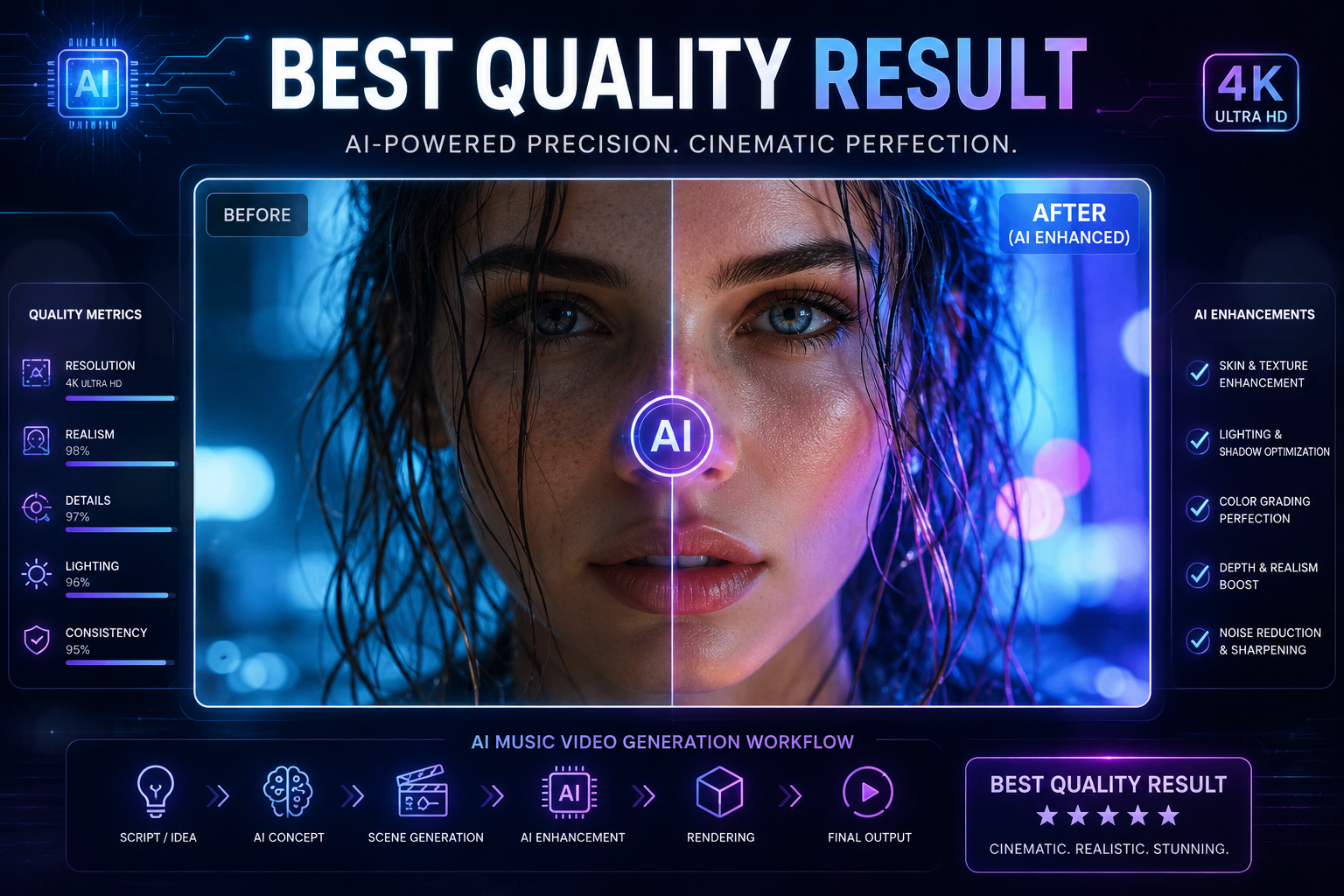
The highest-quality AI music videos usually come from a production stack, not a single magic button. I would start with the song, build the main visual structure, add cinematic shots where needed, then finish the edit for each platform.
A practical workflow looks like this:
- Start with the song. Identify genre, BPM, hook, chorus, lyrics, mood, and target audience.
- Generate the core video structure. Use a music-first platform when rhythm, sections, and full-song flow matter.
- Add cinematic hero shots. Use realism-focused tools for close-ups, dramatic scenes, or standout visual moments.
- Polish the edit. Add captions, lyric styling, overlays, colour adjustments, and aspect-ratio exports.
- Create cutdowns. Prepare 9:16 versions for TikTok, Reels, and Shorts.
This workflow is especially useful when the song has commercial or portfolio value. A simple visualiser may be enough for a demo, but a release campaign needs more structure.
The best quality result usually comes from combining music awareness, cinematic generation, and final editing discipline.
FAQ
Which AI music video platform offers the best quality music videos?
The best platform depends on the definition of quality. For full song-led music videos, choose a tool with beat sync, section awareness, style consistency, and export controls. For single cinematic clips, realism-focused generators may be stronger.
Which AI music video tool delivers the best realism?
Kling, Runway, Luma, Veo-style models, and Sora-style models are often compared for realism. For music videos, realism should be judged alongside sync, pacing, character consistency, and editability.
Which platform has the best AI music video generation quality?
The best platform is the one that fits the project. Full music videos need rhythm-aware structure and editing control. Short cinematic clips need realism and prompt precision. Social videos need speed, captions, and vertical export.
Which AI video generator makes the best music videos?
A general AI video generator can make strong clips, but a music-first tool is often better for complete music videos because it accounts for song structure, beat timing, lyrics, and final delivery.
Who has the best AI-generated music video studio online?
The best online studio should combine song analysis, visual generation, editing, effects, export formats, and revision tools. A platform that supports both automation and editable controls is stronger for serious music-video production.
What makes an AI music video look high quality?
A high-quality AI music video usually has consistent characters, stable style, clean motion, beat-aware pacing, readable lyrics, strong framing, and polished export formats.
Is realism more important than beat sync?
Not always. Realism helps with visual credibility, but beat sync and pacing make the video feel musical. A slightly stylised video with strong rhythm can feel better than a realistic video with weak timing.
Can AI music video generators replace traditional production?
They can reduce cost and production time for many independent creators, demos, lyric videos, visualisers, and social assets. Traditional production still offers more control for live shoots, choreography, and complex human performance.
What is the best workflow for AI music video quality?
Start with song analysis, generate a music-led structure, add cinematic shots where needed, then finish with captions, ratio formatting, and export polish.
AI music video quality is no longer just about which model creates the sharpest frame. The better question is which tool can carry a song from concept to final release with rhythm, visual consistency, and enough creative control. For creators who want an AI-powered music video creator that syncs visuals to beats and mood while supporting cinematic presets, fast rendering, and multi-genre workflows, Freebeat is a practical shortlist option alongside realism-focused generators and editing tools.


