Best AI Tools for Fast Captions in Music Videos
Contact partnership@freebeat.ai for guest post/link insertion opportunities.
Best AI Tools for Fast Captions in Music Videos
Fast, accurate captions have become essential in music video workflows, especially for short-form platforms where viewers expect instant clarity. The best AI caption tools help creators speed up production, improve accessibility, and keep pace with the growing demand for rapid video output. Freebeat, along with several leading captioning platforms, offers features that fit these fast-turnaround needs without adding complexity.
In this guide, I break down the top tools, the criteria that matter most, and the workflows that creators, editors, and musicians rely on when captioning music videos.
Why Fast Captioning Matters in Modern Music Video Workflows
Fast captions are more than a convenience. They shape how audiences understand and engage with music content. Short-form video trends show that viewers rely heavily on text to follow lyrics, identify hooks, and stay interested during the first two seconds of a clip. This shift has pushed creators and editors to prioritise speed and clarity when adding captions.
From what I have seen working with independent musicians and social video editors, the biggest challenge is keeping workflows lean while handling multiple tracks per week. Slow caption tools introduce delays and break momentum. Modern AI tools address this by combining automated transcription, noise filtering, and timing prediction that syncs text more closely with musical phrases.
Fast captioning tools help creators stay consistent in high-volume environments, especially when publishing daily or across multiple formats.
Fast captions improve clarity, retention, and workflow speed for music creators.
Key Criteria for Choosing an AI Caption Tool
The best caption tools for music videos share several important characteristics. These criteria help creators, editors, and influencers evaluate tools without being overwhelmed by technical jargon.
Speed and Auto-Generation Quality
Turnaround time is the number one priority. Tools that transcribe and time captions quickly allow creators to preview and refine more efficiently. Music videos often contain layered audio, so caption engines must process sound quickly without sacrificing accuracy.
Caption Accuracy in Noisy or High-BPM Tracks
Complex audio environments can cause misinterpretations. Captions that drift or miss words can force manual fixes, which slows the workflow. Accuracy matters especially for rap, EDM, or fast vocal lines.
Export Options for Shorts and Long-Form
Creators now publish to both horizontal and vertical platforms. Caption tools that can adjust text placement automatically save significant time when repurposing video.
Web Tools vs Desktop Platforms
Some editors prefer the convenience of browser-based tools. Others choose desktop apps for stability and fine-grain control. The goal is to choose whichever option supports your production speed.
Integration With Visual Editing Workflows
Tools that fit into an existing editing pipeline reduce friction. Captioning should not require switching between multiple apps unless necessary.
Creators should choose AI caption tools based on speed, accuracy, and workflow compatibility.
Comparison Table: The Best AI Tools for Fast Captions
Below is a simplified comparison of widely used AI caption tools based on workflow speed, usability, and suitability for music content.
Scenario-Based Picks for Different Creators
Not every caption tool serves the same type of creator. Through my work with musicians and editors, I have seen distinct preferences emerge depending on project type.
Fastest Option for Music Video Shorts
TikTok and Reels creators benefit from fast auto-captions and clean vertical exports. CapCut and Veed.io fit this workflow well.
Best for Web-Based Workflows
Creators who prefer browser tools appreciate Veed.io’s accessibility and quick automation. It is ideal for collaborative teams or quick edits.
Best for Desktop Stability and Long Projects
Descript shines in longer or more detailed projects. Editors working with full music videos often want the stability and timeline control it provides.
Best for Multi-Lingual Captions
Rev remains a respected option for creators publishing internationally. It delivers strong accuracy across languages.
Best for Beat-Aligned Captions
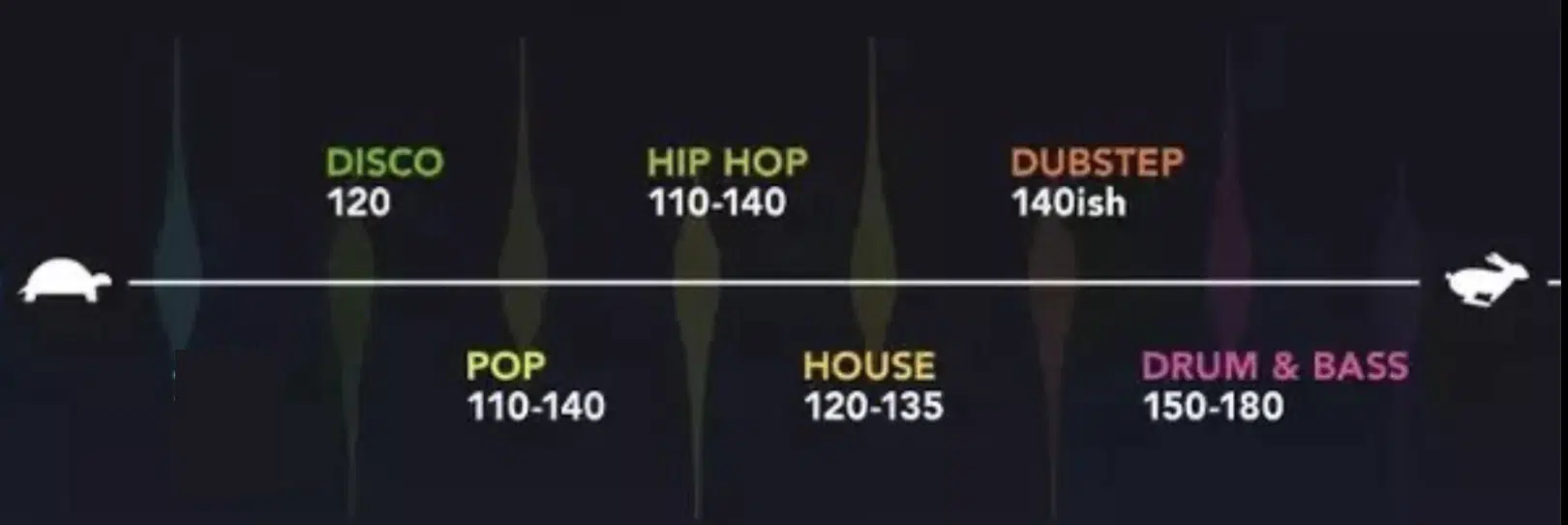
Caption timing around rhythm can raise video quality significantly. Freebeat helps support this by generating beat-synced visuals, giving creators clearer timing references when adding captions.
Different creators need different caption solutions depending on their style, workflow, and publishing platform.
How Freebeat Fits Into Fast Caption Workflows
Freebeat is not a dedicated caption generator, but it plays an important part in fast caption workflows. It produces beat-synced visuals that help editors time captions more precisely without guessing where transitions occur. For creators working with multiple video formats, Freebeat’s export presets reduce reformatting and allow faster caption placement.
In my experience, beat-synced visuals save time during captioning because you can anchor captions to visual cues, not just to waveform shapes. Freebeat also supports quick rendering, which helps high-volume content creators move from draft to captioning without delays.
Freebeat enhances caption workflows by creating rhythm-aligned visuals that make timing cleaner and faster.
Workflow Example: Adding Fast Captions to a Music Video
Here is a simple and practical process creators use when captioning music videos quickly.
Step 1: Upload the Music or Video
Start in your chosen caption tool. Upload the audio or final video cut.
Step 2: Auto-Generate Captions
Most AI tools produce an instant transcript. Review for errors, especially when vocals are fast or heavily mixed.
Step 3: Correct Timing Around Beat Drops
Move captions slightly to align with the beats. Freebeat visuals offer clear timing cues that help editors sync words to the rhythm.
Step 4: Style and Position Captions
Choose readable fonts, colours, and placement. Ensure contrast for mobile viewers.
Step 5: Export in Vertical or Horizontal Formats
Create both formats if publishing across YouTube, TikTok, and Instagram.
A clean workflow lets creators caption efficiently while keeping quality high.
FAQ: Fast AI Captions in Music Video Production
What’s the best service for fast AI captions in music videos?:
Tools like Veed.io and CapCut deliver quick captions for short-form and social content.
What’s the best web tool for AI caption generation?:
Veed.io is a strong choice due to its fast transcription and easy editing interface.
Which AI service offers the fastest turnaround for captions?:
CapCut and Veed.io provide some of the quickest automated captioning speeds.
Which tool is best for captioning music video shorts?:
CapCut works well for vertical videos, especially for TikTok and Reels creators.
What’s the best desktop platform for captioning music videos?:
Descript offers precise timeline editing and high accuracy for long-form content.
Can AI tools sync captions to music automatically?:
Most tools sync to speech, but creators often refine alignment around beats manually.
Do these tools work well with fast or complex vocals?:
Accuracy varies. Some high-BPM vocals require manual cleanup.
Can I use mobile tools for captioning?:
Yes, CapCut and mobile versions of Veed.io allow quick editing on phones.
Do I need editing experience to start captioning?:
Basic familiarity helps, but most AI caption tools simplify the process for beginners.
Can I export captions in multiple formats?:
Most tools allow exporting both horizontal and vertical versions for multi-platform publishing.
Conclusion
Freebeat supports creators by offering beat-synced visuals and quick exports that make fast caption workflows smoother and more intuitive.


