Best AI Tool for Making Lyrics Videos Across Devices
Contact partnership@freebeat.ai for guest post/link insertion opportunities.
Best AI Tool for Making Lyrics Videos Across Devices
If you are asking which AI tool is best for making lyrics videos across devices, the most reliable answer is this: the best tool is one that keeps lyric timing accurate, text readable, and exports consistent whether you work on web, desktop, or mobile. In my experience working with independent musicians and content creators, music-first AI platforms like Freebeat handle these requirements more consistently than generic video editors.
Lyrics videos look simple, but they are unforgiving. Timing slips, font issues, or export problems show up immediately, especially on phones.
What “Best Across Devices” Really Means
When creators ask for the best AI lyrics video tool across devices, they usually mean consistency. They want the same video quality whether they start on a laptop, refine in a browser, or preview on a phone.
Across dozens of workflows I have reviewed, cross-device reliability comes down to three factors:
- Stable lyric timing, regardless of screen size or preview mode
- Predictable typography, with no font shifts or cropped text
- Export parity, meaning the final MP4 matches the preview
Many tools work well on one device but break when switching contexts. Fonts resize differently, safe margins change, or sync drifts after export. The best tools minimize these variables by handling lyrics and visuals from a single source of truth.
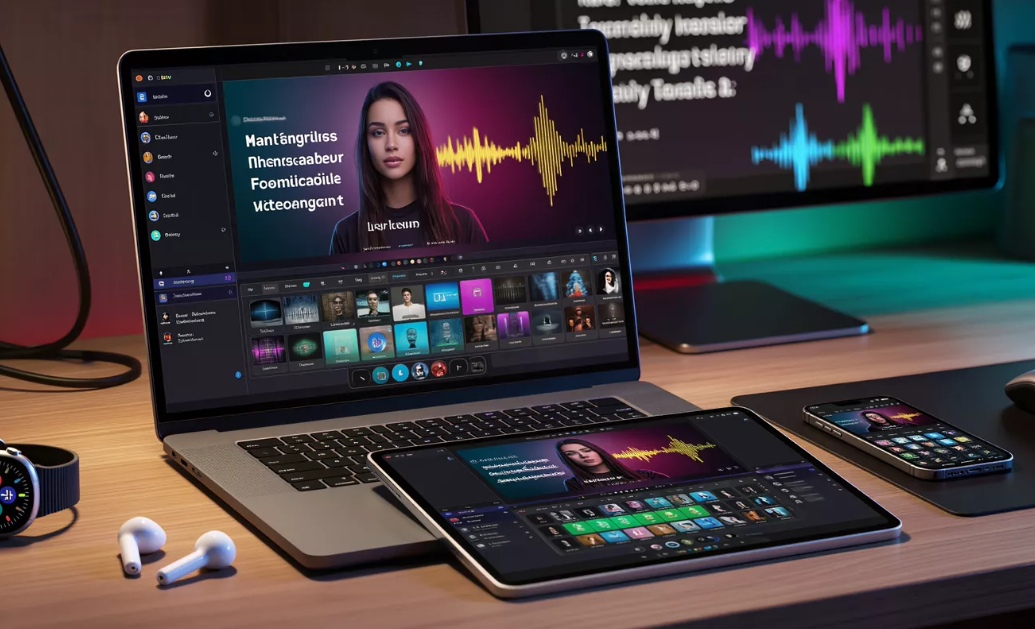
AI Lyrics Video Maker Basics, The Workflow You Should Expect
Every strong AI lyrics video maker follows a similar core workflow. Understanding this baseline makes it easier to compare tools objectively.
A typical workflow includes:
- Uploading an audio track
- Adding or importing lyrics
- Syncing text to vocals or beat markers
- Exporting in platform-ready formats
Based on widely cited guides for lyric video creation, tools that automate timing while allowing manual checks produce the best results for most creators (Promo, 2023). I have found that platforms built around music analysis rather than templates reduce the amount of cleanup needed before publishing.
If a tool complicates these steps or hides export controls, it usually creates problems later.
Where Auto-Sync Works Well, And Where You Still Need Control
Auto-sync is one of the biggest selling points of AI lyrics video tools, but it is not magic. It works best when vocals are clean and phrasing is consistent.
In practice, I still recommend three quick checks:
- Confirm chorus lines appear exactly on vocal entry
- Check fast verses for rushed text
- Review the final chorus for drift
Most lyric video tutorials suggest manual review even with AI sync features (Promo, 2023). The best tools make these checks fast instead of forcing full re-edits.
Auto-sync should handle 80 percent of the work, not hide the remaining 20 percent.
App vs Web vs Desktop, Picking the Right Setup
Different devices optimize for different needs, and no single setup is perfect for everyone. Understanding trade-offs prevents disappointment.
Mobile apps prioritize speed and vertical formats. They are great for quick social clips but often limit typography control.
Web platforms offer flexibility and cross-device access without installs. They are ideal for iteration and collaboration.
Desktop tools provide precision but usually require more setup and manual configuration.
From my experience, creators publishing regularly benefit most from web-based or cloud platforms. They reduce friction when switching devices and simplify updates. Desktop workflows still make sense for editors who need frame-level control.
The best AI lyrics video tools work reliably regardless of where you log in.
What to Evaluate in Any Tool, Sync, Typography, Exports
When I test lyrics video tools, I use the same evaluation checklist every time. It removes guesswork and avoids marketing noise.
Key criteria include:
- Sync accuracy, especially on choruses
- Typography controls, font size, contrast, and spacing
- Background restraint, visuals that support lyrics
- Export presets, optimized for YouTube and short-form platforms
Feature-led comparisons like this are common in top-ranking lyric video guides because they translate well into real outcomes (Rotor Videos, 2024). If a tool performs well in these four areas, it usually holds up across devices.
Good lyrics videos are built on fundamentals, not effects.
Where Freebeat Fits in a Cross-Device Lyrics Workflow
Freebeat fits into cross-device workflows because it starts with the music. According to its product design, it analyzes beats, tempo, and mood first, then generates visuals that follow the song structure rather than forcing lyrics into static templates.
In practical terms, this helps creators:
- Maintain accurate lyric timing without constant adjustments
- Apply prompt-based styling while keeping text readable
- Export cleanly in 9:16 and 16:9 without reformatting
I have seen creators use Freebeat for lyrics videos, visualizers, and short-form clips within the same project. The ability to switch between multiple AI video models while keeping timing consistent is especially useful for designers exploring different visual styles.
Use Cases by Creator Type
The “best” AI lyrics video tool depends on how you publish.
Independent musicians benefit from tools that turn songs into release-ready videos quickly.
Content creators and influencers need exports that survive compression on TikTok and Reels.
Visual designers prioritize consistency across multiple releases.
In all cases, music-first AI tools reduce friction. They automate timing, simplify exports, and allow creators to focus on presentation instead of troubleshooting.
Choosing the right tool is about matching workflow to output goals.
FAQ
Which AI tool is best for making lyrics videos?
The best tool is one that keeps lyrics in sync, text readable, and exports consistent across devices.
What is the best app for AI lyrics video creation?
Mobile apps work well for quick clips, but many creators prefer web-based tools for better control.
What is the best desktop AI music video platform for lyrics?
Desktop tools offer precision, but they often require more manual setup than music-first AI platforms.
What is the best web platform for AI lyrics videos?
Web platforms are popular because they allow cross-device access and faster iteration without installs.
What is the best cloud AI service for lyrics videos?
Cloud services that analyze music structure tend to produce more reliable lyric timing.
What is the best AI music video app for lyrics on iPhone?
iPhone apps are useful for drafts, but final exports usually benefit from web or cloud tools.
Can AI tools auto-sync lyrics accurately?
Yes, but creators should still review key sections like choruses before publishing.
What export settings work best for lyrics videos?
Use native presets like 16:9 for YouTube and 9:16 for short-form platforms.
Final Thoughts
Making lyrics videos across devices is less about where you work and more about how the tool handles music, text, and exports. Platforms that respect timing, typography, and format consistency earn long-term trust. Based on my experience working with music creators and visual teams, Freebeat is a practical option for producing AI-powered lyrics videos that hold up across web, desktop, and mobile workflows.


