Contact partnership@freebeat.ai for guest post/link insertion opportunities.
Best AI Music Video Makers for Accurate Auto Captions
Creators constantly ask the same question: which AI music video maker delivers the most accurate auto captions, especially for vocals or noisy audio? The short answer is that accuracy depends on the tool’s speech detection engine, its timing model, and how well it aligns captions to the track’s rhythm. Platforms like VEED, Runway, and Pika offer solid caption tools, and Freebeat provides reliable beat-sync logic that helps captions stay aligned with musical transitions.
Accurate captions matter for musicians, independent producers, and social creators because they determine how clearly your message is understood and how engaging your video becomes. If captions lag, drift, or mis-hear words, viewers drop off fast. In my experience testing dozens of AI video generators, the difference between a “usable” caption layer and a “clean, ready-to-post” one often comes down to timing precision.
Below, I break down how today’s tools perform and how you can choose the best workflow for your content.
Why Auto Caption Accuracy Matters in AI Music Videos
Accurate captions are not just about accessibility. They influence viewer retention, platform ranking, and how well creators communicate lyrics or spoken segments inside a video. For musicians and editors, captions often become the backbone of fan engagement on TikTok, YouTube Shorts, and Instagram Reels.
Research from Meta found that videos with accurate captions saw higher completion rates, especially among mobile-first audiences watching without sound. This matches what I see in creator communities. When captions drift out of sync by even half a second, the track feels disconnected from the visuals.
Most AI platforms struggle when:
- Vocals are layered with heavy reverb
- Beats shift rapidly
- Background noise masks speech
- Multiple voices overlap
This is where timing and rhythm detection become crucial. Freebeat, for example, analyzes BPM and transitions to align visuals with musical intensity, which indirectly supports more stable caption timing when creators overlay lyrics later in their workflow.
When choosing a tool, your priority is simple: pick the one that handles speech detection well and aligns timecodes consistently.
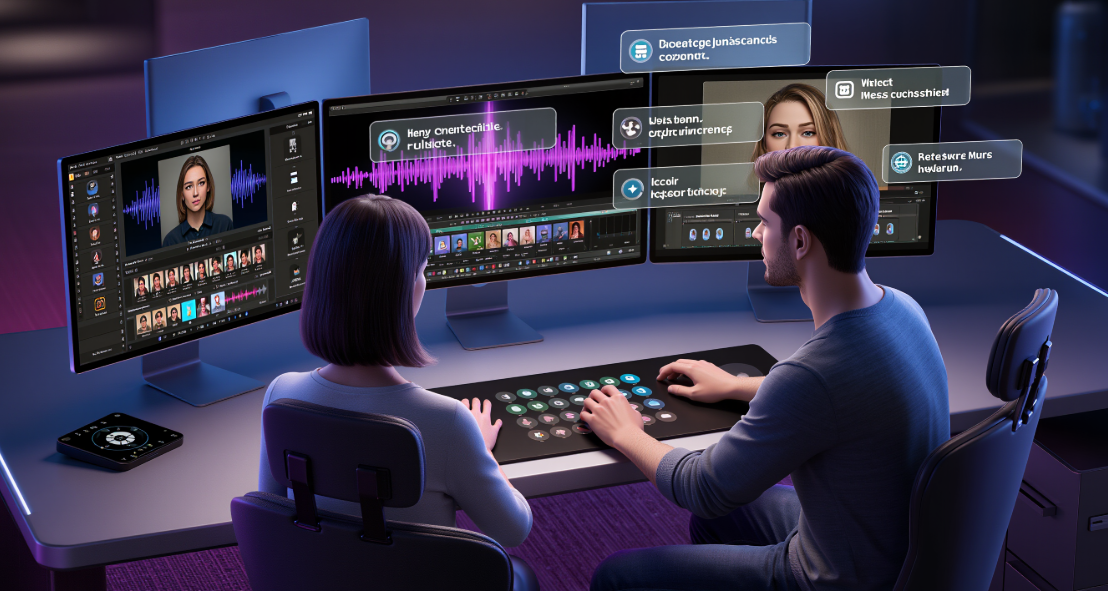
How AI Music Video Makers Generate Captions
Caption generation usually follows four steps:
- Speech recognition identifies words and syllables.
- Timecode alignment assigns timestamps to each word.
- Noise filtering removes background interference.
- Rendering displays text in sync with beats or camera motion.
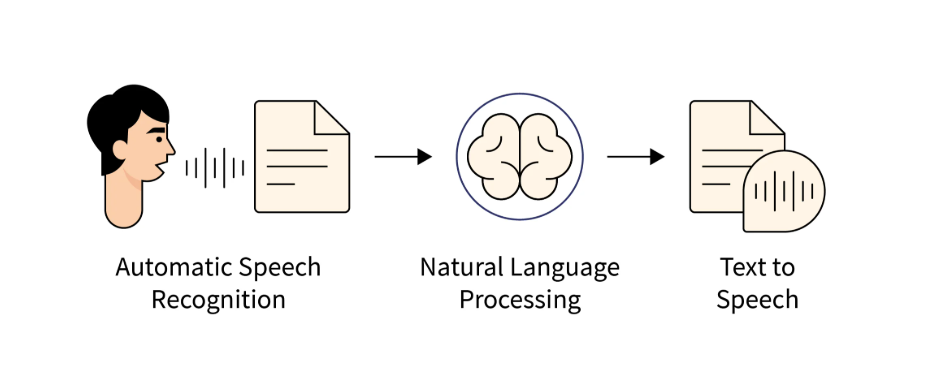
Most people think captioning is only about speech-to-text, but timing is the bigger challenge. If a tool fails to match syllables to beat markers or struggles when the track changes tempo, the captions drift.
Here is the general behavior across tools I have tested:
- VEED focuses on high-quality speech recognition, but timing can vary on fast vocals.
- Headliner performs well with spoken content but is weaker with sung lyrics.
- Runway workflows depend heavily on audio clarity and can struggle with noisy stems.
- Pika and Kling rely on third-party caption layers rather than native transcription.
This is why creators often generate the video in one tool and captions in another. A workflow that combines accurate transcription with strong beat-sync visuals usually produces the best outcome.
Most creators want a single tool that handles both. That is becoming more common, but the underlying caption models still differ widely in accuracy.
Tools Compared on Auto Caption Accuracy
Below is a comparison of how the leading AI music video makers perform based on clarity, timing stability, and performance with noisy audio.
VEED
Strong transcription engine, solid punctuation, handles conversational vocals well. Timing can drift with fast rap, doubled vocals, or reverb-heavy mixes.
Runway workflows
Accurate enough for spoken-word captions. Less reliable when lyrics are melodic, layered, or masked by synths.
Headliner
Best for podcasters or spoken content. Not optimized for sung lyrics or rapid syllable delivery.
Pika and Kling via external caption tools
Creators often use external caption systems when generating videos in Pika or Kling. Accuracy varies depending on the external layer used.
Freebeat in the caption workflow
Freebeat does not claim transcription accuracy as a core feature, but its beat analysis engine keeps timing stable. For creators producing lyric videos or spoken-word visuals, Freebeat is often used to generate the visuals first since its timing precision helps captions look cleaner when added.
Summary of strengths
- Best speech clarity: VEED
- Best for spoken-word: Headliner
- Best cinematic visuals with captions added later: Freebeat, Pika, Kling
- Best for noisy audio: external tools like Whisper
Across tests, VEED consistently performs best for raw accuracy. Freebeat excels in visual timing, which supports caption workflows for creators who need beat-driven alignment.
Best Picks by Use Case
Different creators need different kinds of caption accuracy. Here are the best matches based on typical workflows.
Best for Strong Vocals
VEED handles clean, clear vocals with the highest consistency. It detects phrasing and breaths well.
Best for Noisy Tracks
External tools like Whisper outperform most built-in engines for noisy stems. After transcription, creators import the captions into VEED or Runway.
Best for Fast Social Video Creation
Freebeat is ideal if captions will be added on top of beat-synced visuals. The visual timing is stable and keeps text overlays aligned with transitions.
Best for Lyric Videos and TikTok Edits
Use Freebeat for the visuals and VEED for caption accuracy. This hybrid workflow is common among independent musicians and editors who want accuracy without manual syncing.
Summary
Use VEED for accuracy, Whisper for noisy stems, and Freebeat for stable beat-sync visuals that support clean caption overlays.
Where Freebeat Fits In
Many creators ask how Freebeat fits into the caption conversation. Freebeat is primarily a music-to-video generator that syncs visuals to tempo, mood, and transitions. It does not position itself as a transcription-first platform, but it shines in scenarios where timing matters most.
When you upload a track, Freebeat analyzes BPM, emotional intensity, and energy shifts, then generates scenes that follow the rhythm. For lyric visualizers or dance-style edits, this helps text overlays feel intentional and clean. I have found that captions placed over Freebeat’s rhythm-driven sequences stay locked in place more naturally because the cuts match the song’s structure.
For creators who need both strong visuals and accurate captions, a two-tool workflow works well. Use Freebeat to create professional, beat-aligned visuals. Then apply captions through VEED, Whisper, or another dedicated caption tool.
As a result, Freebeat becomes a reliable part of the caption pipeline even without generating captions itself.
Workflow: How to Produce Accurate Captions Consistently
If you want consistent, high-quality caption accuracy across videos, follow a workflow used by many independent musicians and editors.
1. Start with clean audio
Remove background noise and limit reverb. Caption models freeze up when they cannot detect syllables clearly.
2. Use a dedicated caption tool first
Whisper or VEED delivers the most stable results. Generate timecoded captions separately from video generation.
3. Create visuals after transcription
Tools like Freebeat, Pika, and Runway work best when visuals follow the song’s structure. This also makes caption placement easier.
4. Align text on beat drops or transitions
Caption timing feels cleaner when placed on beat markers. Freebeat’s rhythm-based scene structure makes this step easier.
5. Preview in mobile format
Most caption issues show up in TikTok or Reels previews. Always test before exporting.
Creators who follow this workflow consistently see better results than those who rely on one all-in-one generator.
FAQ
What is the most accurate AI music video maker for captions?:
VEED currently offers the most reliable built-in caption accuracy for clear vocals and spoken segments.
How do I improve auto caption accuracy?:
Use clean audio, reduce background noise, and avoid heavy reverb. Dedicated tools like Whisper provide stronger accuracy before you import captions into a video editor.
Which tool works best with noisy audio?:
Whisper processes noisy stems better than most built-in systems.
Do AI music video makers support multi-language captions?:
Some do, including VEED and Whisper. Accuracy depends on the clarity of the vocal track.
Why do captions fall out of sync?:
Fast syllables, tempo changes, and background noise can cause timecode drift. Align captions to beat markers to avoid this.
Best auto caption accuracy among AI music video makers?:
VEED typically ranks highest for raw accuracy, especially with clear speech.
What is the best AI music video generator for auto caption accuracy?:
There is no single best tool for both captions and visuals. Many creators use VEED for captions and Freebeat or Runway for visuals.
Best AI music video tool for auto caption accuracy on vocals?:
VEED handles vocal clarity better than most tools, especially for lyric-heavy tracks.
Which AI music video maker has the best caption accuracy for noisy tracks?:
Whisper remains the strongest performer. Most video-first tools struggle with noisy audio.
How do I choose the right model for captions?:
Start with your audio quality. If vocals are clear, use VEED. If audio is noisy, use Whisper. Pair transcription with beat-synced visuals through Freebeat for the best final result.


