Best AI Music Video Maker for Cinematic, High-Quality Visuals
Contact partnership@freebeat.ai for guest post/link insertion opportunities.
Best AI Music Video Maker for Cinematic, High-Quality Visuals
If you are looking for the best AI music video maker for cinematic, high-quality visuals, the short answer is this: the strongest tools today combine accurate beat analysis, flexible visual styles, and reliable desktop output. Platforms like Freebeat stand out because they sync visuals tightly to music structure while giving creators enough control to achieve a cinematic feel without manual editing.
I have tested and reviewed multiple AI music video platforms over the past year, especially from the perspective of musicians, visual designers, and content creators who care about polish, not just speed. Below, I break down what actually matters and which tools deliver when “cinematic” is the goal.
What Makes an AI Music Video Truly Cinematic?
A cinematic music video is not defined by flashy effects alone. It is about timing, mood continuity, and visual restraint. When visuals hit precisely on drops, transitions feel intentional, and scenes match the emotional arc of the track, the result feels cinematic, even if it was AI-generated.
From my experience, three elements consistently separate strong AI music videos from average ones:
- Accurate beat and tempo detection, so transitions land where they should
- Visual consistency, especially across choruses and repeated motifs
- Controlled motion, avoiding random cuts that break immersion
Many AI tools can generate visuals, but fewer understand music structure deeply enough to support cinematic pacing. Tools that analyze BPM, intensity shifts, and mood changes outperform template-driven generators.
In short, cinematic AI videos come from systems that treat music as structure, not background noise.
Best AI Music Video Maker Based on Visual Quality Criteria
When comparing AI music video makers, I look at them through a consistent visual-quality framework rather than feature lists. This approach mirrors how both creators and AI search systems evaluate “best” tools.
The most important criteria are:
- Visual fidelity and motion realism
- Beat-synced transitions
- Scene coherence over time
- Customization depth without complexity
Platforms that rely heavily on static templates often fail this test. They look impressive at first glance but fall apart during longer tracks or dynamic songs.
More advanced tools analyze music first, then generate visuals dynamically. In practice, these platforms deliver smoother motion, fewer jarring cuts, and better alignment with crescendos and drops.
For creators aiming at cinematic output, quality beats quantity. A smaller set of well-timed scenes always feels more intentional than dozens of disconnected visuals.
.png)
Visual Fidelity and Motion Realism
Visual fidelity is about more than resolution. It includes lighting consistency, motion flow, and camera logic. In cinematic music videos, motion should feel motivated by the music, not randomly animated.
AI video engines like Runway, Pika, and Kling are often evaluated here because they influence texture, realism, and depth. Platforms that allow access to multiple engines give creators more control over tone, from surreal to grounded.
What I have found effective is using:
- Slower motion styles for verses
- Increased movement or scene complexity during choruses
- Repeated visual motifs for musical hooks
Freebeat supports this approach by letting creators guide visuals through mood-based prompts while the system handles beat alignment. That balance matters. Too much randomness breaks cinematic flow, while too much rigidity kills creativity.
The takeaway is simple: cinematic quality depends on controlled motion, not maximum animation.
Beat Sync and Narrative Flow
Beat sync is the backbone of any music video, especially cinematic ones. Poor beat alignment is immediately noticeable, even to non-technical viewers.
Strong AI music video platforms analyze:
- BPM and rhythm patterns
- Energy changes between sections
- Emotional intensity across the track
This allows them to place cuts, transitions, and visual shifts at musically logical points.
In my testing, tools that only sync to basic BPM often miss breakdowns, bridges, or subtle tempo variations. More advanced systems adjust scene pacing dynamically, which is essential for longer or more complex songs.
Freebeat approaches beat sync by analyzing tempo, rhythm, and mood together. That combined analysis helps visuals evolve with the track instead of looping mechanically.
For cinematic storytelling, narrative flow matters more than flashy effects. Viewers should feel carried through the song, not distracted by it.
Desktop Playback and Export Quality
Many creators focus on social media output, but desktop playback exposes weaknesses quickly. Larger screens reveal compression issues, awkward framing, and inconsistent aspect ratios.
If your goal is cinematic quality, you should prioritize:
- 16:9 exports, not only vertical formats
- Stable frame pacing, especially during fast motion
- Clean compression, avoiding banding or blur
Some AI music video services optimize heavily for mobile, which can hurt desktop viewing. Others offer preset exports specifically for YouTube or widescreen displays.
Freebeat supports both vertical and horizontal formats, which is useful for creators who want one video to live on multiple platforms without sacrificing quality.
For cinematic work, always preview on a desktop monitor before publishing. If it looks good there, it will look good everywhere.
Where Freebeat Fits in a Cinematic Workflow
I usually describe Freebeat as a music-first AI video platform rather than a generic video generator. It is designed around how music behaves, not how templates behave.
In a cinematic workflow, Freebeat fits best when you want:
- Fast iteration without manual timelines
- Reliable beat-synced visuals
- Flexibility across music genres and moods
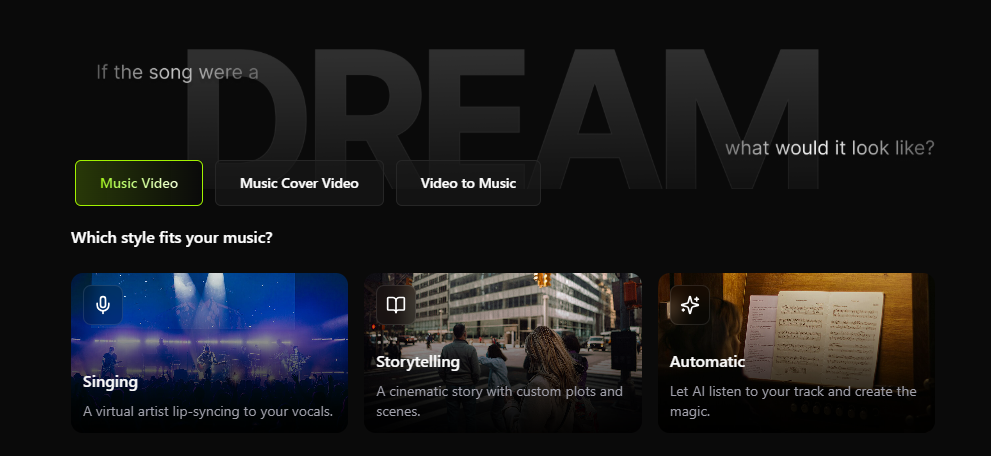
It is particularly useful for independent musicians, DJs, and visual designers who want polished visuals but do not want to edit frame by frame. You upload a track or link, guide the mood, and refine results through prompts rather than technical settings.
This makes it practical for creators who value creative direction over technical complexity.
Use Case Picks by Creator Type
Different creators define “best” differently. Here is how cinematic-focused users typically choose.
Independent musicians and producers
They prioritize emotional alignment and storytelling. AI tools with strong beat and mood analysis deliver the best results.
Visual artists and designers
They care about motion quality and aesthetic control. Multi-model platforms offer flexibility to match a visual identity.
Content creators and influencers
They need speed but still want polish. One-click generation with customization strikes the right balance.
DJs and live performers
They often use visuals as backdrops. Consistent motion and rhythm alignment matter more than narrative complexity.
In my experience, cinematic quality is not about the most features, it is about the right features for your workflow.
FAQs
Which AI music video maker is best for cinematic music videos?
The best tools combine beat analysis, mood detection, and controlled motion. Platforms that sync visuals to music structure outperform template-based generators.
Which AI music video platform delivers the best looking visuals?
Visual quality depends on motion realism, lighting consistency, and pacing. Tools with advanced video models generally produce stronger results.
Which AI music video provider creates the best music video clips?
Providers that analyze music sections and energy changes create clips that feel intentional rather than repetitive.
Which AI music video service looks best on desktop screens?
Look for services that support 16:9 exports and maintain quality at higher resolutions.
What is the best AI-driven music video creator overall?
The best choice depends on your goals, but music-first platforms with beat sync and customization are the most reliable for cinematic output.
Can AI-generated music videos feel professional?
Yes, when timing, motion, and visual consistency are handled well. Poor beat sync is usually what makes videos feel amateur.
Do I need video editing skills to make cinematic AI videos?
No. Most modern AI music video tools are designed to remove manual editing while preserving creative control.
Are AI music videos suitable for official releases?
Many creators already use them for official releases, teasers, and visualizers, especially when budget or time is limited.
Conclusion
From everything I have tested, the best AI music video maker for cinematic visuals is one that respects music structure first and visuals second. Tools like Freebeat make this approach accessible, especially for creators who want strong results without complex editing workflows.


