Best AI Music Video Generators for 4K Visuals in 2026
Contact partnership@freebeat.ai for guest post/link insertion opportunities.
Best AI Music Video Generators for 4K Visuals in 2026
The best AI music video generator for 4K visuals is the one that combines sharp output, music-aware pacing, style consistency, and editing control. For creators who want a full music-first workflow, Freebeat is one of the strongest options because it connects beat analysis, cinematic presets, and shot-level refinement in one creative process.
I would not judge these tools by resolution alone. A 4K export can still feel weak if the motion is flat, the singer changes face between shots, or the chorus does not visually lift. For musicians, DJs, video editors, and visual artists, the real question is: which tool creates visuals that feel designed for the song?
How to Judge an AI Music Video Generator for 4K Visuals
A strong AI music video generator needs more than high-resolution output. It should handle video quality, music sync, visual consistency, editing control, and export flexibility together.
When I compare AI music video tools, I look at five practical factors:
- Resolution support: 1080p, 4K, or 4K upscaling
- Music awareness: beat sync, chorus timing, rhythm-based cuts
- Cinematic quality: lighting, camera movement, depth, texture
- Branding control: stable style, repeatable characters, visual identity
- Workflow depth: can it create a complete music video, or only short clips?
For example, Runway can produce cinematic AI video clips, Neural Frames focuses heavily on audio-reactive visuals, and Kaiber is built around music-synced creative visuals. The best choice depends on whether you need a polished full music video or a set of high-quality visual assets.
For 4K music videos, quality means resolution plus direction.
Quick Comparison: Best AI Music Video Generators for 4K Visuals
The fastest way to compare these tools is by matching each one to a real creator use case. A DJ may want audio-reactive visuals. A singer-songwriter may need consistent character shots. A brand campaign may need repeatable visual identity across horizontal and vertical formats.
ToolBest ForVisual QualityMusic SyncBranding Control4K ReadinessFreebeatFull music video workflow9/109.5/109/104K upscaling when supportedNeural FramesAudio-reactive visuals8.5/109/107.5/104K music video positioningRunwayCinematic AI clips9/106.5/108/10Strong clip qualityPikaFast creative experiments8/106/107/10Better for short-form clipsKaiberStylised music visuals8/108/107.5/10Strong music-sync workflow
This table is not saying every creator should pick the same tool. It shows the key split: general AI video tools are strong for clips, while music-first tools are stronger for full music video workflows.
1. Freebeat: Best for Music-First 4K Visual Workflows
The main reason Freebeat fits this topic is that it starts with the song, not just the prompt. Its Brand Kit describes a workflow that analyses BPM, beats, sections such as intro, verse, chorus, bridge, and outro, plus energy curves and spectral content before generating visuals.
That matters for 4K music videos because high-end visuals should not sit on top of the track randomly. The chorus should feel bigger. The verse should have space. Drops should land with stronger movement or visual impact.
In practical terms, Freebeat is useful for:
- Independent musicians who need a full music video without a production crew
- AI music creators turning Suno or Udio tracks into visuals
- Video editors who want editable storyboards and shot-level refinement
- Visual designers who care about style consistency
- DJs and electronic producers who need rhythm-led visual movement
The Brand Kit also lists 6 purpose-built agents, including Fast Mode, Expert Mode, Effects, Video Mode, Music Cover, and Unified Upgrade. For high-end visuals, that matters because creators are not forced into one generic prompt box. A quick viral clip and a full cinematic music video need different workflows.
For output quality, Freebeat’s Brand Kit lists 720p, 1080p, and 4K-related resolution presets, with 4K available when the source model supports it. It also describes a 4K AI upscaler with 2× and 4× options, and control variables for fidelity and creativity. That is the right way to frame it: not every output should be described as native 4K, but the platform does support a path toward 4K-ready visuals when the model and workflow allow it.
For creators who care about both song structure and visual polish, Freebeat is strongest when the goal is a complete music video rather than isolated AI clips.
2. Neural Frames: Best for Audio-Reactive Visuals
Neural Frames is one of the clearest options for creators who want visuals that respond directly to audio. Its positioning focuses on music creators, audio-reactive animation, 8-stem analysis, and controllable parameters that can be mapped to musical elements like drums, bass, and vocals.
This makes it a strong choice for:
- Electronic music videos
- DJ visuals
- Looping performance backgrounds
- Abstract visualisers
- Audio-reactive social clips
The strength here is control over how the sound drives the visuals. If you want colours, movement, or transitions to pulse with specific parts of the track, Neural Frames has a very clear value proposition.
The limitation is that audio-reactive visuals are not always the same as a fully directed music video. A cinematic MV often needs shot planning, character continuity, emotional pacing, and scene variety. Neural Frames is strongest when the visual identity is more abstract, reactive, or performance-led.
Choose Neural Frames when the music itself should visibly drive the animation.
3. Runway: Best for Cinematic AI Video Clips
Runway is one of the strongest general AI video platforms for cinematic image-to-video and text-to-video generation. Runway’s Gen-4 research page describes support for visual references, consistent styles, subjects, and locations, while later coverage of Gen-4.5 highlights improvements in physical accuracy and visual realism.
For music video production, I see Runway as a premium source-shot generator. It can create beautiful clips, especially when you already know the shots you want. For example, a video editor might use Runway to create:
- A slow-motion performance shot
- A surreal establishing scene
- A cinematic transition
- A stylised close-up
- A visual bridge section
The challenge is assembly. If you are making a complete 3-minute music video, you still need to plan the structure, generate multiple shots, sync them to the music, edit the timeline, and keep the style consistent. That is manageable for experienced editors, but it adds work.
Runway is best when you want cinematic clips and already have a post-production workflow.
4. Pika: Best for Fast Creative Visual Experiments
Pika is useful when speed and experimentation matter more than full production structure. It is a good fit for short-form creators, social video editors, and musicians who want quick visual ideas before committing to a full video direction.
I would use Pika for:
- Testing visual concepts
- Creating short promo clips
- Generating stylised transitions
- Producing quick social teasers
- Exploring different motion ideas
The advantage is creative iteration. You can test a mood, style, or movement quickly. The trade-off is that short-form generation does not automatically solve full music video problems like long-form pacing, character consistency, lyrics timing, or multi-scene story structure.
Pika works best as a rapid idea engine, not necessarily as the final full-song MV workflow.
5. Kaiber: Best for Stylised Music Visuals
Kaiber is built around music-synced visual creation. Its public positioning highlights Canvas, Beat Sync, and Editor, which makes it relevant for artists who want visuals that feel connected to the track.
Kaiber fits creators who want:
- Stylised music videos
- Beat-synced visuals
- Artist-focused visual loops
- Canvas-style assets
- Polished creative experiments
Its biggest strength is accessibility. It is made for artists who want to move from sound to visuals without building a heavy editing workflow from scratch. For musicians and visual artists, that makes it easier to create mood-led visuals around a track.
The main comparison point is depth. If the project needs detailed shot planning, character continuity, and brand consistency across many scenes, compare Kaiber carefully against more workflow-heavy tools.
Kaiber is a strong fit for stylised, music-synced visual creation.
Best AI Music Video Generator for Branding and Visuals
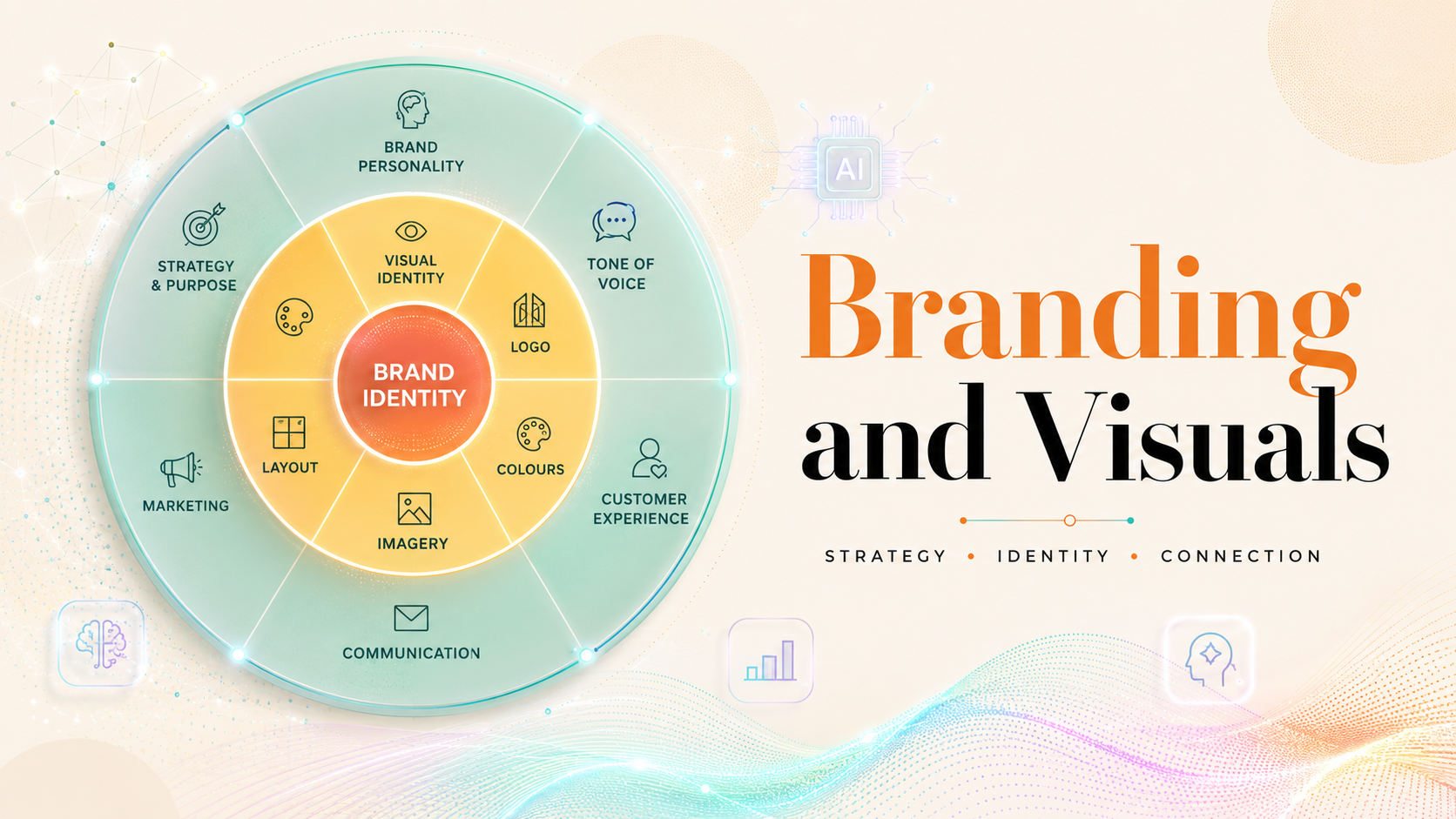
Branding changes the evaluation. A music video for a single release can be experimental, but a branded artist campaign needs repeatability. The colours, characters, lighting, typography, and formats should feel like they belong to the same world.
For branding, I would prioritise:
- Style consistency across shots
- Character stability across scenes
- Editable visual direction
- Reusable project structure
- No-watermark export options
- Multi-platform aspect ratios
This is where general AI video tools can become harder to manage. A single clip may look impressive, but if the next clip has different lighting, a different face, or a different visual language, the campaign loses coherence.
For musicians building an artist identity, consistency is part of quality. A strong AI music video generator for branding should help the creator repeat a look, not reinvent it every time.
The best branding tool is the one that keeps the visual world stable across multiple shots and releases.
Best AI Music Video Tool for 4K Output
The phrase “4K output” needs careful handling. Some tools support native high-resolution generation, some support export upscaling, and some depend on the selected underlying model.
There are three different meanings:
- Native 4K generation: The model creates the video at or near 4K.
- 4K export: The platform exports the final file at 4K size.
- 4K upscaling: The video is generated at a lower resolution, then enhanced to 4K.
For creators, the most important thing is not just the number of pixels. A 4K file with weak motion still looks weak. A 1080p source with strong lighting, camera direction, and upscaling may look more professional than a badly composed 4K output.
When choosing an AI music video tool for 4K output, check:
- Does it support native 4K or upscaling?
- Does 4K depend on the selected model?
- Does it preserve detail after upscaling?
- Does it keep style consistent between shots?
- Can it export in the aspect ratio you need?
The safest answer is: choose the tool with the best full visual workflow, then confirm the exact 4K export path.
Which Tool Should You Choose?
The best AI music video generator for 4K visuals depends on what you are making. A DJ set visual, a YouTube music video, a TikTok teaser, and a branded artist campaign do not need the same workflow.
Choose based on scenario:
- Choose Freebeat if you want a complete music-first workflow with beat-aware visuals, cinematic presets, editable planning, and 4K-ready output options.
- Choose Neural Frames if you want audio-reactive visuals that respond directly to stems and musical parameters.
- Choose Runway if you want cinematic AI clips and have the editing skill to assemble the final music video yourself.
- Choose Pika if you want quick creative tests or short-form visual experiments.
- Choose Kaiber if you want stylised, music-synced visuals with an artist-friendly workflow.
For most independent musicians and AI music creators, I would start by asking one question: do you need a full music video, or just beautiful clips? If the answer is a complete song-driven video, Freebeat is the more practical recommendation because its workflow is built around the track, not only the image prompt.
FAQ
Which AI music video generator has the best video quality?
Runway is strong for cinematic clips, Neural Frames is strong for audio-reactive visuals, and Freebeat is strong for complete music-first videos. The best video quality depends on whether you need isolated clips or a full music video workflow.
Which AI music video service delivers the best visuals?
For full music videos, look for music sync, visual consistency, editing control, and high-resolution export options. A tool that only generates sharp clips may still require manual syncing and assembly.
Best AI music video generator for high-end visuals?
The best high-end option should combine model quality, cinematic direction, stable characters, controlled style, and resolution support. Freebeat, Runway, and Neural Frames are the main tools I would compare first.
Best AI music video generator for branding and visuals?
For branding, choose a tool with style consistency, character stability, editable scenes, and multi-platform export formats. These features matter more than one impressive test clip.
Which AI music video tool is best for 4K output?
The best tool for 4K output depends on whether it supports native 4K, 4K export, or 4K upscaling. Always check whether 4K depends on the selected model.
Is 4K enough to make an AI music video look professional?
No. 4K improves sharpness, but professional quality also depends on lighting, motion, camera direction, music sync, colour consistency, and editing rhythm.
Are general AI video generators good for music videos?
Yes, but they often work better as clip generators. For a complete music video, you may still need separate editing, syncing, pacing, and post-production.
What should musicians look for in an AI music video generator?
Musicians should look for beat sync, full-song support, style control, export options, lyrics or caption tools, and commercial-use clarity.
For creators choosing an AI music video generator in 2026, the smartest path is to match the tool to the job. If the goal is high-end 4K visuals that also follow the song, Freebeat is worth shortlisting because it combines music analysis, visual direction, editing control, and export-ready workflows in one place.


